

Prerequisites
- A GCP project with permissions to create GCS buckets and IAM roles
- A Databricks account with permissions to create workspaces
1. Create a Databricks Workspace
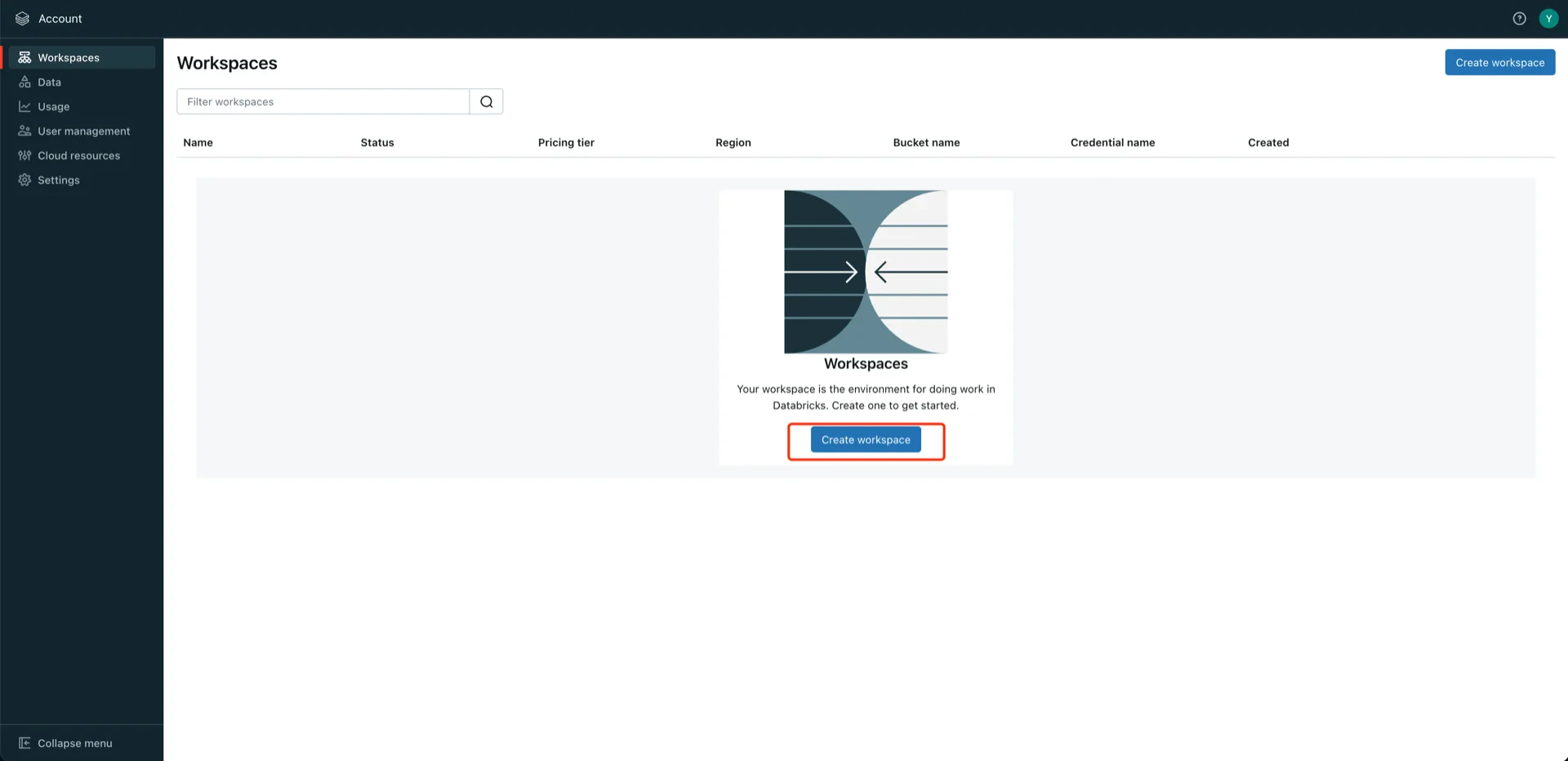
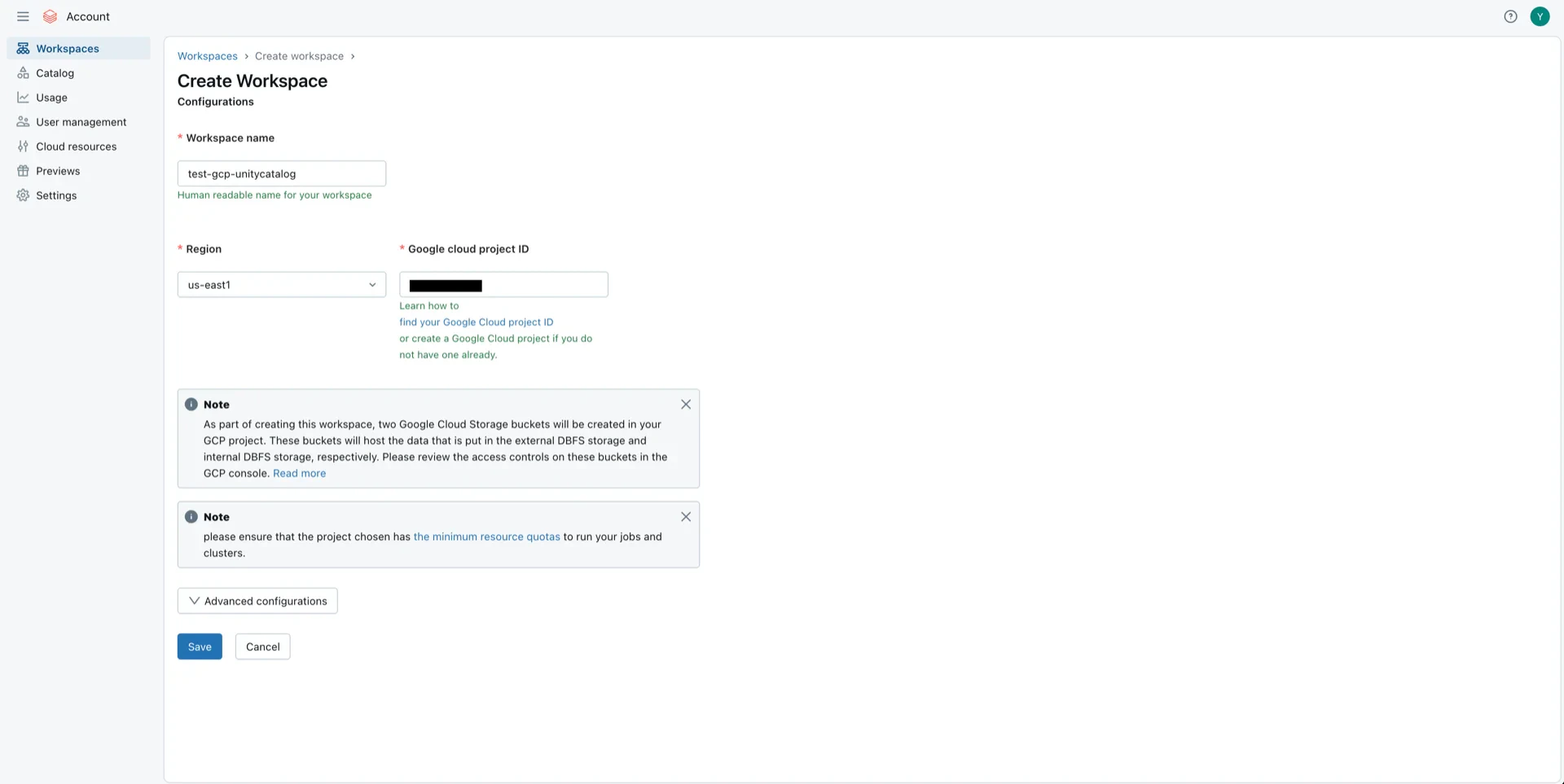
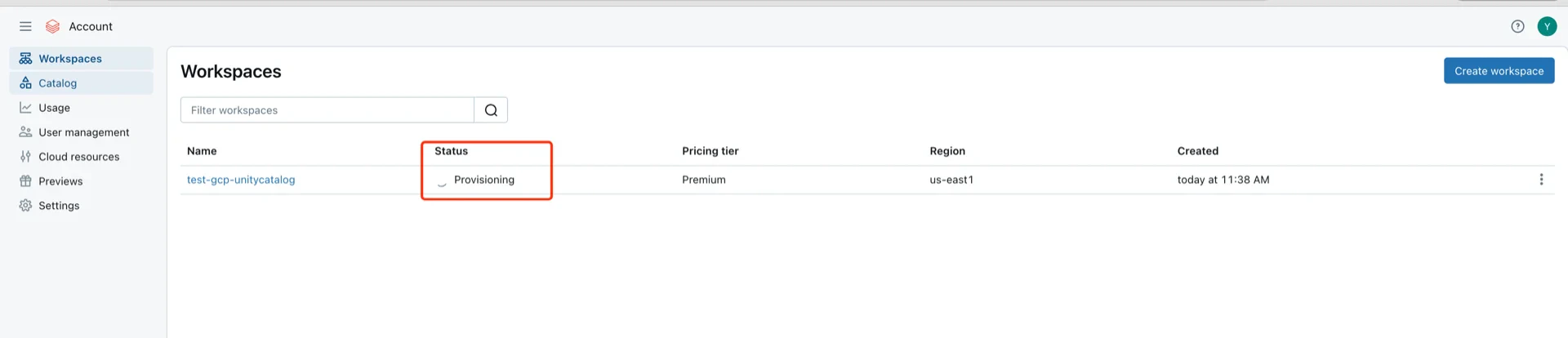
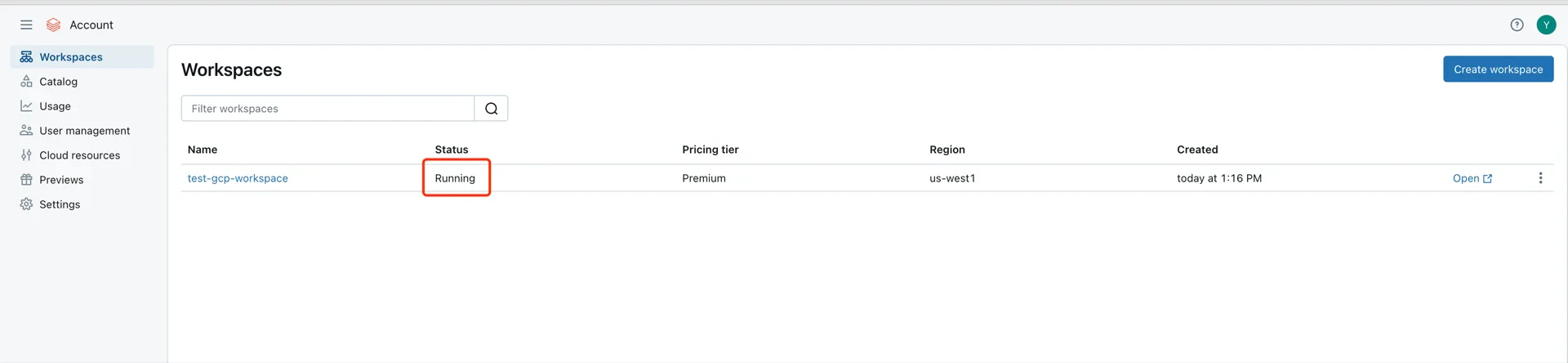
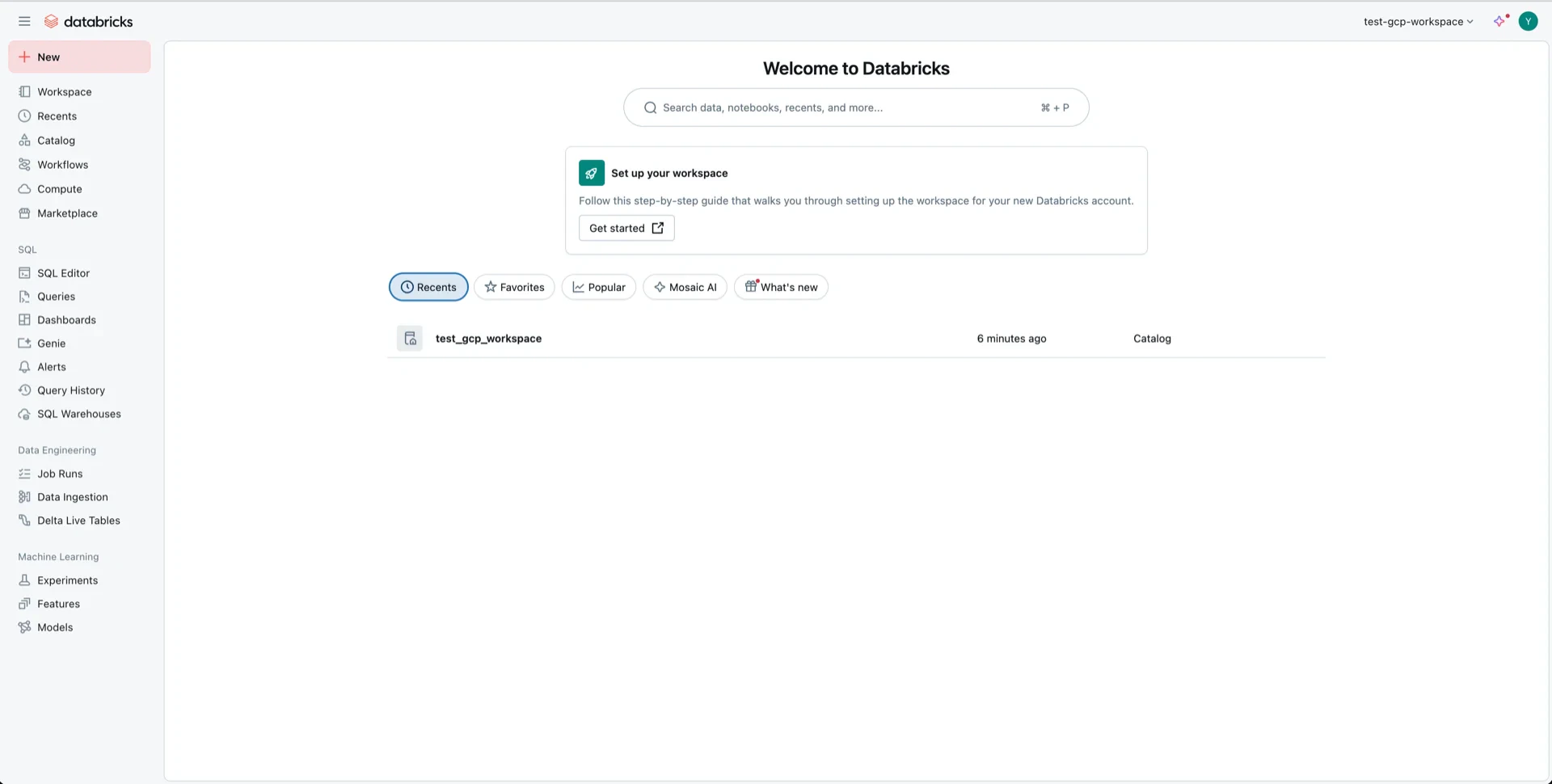
Skip this step if you already have the Databricks Workspace in GCPIn the GCP Databricks account console, click Create workspace.
2. (Recommend) Generate an OAuth2 Service Principal
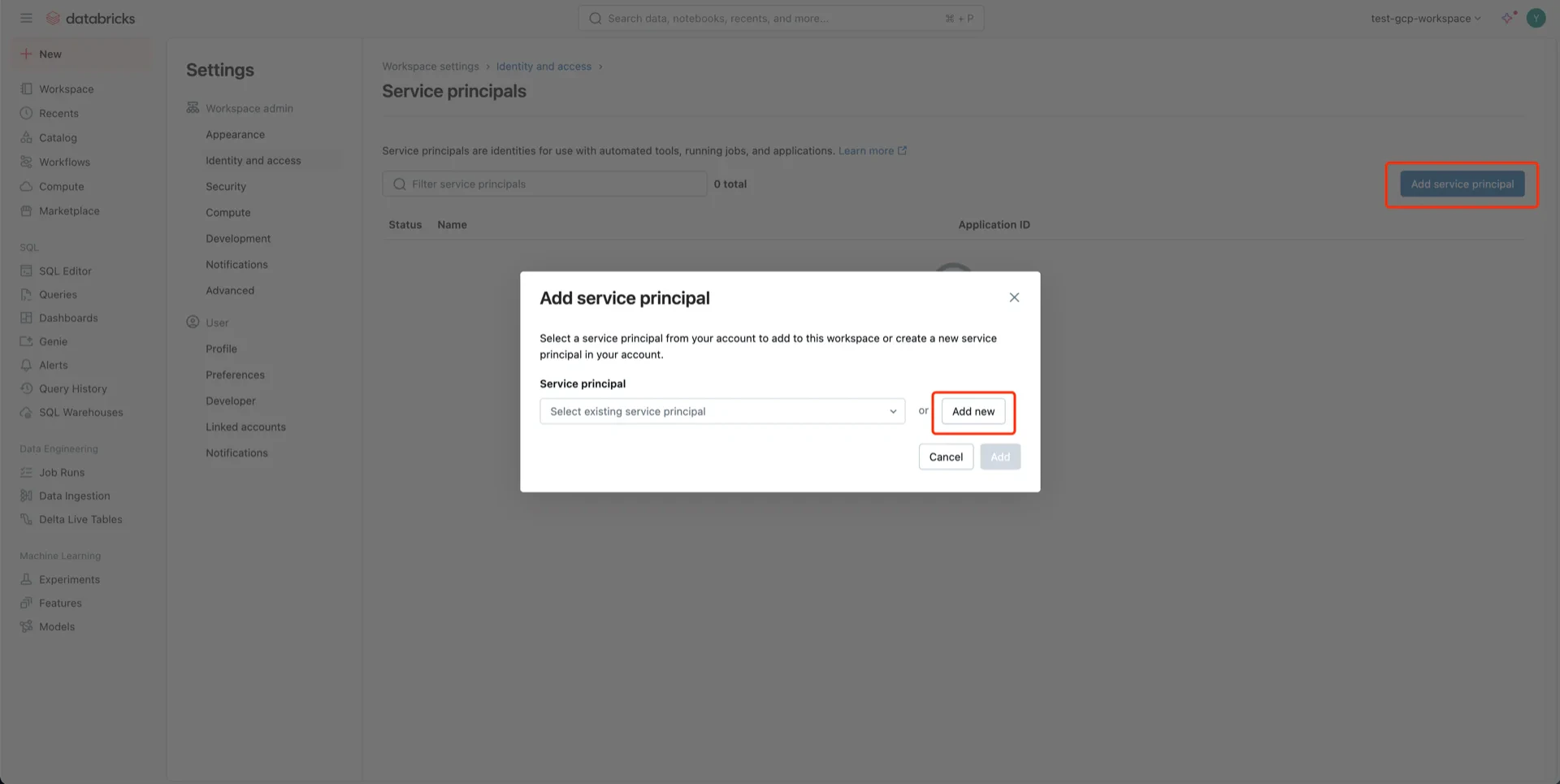
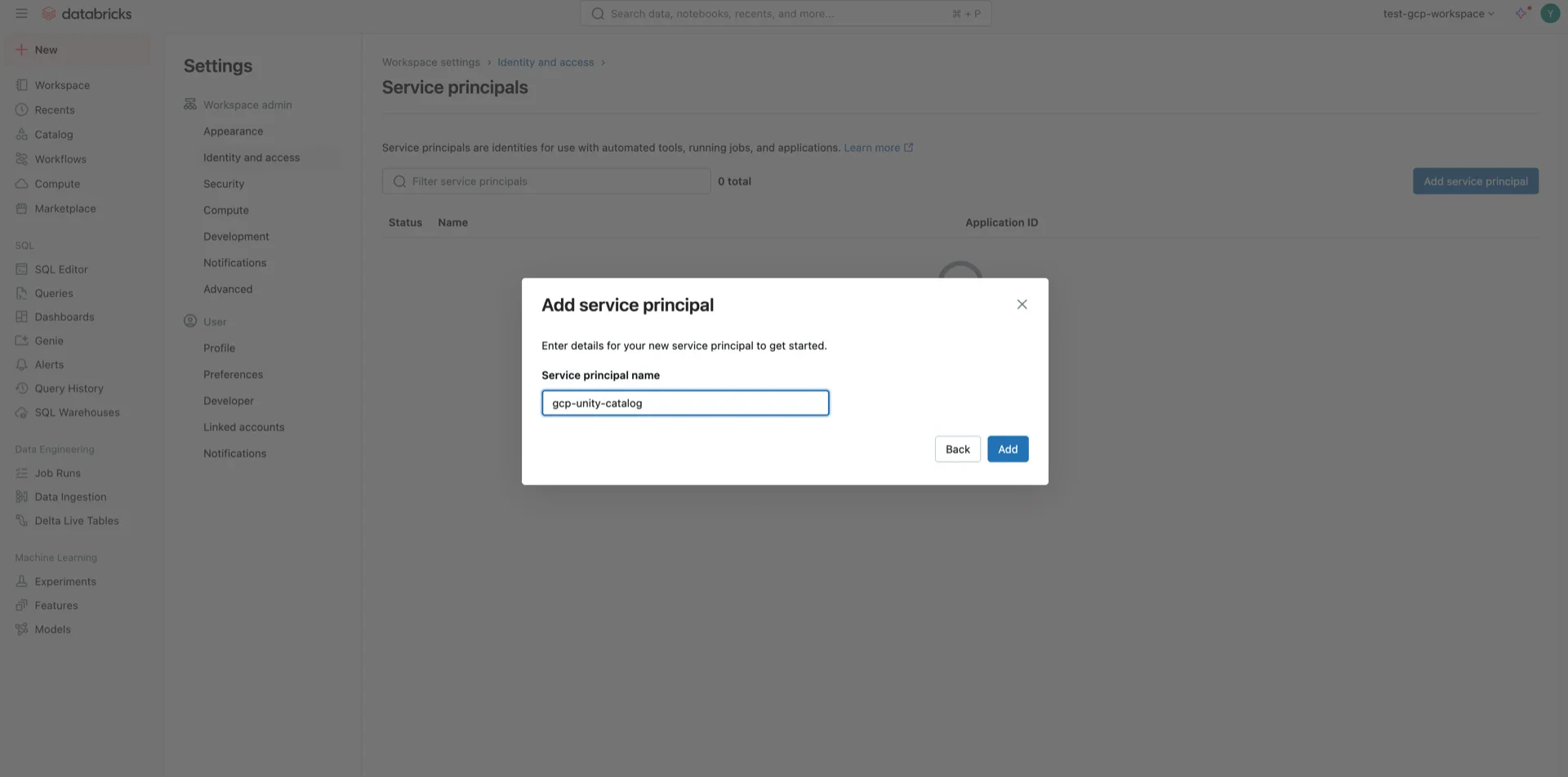
For OAuth2 authentication, navigate to Identity and access -> Service principals -> Manage.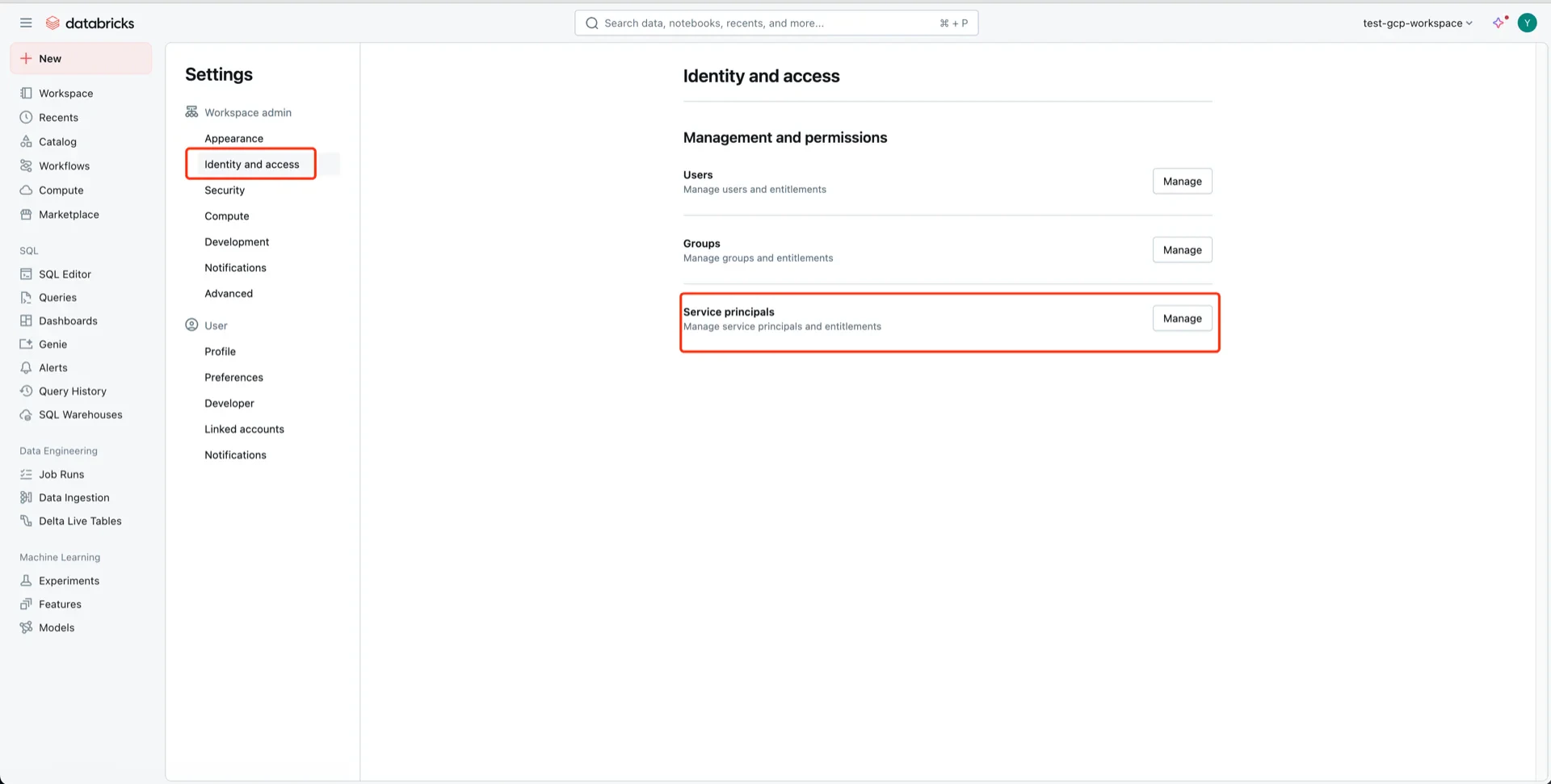
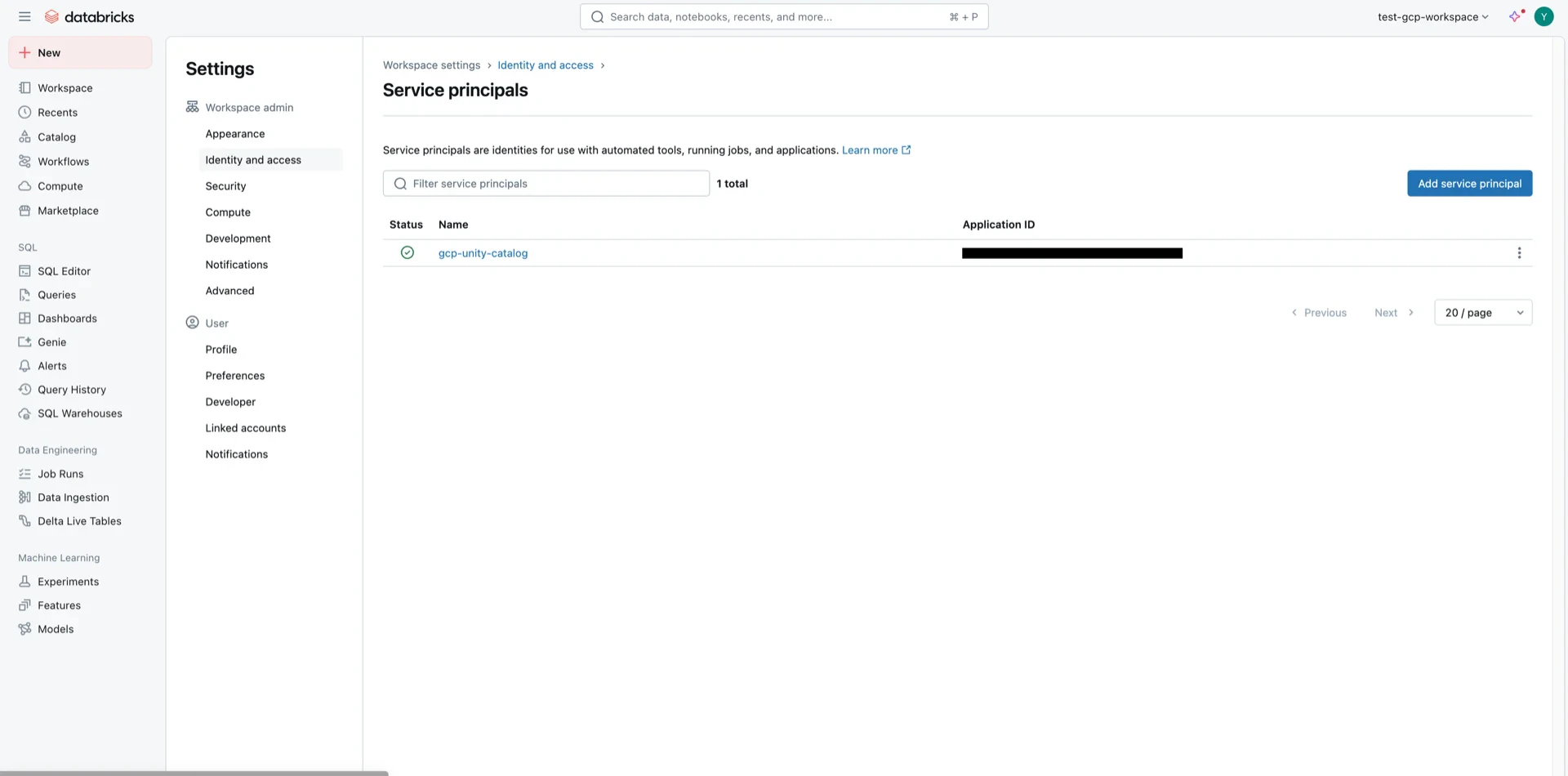
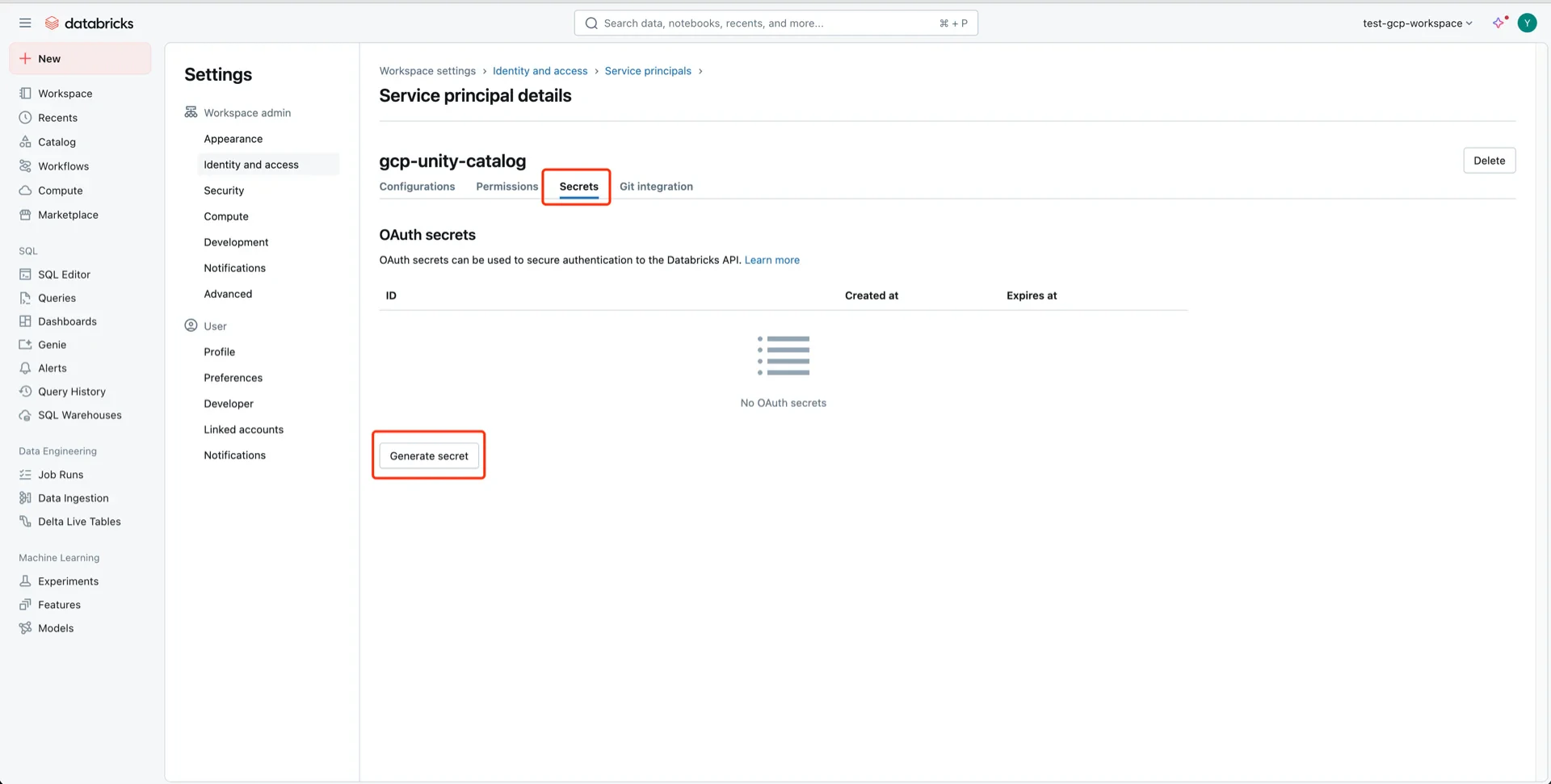
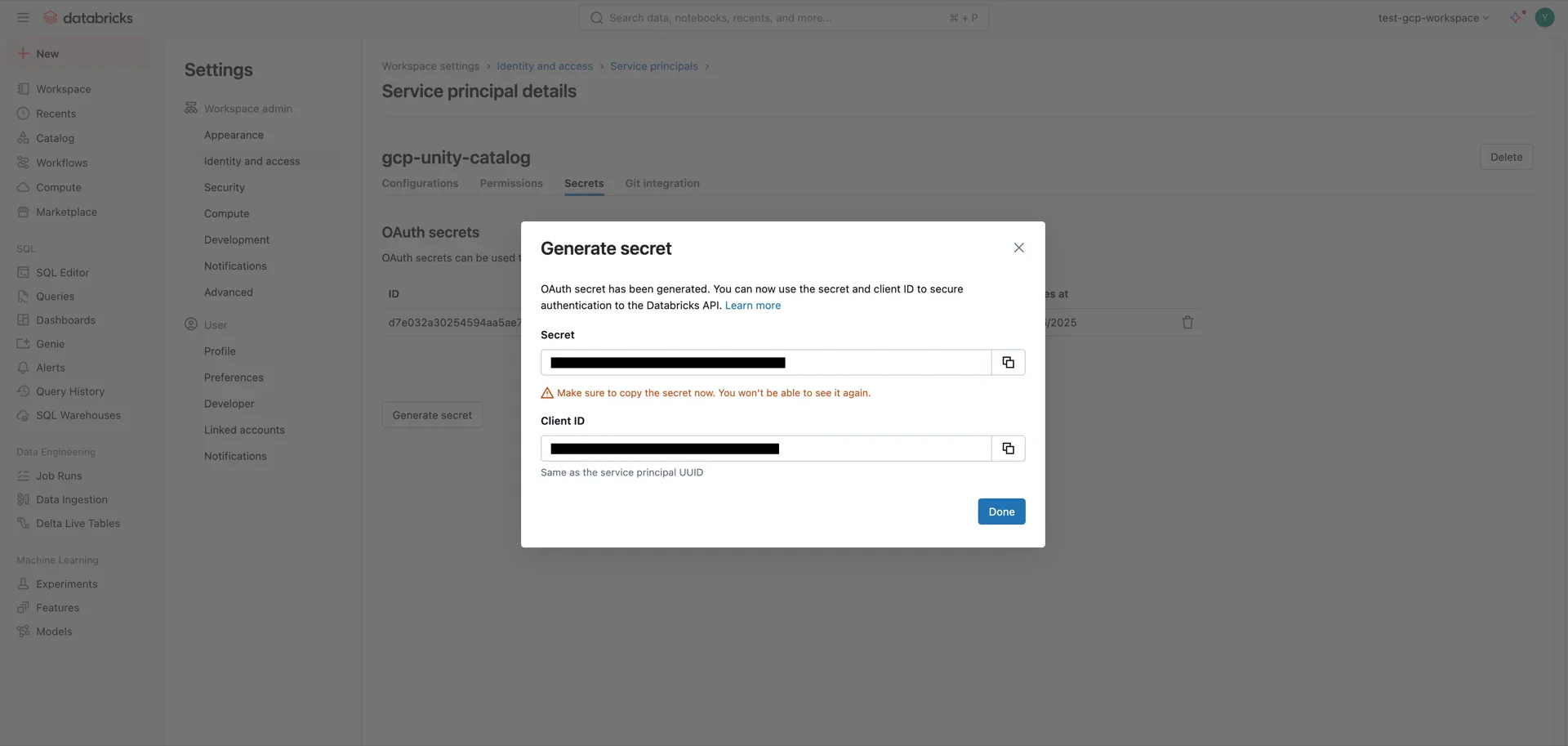
3. (Alternative) Generate a User Token
A Databricks user token can be used by StreamNative Ursa to authenticate against Unity Catalog. Open User Settings.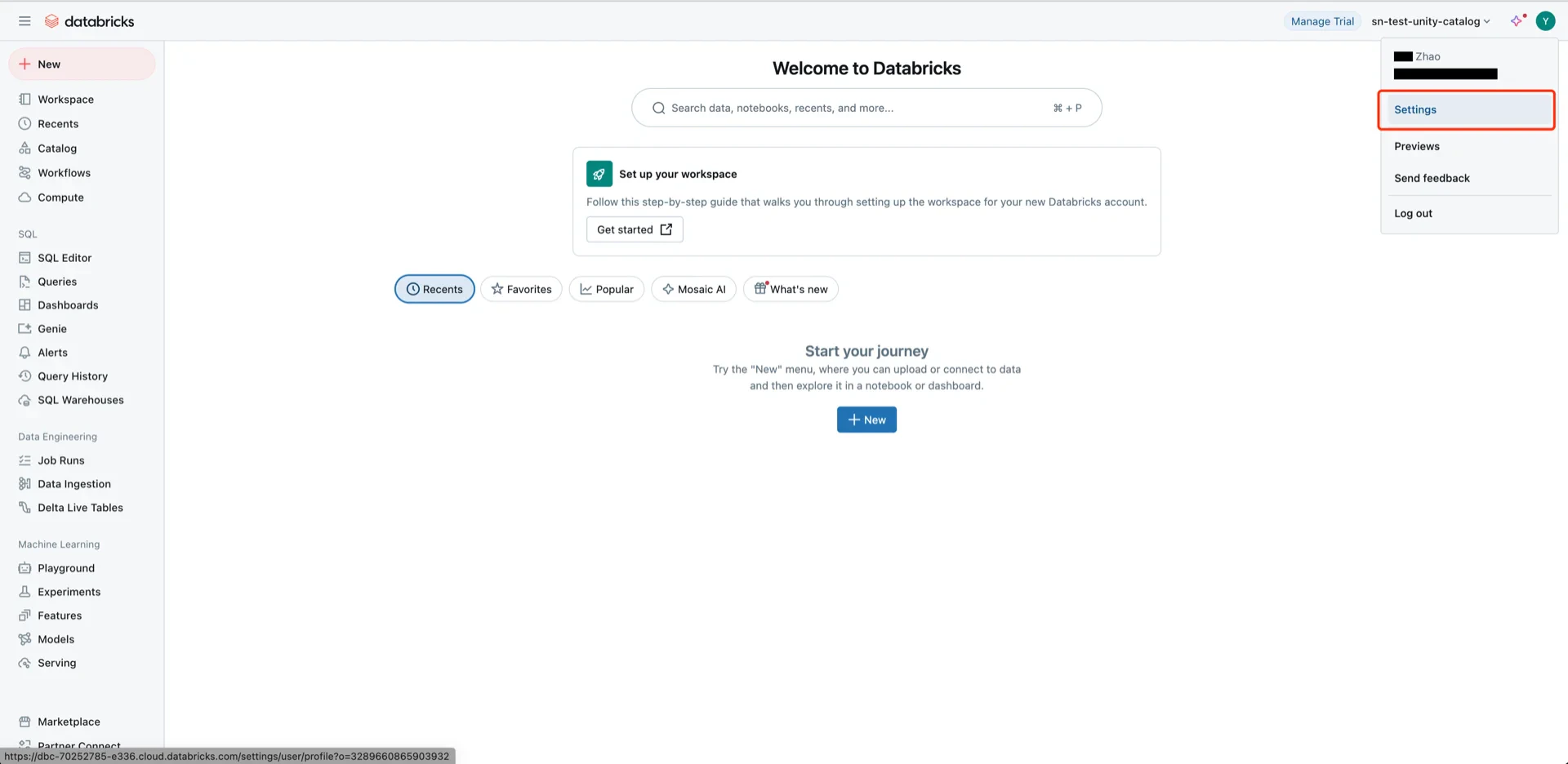
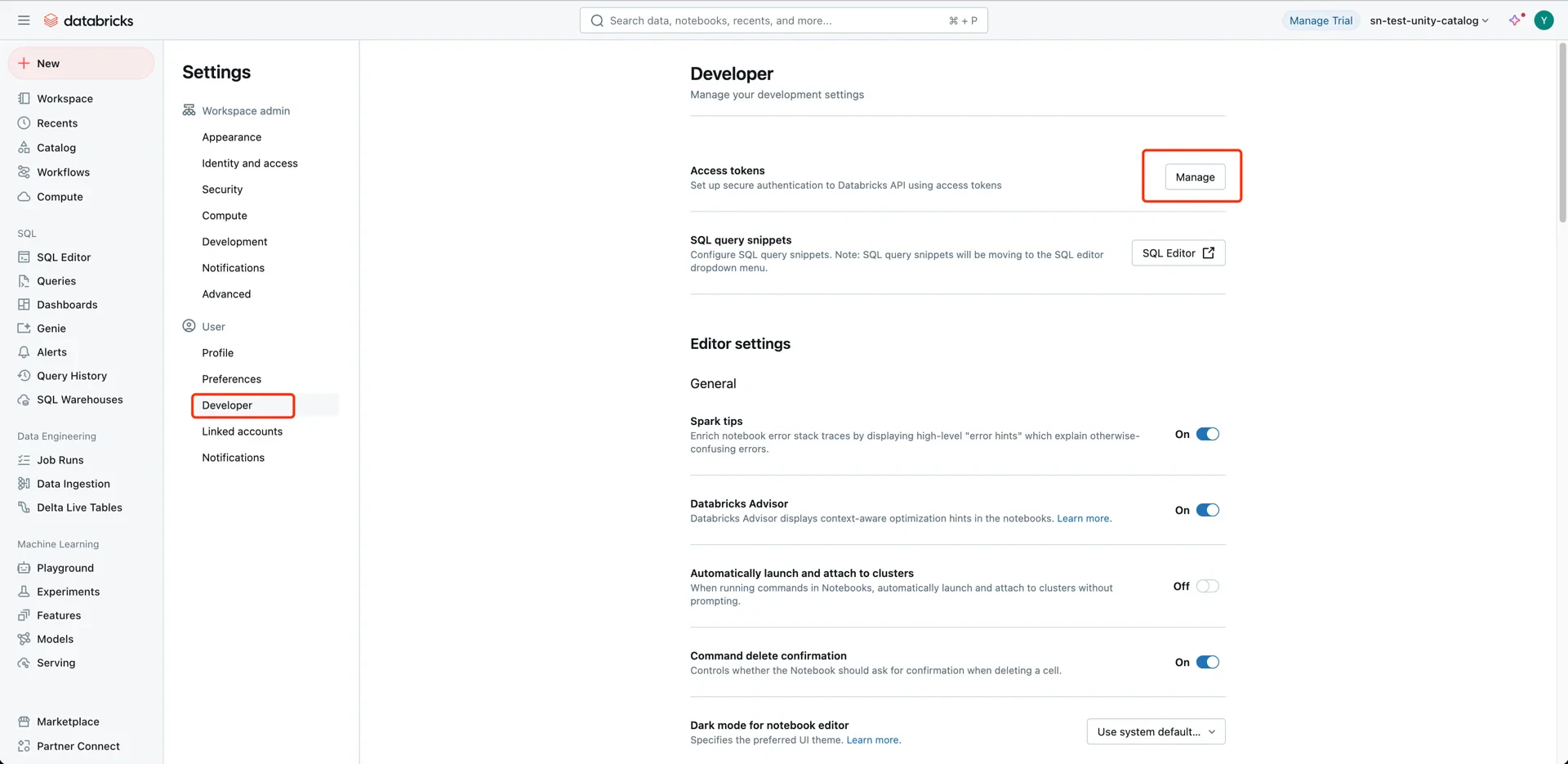
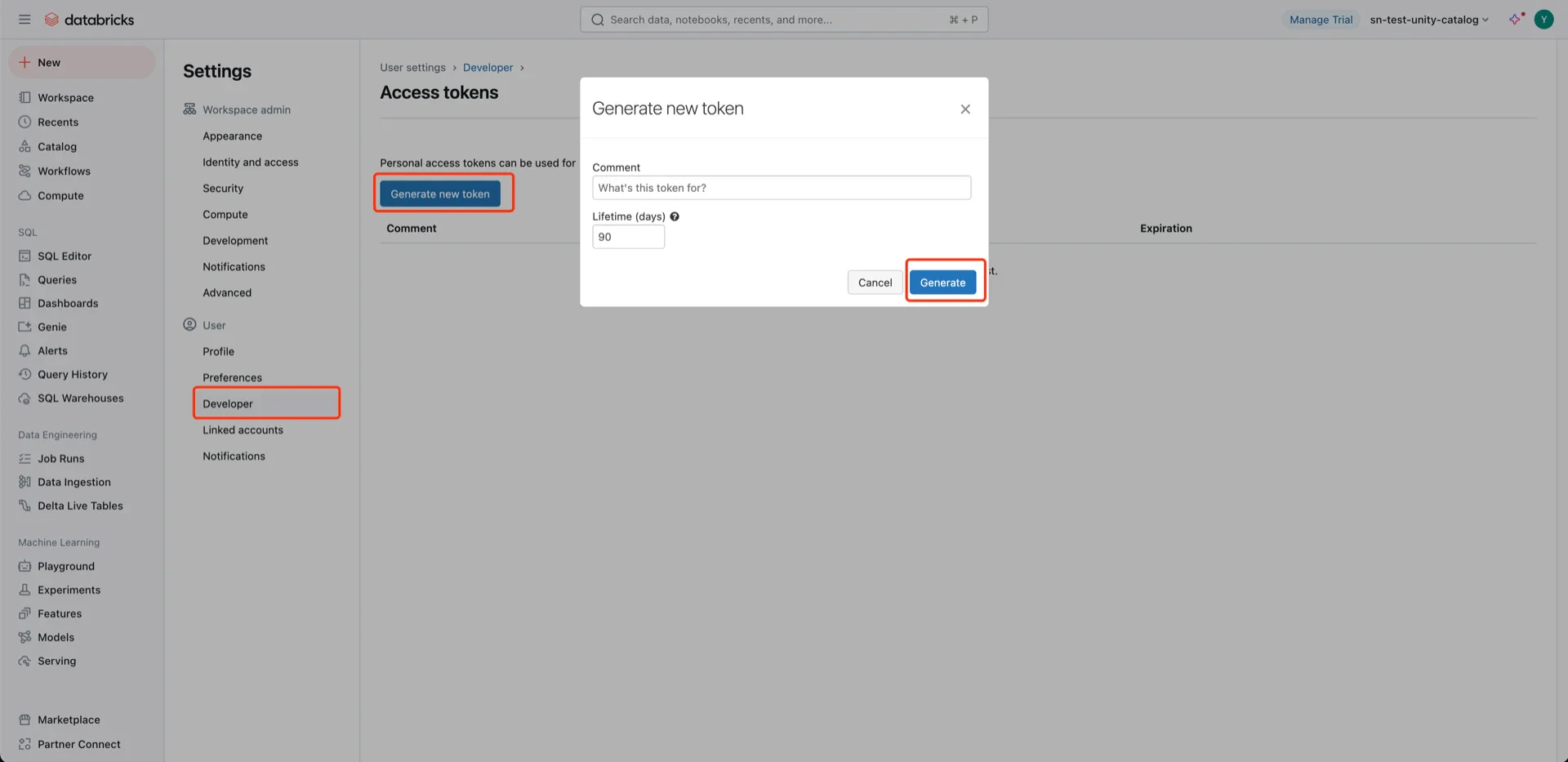
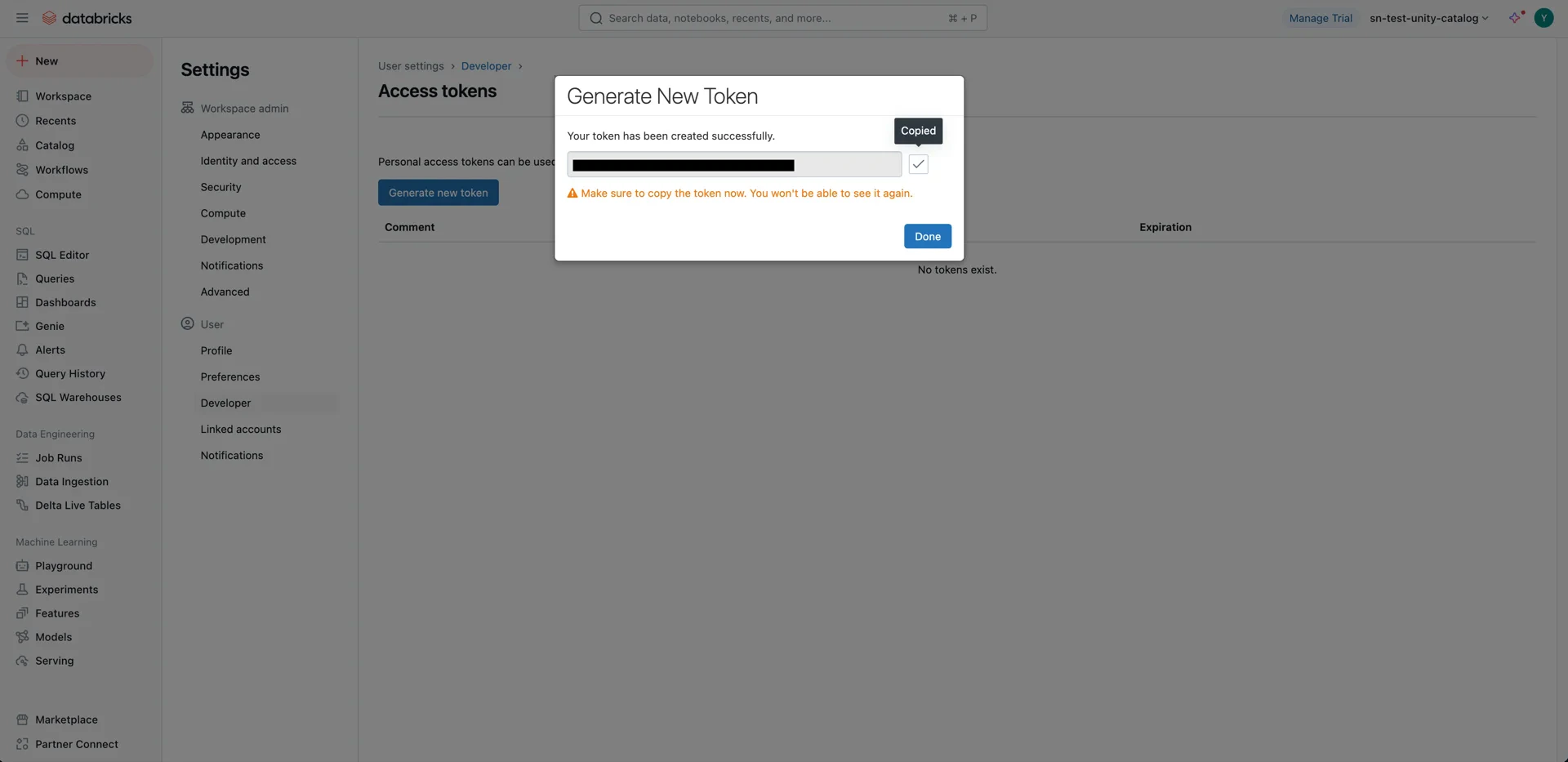
4. Configure Unity Catalog Access
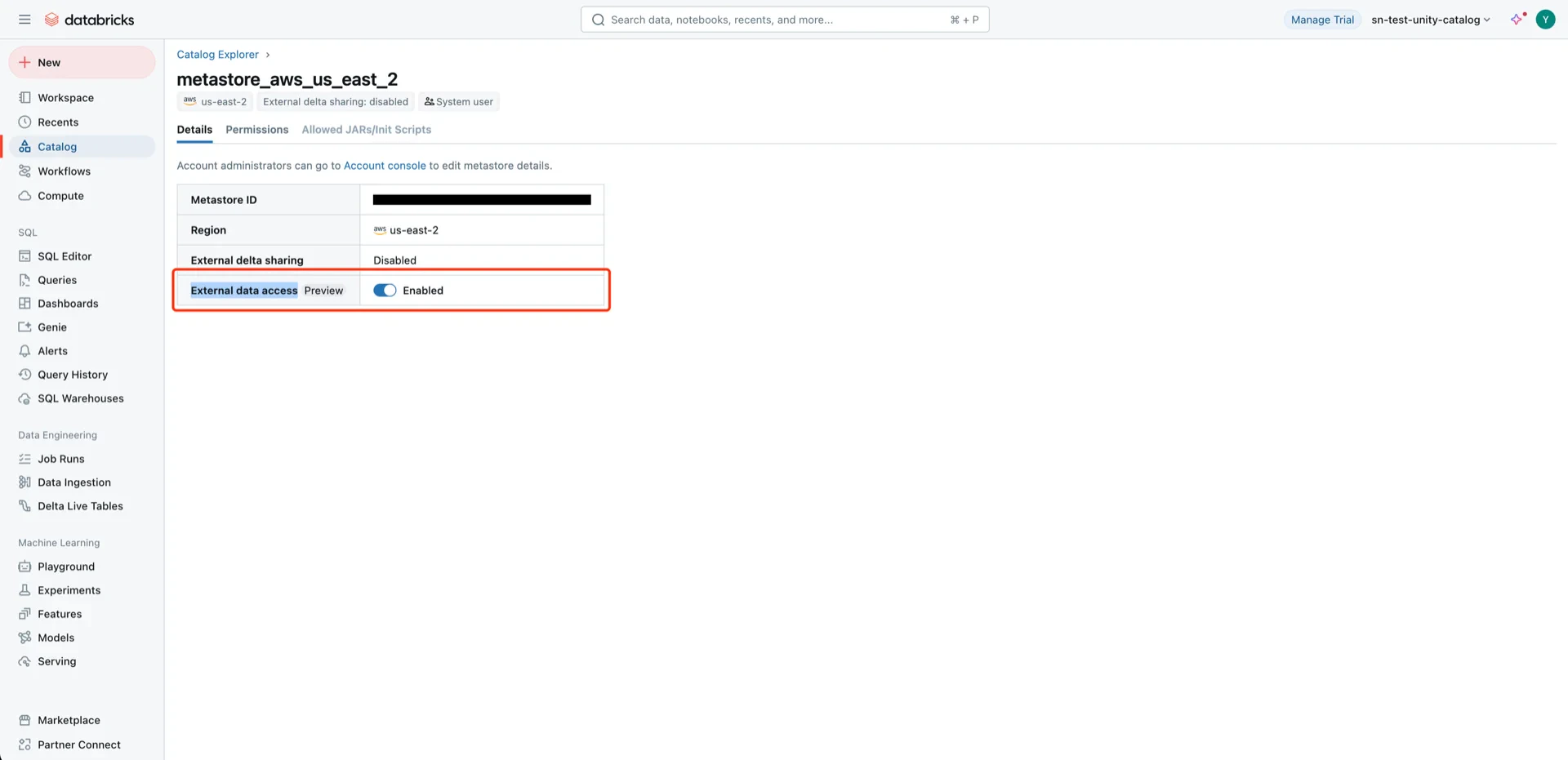
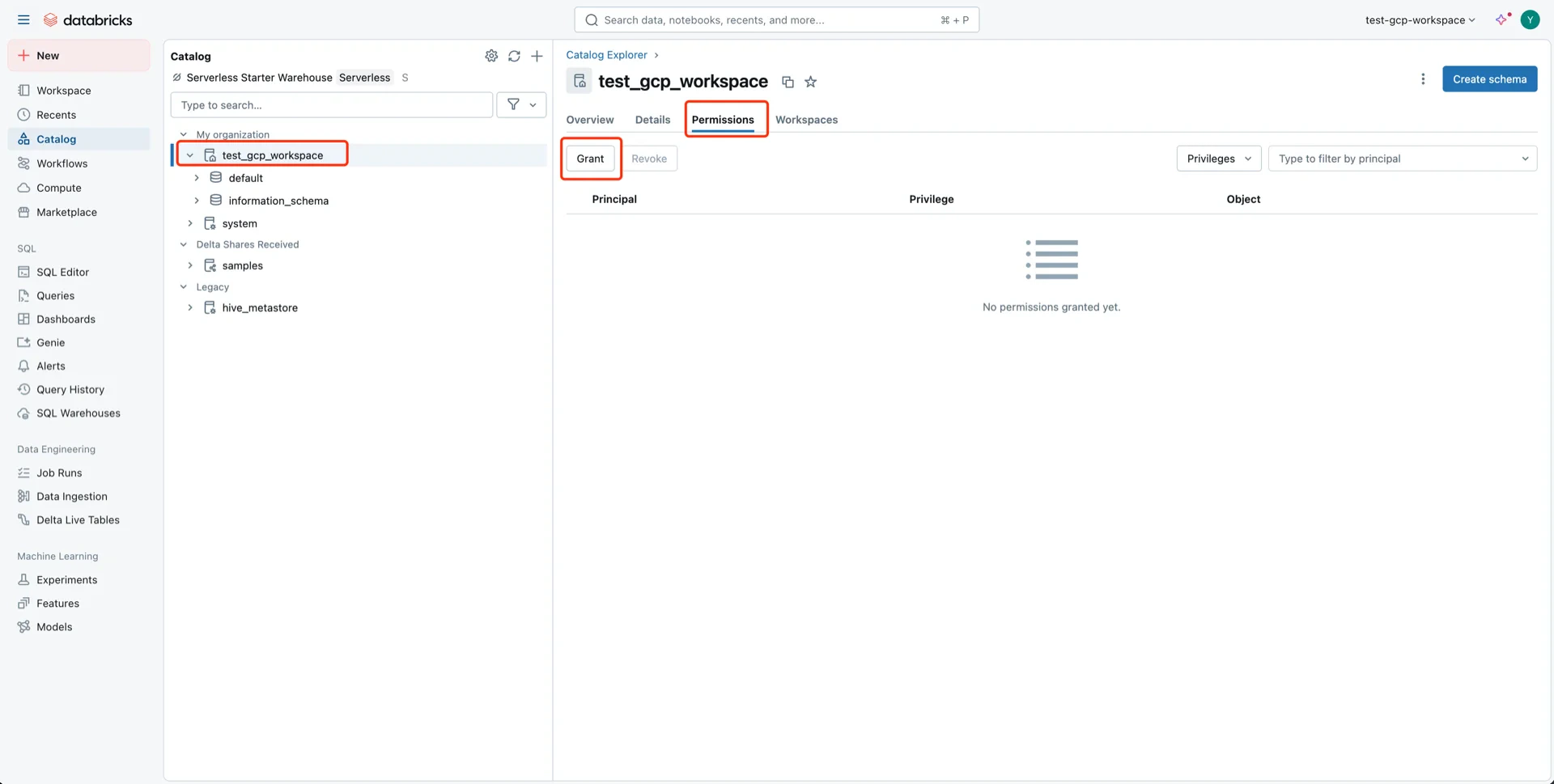
Navigate to Catalog -> Settings -> Metastore.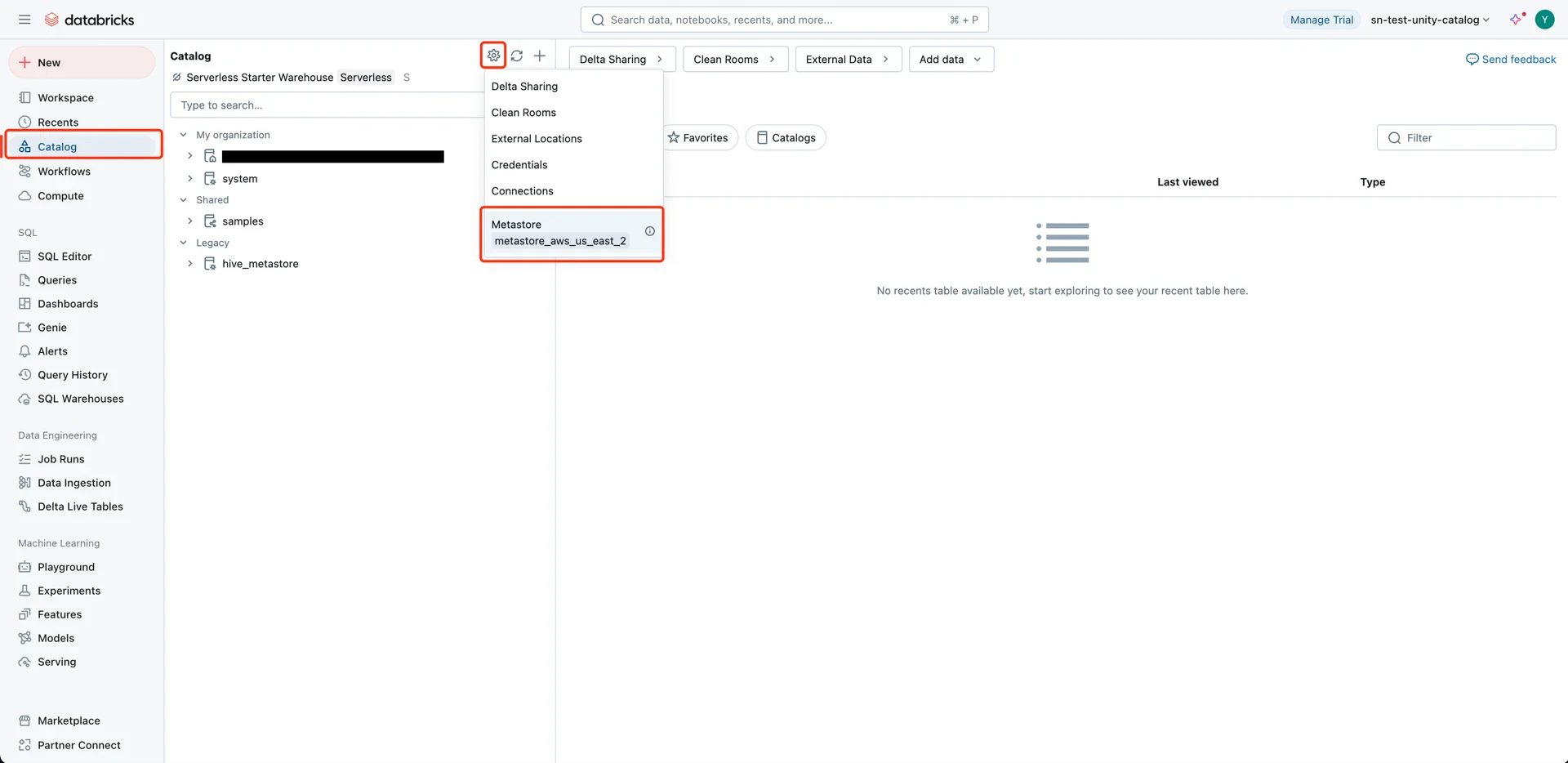
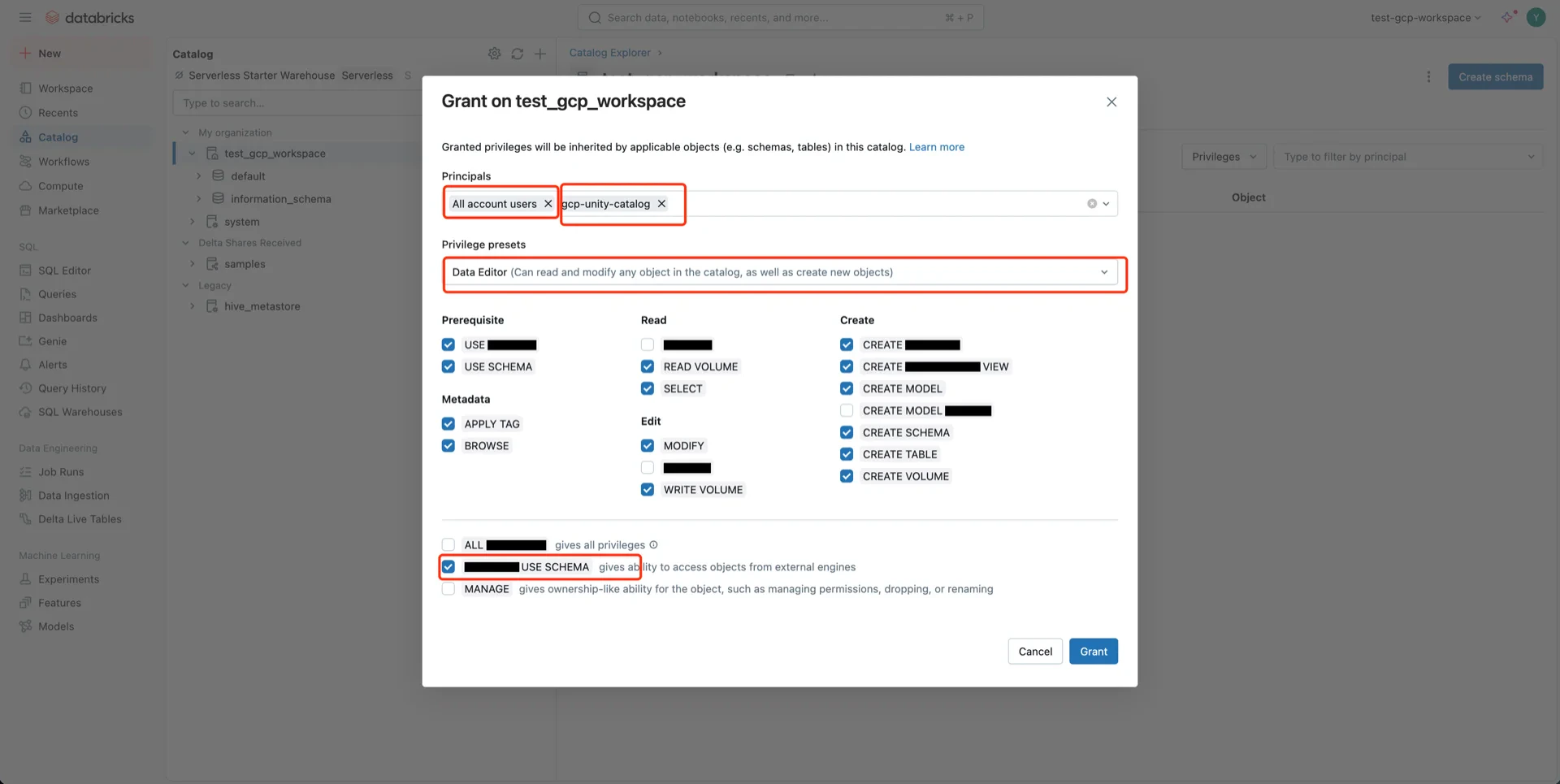
- Principal: All accounts (or the specific user/service principal)
- Privilege presets: Data Editor (selects related privileges automatically)
- EXTERNAL USE SCHEMA: Enabled
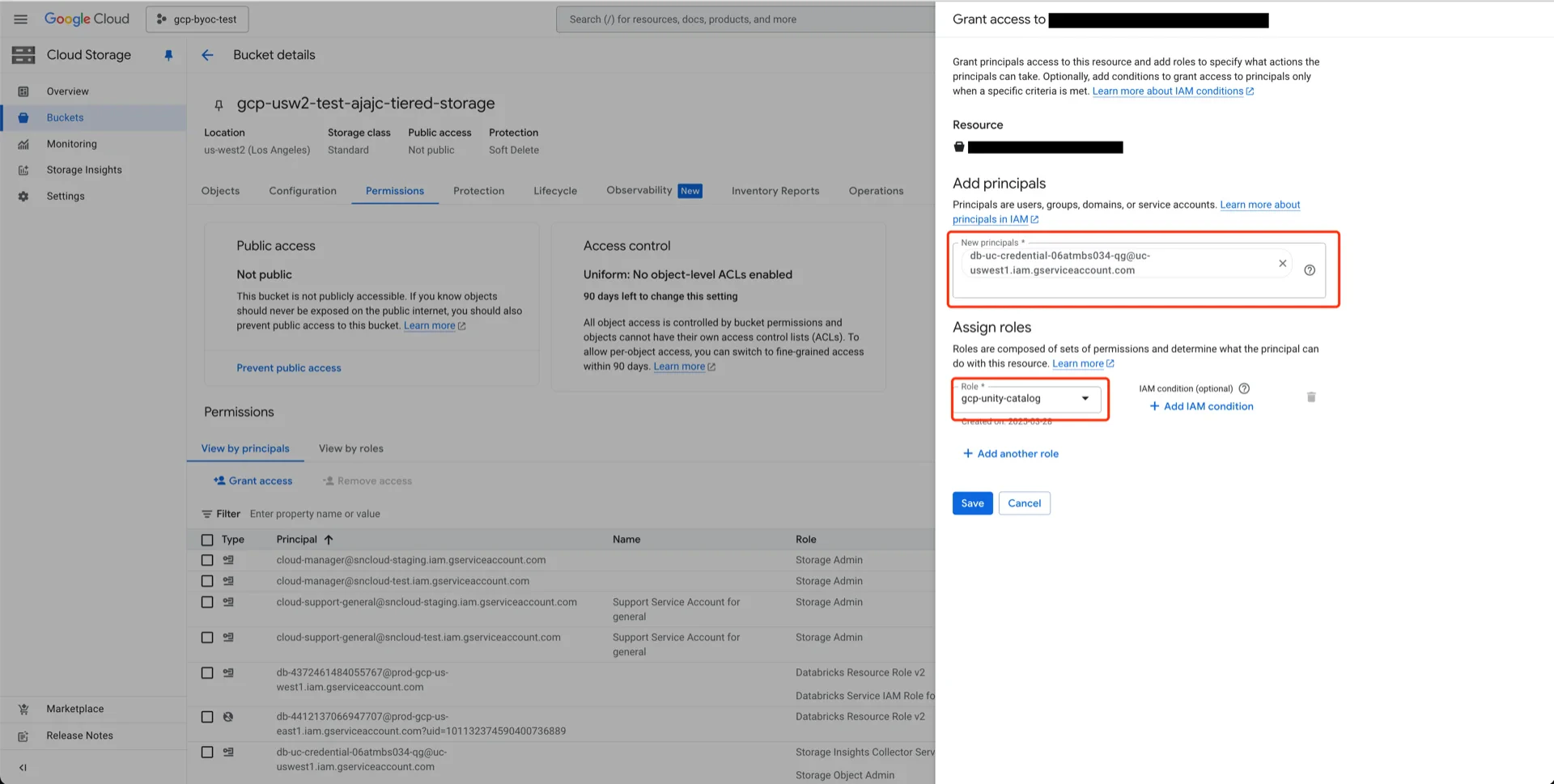
5. Grant Bucket Permissions to the Databricks Service Account
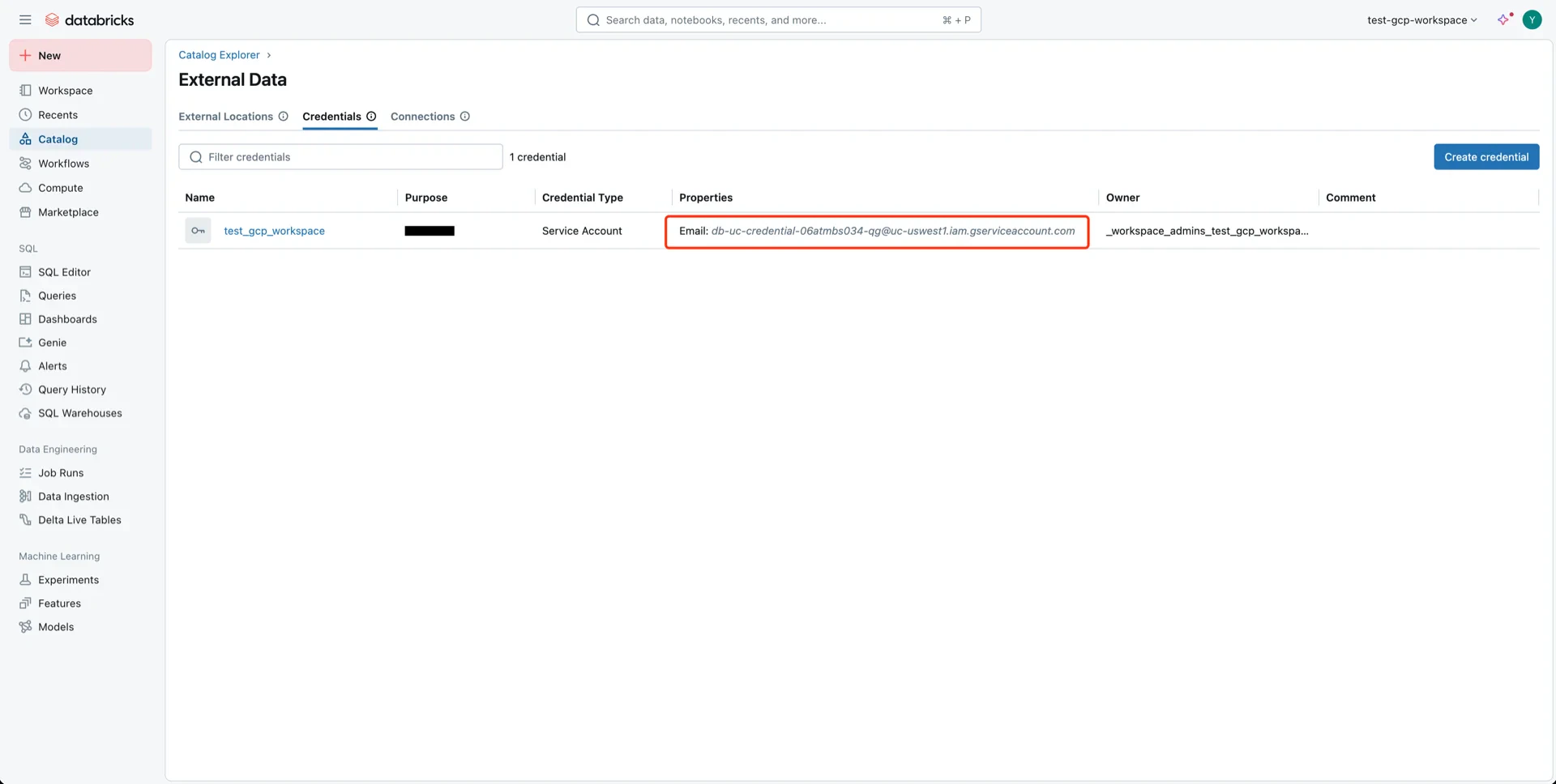
When the Databricks workspace is initialized, a service account is created for Unity Catalog. Navigate to Catalog -> Settings -> Credentials to find the service account.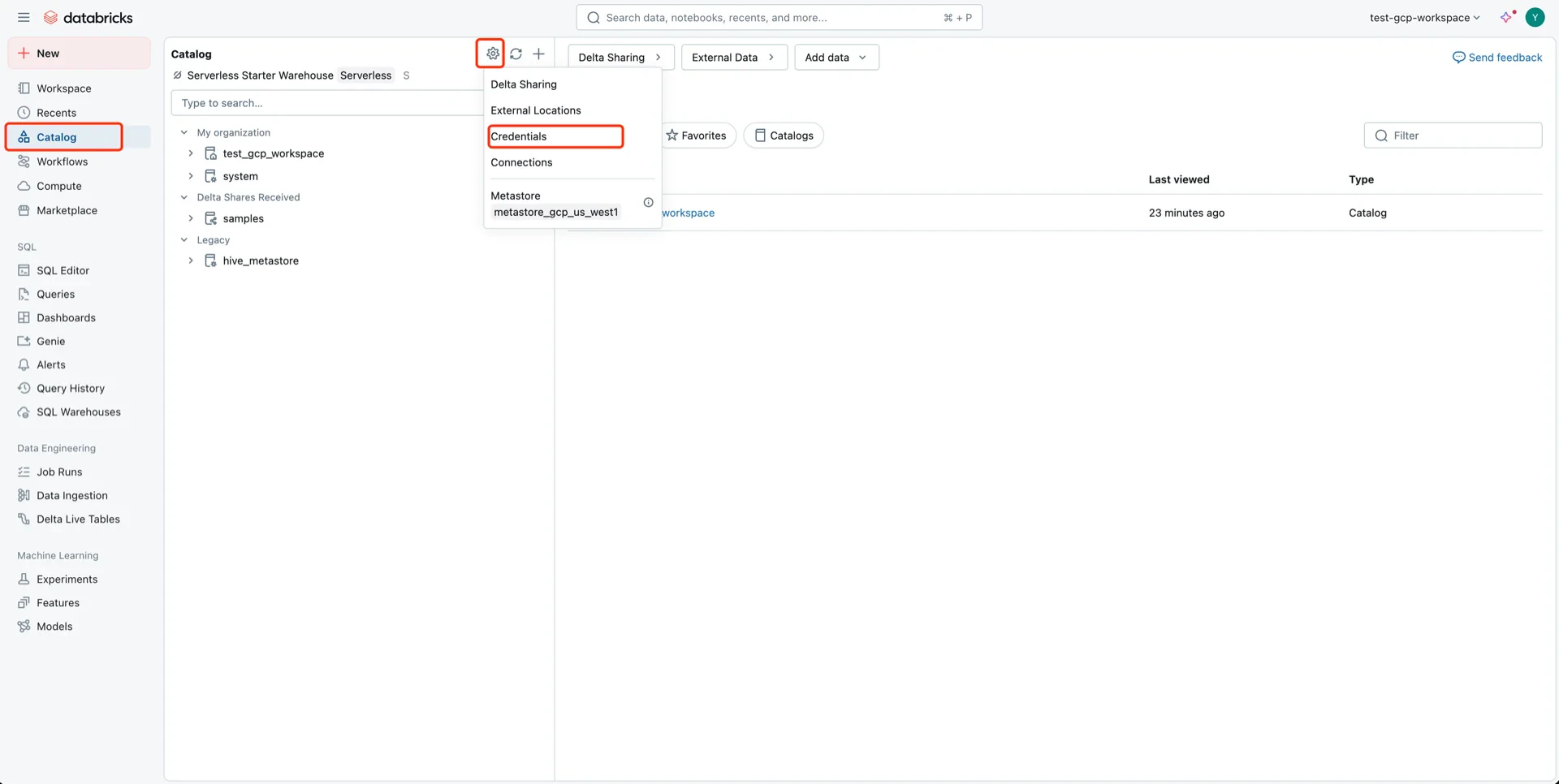
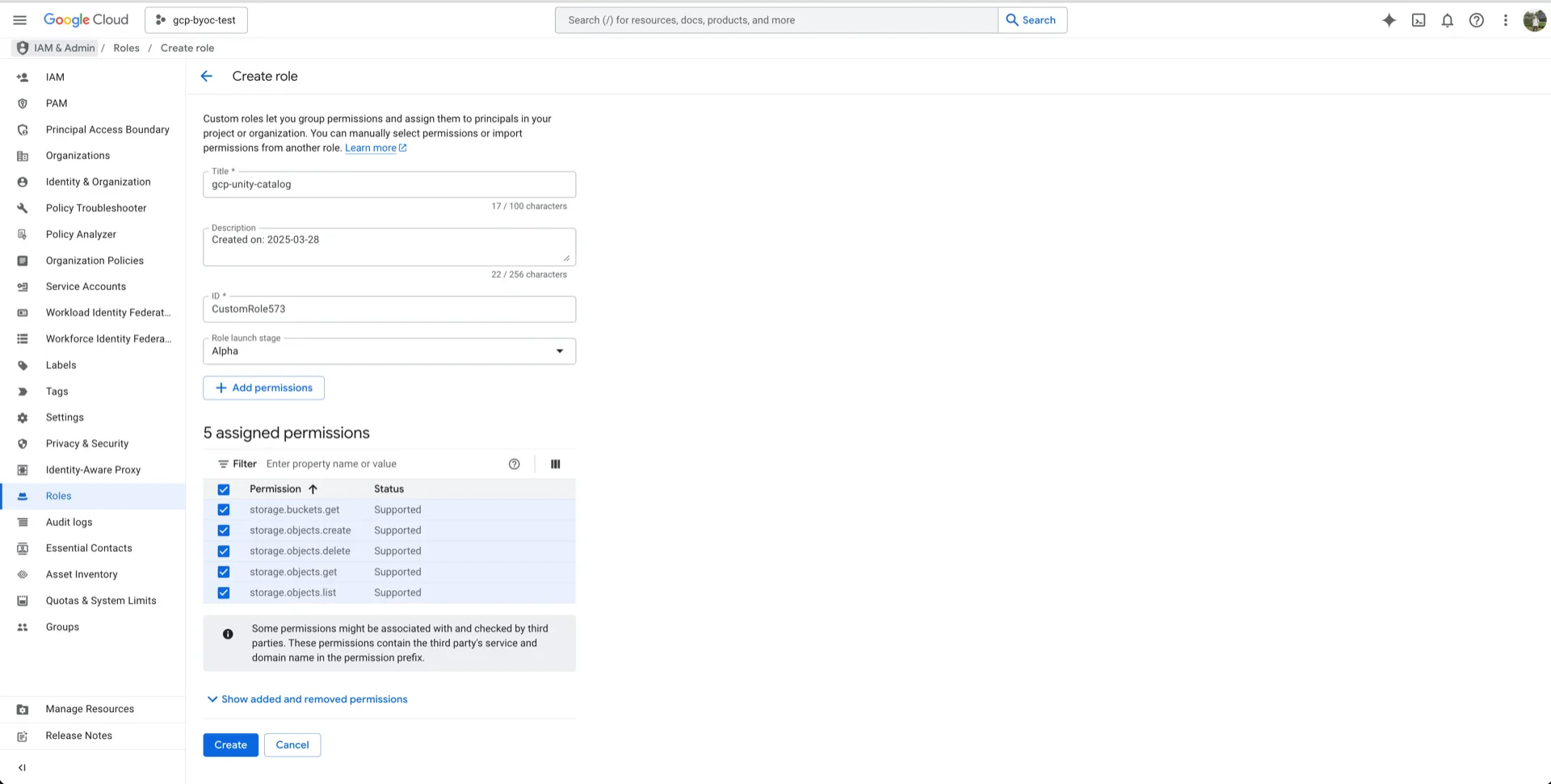
5.1 Create a Custom IAM Role
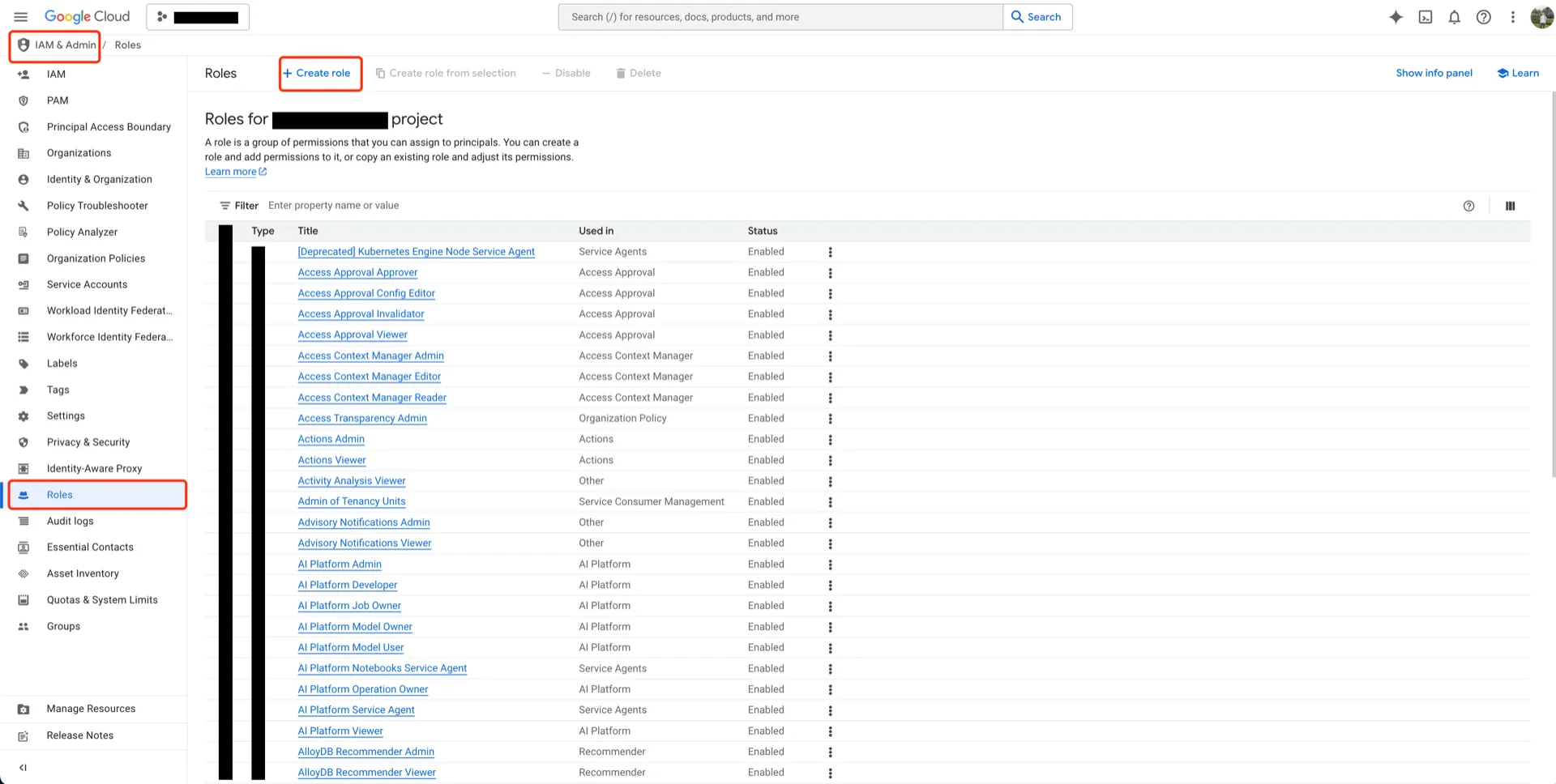
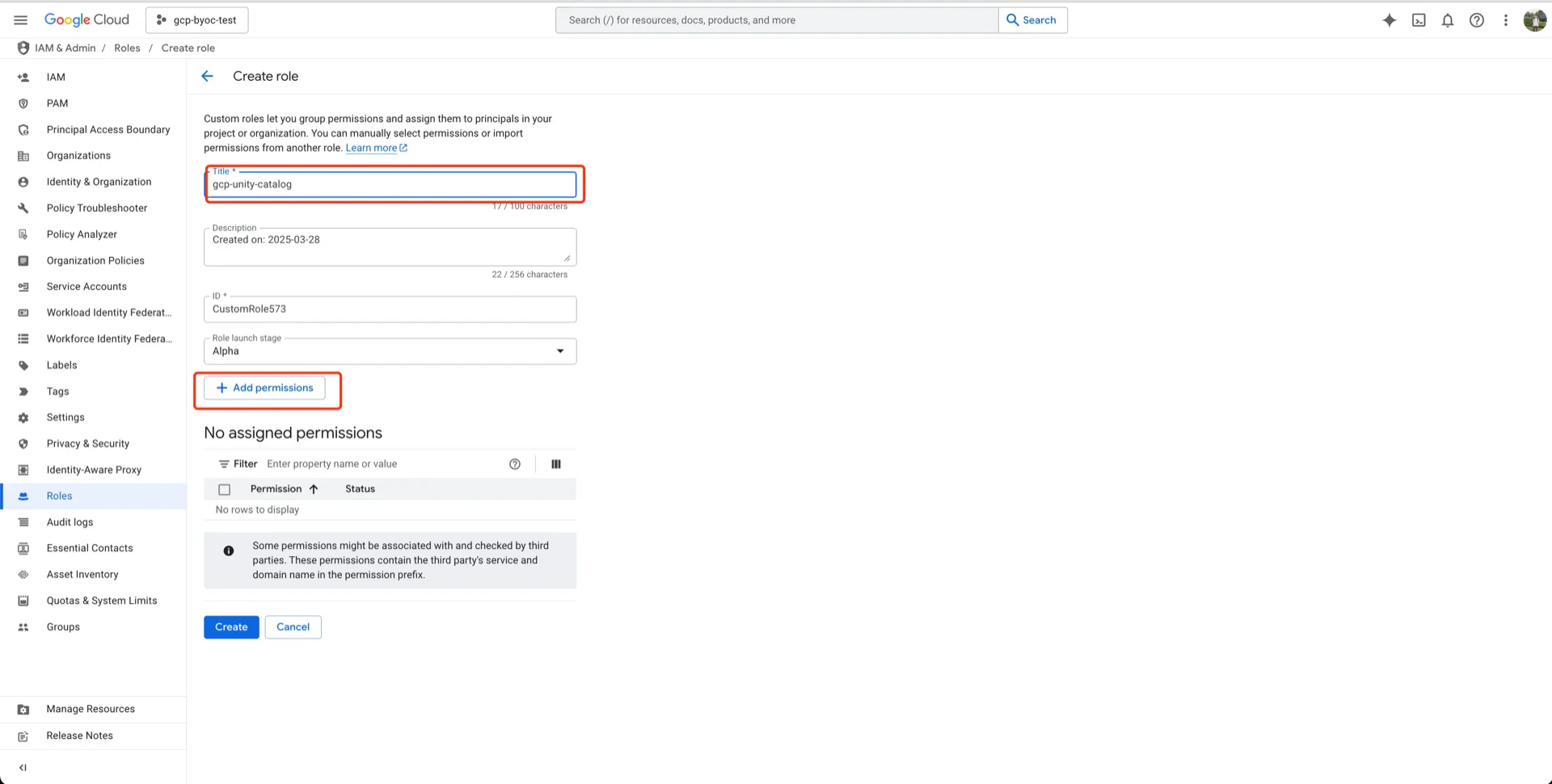
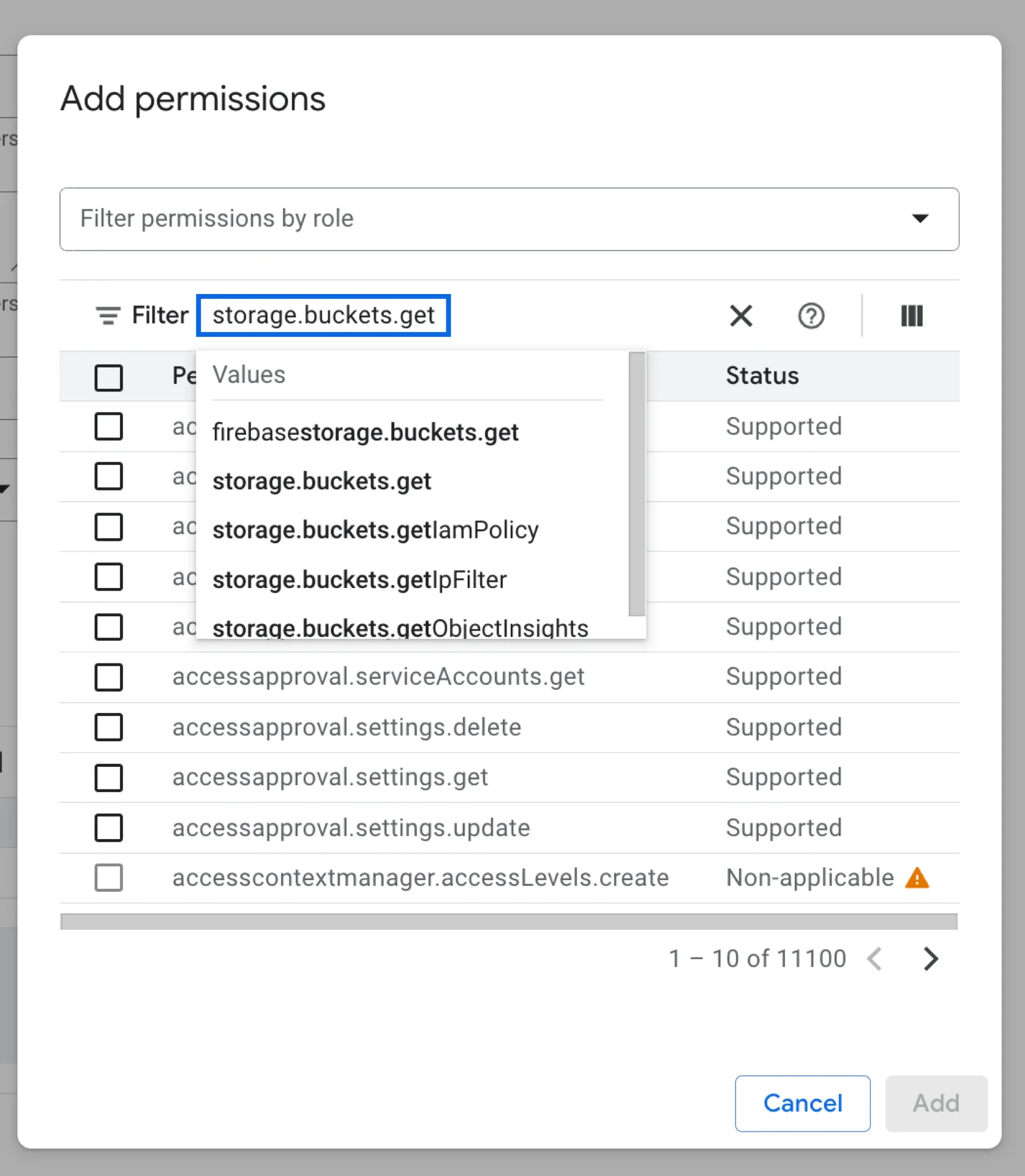
In the GCP console, navigate to IAM & Admin -> Roles -> Create role and add the following permissions:storage.buckets.getstorage.objects.createstorage.objects.deletestorage.objects.getstorage.objects.list
5.2 Assign the Role to the Databricks Service Account
Open your bucket, click PERMISSIONS -> View BY PRINCIPALS -> GRANT ACCESS.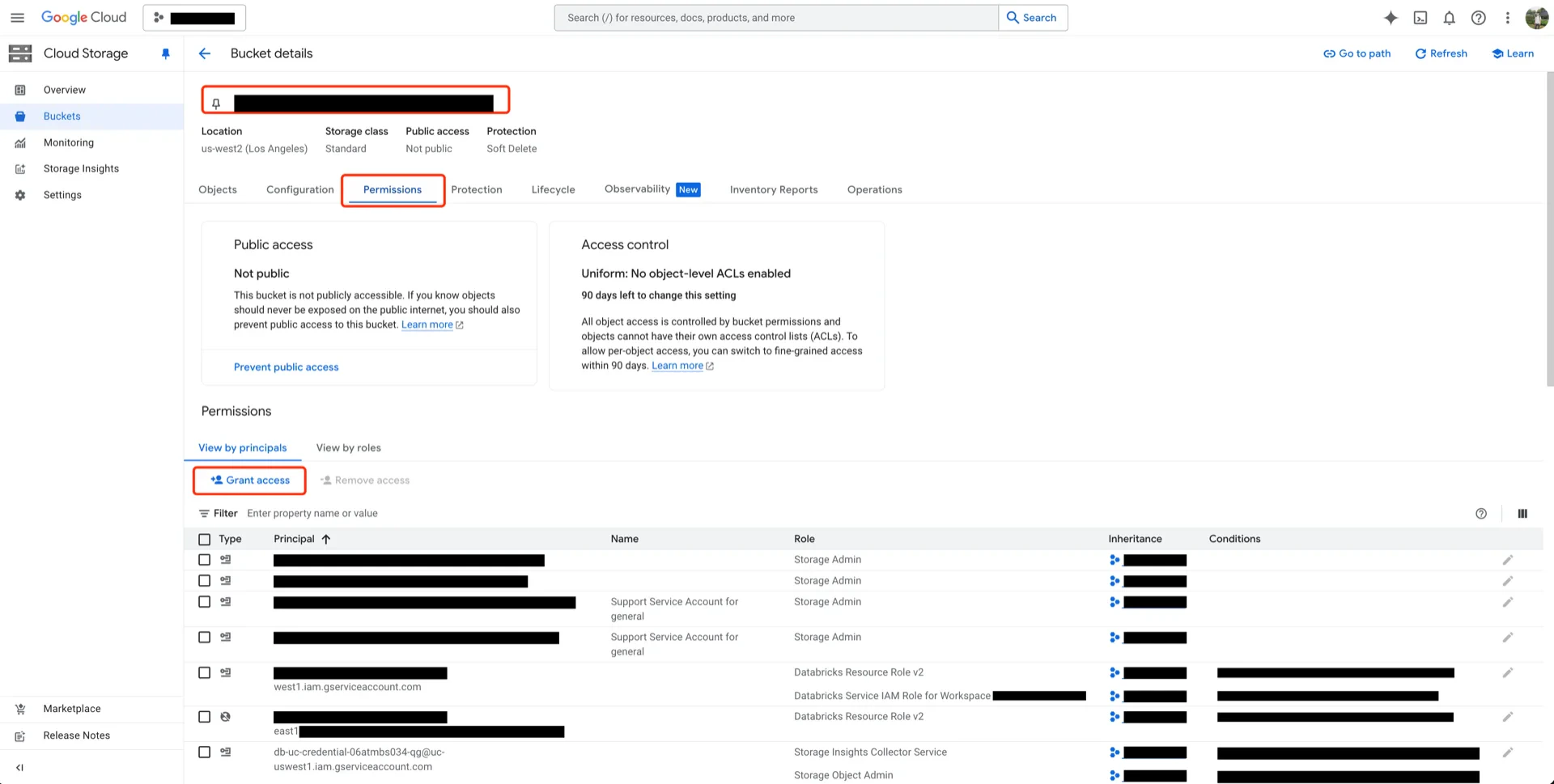
6. Create an External Location in Unity Catalog
Navigate to Catalog -> Settings -> External Locations and create a new external location.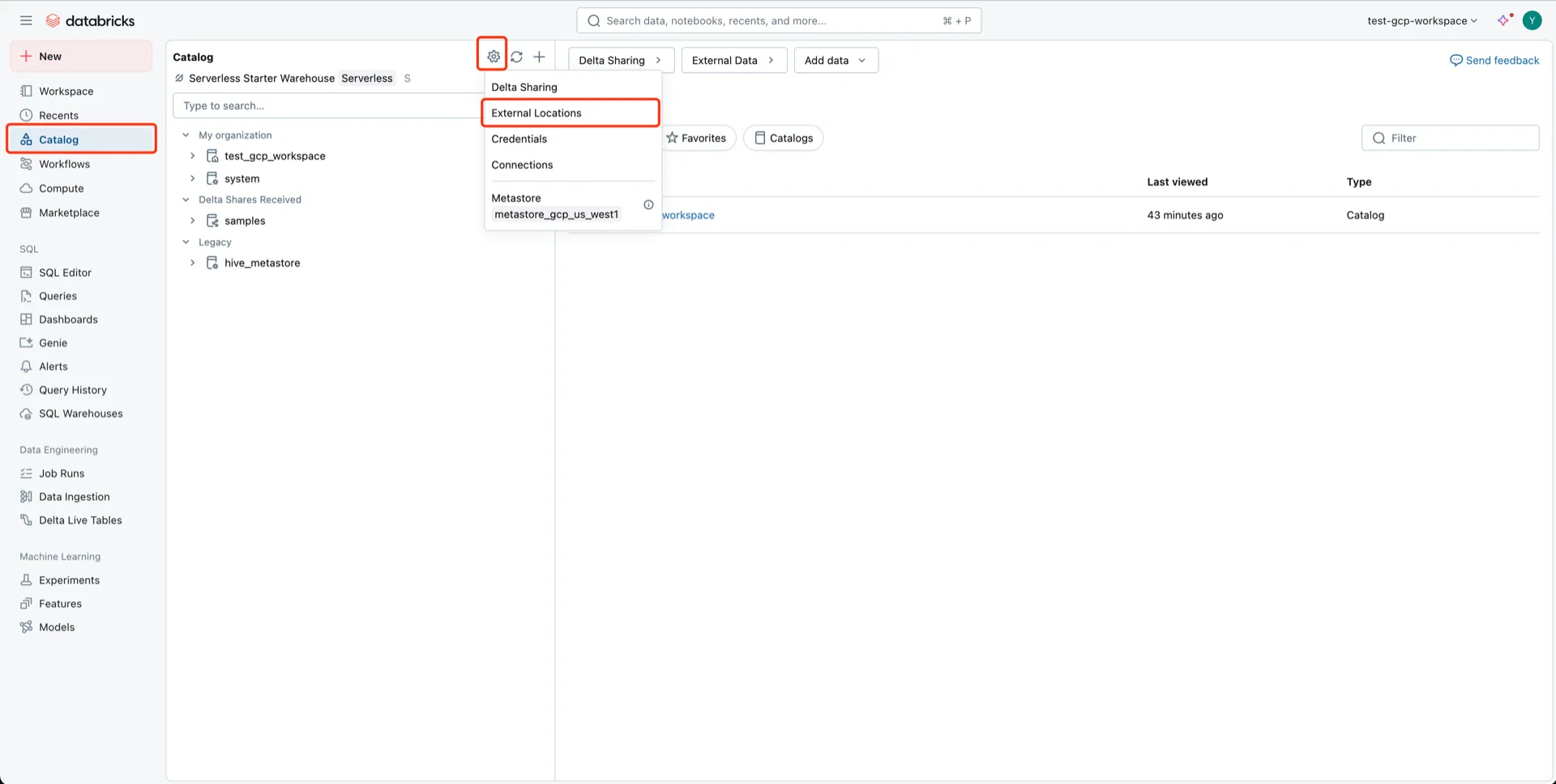
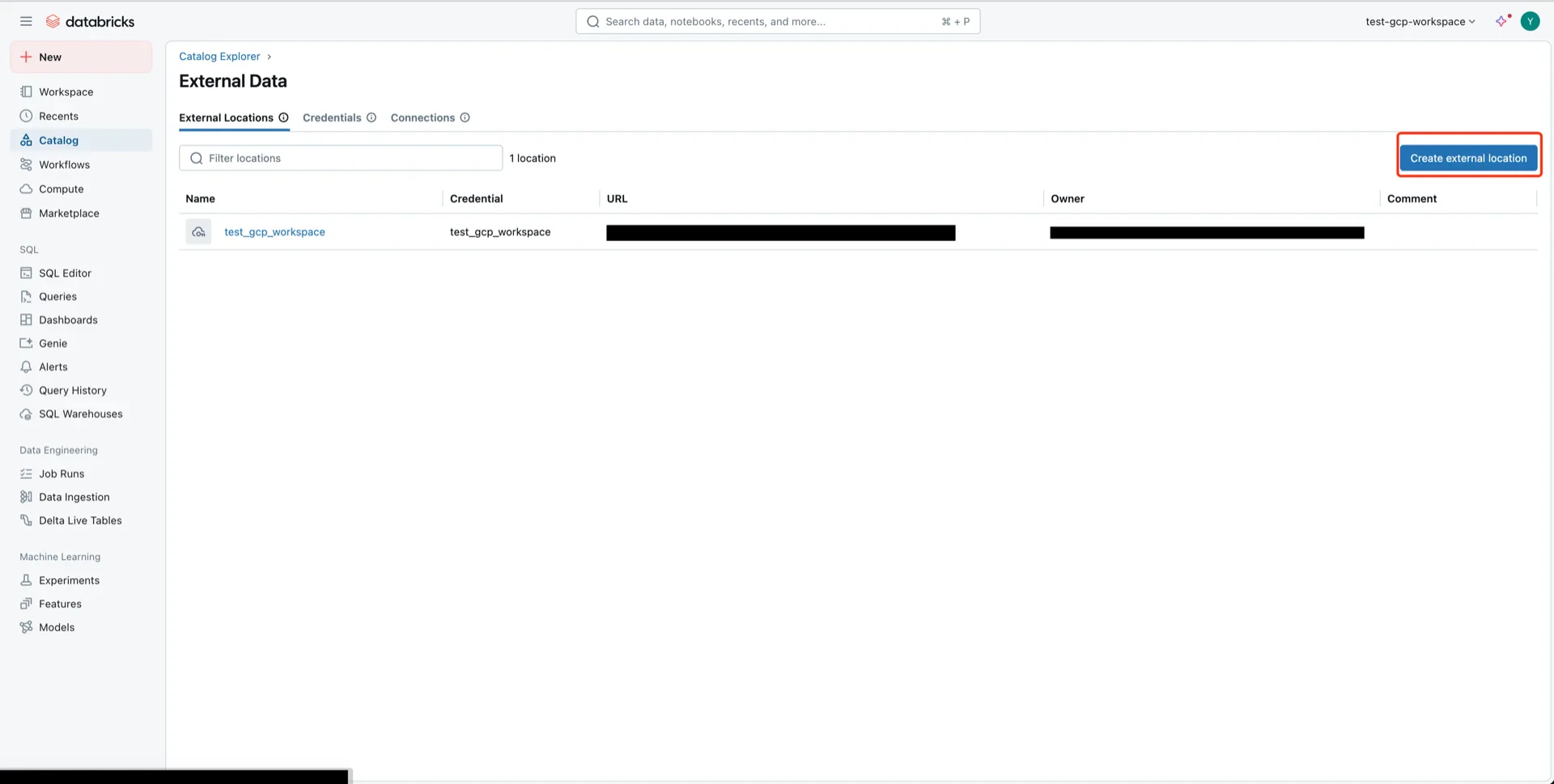
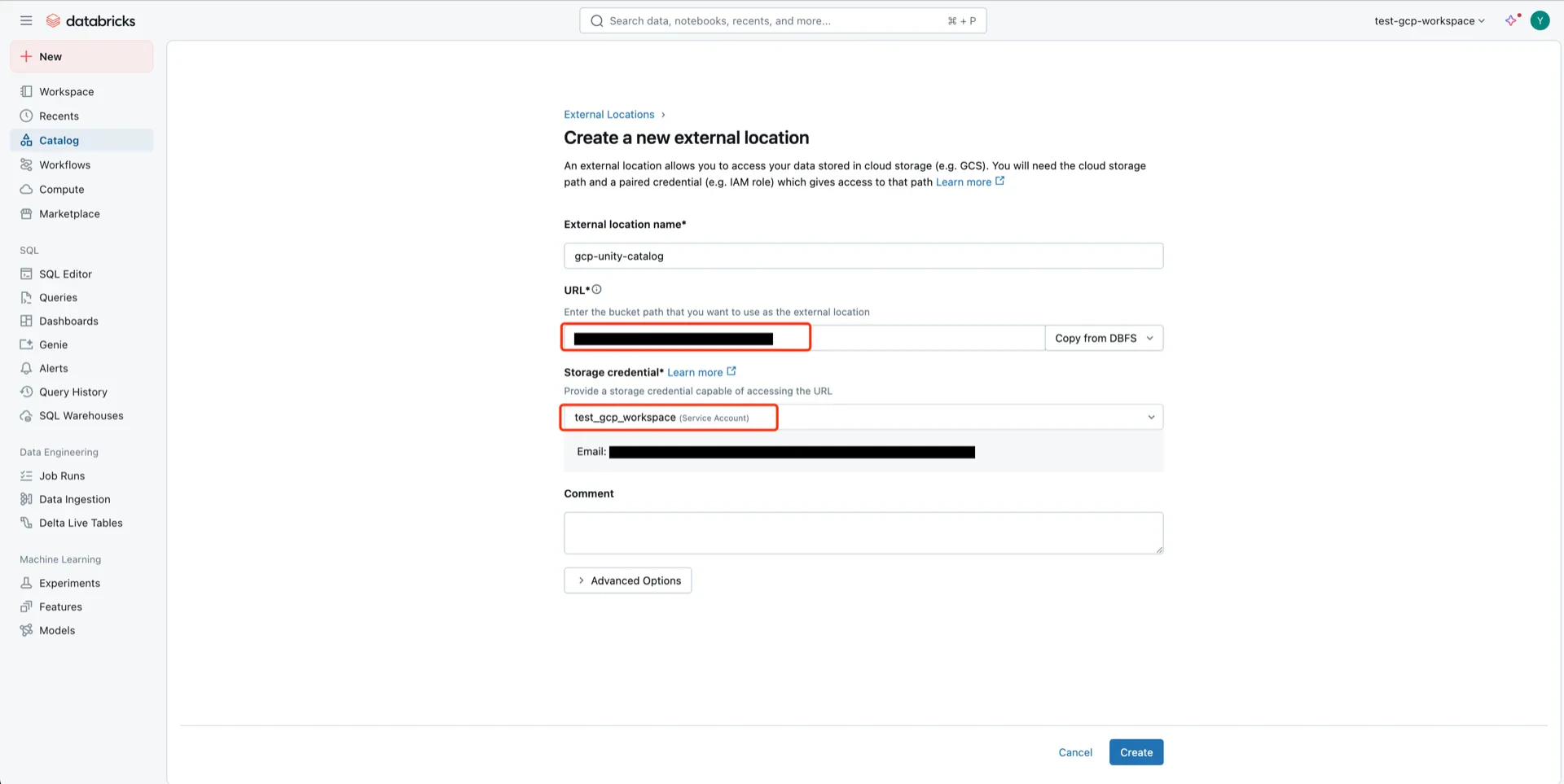
- External location name: any name
- URL: the GCS bucket path
- Storage credential: the Unity Catalog credential
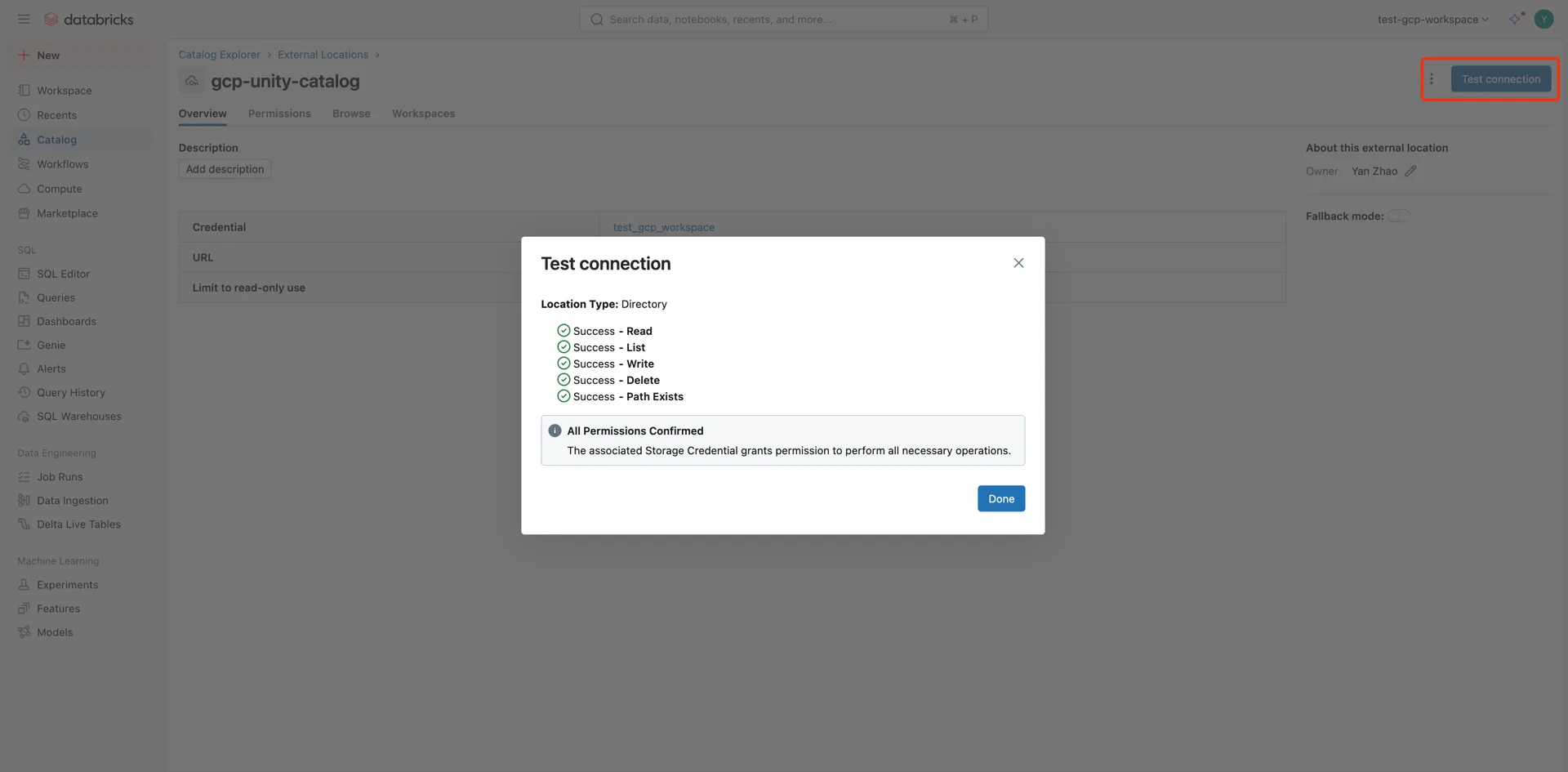
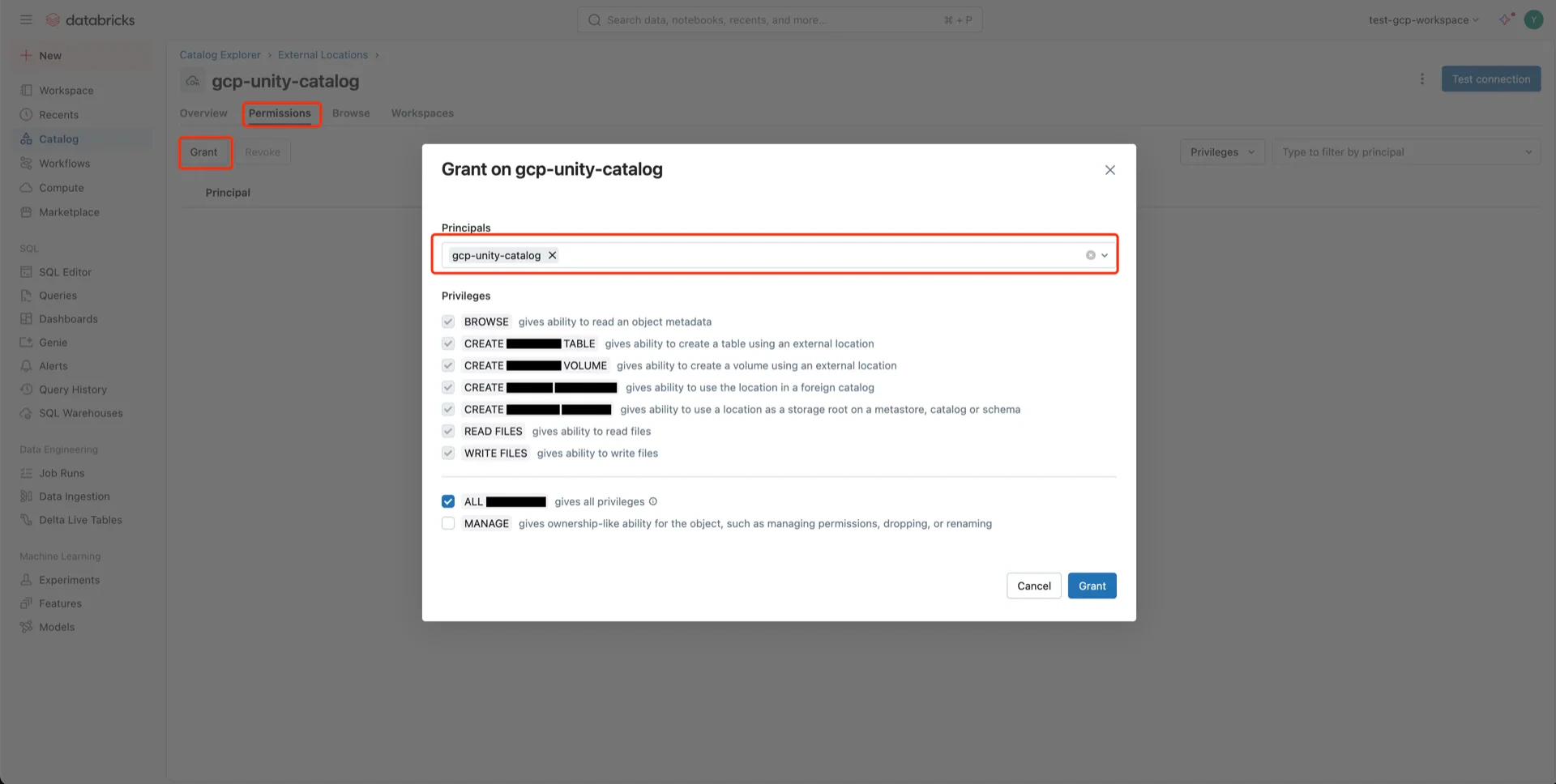
Catalog Information Summary
When the steps above are complete, collect the following values for the StreamNative Ursa compaction service:
For the next steps, see Register Lakehouse Catalogs.