

Jumpstart for beginners
To help you get started with setting up client libraries and tools after provisioning your cluster, StreamNative Cloud Console provides a step-by-step wizard to walk you through the basic setup and configuration process, such as installing client libraries, downloading key files, selecting properties, generating sample codes to run, and so on.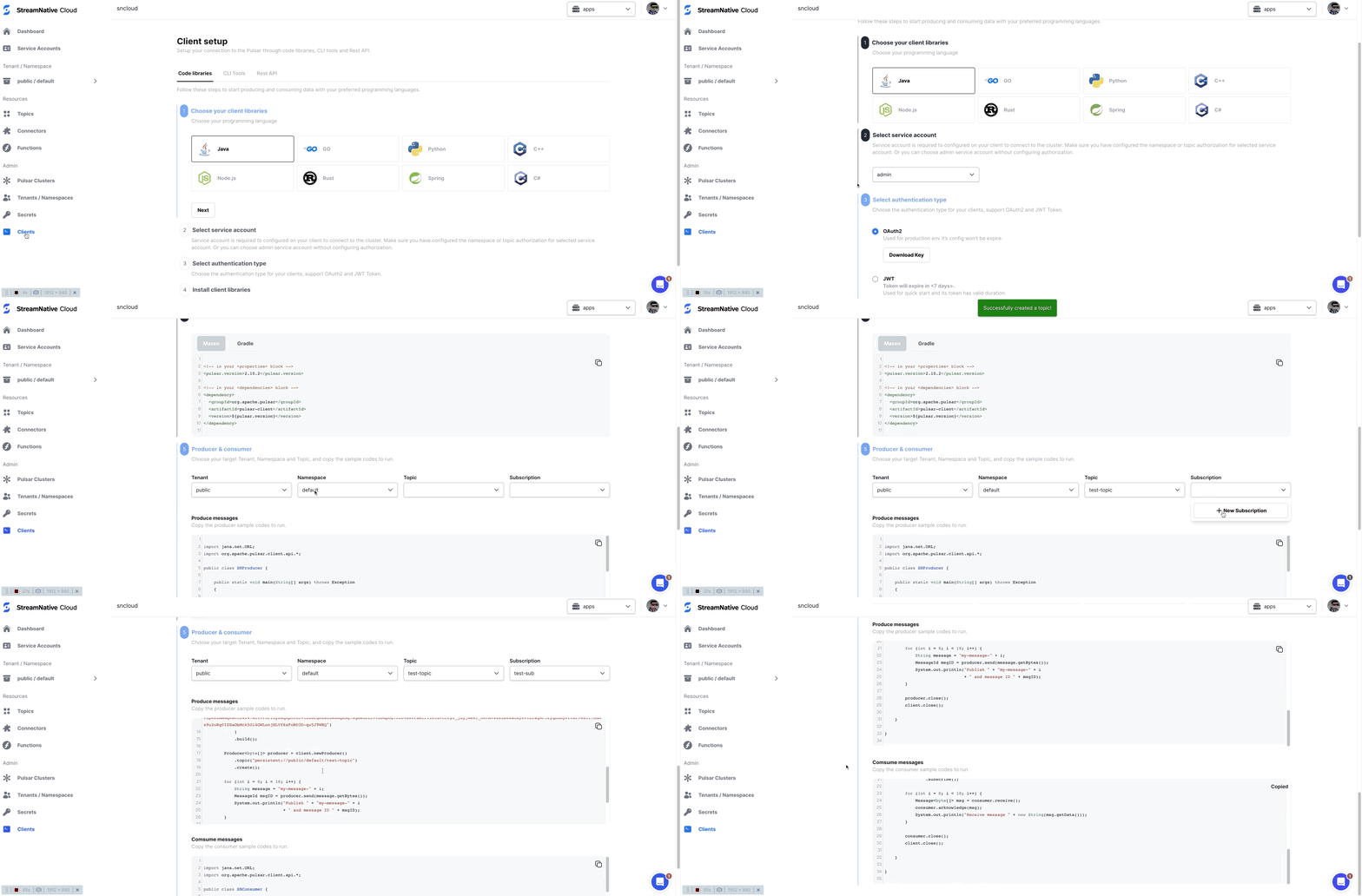
- On the left navigation pane of StreamNative Cloud Console, in the Admin section, click Pulsar Clients.
- Follow the wizard to generate the sample code you need for connecting to your StreamNative cluster.
You can also use the Kafka clients to connect to your StreamNative cluster.