

Currently, only the Deliver to External Table mode is supported. The Expose Internal Table option is coming soon.
Prerequisites
- A cluster (Pulsar or Kafka) running on a profile that supports Lakehouse Table delivery. See Lakehouse Table Overview for the supported cluster types and profiles.
- A registered catalog in your organization. If you have not registered a catalog yet, see Register Catalog.
Enable Lakehouse Table at the cluster level
You can enable the Lakehouse Table at the cluster level either when you create a new cluster or for an existing cluster.Enable when creating a new cluster
When you create a new cluster, the cluster wizard includes a Lakehouse Table configuration step.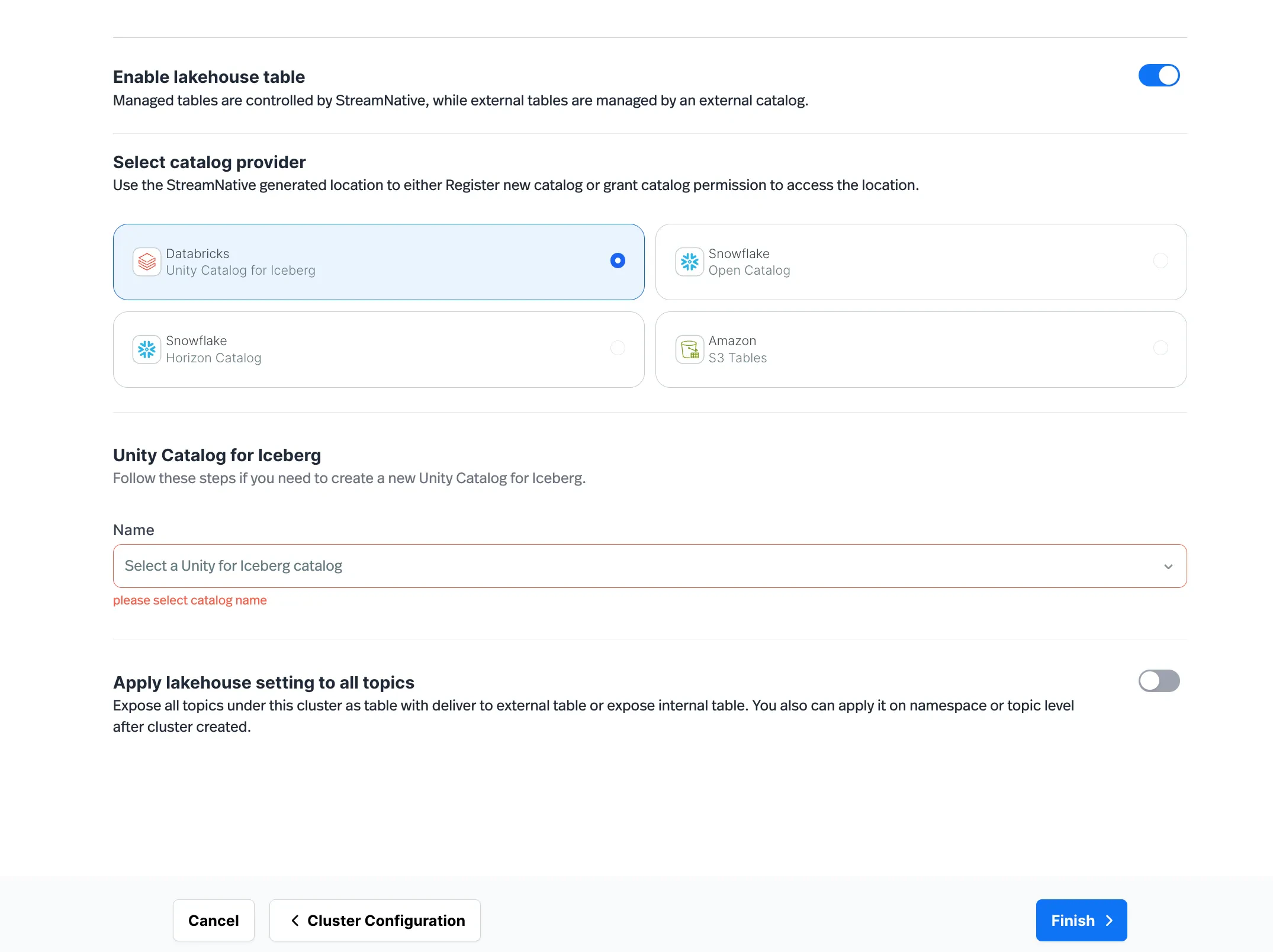
- Toggle on Enable Lakehouse Table.
-
Select a Catalog Provider. StreamNative Cloud supports the following providers:
- Databricks Unity Catalog for Iceberg (Iceberg)
- Databricks Unity Catalog for Delta Lake (Delta Lake)
- Snowflake Open Catalog (Iceberg)
- Snowflake Horizon Catalog (Iceberg)
- Amazon S3Table (Iceberg)
- Google BigLake (Iceberg) — can only be configured after the cluster is created. Skip the Lakehouse Table step at cluster creation and enable it later from the existing cluster page.
-
Select the target Catalog that belongs to the catalog provider you selected. If the catalog you need is not registered yet, click Register new catalog to open the registration page. See Register Catalog.
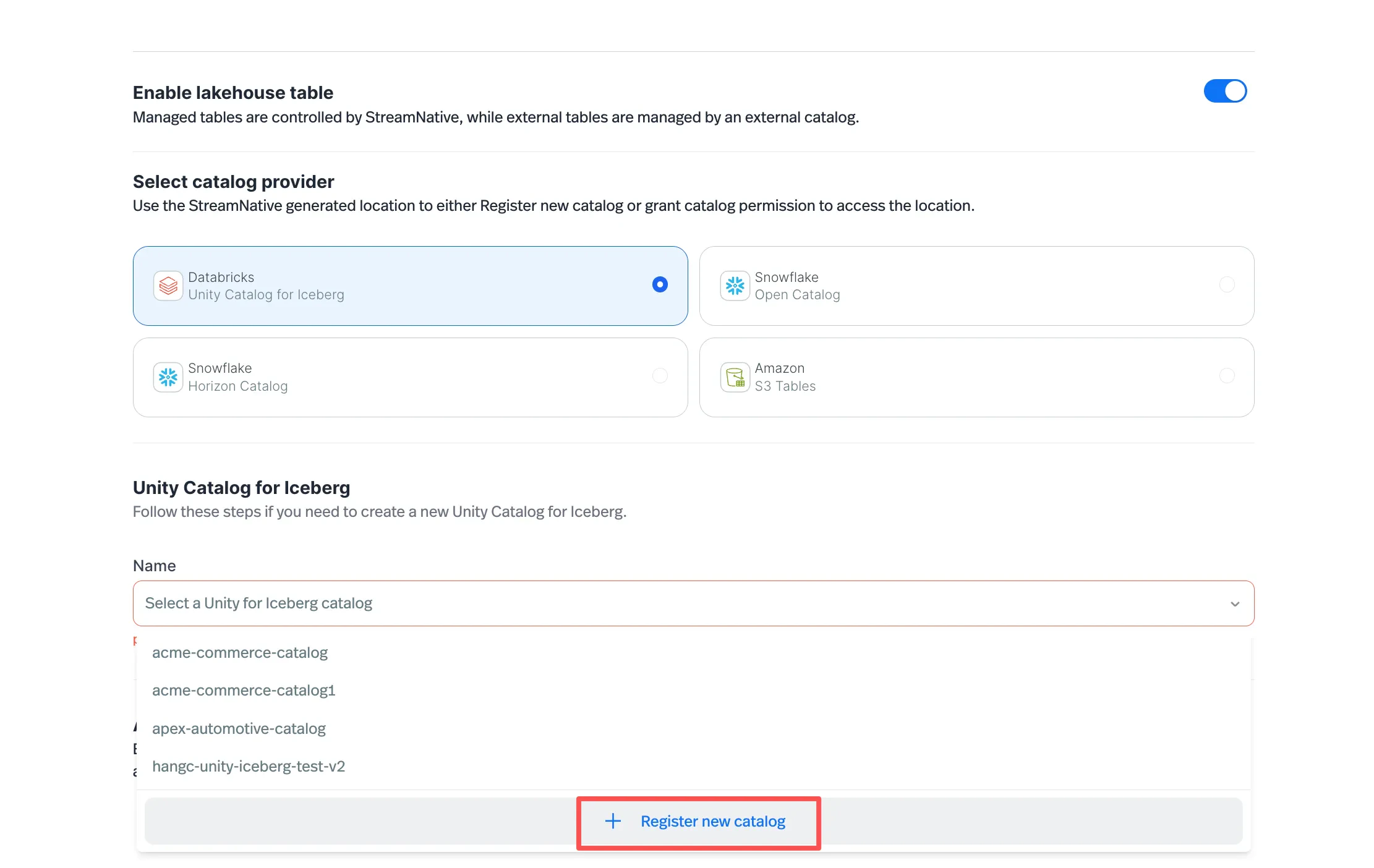
- (Optional) Enable Apply lakehouse setting to all topics to automatically deliver every existing and new topic in the cluster to the lakehouse table. If this option is disabled, you can enable Lakehouse delivery later at the namespace or topic level.
Enable for an existing cluster
For an existing Pulsar cluster (latency-optimized profile or cost-optimized profile), open the cluster page and click Enable Lakehouse Table.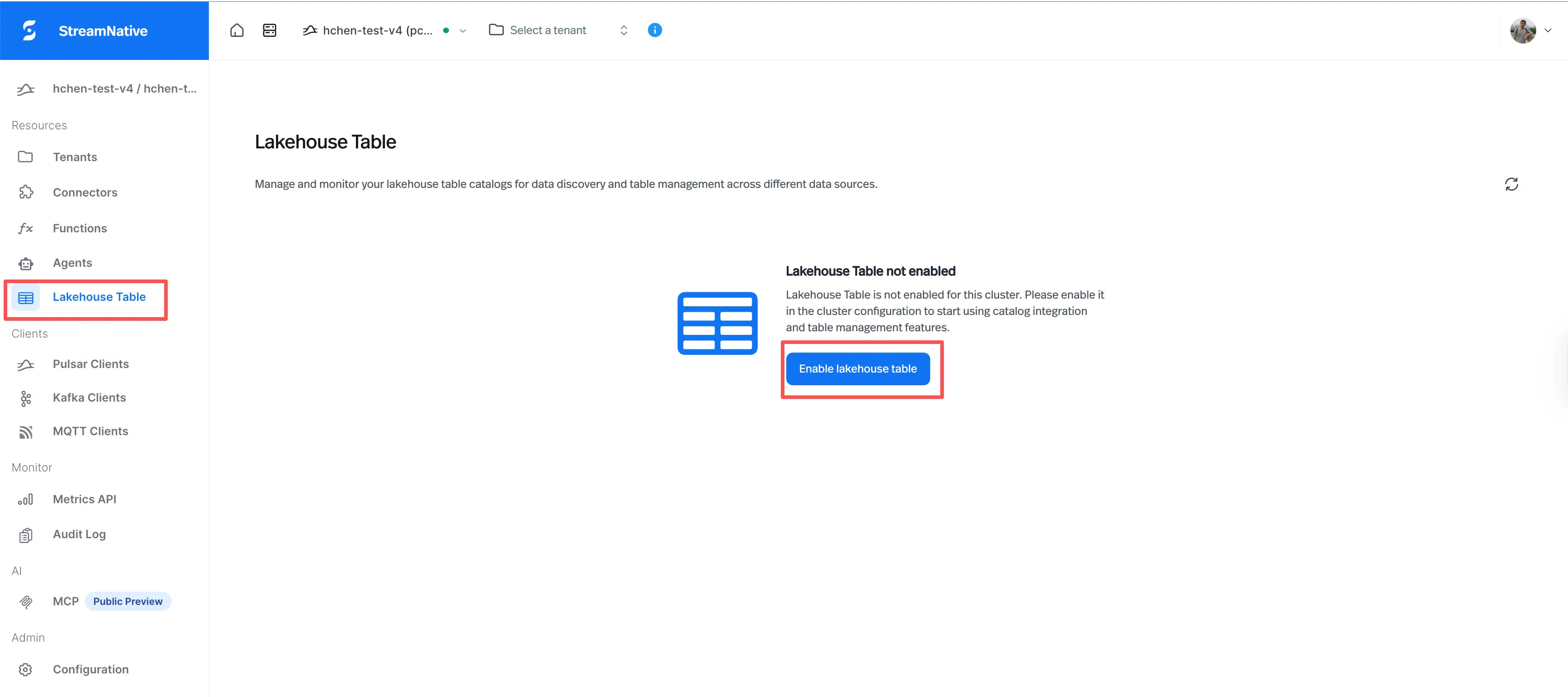
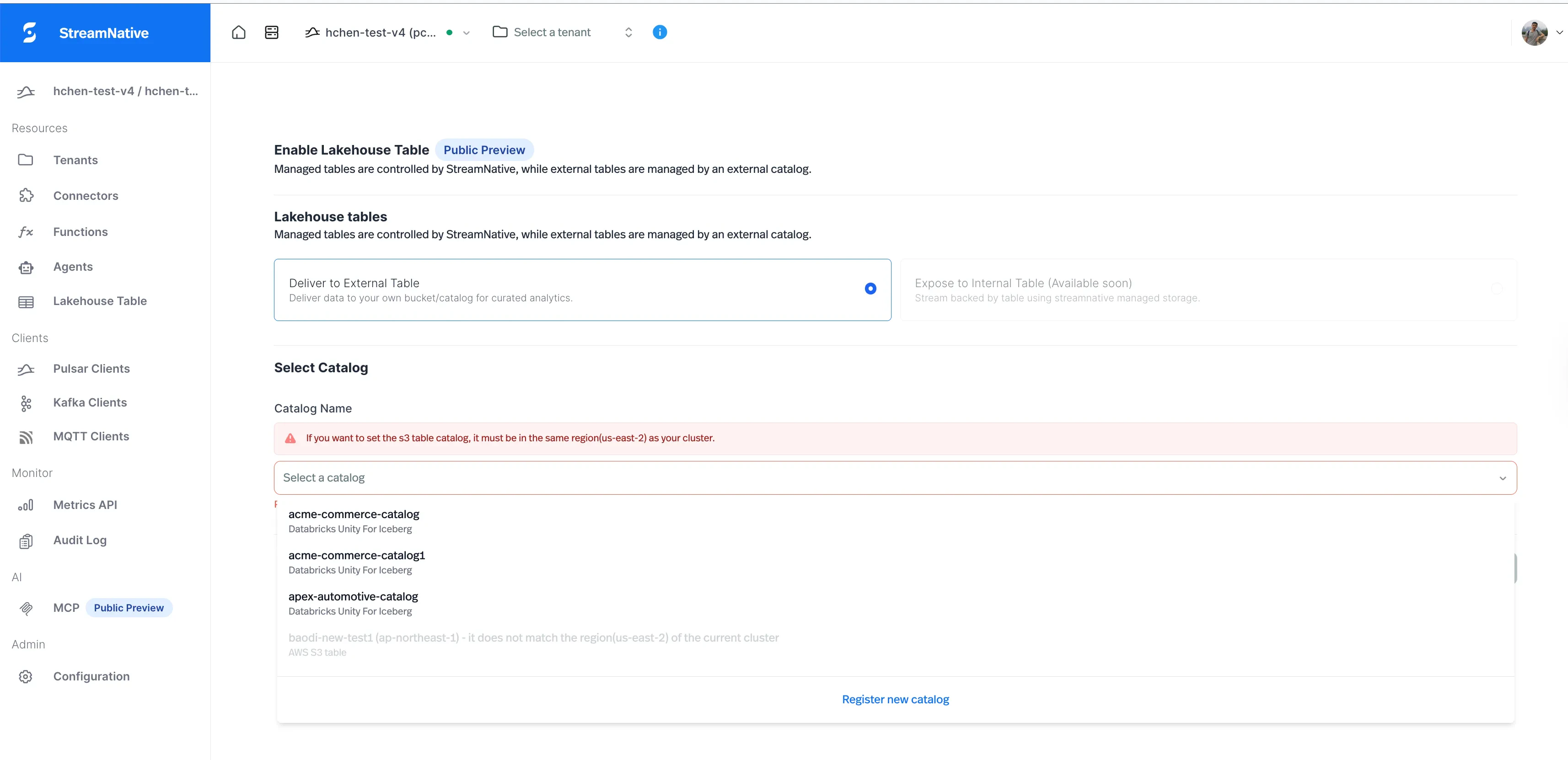
Enable Lakehouse Table at the namespace level
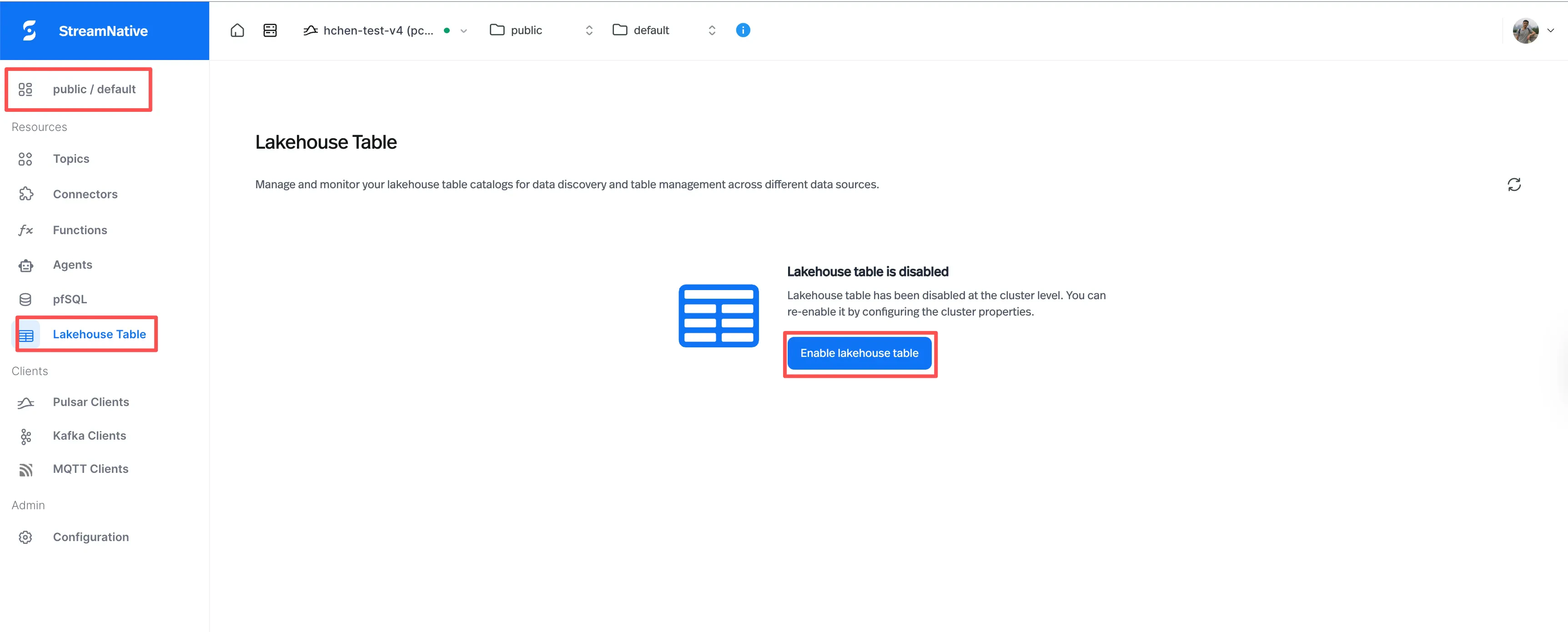
You can also enable the Lakehouse Table at the namespace level. Open the namespace and click Enable Lakehouse Table, then select a registered target catalog. If the catalog you need is not registered, click Register new catalog to register one.Namespace-level enablement is supported only on Pulsar clusters (latency-optimized and cost-optimized profiles). Kafka clusters do not support namespace-level enablement; for Kafka clusters, enable Lakehouse Table at the cluster level instead.
Enable Lakehouse Table at the topic level
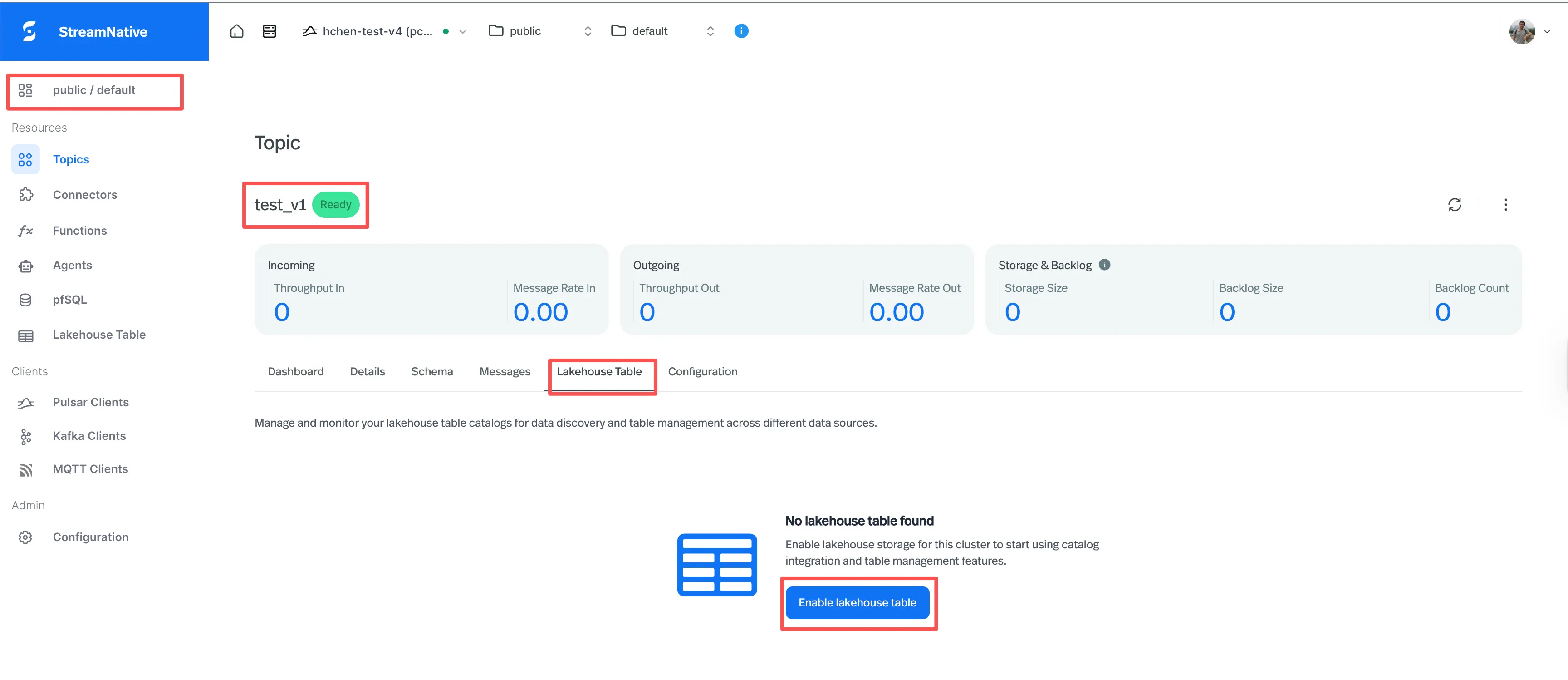
You can enable the Lakehouse Table for a single topic. Open the topic and click Enable Lakehouse Table, then select a registered target catalog. If the catalog you need is not registered, click Register new catalog to register one.Topic-level enablement is supported only on Pulsar clusters (latency-optimized and cost-optimized profiles). Kafka clusters do not support topic-level enablement; for Kafka clusters, enable Lakehouse Table at the cluster level instead.
Configuration override priority
When the same setting is configured at multiple levels, the most specific level wins:Per-namespace and per-topic catalog selection
Different namespaces in the same cluster can deliver data to different catalogs, and individual topics within a namespace can also override the namespace’s catalog and deliver to a different one. For example, namespaceanalytics/finance can be configured to use a Snowflake Open Catalog, namespace analytics/marketing in the same cluster can use a Databricks Unity Catalog, and a single topic analytics/marketing/realtime-events inside analytics/marketing can be redirected to an Amazon S3Tables catalog. To assign different catalogs, enable the Lakehouse Table separately on each namespace or topic and select the desired catalog.
Catalog override order
The catalog used for a topic is resolved in the same most-specific-wins order:Next Steps
- Monitor data delivery progress for a topic from the Cloud Console: Lakehouse Observability — Monitor data delivery progress in the Cloud Console.
- See how Pulsar topic names are mapped to lakehouse namespace and table names: Lakehouse Table Overview — Topic to lakehouse identifier mapping.
- Explore features: