

Important: Polaris does not support reading buckets from a different region. The StreamNative Ursa cluster, the storage bucket, and the Polaris catalog must all reside in the same AWS region.
Prerequisites
- A Snowflake standard account
- An AWS account with permissions to create S3 buckets and IAM roles
- Access to the Snowflake Open Catalog feature (request via your Snowflake account team if not yet enabled)
1. Create a Snowflake Open Catalog Account
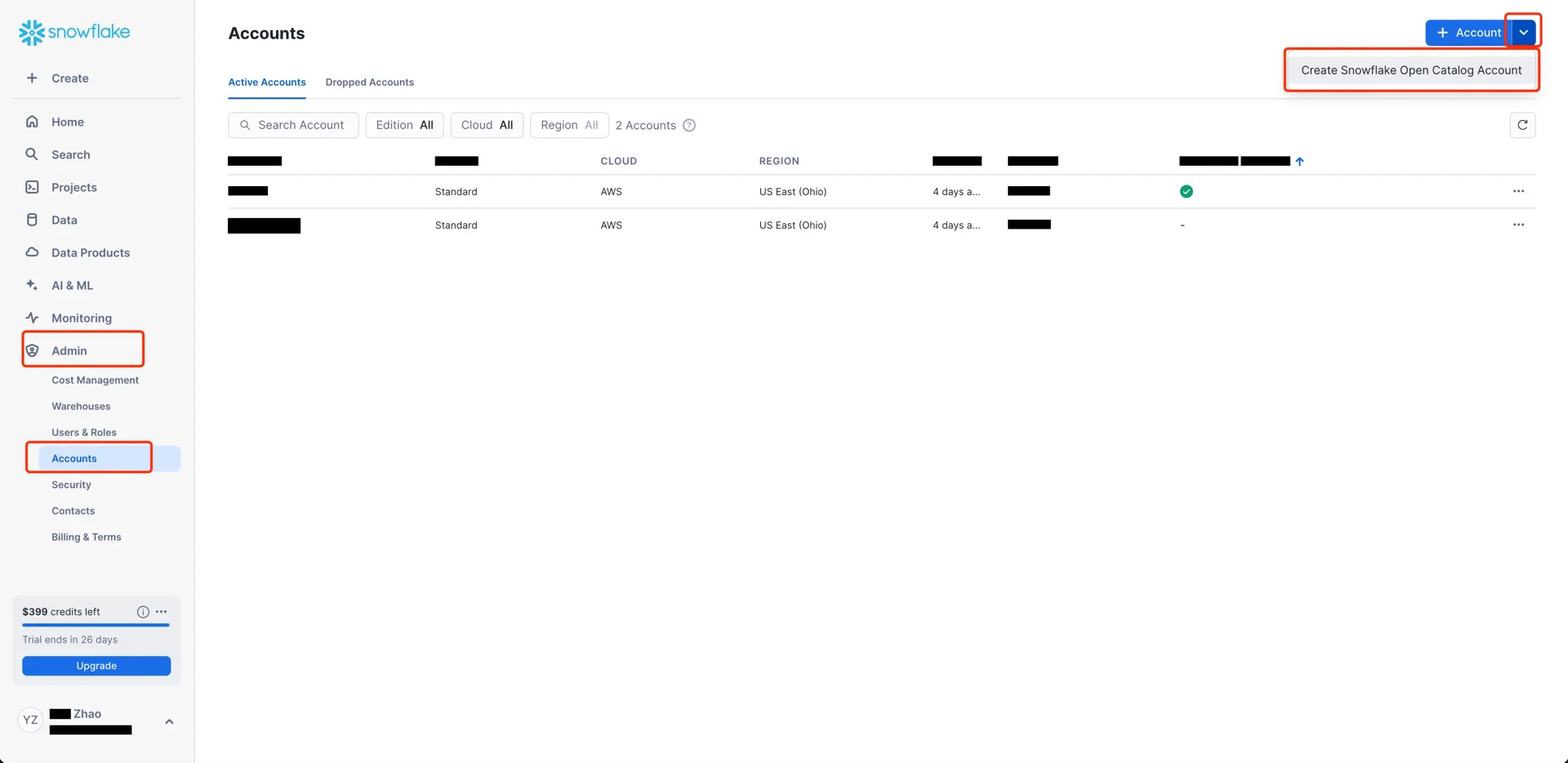
The Snowflake Open Catalog console requires a dedicated Open Catalog account. From the standard Snowflake console, navigate to Admin -> Accounts and use the toggle to Create Snowflake Open Catalog Account.
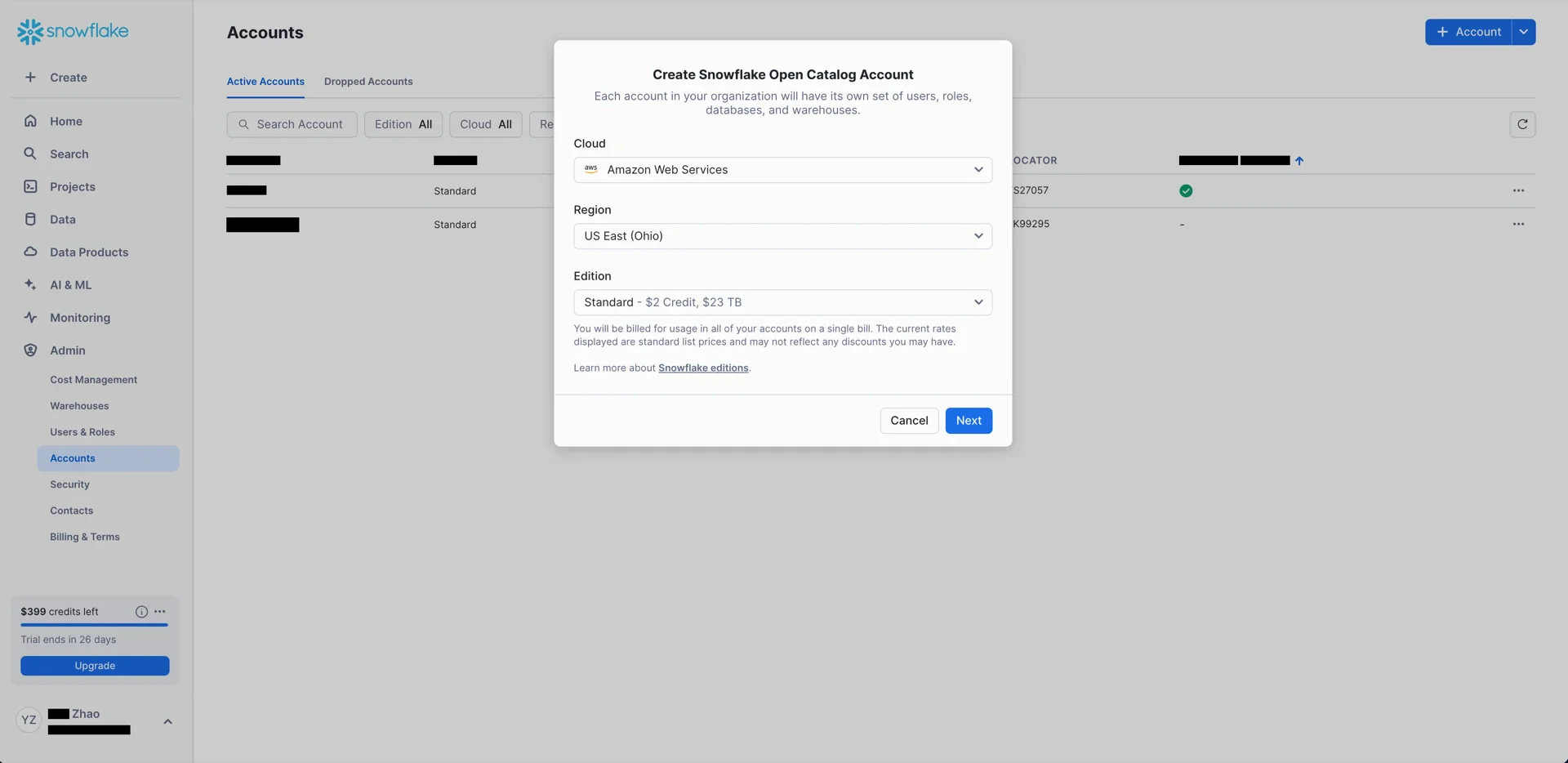
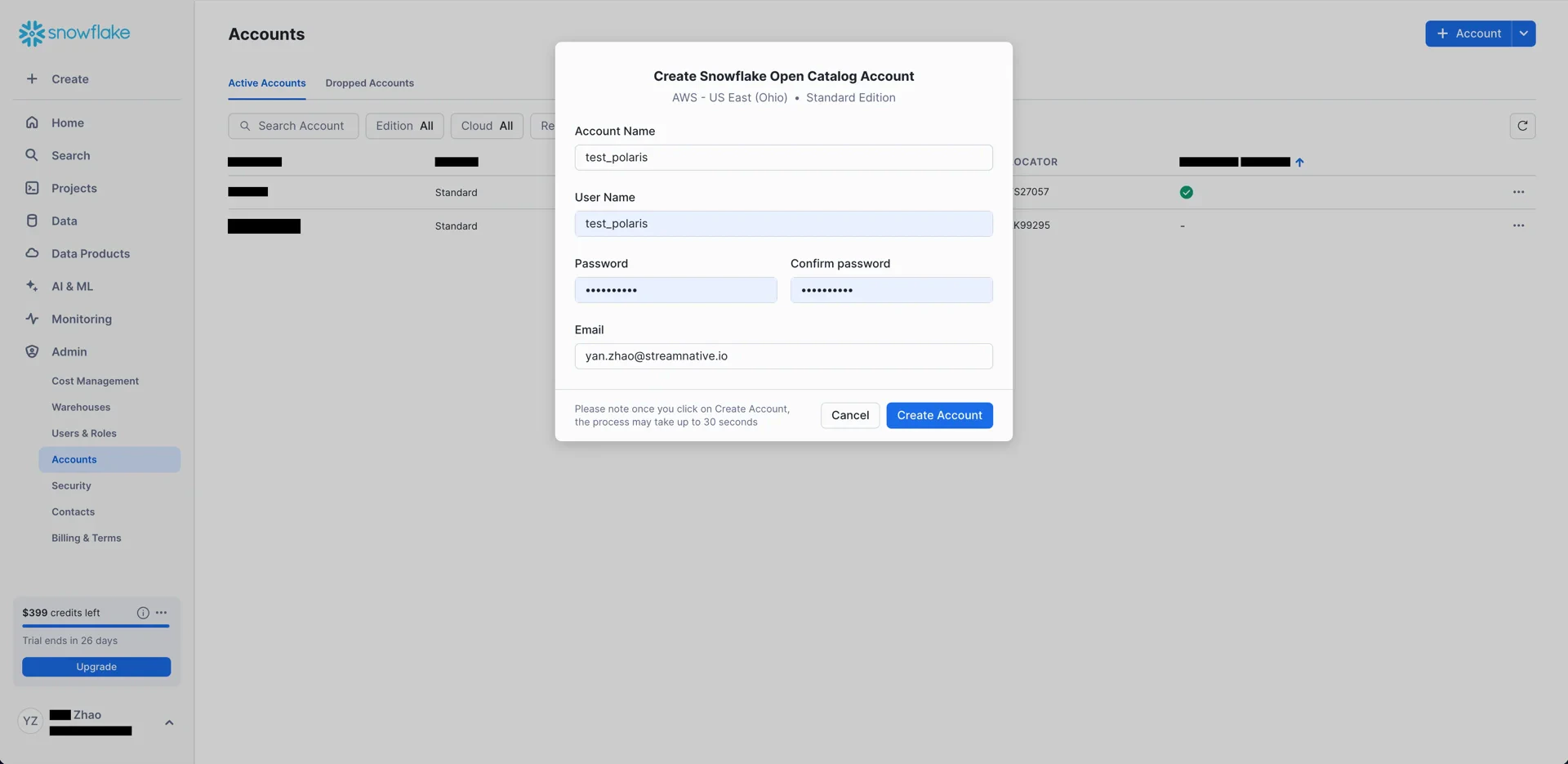
- Cloud: AWS
- Region: the region in which your S3 bucket resides (for example,
US East (Ohio)) - Edition: any
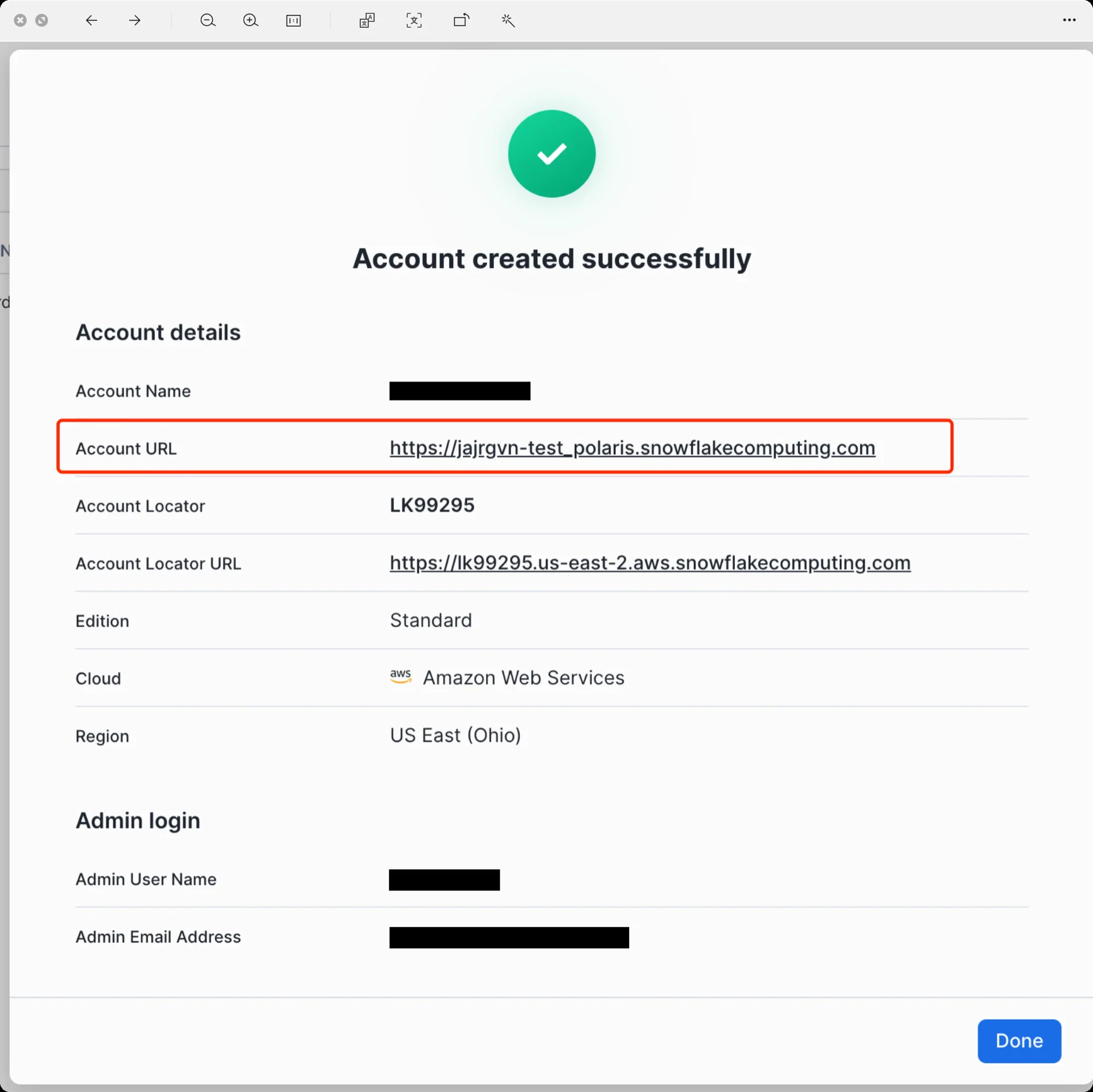
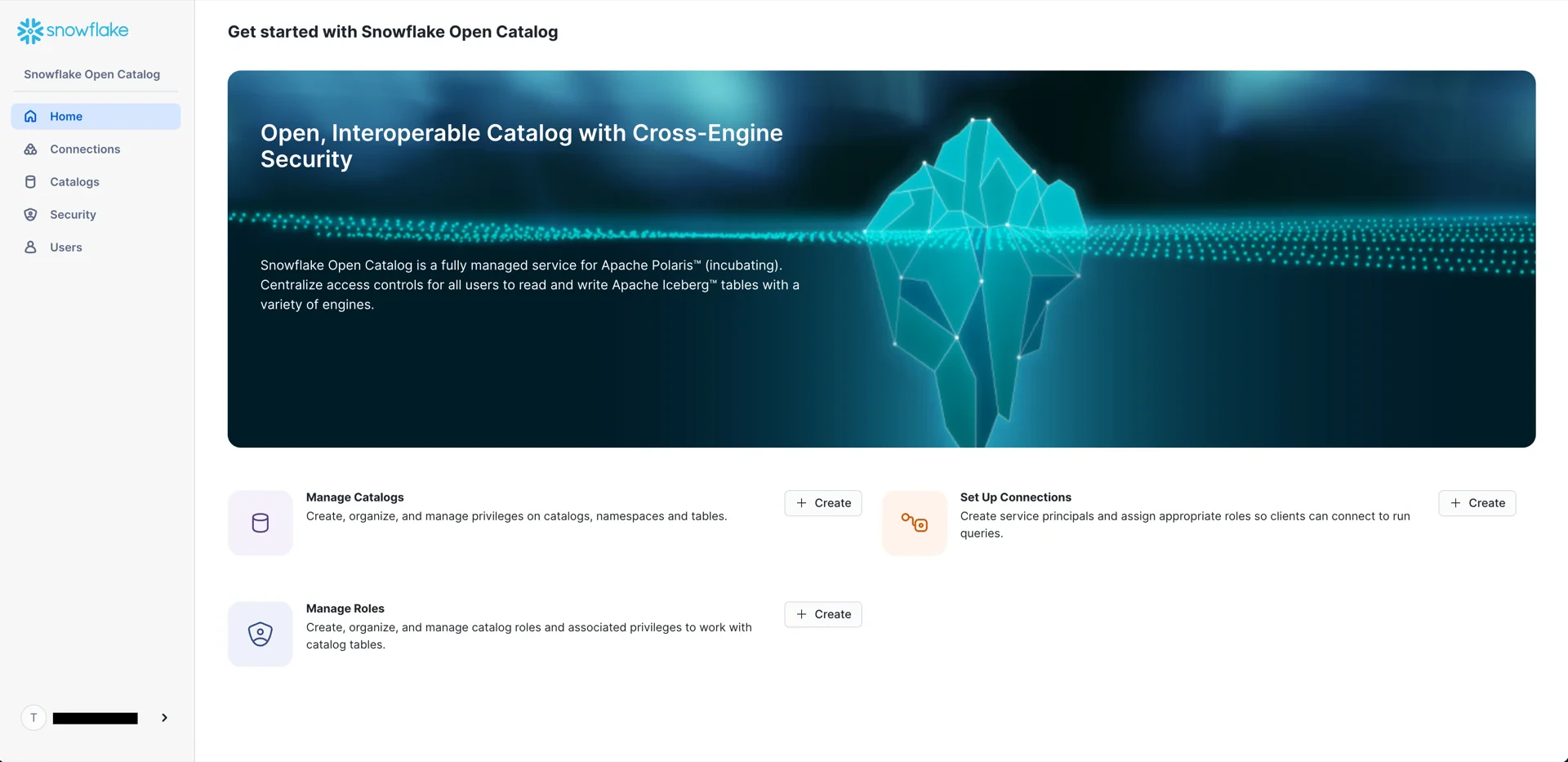
2. Create an S3 Bucket
Create an S3 bucket in the same region as the Open Catalog account.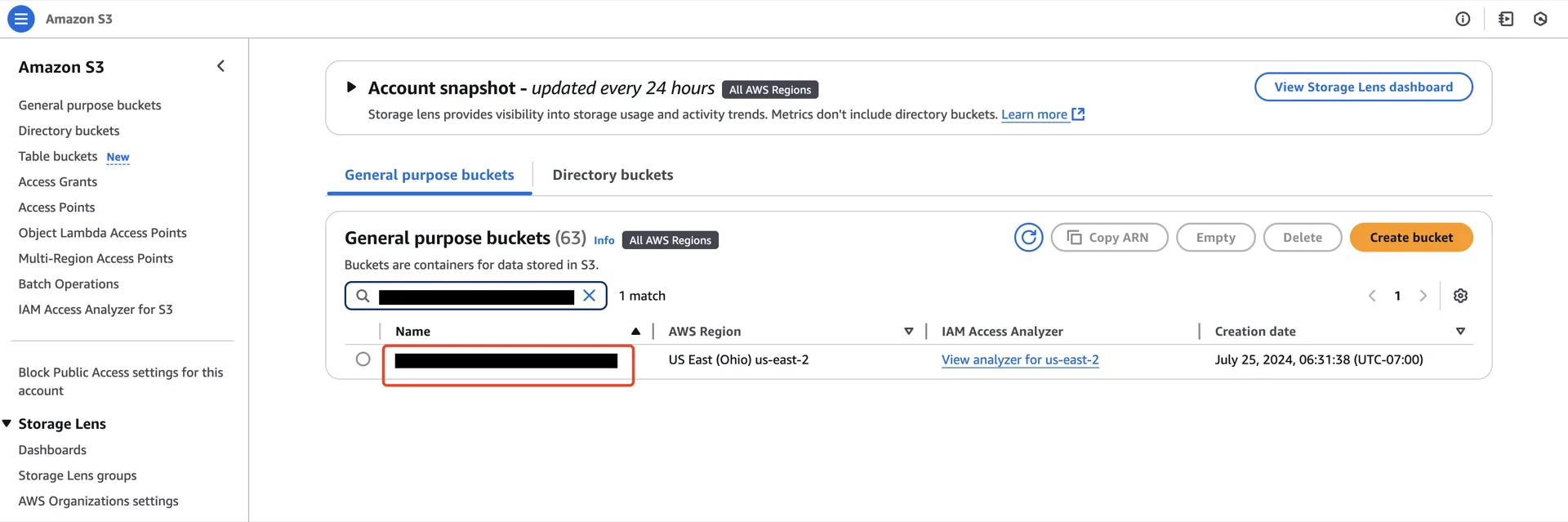
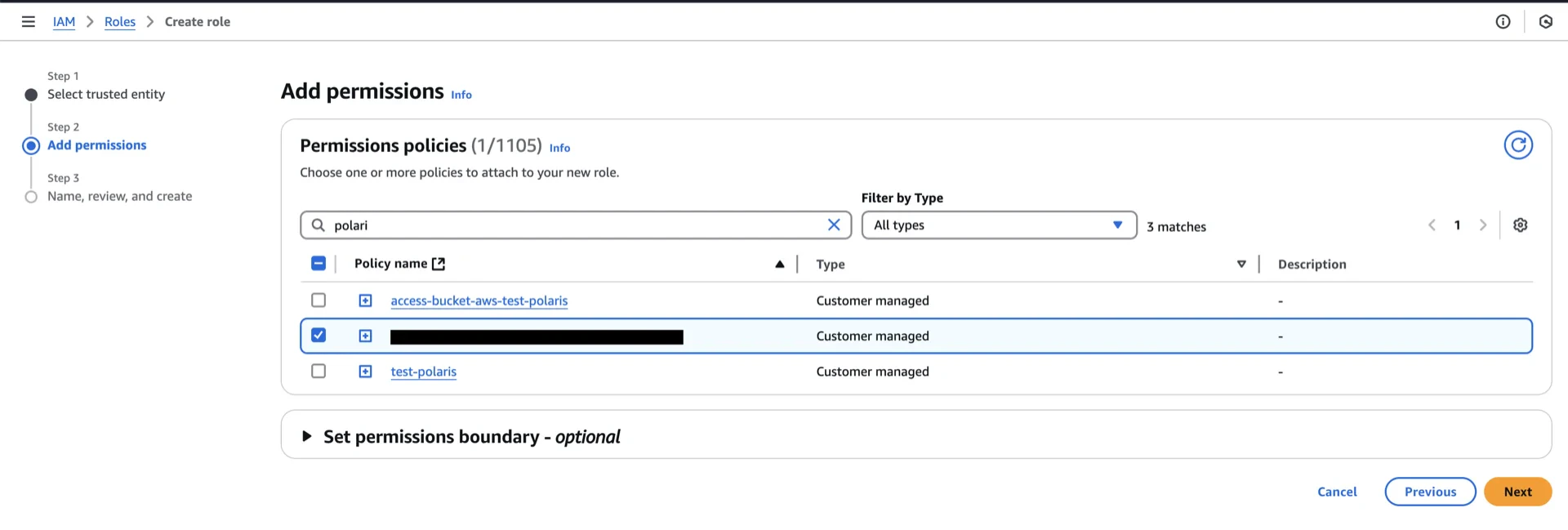
3. Create an IAM Policy
Navigate to AWS IAM -> Policies -> Create policy.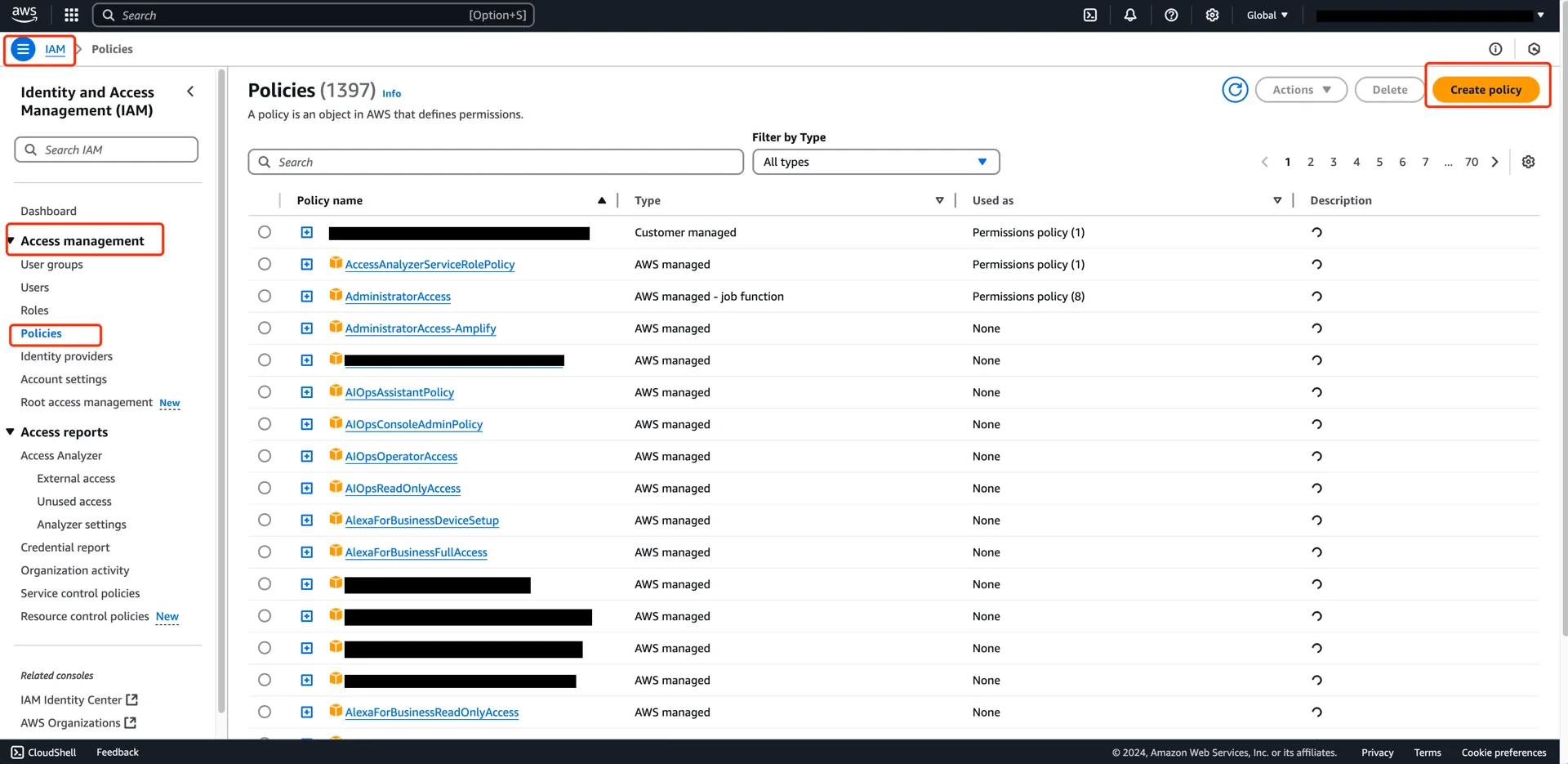
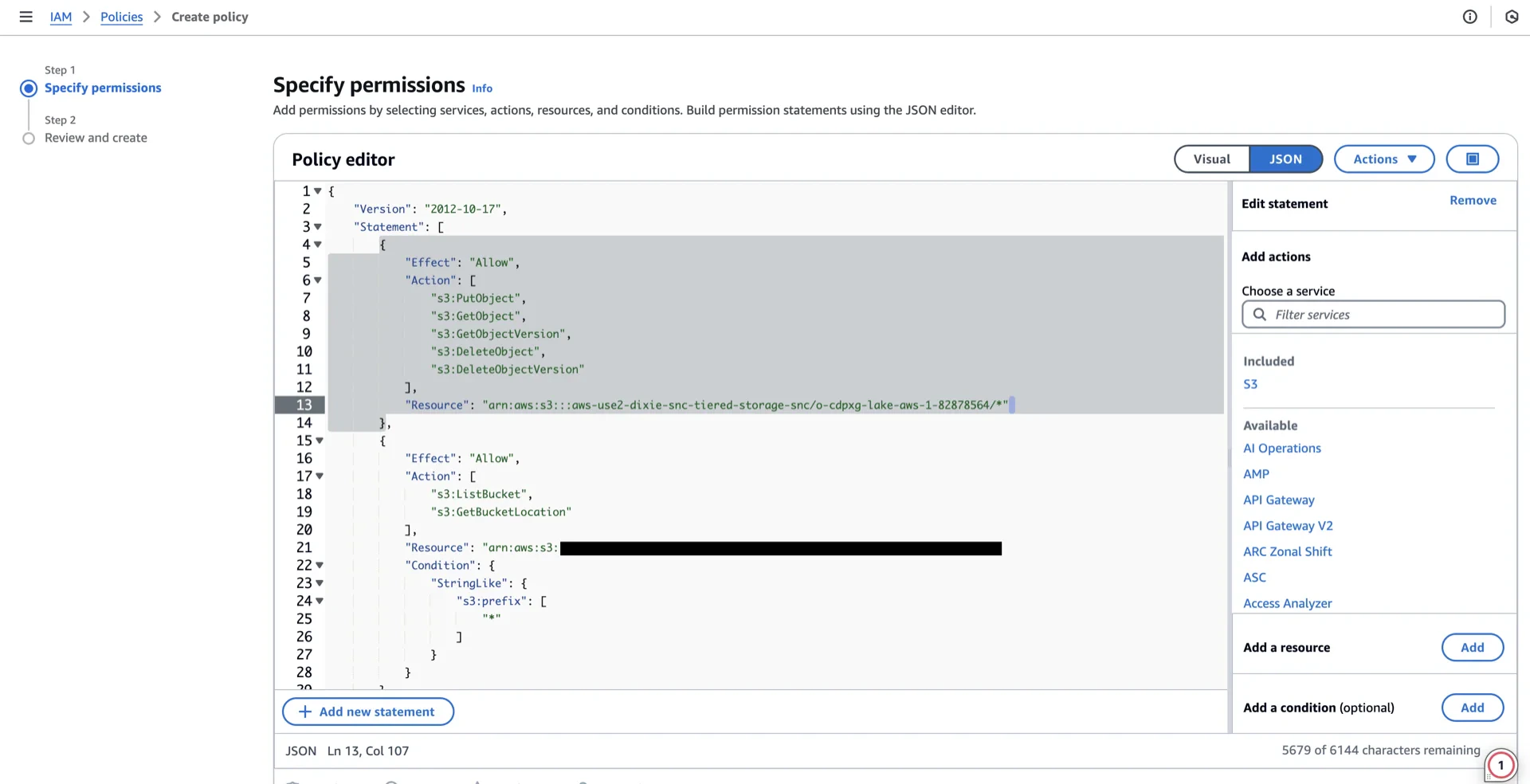
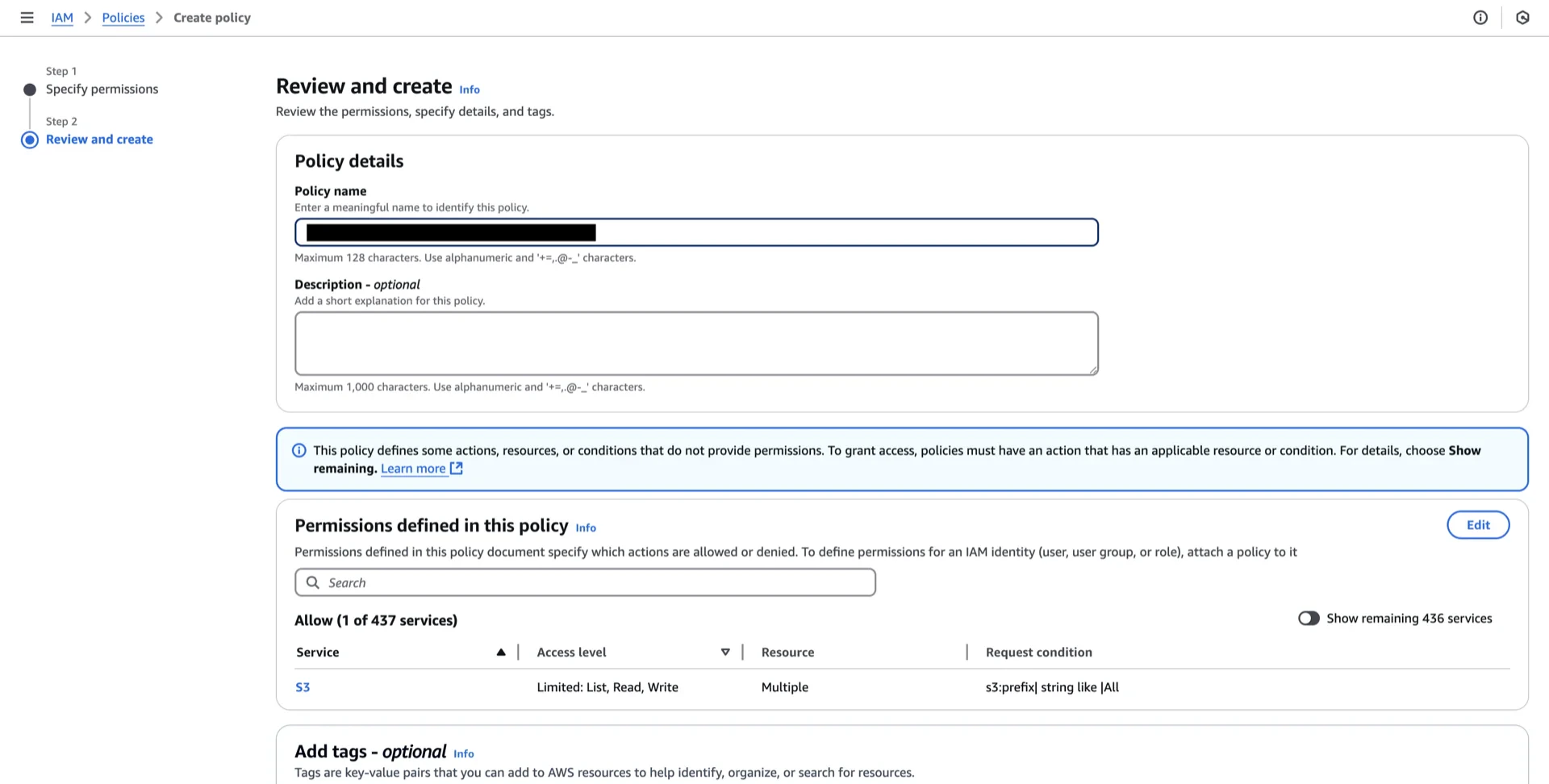
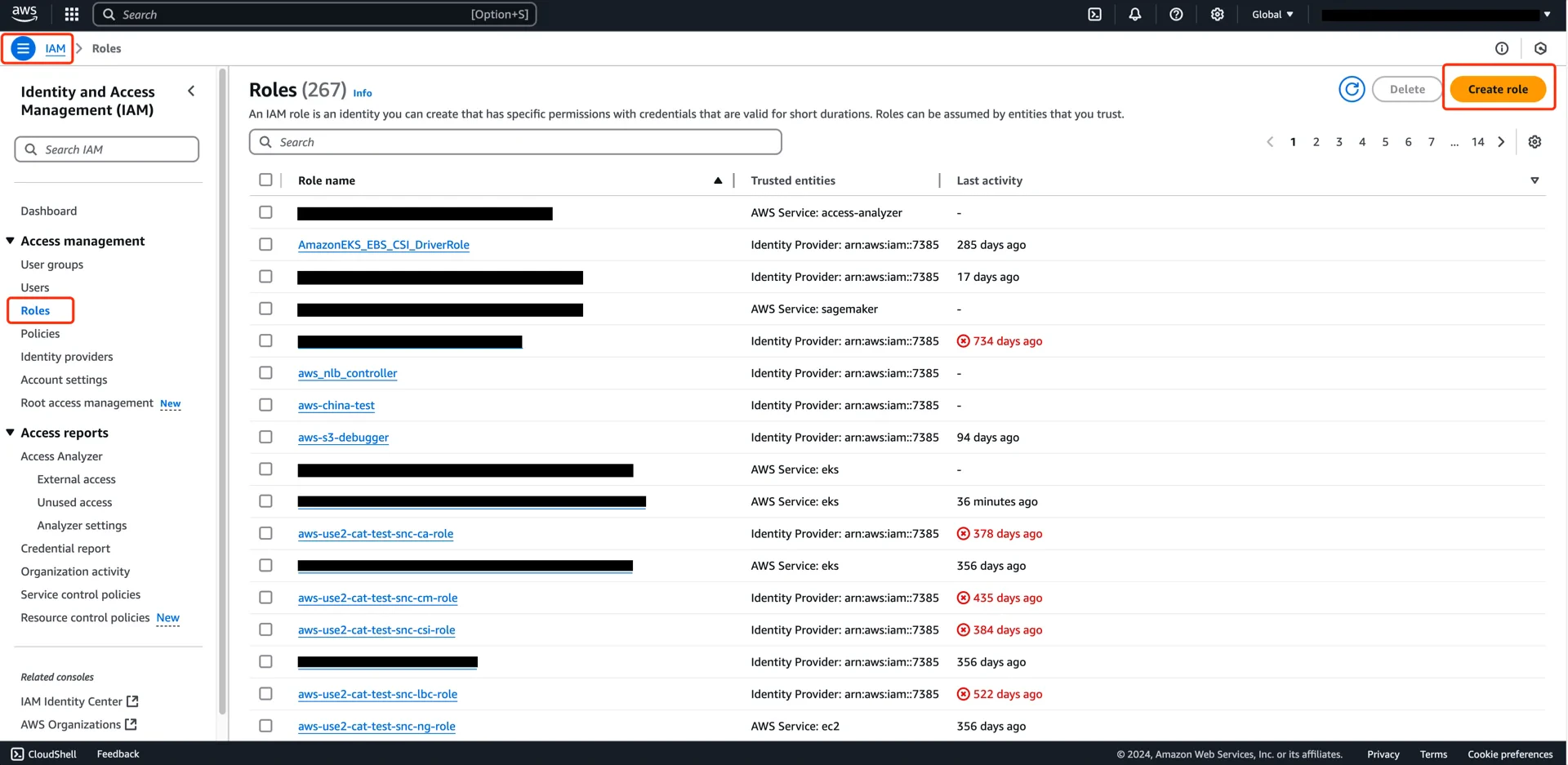
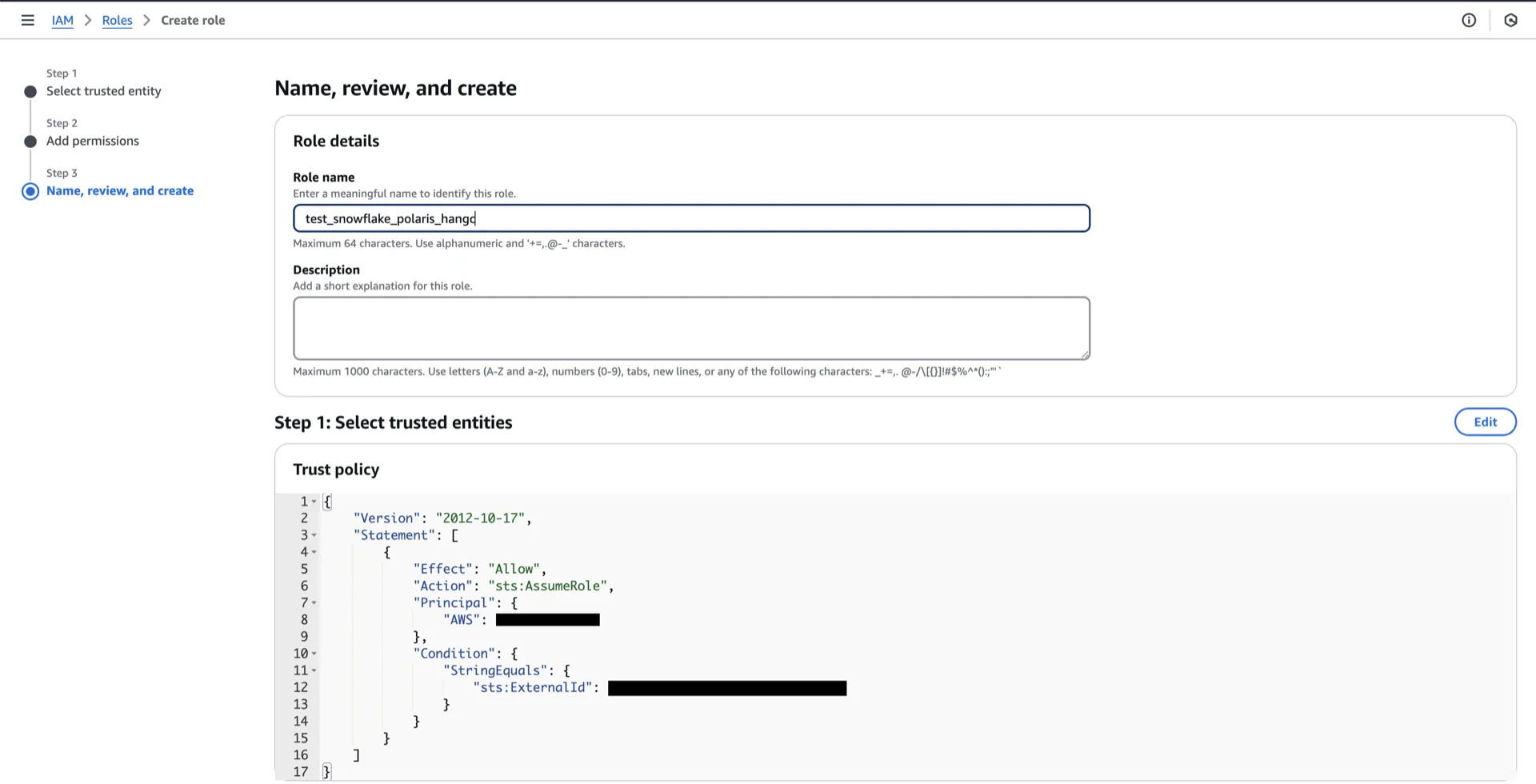
4. Create an IAM Role
Navigate to AWS IAM -> Roles -> Create role and configure:- Trusted entity type: AWS account
- An AWS account: This account
- Enable External ID with a unique value (you will reference this when creating the Polaris catalog)
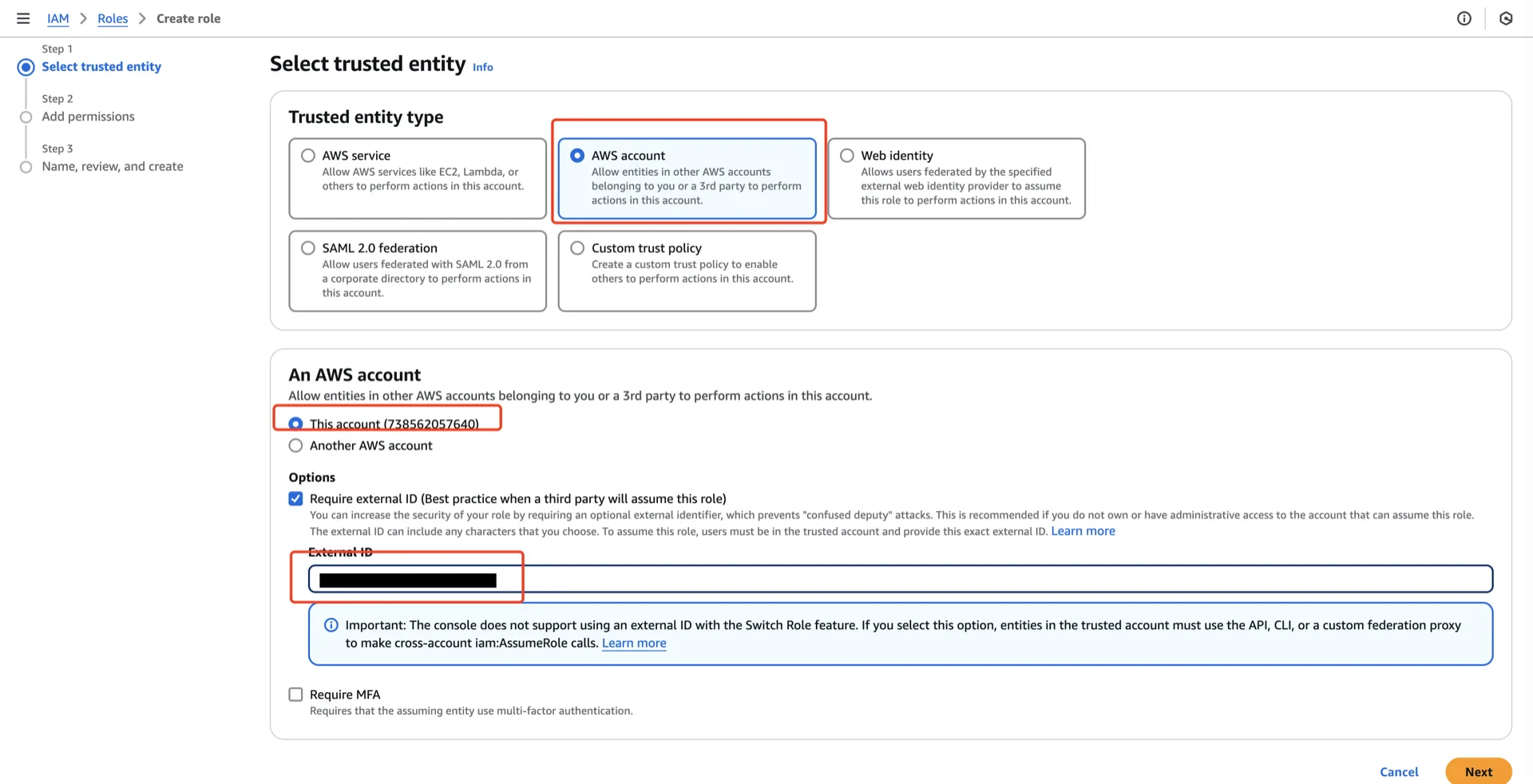
arn:aws:iam::<account-id>:role/<role-name>).
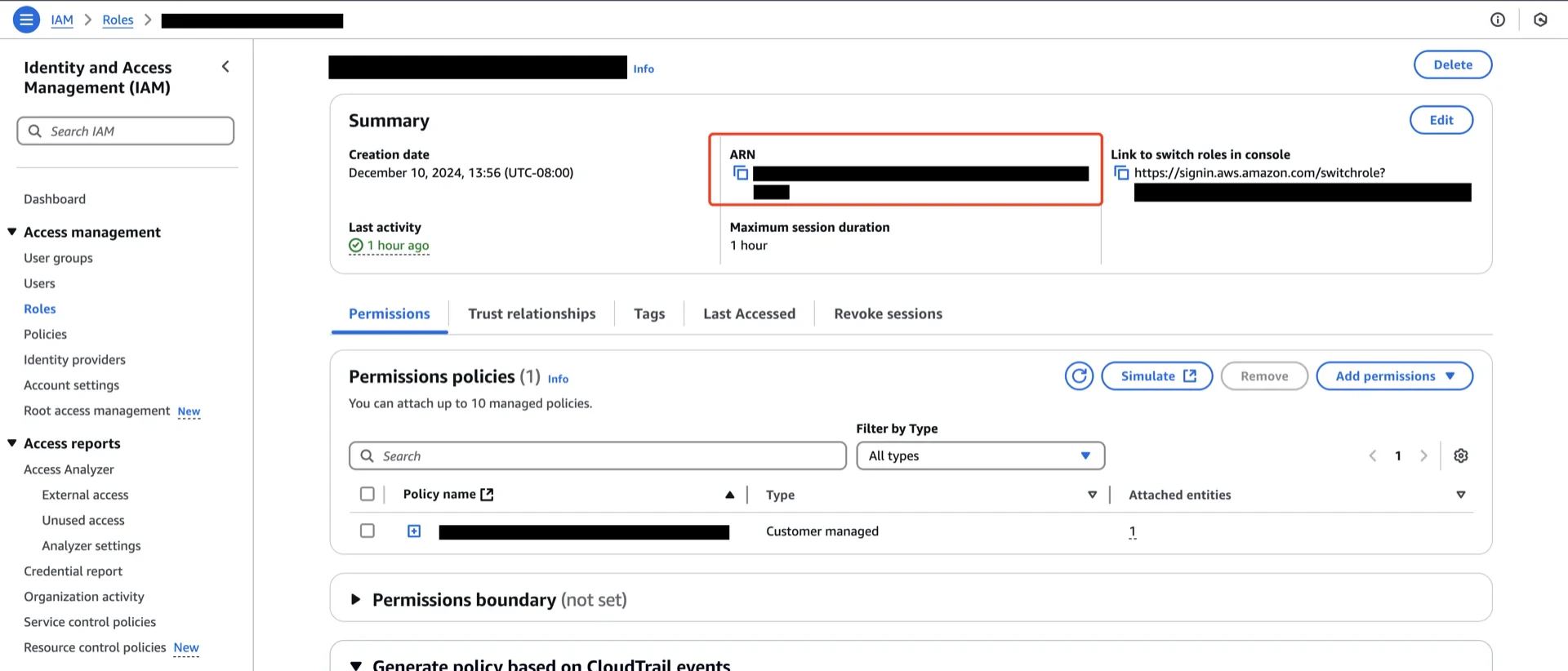
5. Create the Polaris Catalog
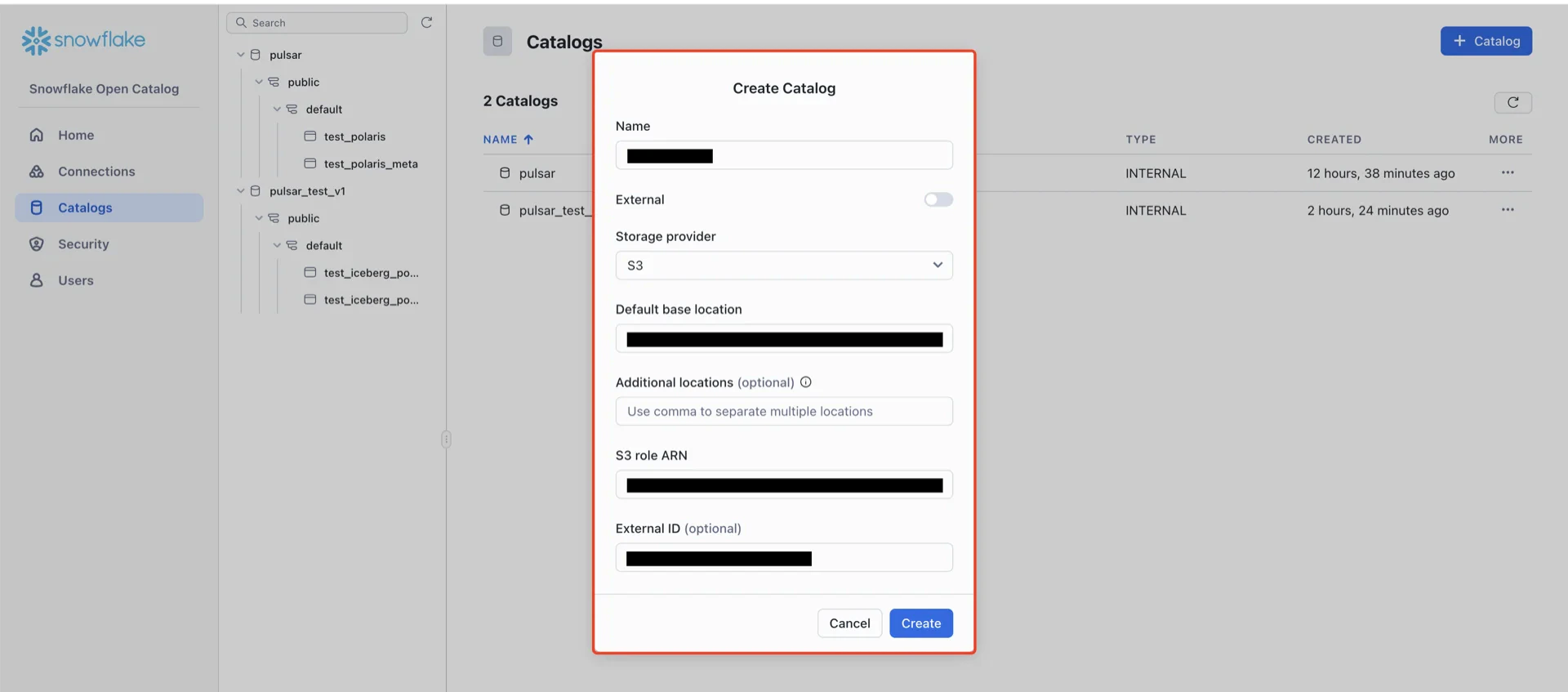
In the Snowflake Open Catalog console, create a new catalog.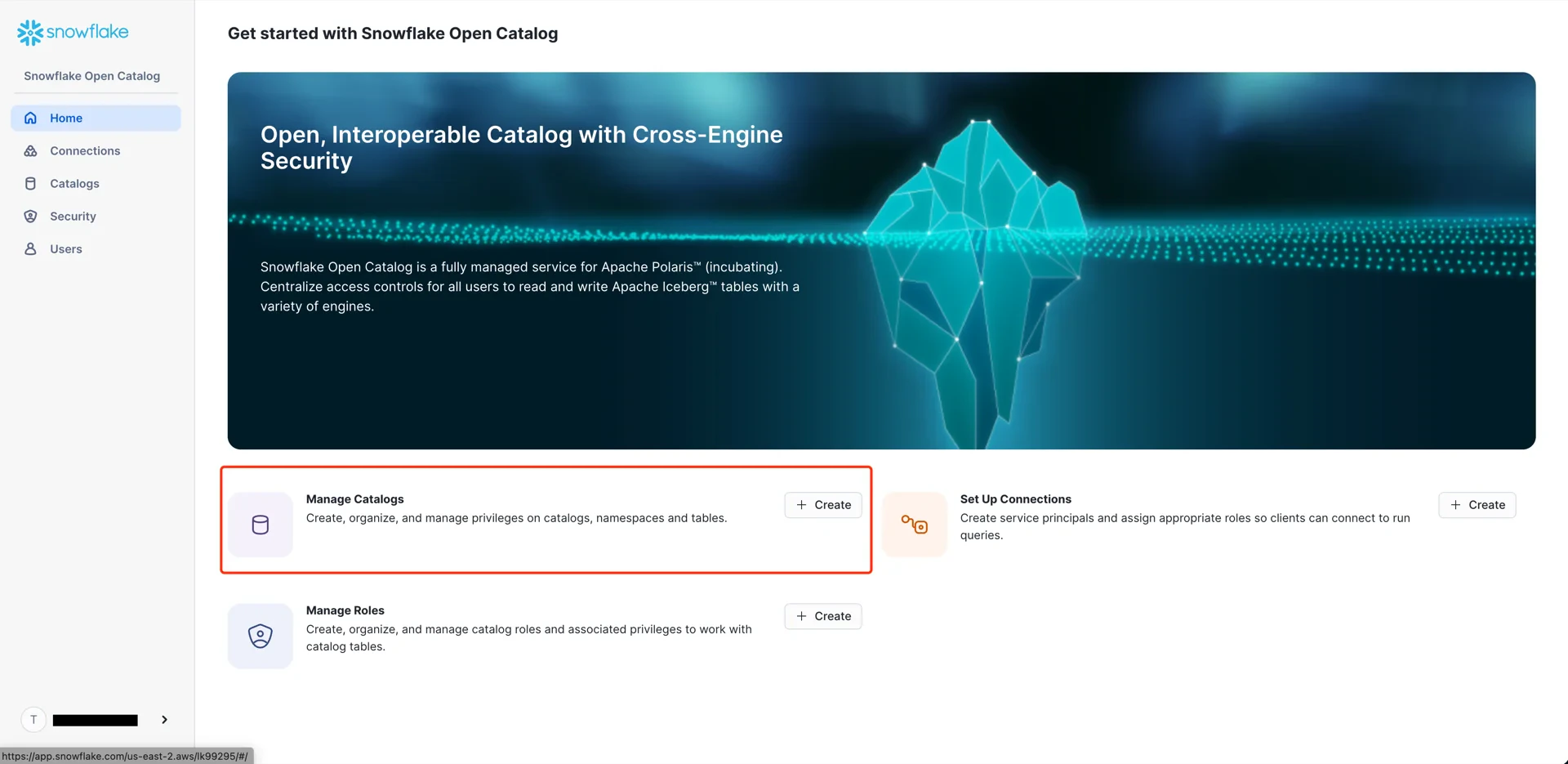
- External: disabled
- Storage provider: S3
- Default base location:
s3://<your-bucket>/<your-subpath>(the path from step 3) - S3 role ARN: the role ARN recorded in step 5
- External ID: the External ID configured in step 5
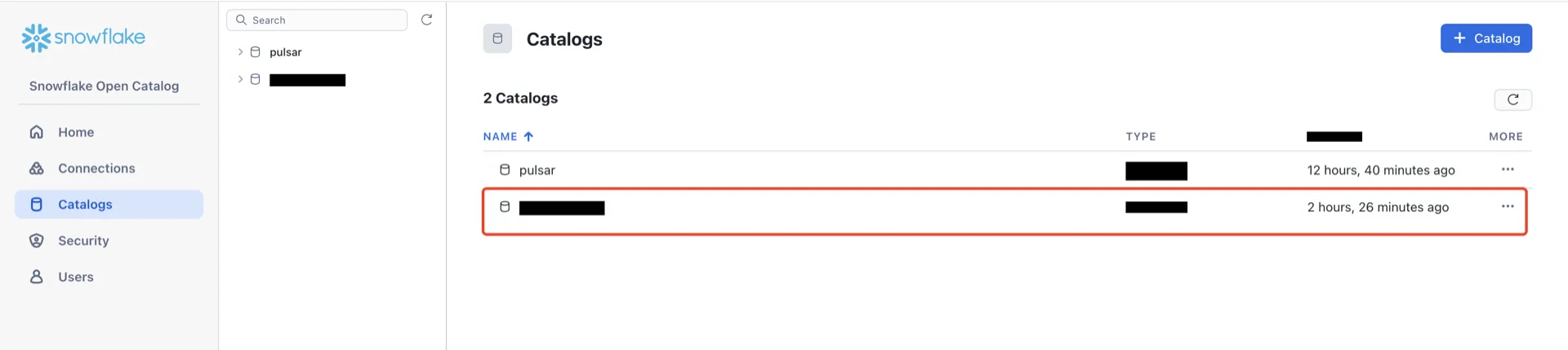
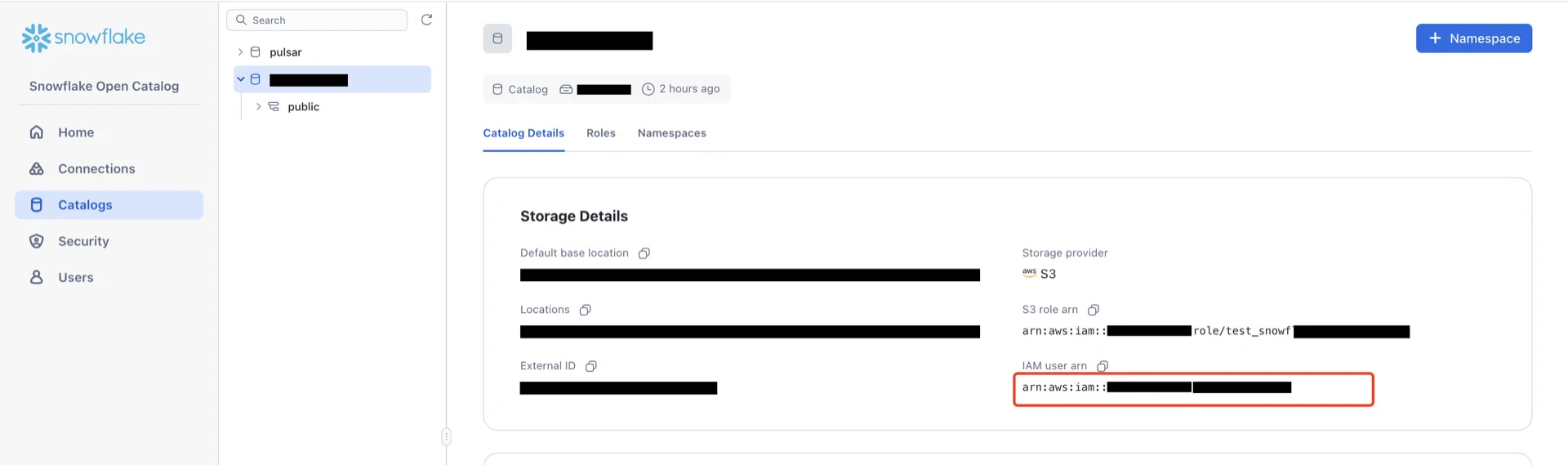
6. Update the IAM Role Trust Policy
Return to the AWS IAM console, open the role created in step 5, and edit the trust relationship.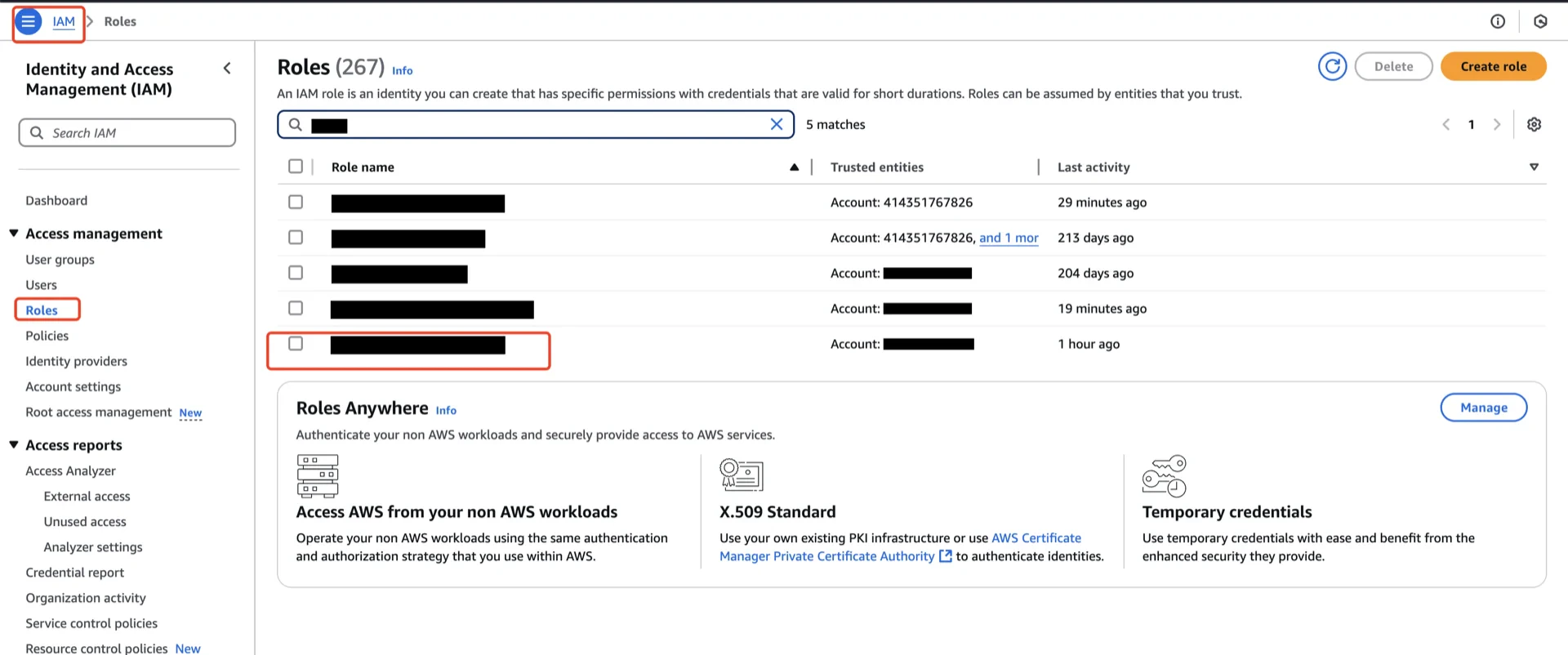
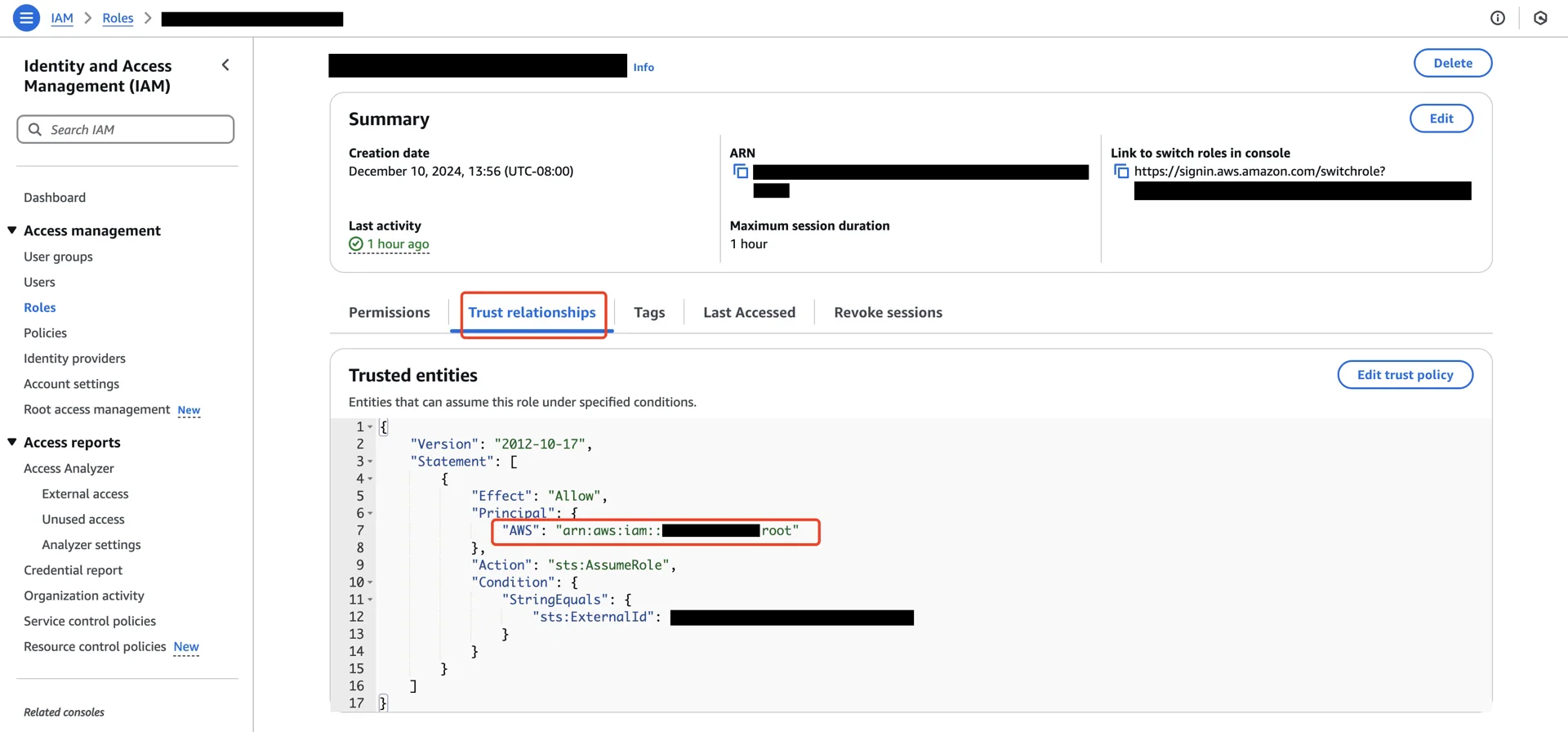
Principal.AWS to the Polaris IAM user ARN recorded in step 6.
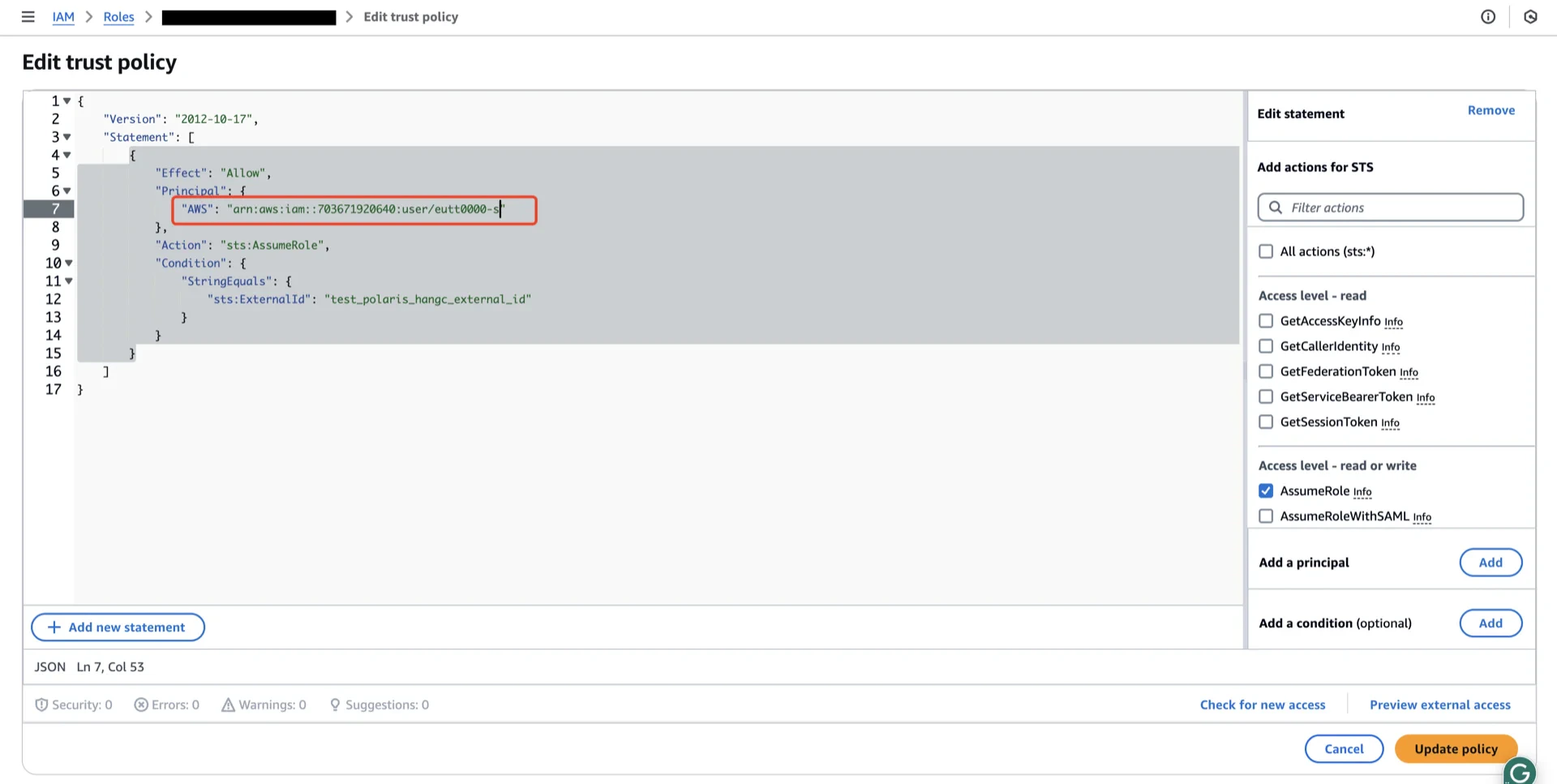
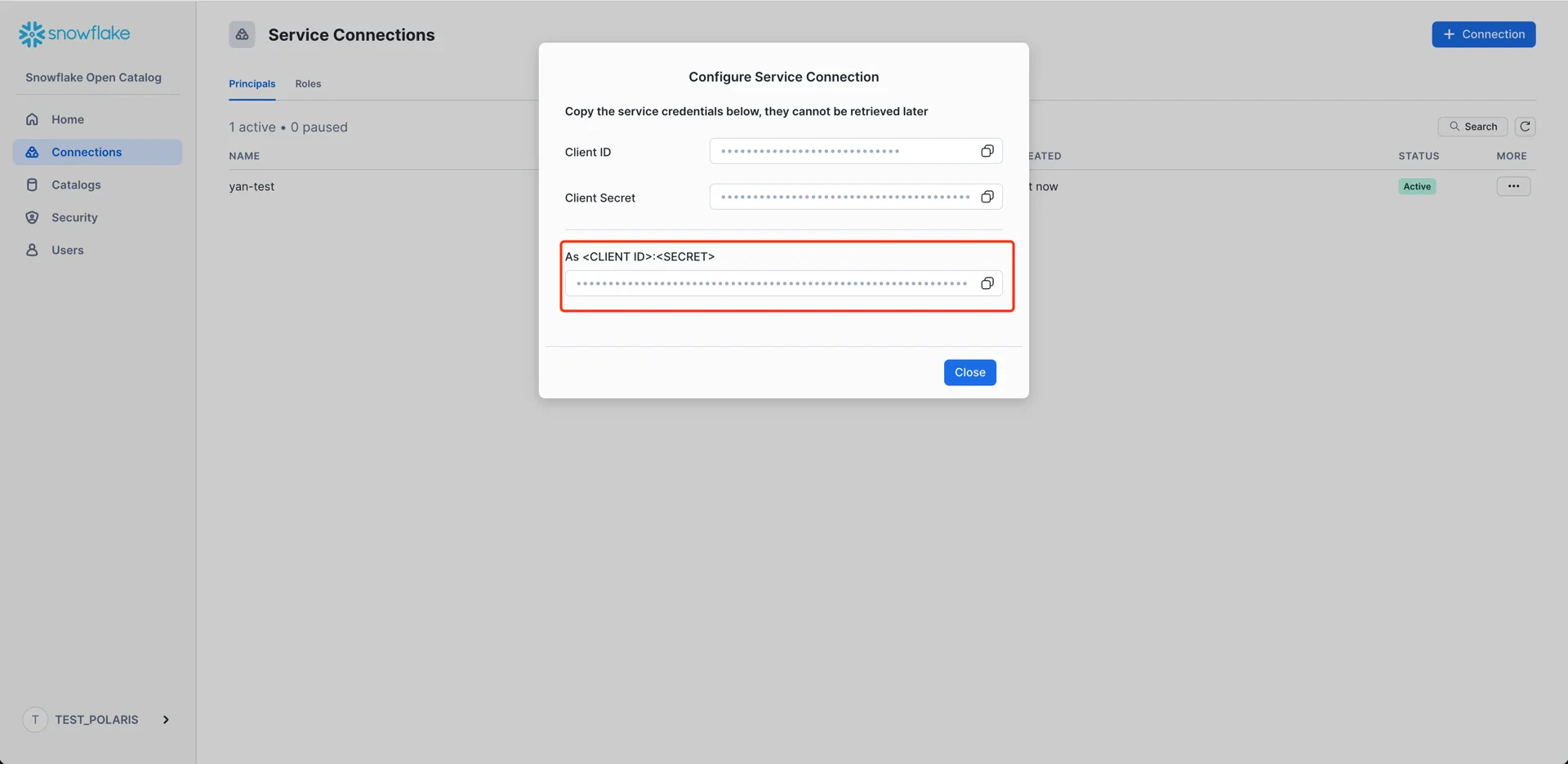
7. Create a Connection (Service Principal)
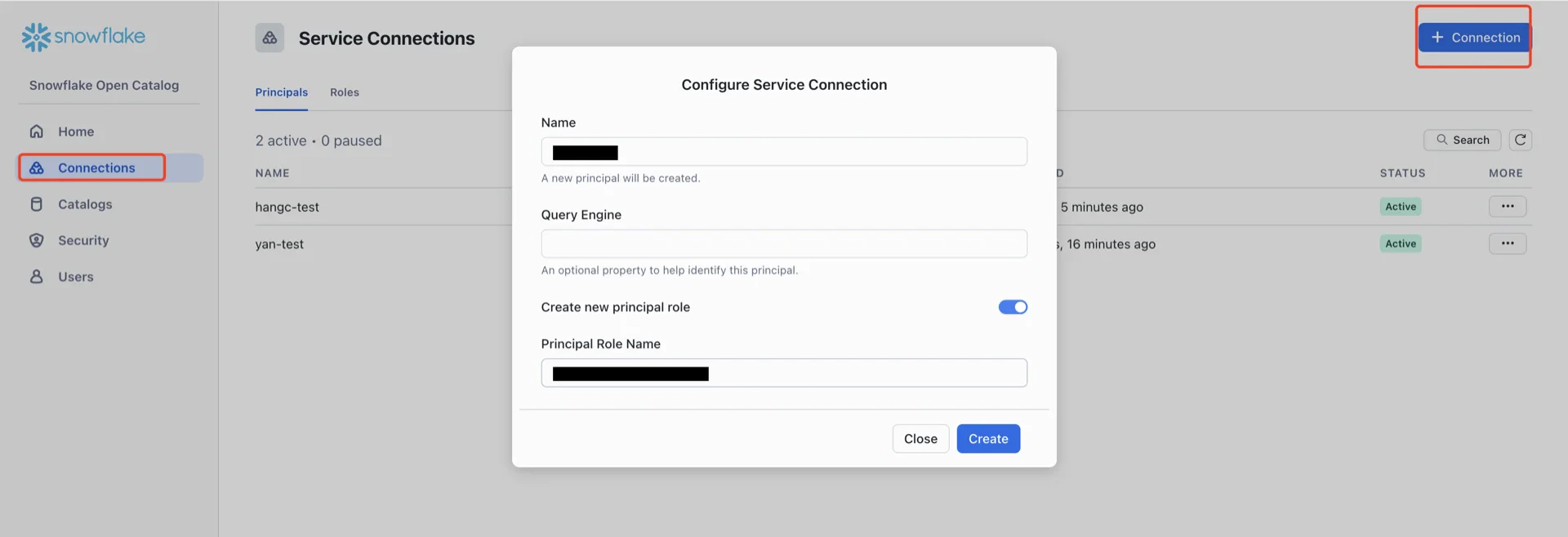
In the Open Catalog console, create a new connection that StreamNative Ursa will use to authenticate.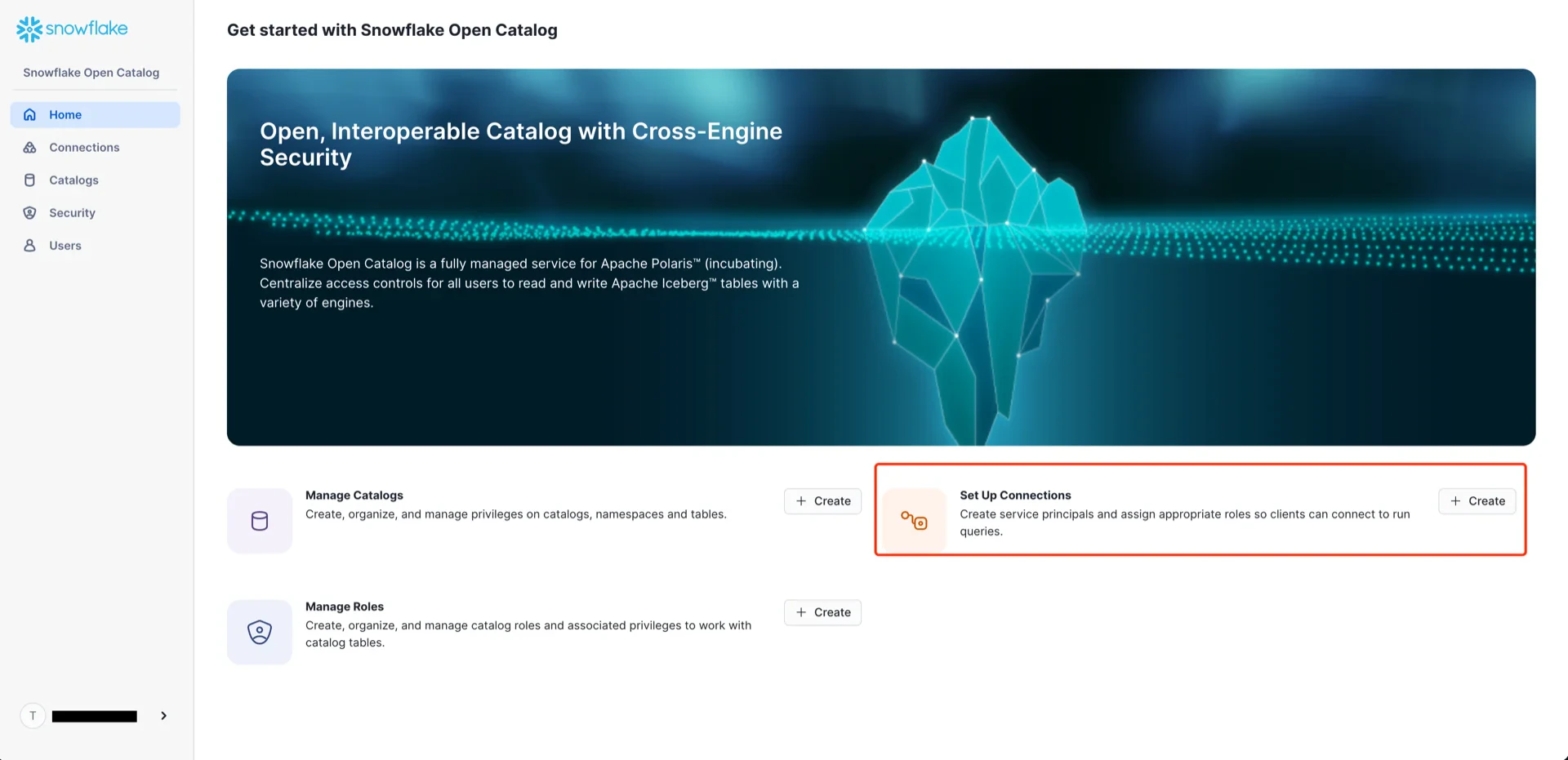
- Name: any name
- Create new principal role: enabled
- Principal Role Name: any name
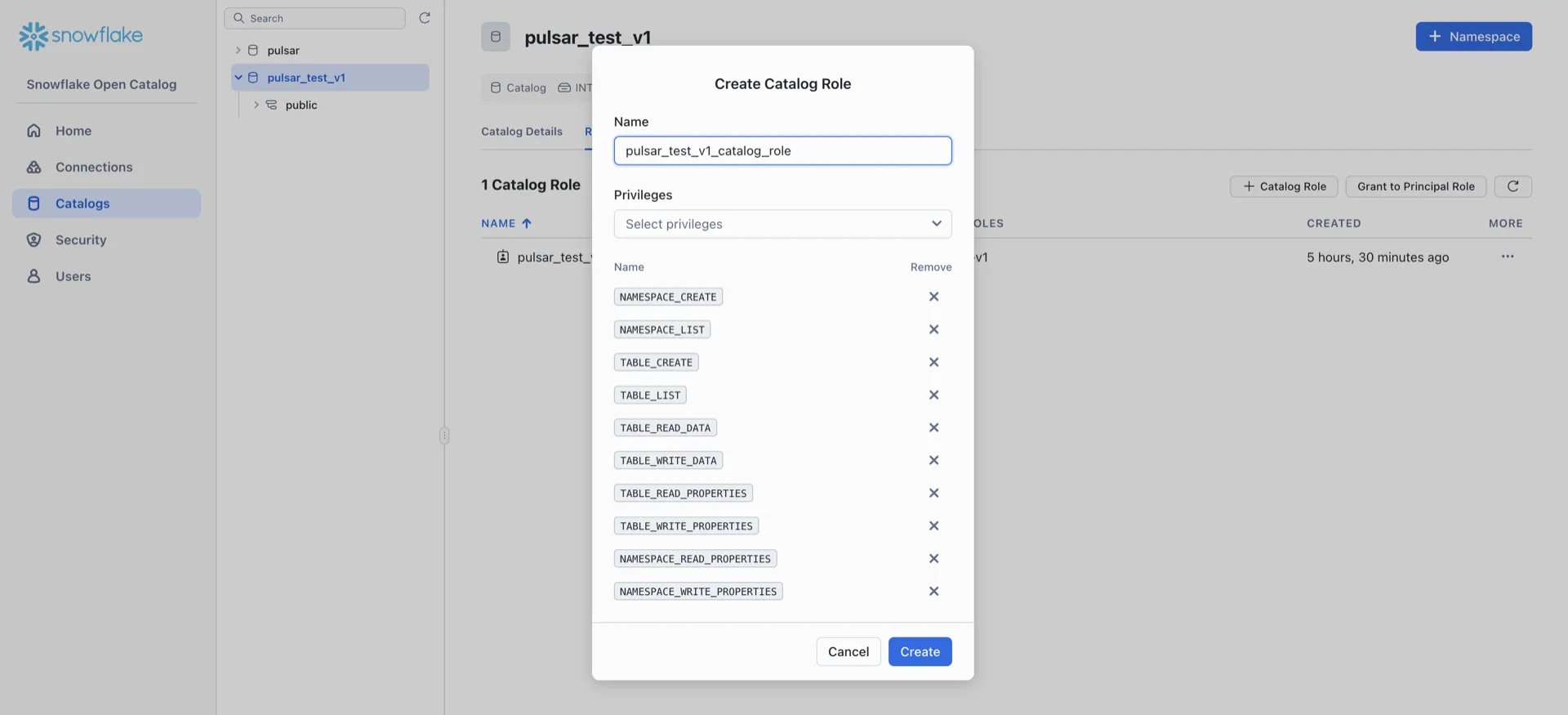
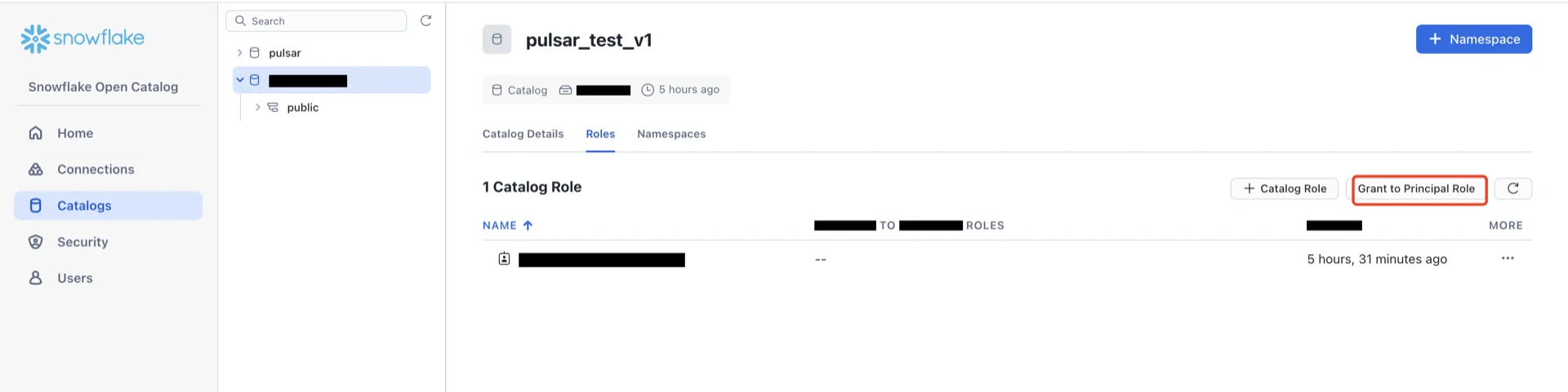
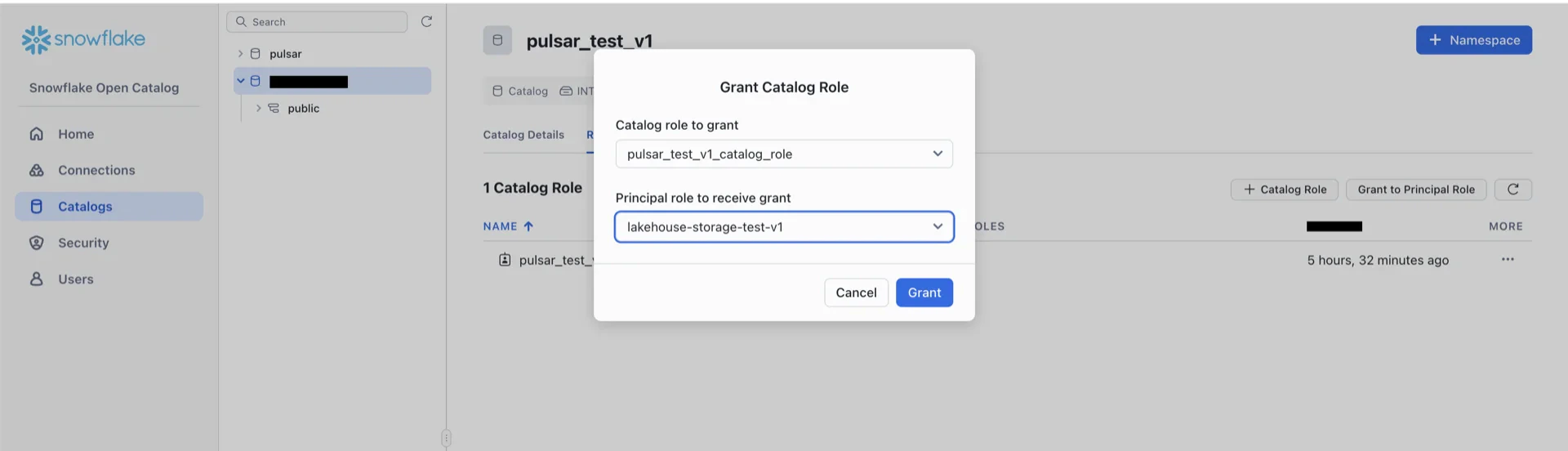
8. Create a Catalog Role and Grant Privileges
Navigate to Catalogs -> [your catalog] -> Roles -> + Catalog Role and create a role with the following privileges:NAMESPACE_CREATENAMESPACE_LISTNAMESPACE_READ_PROPERTIESNAMESPACE_WRITE_PROPERTIESTABLE_LISTTABLE_CREATETABLE_WRITE_DATATABLE_READ_DATATABLE_READ_PROPERTIESTABLE_WRITE_PROPERTIES

Catalog Information Summary
When the steps above are complete, collect the following values for the StreamNative Ursa compaction service:Table Maintenance
Snowflake Open Catalog (Polaris) and the Hadoop catalog do not run table maintenance on your behalf. Streaming writes from the StreamNative Ursa compaction service produce many small Parquet files and accumulate snapshot history over time, which degrades query performance and inflates storage costs. You are responsible for scheduling and running maintenance against every Iceberg table written by Ursa. Run the maintenance operations below on a regular schedule. They are provided as Apache Iceberg Spark stored procedures and can be triggered from any Spark cluster (Databricks, AWS EMR, AWS Glue, GCP Dataproc, or self-managed Spark) that has the Iceberg Spark runtime, catalog credentials, and IAM access to the warehouse bucket. Maintenance operations
Example: run maintenance from Spark
The following examples assume the catalog has been registered in Spark as
<catalog>. Replace <catalog>, <namespace>, and <table> with your values.
- Credentials. The principal that runs maintenance must have catalog privileges to read and write the target table (for example, the same
TABLE_READ_DATA,TABLE_WRITE_DATA,TABLE_READ_PROPERTIES, andTABLE_WRITE_PROPERTIESprivileges configured for the Ursa compaction service) and IAM access to the warehouse bucket so it can read and rewrite the underlying data files. With the Hadoop catalog there is no catalog service to authenticate against — only the bucket IAM access is required. - Concurrency. Iceberg uses optimistic concurrency control. If maintenance commits race with the Ursa compaction writer, one of them retries. Schedule heavy operations (
rewrite_data_files,rewrite_manifests) during low-write windows when possible. - Retention vs. time travel.
expire_snapshotsandremove_orphan_filespermanently delete files. Choose a retention window that exceeds the longest expected read query and your time-travel SLA. - Schedule the workload. Most teams orchestrate these procedures from Databricks Jobs, AWS EMR steps, Airflow, Dagster, or a Kubernetes
CronJob. Pick a scheduler that fits your existing operational stack. - Reference. See the Iceberg Spark procedures documentation for the full parameter list, including options for partial rewrites (
where), file-size targets, and merge-on-read delete file compaction.