

snctl, and StreamNative Terraform Provider.
Create a service account
When creating a service account, you can optionally enable Super Admin access. A service account with Super Admin privileges has full management capabilities over all resources within the organization. By default, service accounts are created without Super Admin access.Service accounts cannot be edited after creation. If you need a service account to have Super Admin access, make sure to enable it during the initial creation.
- Console
- snctl
- In the upper-right corner of the StreamNative Cloud Console, click your Profile and select Accounts & Accesses.
- On the left navigation pane, click Service Accounts.
- On the Service Account page, click + New Service Account.
- On the Create Service Account dialog, enter a name for the service account.
- Click Create.
-
Click the
Accessbutton to grant roles to the service account. For details on available roles, see Predefined Role
- Grant your service account with necessary permissions. See Control Access to StreamNative Cloud.
- Configure your applications to use the service account to authenticate to StreamNative Cloud:
Delete a service account
- Console
To delete a service account, follow these steps.
- On the left navigation pane, click Service Accounts.
-
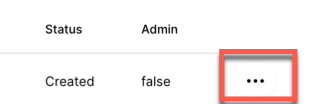
Click the ellipsis at the end of the row of the service account you want to delete, and then select Delete.
- On the dialog box asking, Are you sure you want to delete this service account?, click Confirm.