Documentation Index

Fetch the complete documentation index at: https://docs.streamnative.io/llms.txt

Use this file to discover all available pages before exploring further.

This guide describes how to prepare a Google BigLake metastore for use with StreamNative Ursa as an Iceberg REST catalog. For background, see the Google Cloud documentation: Use the BigLake metastore Iceberg REST catalog.

Prerequisites

  • A GCP project with permissions to create BigLake catalogs and modify IAM roles
  • A StreamNative Ursa cluster running on GCP

1. Create a BigLake Catalog

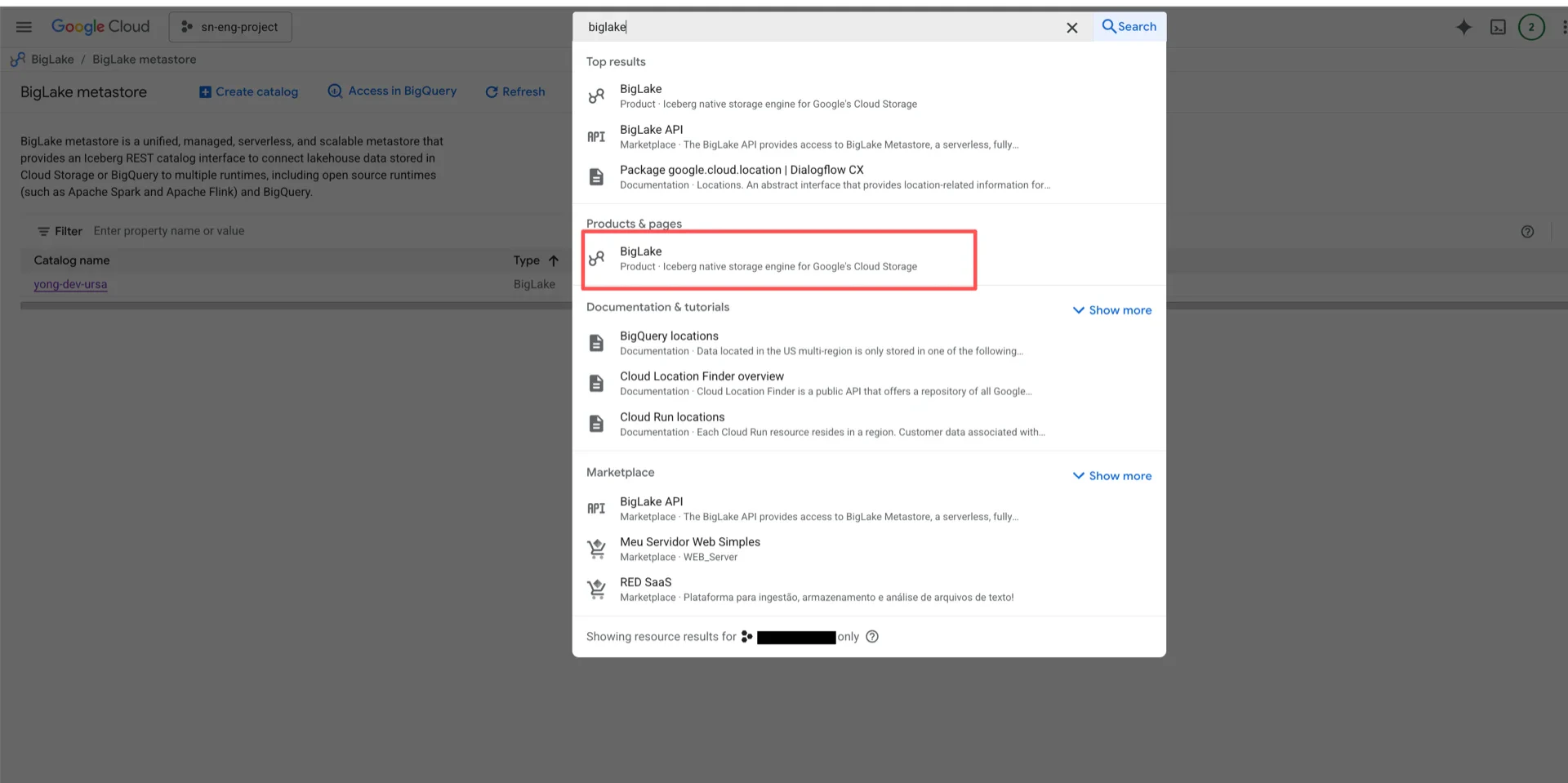
In the Google Cloud Console, search for BigLake. Search BigLake Create a new catalog by selecting a Cloud Storage bucket.
Important:
  • The bucket must be in the same region as your StreamNative Ursa cluster, otherwise cross-region traffic and latency are introduced.
  • BigLake does not support sub-directories within a bucket. Each BigLake catalog maps to exactly one bucket (1:1 mapping).
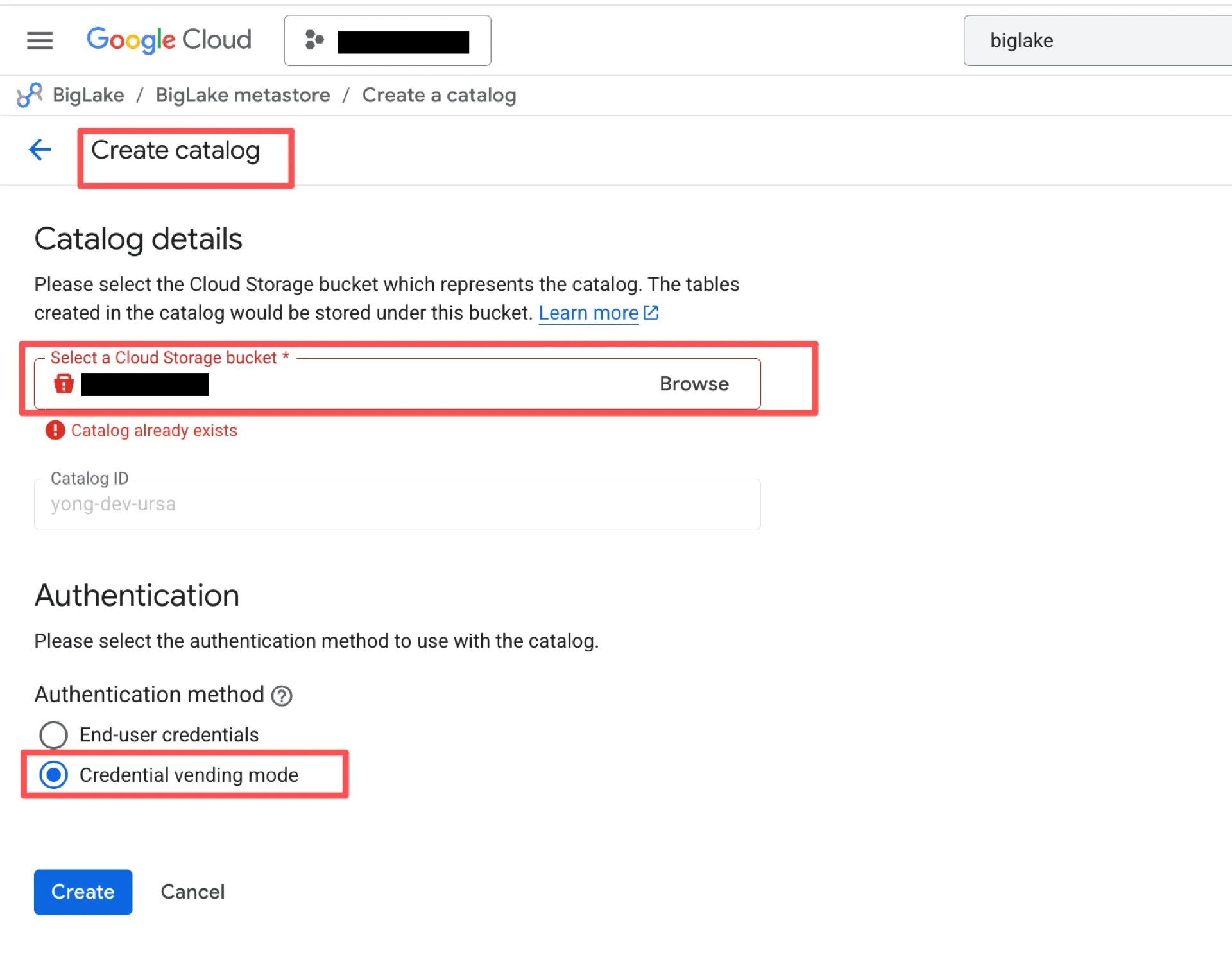
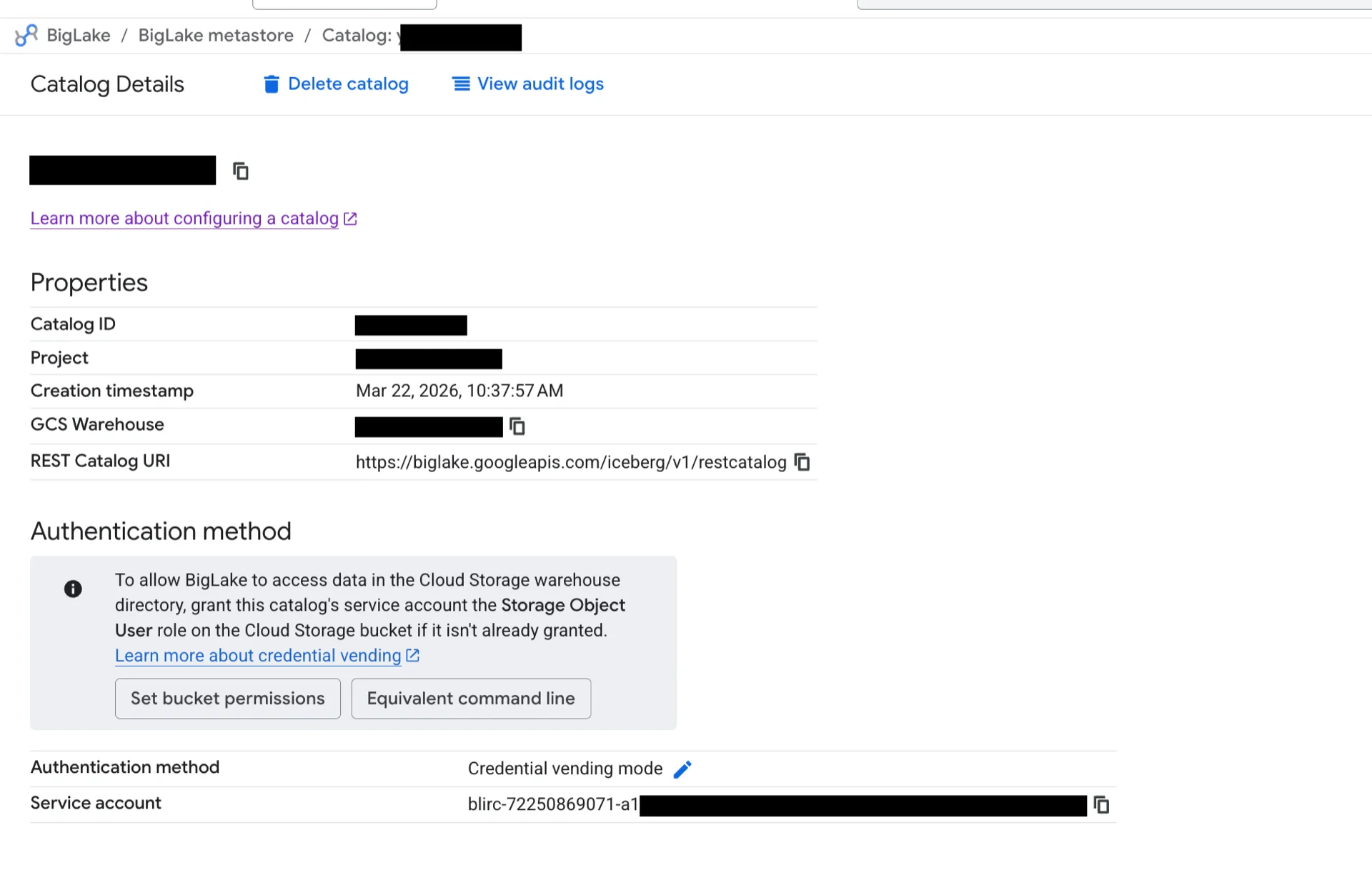
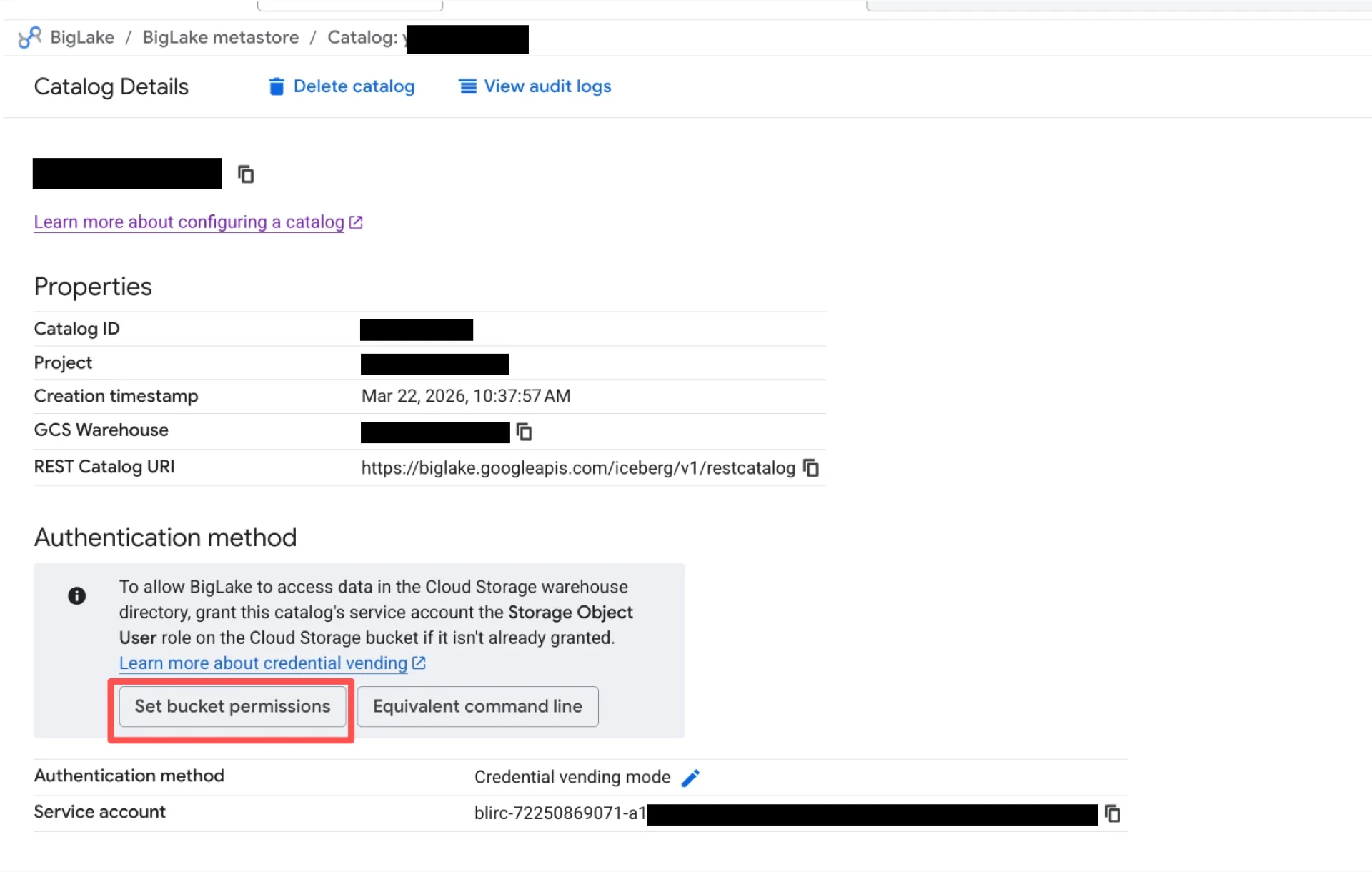
In the Authentication section, choose Credential vending mode. Credential vending mode After the catalog is created, view the catalog details to obtain the REST Catalog URI, GCS Warehouse, and Project. Catalog information Click Set bucket permissions to grant the BigLake service account access to the bucket. Set bucket permissions

2. Grant IAM Roles to the Ursa Broker Service Account

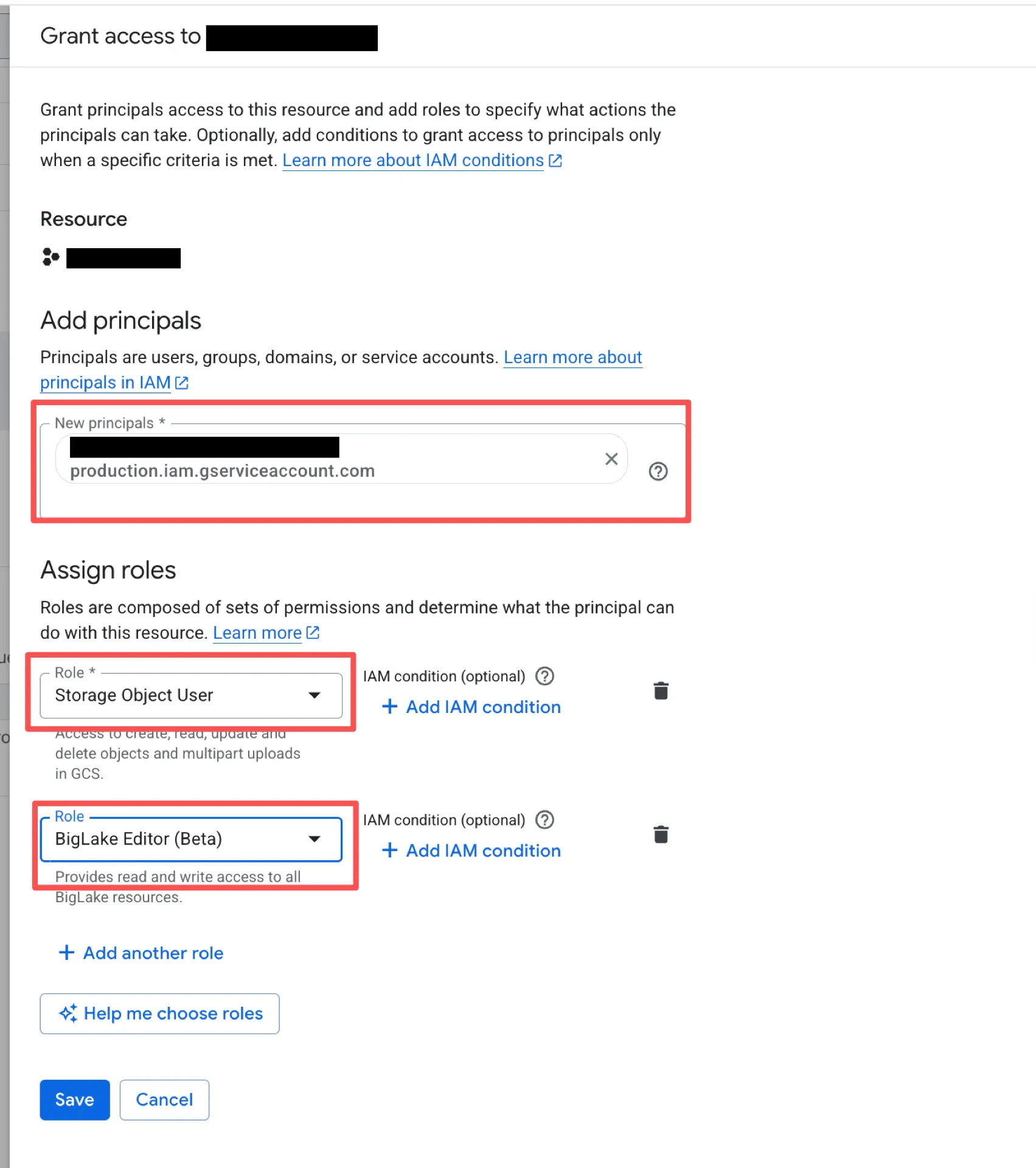
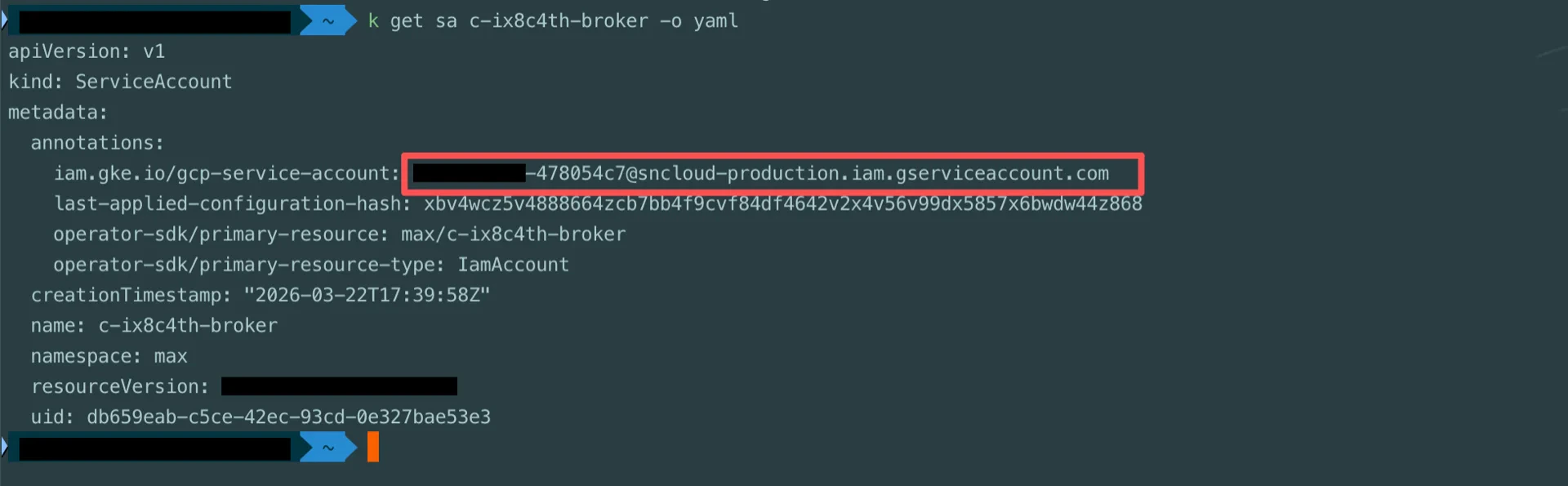
Locate the StreamNative Ursa broker service account (the format is typically iamaccount-<id>@<gcp-project>.iam.gserviceaccount.com). Broker service account In the GCP IAM console, grant the broker service account the following roles:
  • BigLake Editor
  • Storage Object User
  • Service Usage Consumer
Grant IAM roles Grant IAM roles

Catalog Information Summary

When the steps above are complete, collect the following values for the StreamNative Ursa compaction service. Several values are fixed for any BigLake catalog — copy them as-is.
ValueDescription
iceberg.catalog-backendBIGLAKE
iceberg.typerest
iceberg.uriThe REST Catalog URI from step 1 (typically https://biglake.googleapis.com/iceberg/v1/restcatalog)
iceberg.warehouseThe GCS Warehouse from step 1 (e.g., gs://<bucket-name>)
iceberg.header.x-goog-user-projectThe Project from step 1
iceberg.rest.auth.typeorg.apache.iceberg.gcp.auth.GoogleAuthManager (fixed)
iceberg.io-implorg.apache.iceberg.gcp.gcs.GCSFileIO (fixed)
iceberg.rest-metrics-reporting-enabledfalse (fixed — BigLake does not yet support REST metrics reporting)
iceberg.header.X-Iceberg-Access-Delegationvended-credentials (fixed)
For the next steps, see Configure Lakehouse Catalogs.