> ## Documentation Index
> Fetch the complete documentation index at: https://docs.streamnative.io/llms.txt
> Use this file to discover all available pages before exploring further.
# Add a SQLCatalog in the Cloud Console
> Connect a StreamNative Pulsar or Kafka cluster to a SQLWorkspace as a SQLCatalog.
Add a StreamNative Pulsar or Kafka cluster to a ready SQLWorkspace. Each SQLCatalog appears as a database in the SQLWorkspace engine.
## Before you begin
You need:
* A **Ready** SQLWorkspace.
* A Pulsar or Kafka cluster in the same organization.
* A cloud role that permits SQLCatalog management.
## Add a catalog
1. In the Cloud Console, click **SQL**.
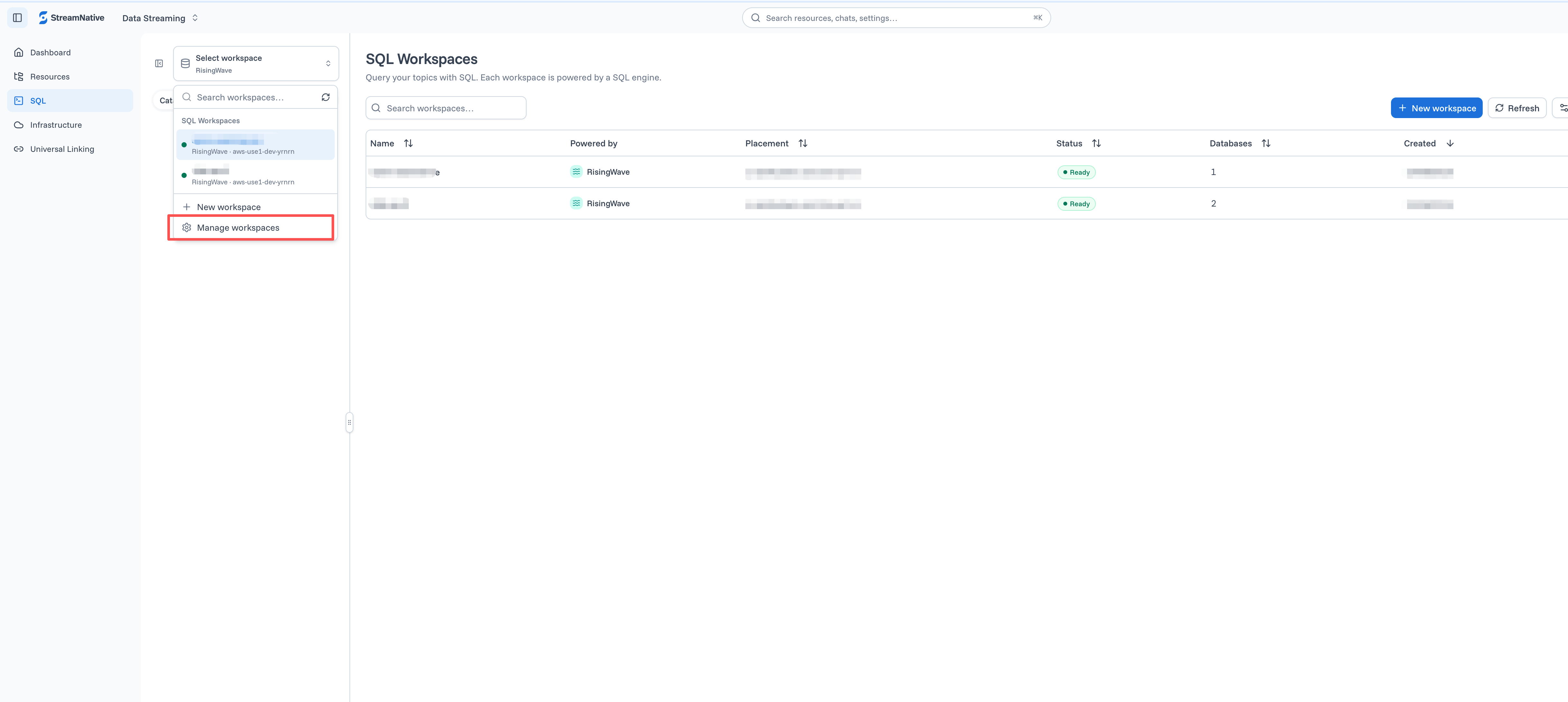
2. Open the workspace selector and click **Manage workspaces**.
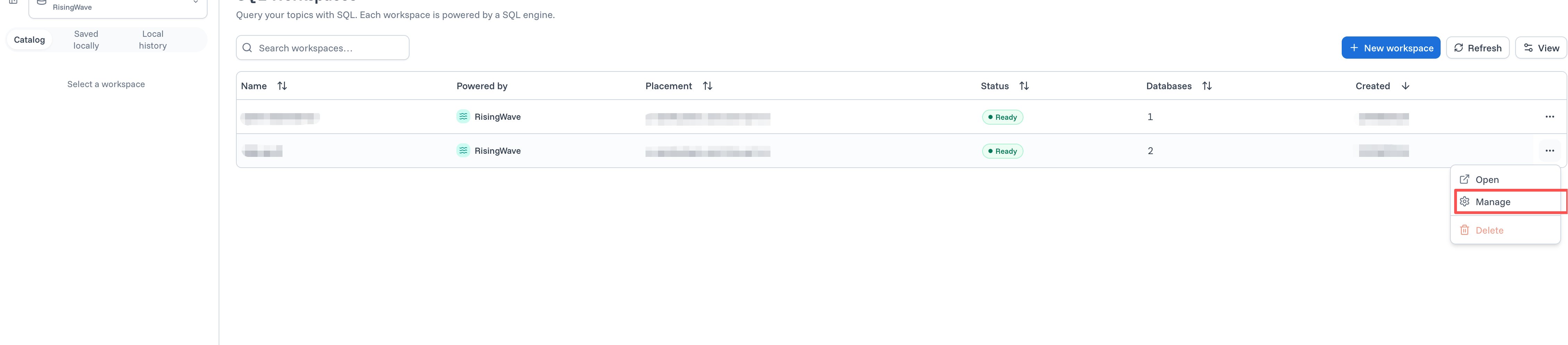
3. Open the action menu for the target workspace and click **Manage**.
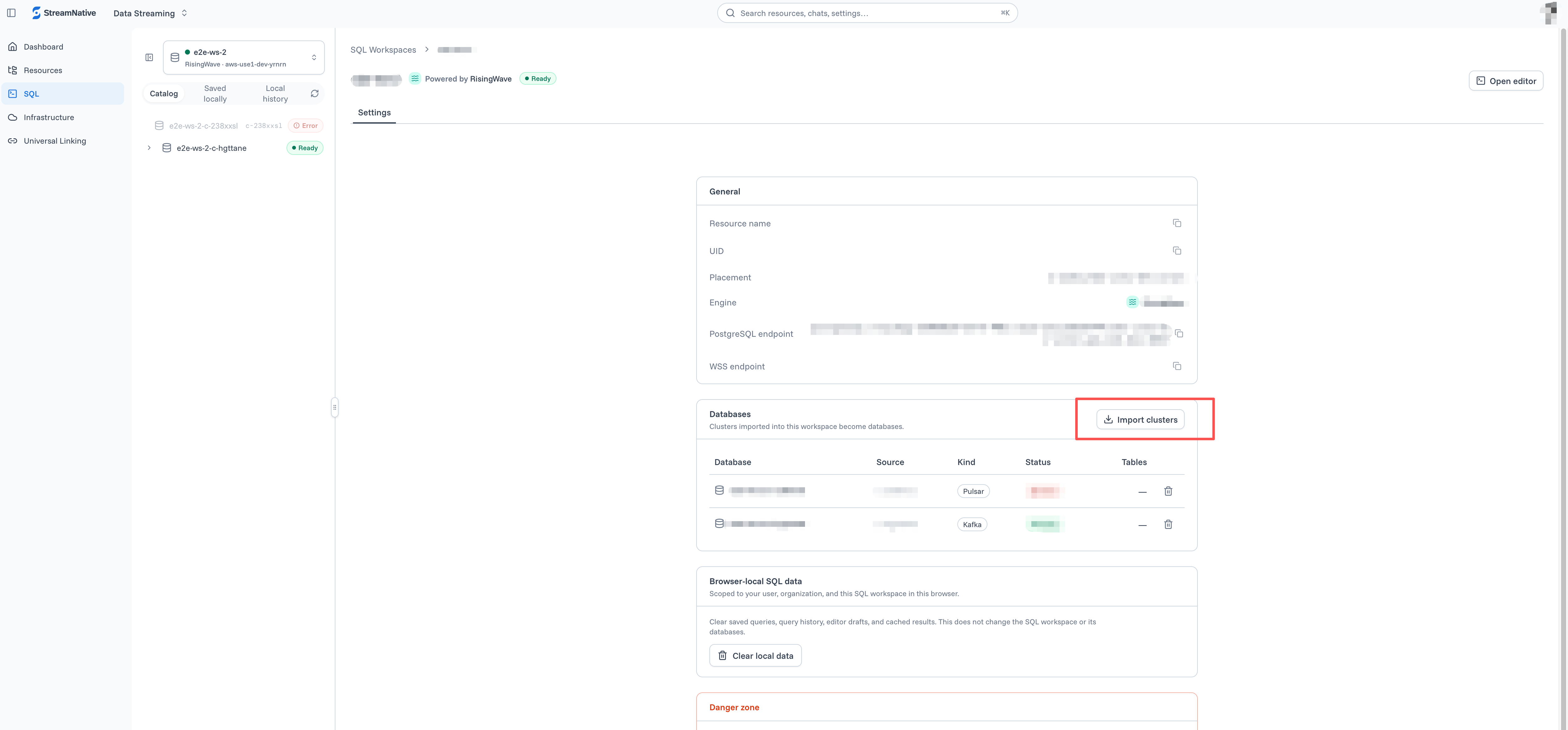
4. In the **Databases** section, click **Import clusters**.
5. Select an instance.
6. Select one or more Pulsar or Kafka clusters.
7. Confirm the database name for each selected cluster.
8. Click **Import**.
9. Wait until each imported database reports **Ready**.
 ## What happens next
StreamNative creates a database for each SQLCatalog, periodically discovers eligible topics, and creates missing source objects in that database. Refer to topic-derived schemas and sources with double-quoted identifiers. This Pulsar example uses the `public/default` namespace; Kafka sources use the `public` schema.
```sql theme={null}
SELECT *
FROM "public/default"."orders-topic"
LIMIT 100;
```
Create the tables or materialized views needed for subsequent transformations and continuous processing. For details, see [SQLCatalog](/sql/overview/sqlcatalog).
Removing the SQLCatalog later stops topic discovery and stops its managed sources from consuming newly published records. Data already ingested or processed by the SQLWorkspace engine is retained, and the source cluster and its topics are not deleted. See [Data Retention](/sql/operations/data-retention).
Next, [query with SQL Studio](/sql/get-started/console/query-sql-studio) or [connect with a PostgreSQL client](/sql/get-started/console/connect-postgresql-client).
## What happens next
StreamNative creates a database for each SQLCatalog, periodically discovers eligible topics, and creates missing source objects in that database. Refer to topic-derived schemas and sources with double-quoted identifiers. This Pulsar example uses the `public/default` namespace; Kafka sources use the `public` schema.
```sql theme={null}
SELECT *
FROM "public/default"."orders-topic"
LIMIT 100;
```
Create the tables or materialized views needed for subsequent transformations and continuous processing. For details, see [SQLCatalog](/sql/overview/sqlcatalog).
Removing the SQLCatalog later stops topic discovery and stops its managed sources from consuming newly published records. Data already ingested or processed by the SQLWorkspace engine is retained, and the source cluster and its topics are not deleted. See [Data Retention](/sql/operations/data-retention).
Next, [query with SQL Studio](/sql/get-started/console/query-sql-studio) or [connect with a PostgreSQL client](/sql/get-started/console/connect-postgresql-client).