> ## Documentation Index
> Fetch the complete documentation index at: https://docs.streamnative.io/llms.txt
> Use this file to discover all available pages before exploring further.
# Deploy on Red Hat Openshift
Red Hat OpenShift is an enterprise-ready Kubernetes container platform built for an open hybrid cloud strategy, It provides a consistent application platform to manage hybrid cloud, multicloud, and edge deployments. StreamNative Private Cloud has supported to deploy and manage on the OpenShift platform, this page describes step-by-step installation.
## Install StreamNative Operator
StreamNative Operator has certified as Red Hat OpenShift Operators, so users can easily install the `sn-operator` through the OpenShift Web Console.
* Navigate to OperatorHub page and search for `sn-operator`.
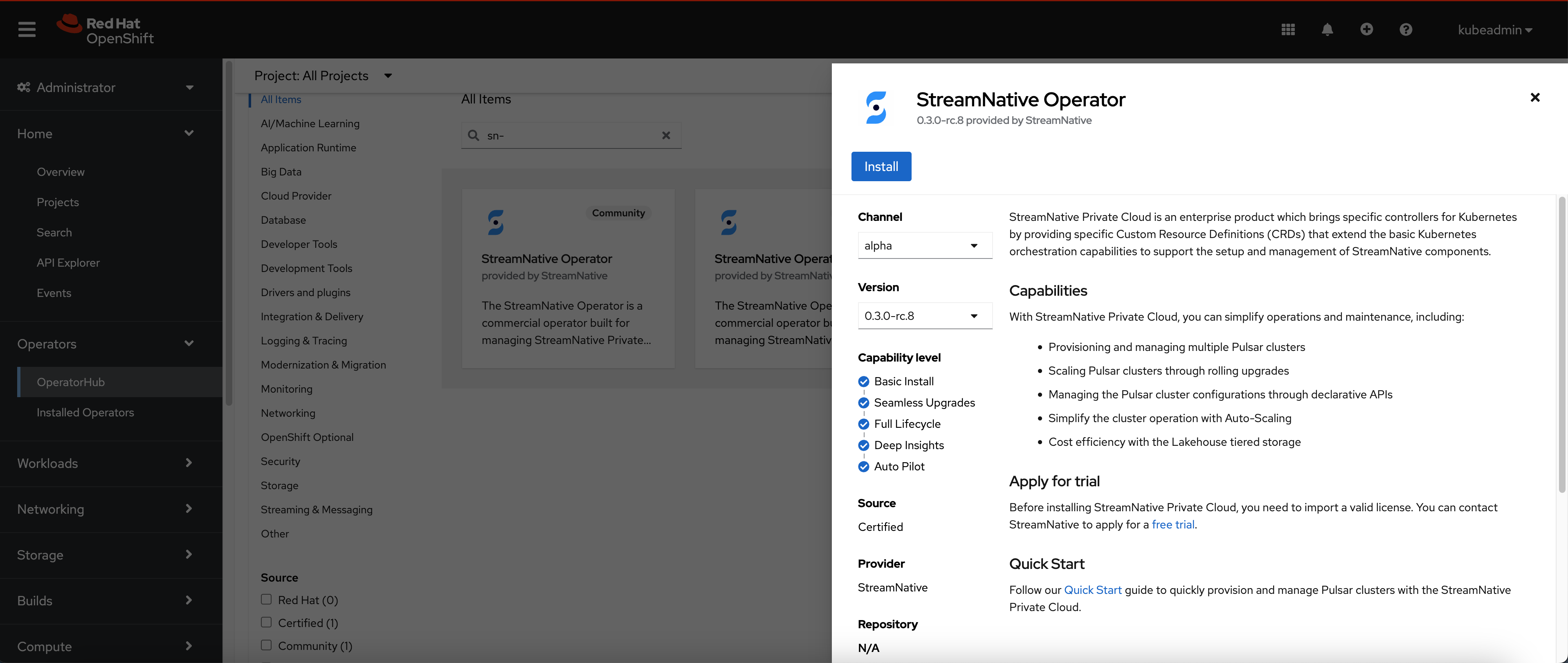 * Click the "Install" button and wait for the operator installation.
* Navigate to the Secret page and switch to openshift-operators project.
* Click the "Install" button and wait for the operator installation.
* Navigate to the Secret page and switch to openshift-operators project.
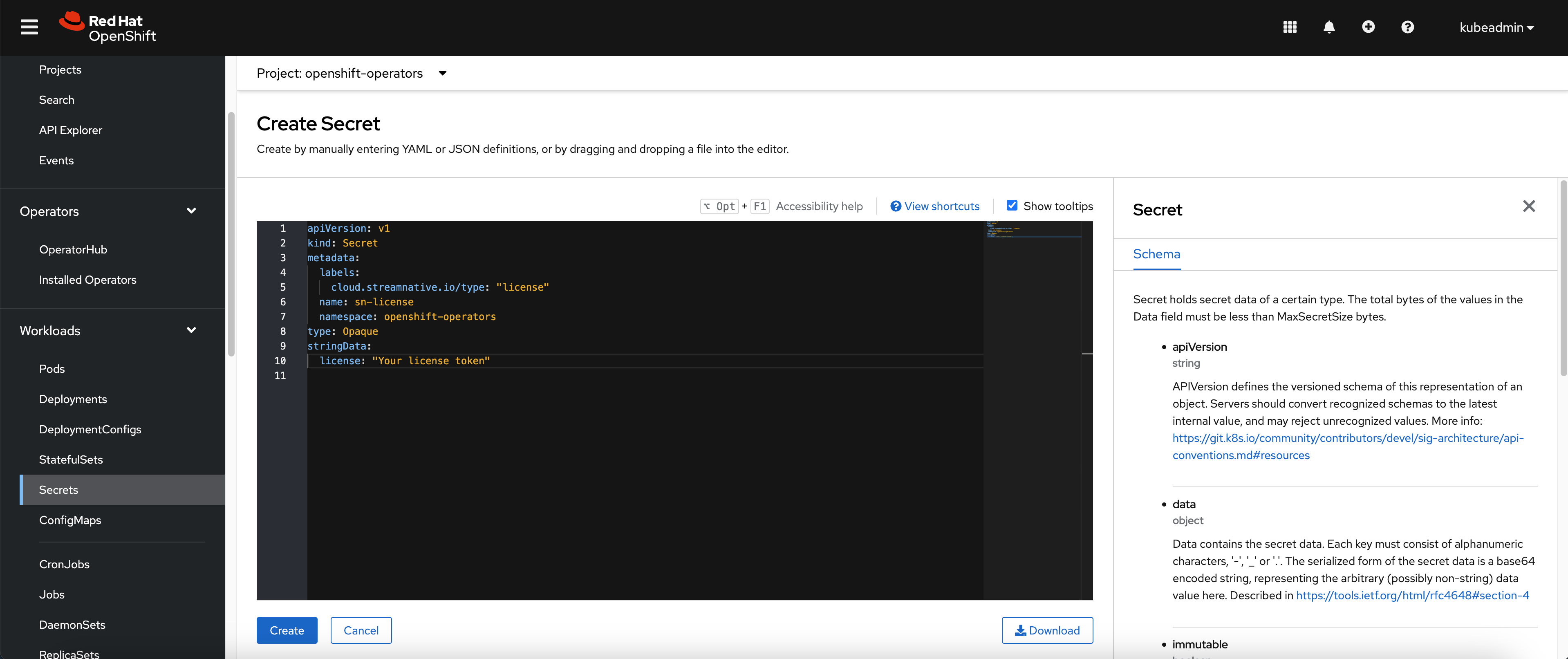
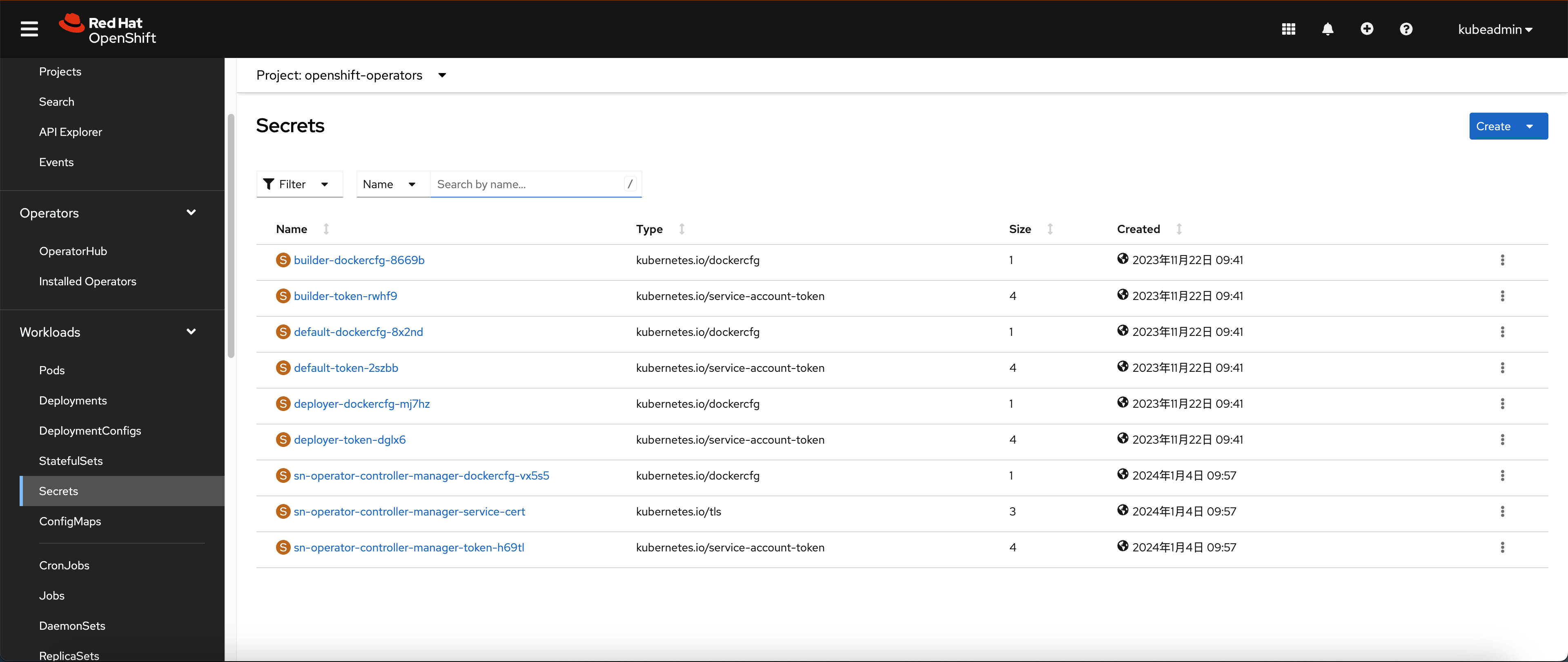 * Create the secret yaml with license token, you can refer the [licenses](/private-cloud/v2/configure-private-cloud/license/configure-licenses) for more details.
 ## Create Security Context Constraint (SCC)
Before provision the Pulsar cluster, you need to configure the [Security Context Constraints](https://docs.openshift.com/container-platform/4.14/authentication/managing-security-context-constraints.html).
* Navigate to API Explorer page and shift to the `SecurityContextConstraints` API
## Create Security Context Constraint (SCC)
Before provision the Pulsar cluster, you need to configure the [Security Context Constraints](https://docs.openshift.com/container-platform/4.14/authentication/managing-security-context-constraints.html).
* Navigate to API Explorer page and shift to the `SecurityContextConstraints` API
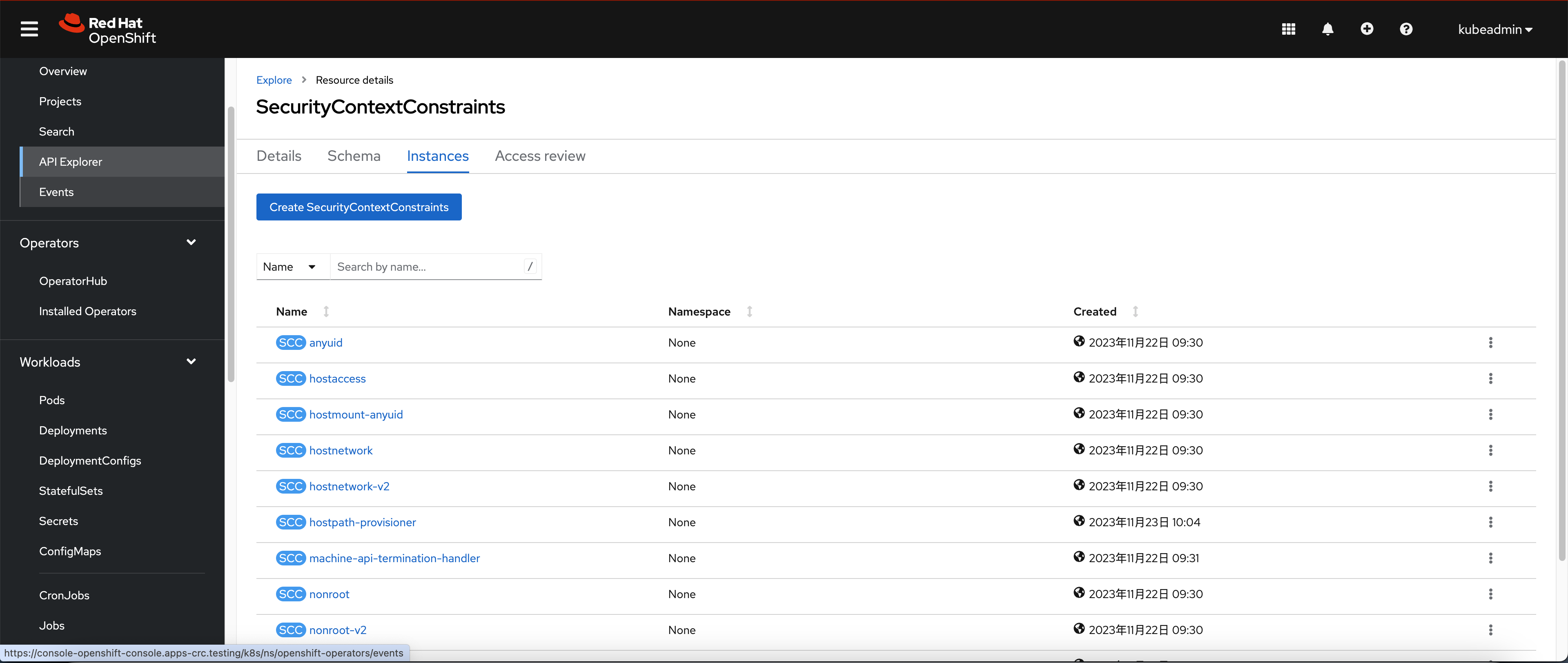 * Create the SCC with below configuration:
```yaml theme={null}
apiVersion: security.openshift.io/v1
kind: SecurityContextConstraints
metadata:
name: private-cloud-scc
allowHostDirVolumePlugin: false
allowHostIPC: false
allowHostNetwork: false
allowHostPID: false
allowHostPorts: false
allowPrivilegeEscalation: true
allowPrivilegedContainer: true
defaultAddCapabilities: null
fsGroup:
type: RunAsAny
groups:
- system:authenticated
priority: null
readOnlyRootFilesystem: false
requiredDropCapabilities: null
runAsUser:
type: RunAsAny
seLinuxContext:
type: RunAsAny
seccompProfiles:
- '*'
supplementalGroups:
type: RunAsAny
users: []
volumes:
- configMap
- downwardAPI
- emptyDir
- persistentVolumeClaim
- projected
- secret
```
## Provision Pulsar cluster
After creating the SCC, we can start provisioning the Pulsar cluster.
* Navigate to the Project page and create a new project called "Pulsar"
* Create the SCC with below configuration:
```yaml theme={null}
apiVersion: security.openshift.io/v1
kind: SecurityContextConstraints
metadata:
name: private-cloud-scc
allowHostDirVolumePlugin: false
allowHostIPC: false
allowHostNetwork: false
allowHostPID: false
allowHostPorts: false
allowPrivilegeEscalation: true
allowPrivilegedContainer: true
defaultAddCapabilities: null
fsGroup:
type: RunAsAny
groups:
- system:authenticated
priority: null
readOnlyRootFilesystem: false
requiredDropCapabilities: null
runAsUser:
type: RunAsAny
seLinuxContext:
type: RunAsAny
seccompProfiles:
- '*'
supplementalGroups:
type: RunAsAny
users: []
volumes:
- configMap
- downwardAPI
- emptyDir
- persistentVolumeClaim
- projected
- secret
```
## Provision Pulsar cluster
After creating the SCC, we can start provisioning the Pulsar cluster.
* Navigate to the Project page and create a new project called "Pulsar"
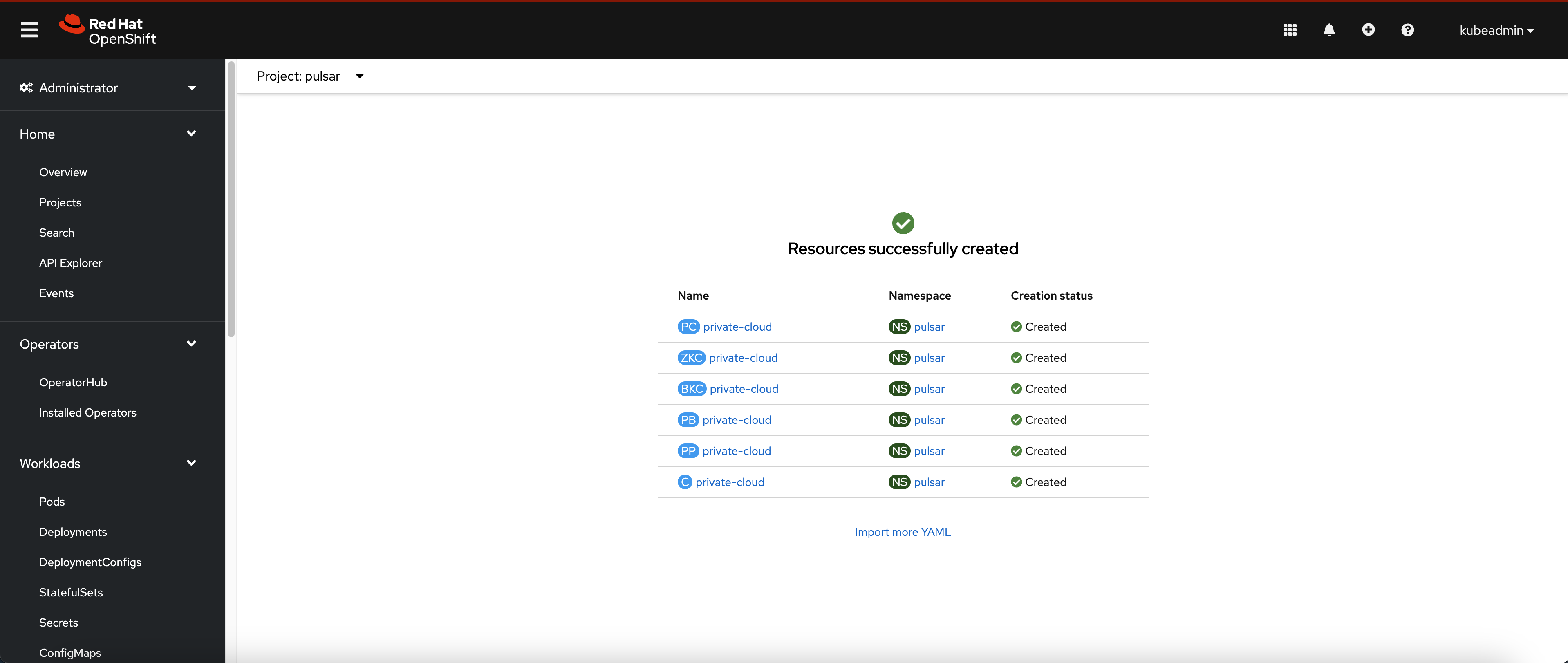
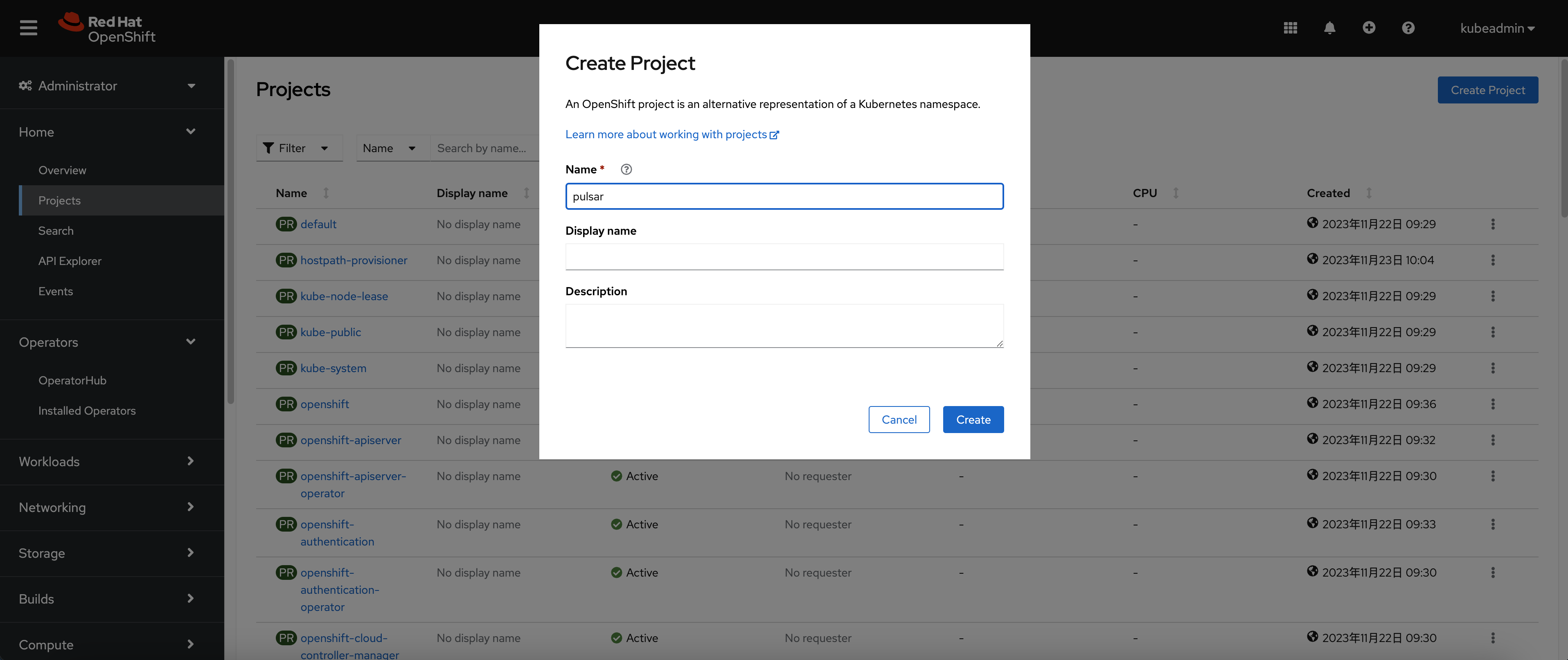 Get into the Pulsar project and choose a metadata store.
The default deployment uses `ZooKeeperCluster` for Pulsar metadata.
```bash theme={null}
oc apply -f https://raw.githubusercontent.com/streamnative/private-cloud/main/quick-start/pulsar-cluster.yaml
```
Oxia is an experimental metadata-store alternative for supported Private Cloud releases. If your deployment plan requires Oxia, use the same OpenShift project and SCC flow with an Oxia-backed Pulsar cluster manifest.
```bash theme={null}
oc apply -f https://raw.githubusercontent.com/streamnative/private-cloud/main/oxia/pulsar-oxia.yaml
```
For Oxia resource configuration details, see [Configure Oxia](/private-cloud/v2/configure-private-cloud/components/private-cloud-oxia).
* Wait for Pods up and running.
Get into the Pulsar project and choose a metadata store.
The default deployment uses `ZooKeeperCluster` for Pulsar metadata.
```bash theme={null}
oc apply -f https://raw.githubusercontent.com/streamnative/private-cloud/main/quick-start/pulsar-cluster.yaml
```
Oxia is an experimental metadata-store alternative for supported Private Cloud releases. If your deployment plan requires Oxia, use the same OpenShift project and SCC flow with an Oxia-backed Pulsar cluster manifest.
```bash theme={null}
oc apply -f https://raw.githubusercontent.com/streamnative/private-cloud/main/oxia/pulsar-oxia.yaml
```
For Oxia resource configuration details, see [Configure Oxia](/private-cloud/v2/configure-private-cloud/components/private-cloud-oxia).
* Wait for Pods up and running.