> ## Documentation Index
> Fetch the complete documentation index at: https://docs.streamnative.io/llms.txt
> Use this file to discover all available pages before exploring further.
# BigLake for Iceberg
This guide describes how to prepare a Google BigLake metastore for use with StreamNative Ursa as an Iceberg REST catalog.
For background, see the Google Cloud documentation: [Use the BigLake metastore Iceberg REST catalog](https://docs.cloud.google.com/biglake/docs/blms-rest-catalog).
## Prerequisites
* A GCP project with permissions to create BigLake catalogs and modify IAM roles
* A StreamNative Ursa cluster running on GCP
## 1. Create a BigLake Catalog
In the Google Cloud Console, search for **BigLake**.
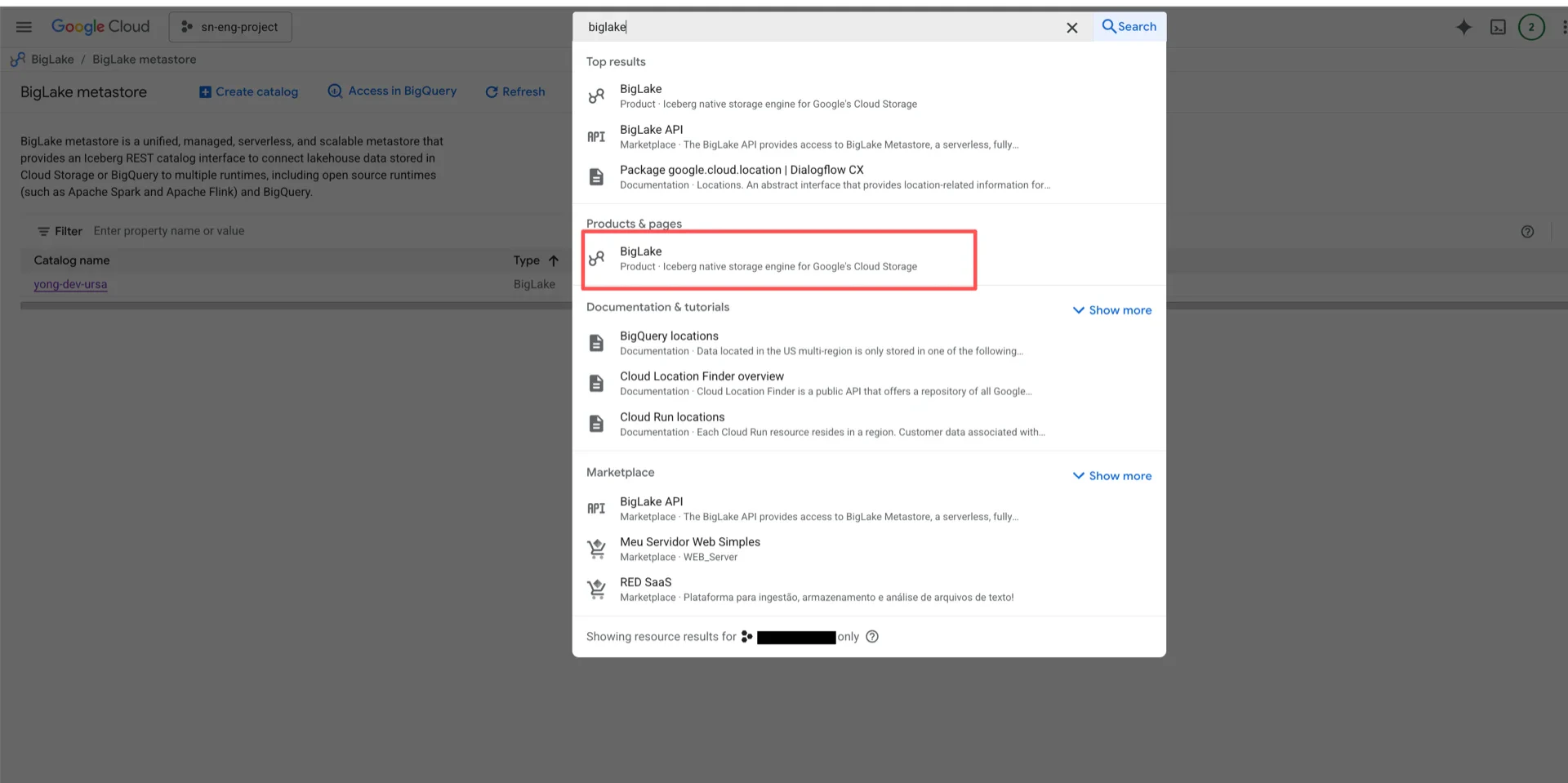 Create a new catalog by selecting a Cloud Storage bucket.
> **Important:**
>
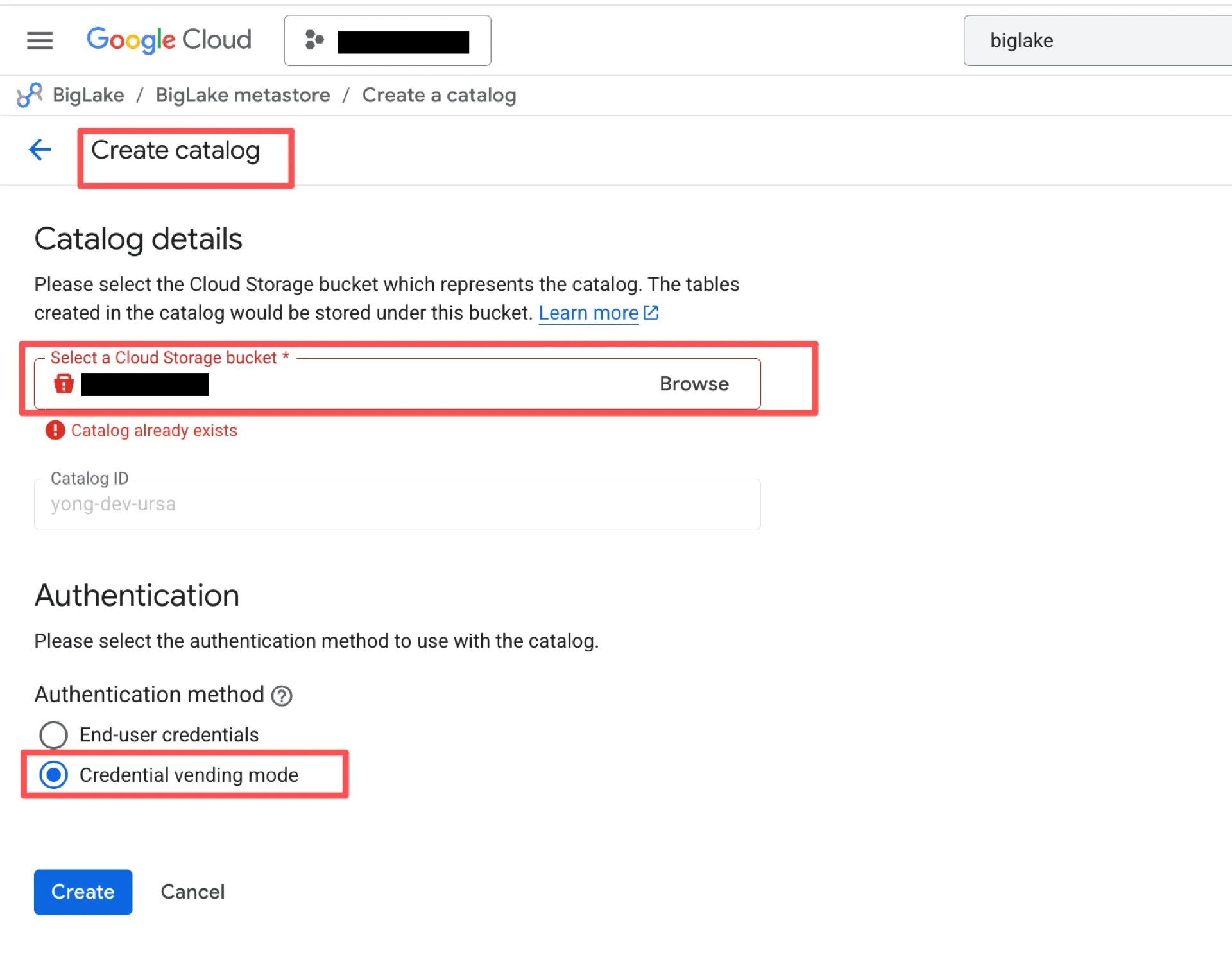
> * The bucket must be in the **same region** as your StreamNative Ursa cluster, otherwise cross-region traffic and latency are introduced.
> * BigLake does not support sub-directories within a bucket. Each BigLake catalog maps to exactly one bucket (1:1 mapping).
In the **Authentication** section, choose **Credential vending mode**.
Create a new catalog by selecting a Cloud Storage bucket.
> **Important:**
>
> * The bucket must be in the **same region** as your StreamNative Ursa cluster, otherwise cross-region traffic and latency are introduced.
> * BigLake does not support sub-directories within a bucket. Each BigLake catalog maps to exactly one bucket (1:1 mapping).
In the **Authentication** section, choose **Credential vending mode**.
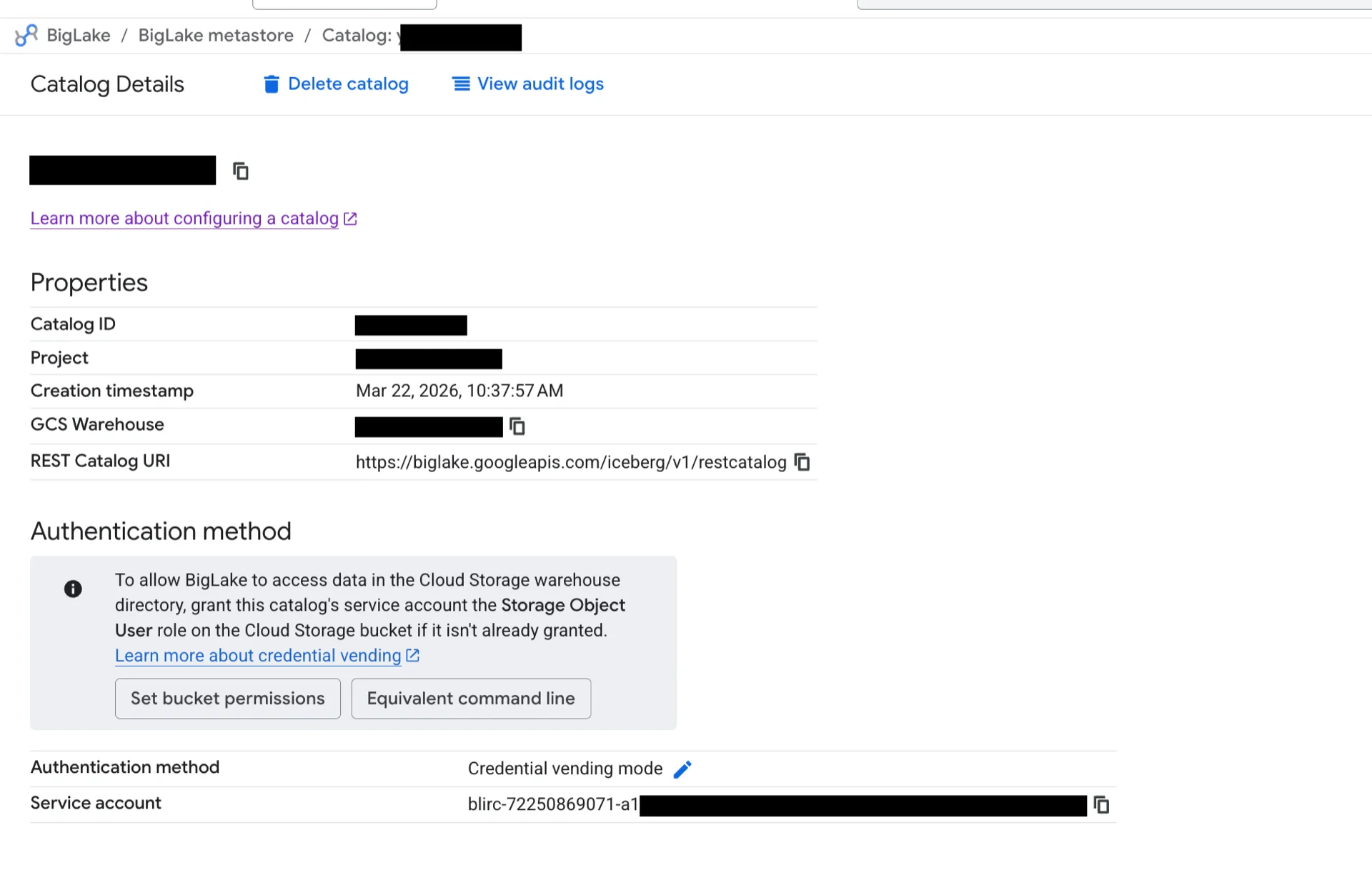
 After the catalog is created, view the catalog details to obtain the **REST Catalog URI**, **GCS Warehouse**, and **Project**.
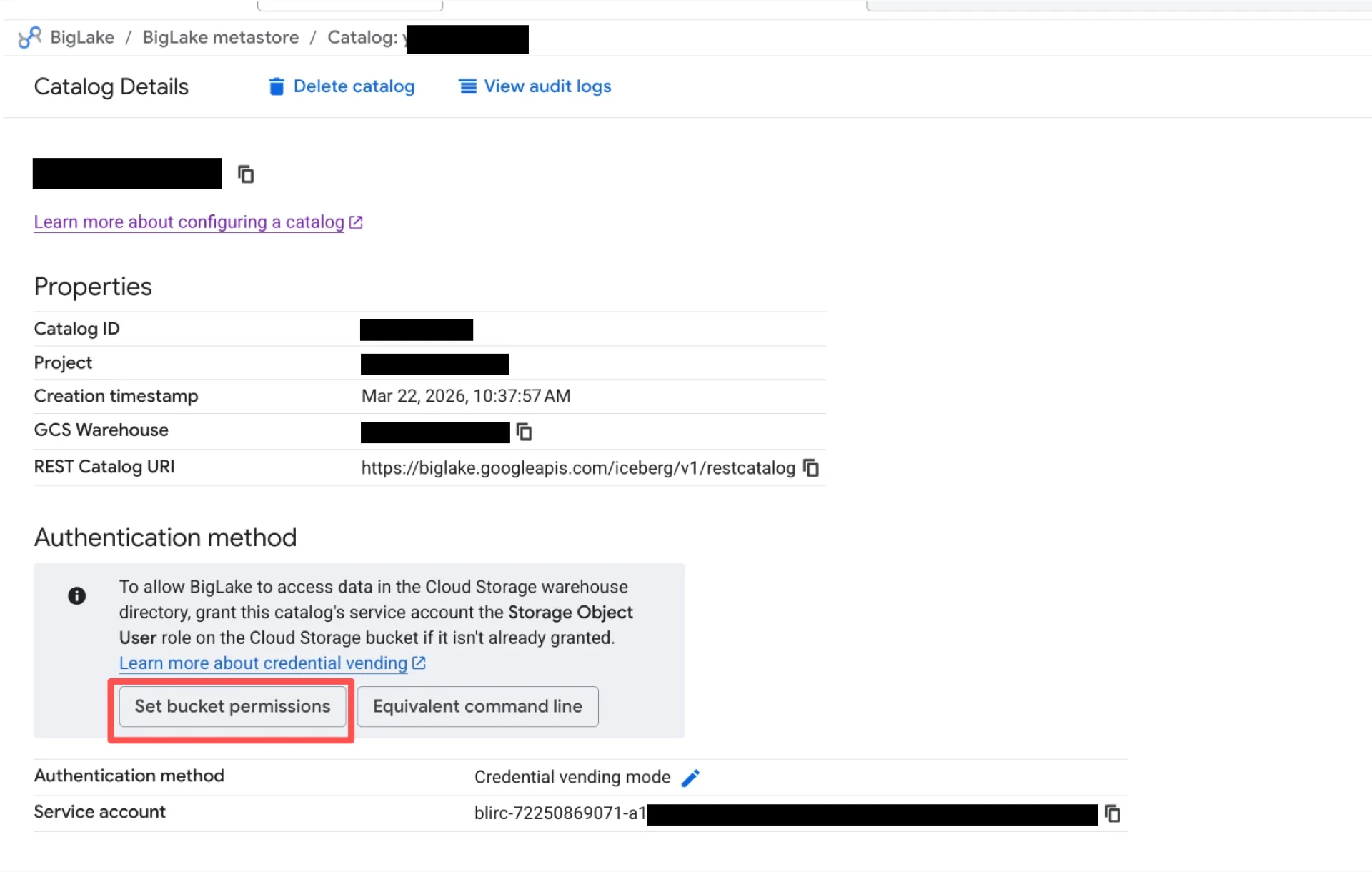
 Click **Set bucket permissions** to grant the BigLake service account access to the bucket.
 ## 2. Grant IAM Roles to the Ursa Broker Service Account
Locate the StreamNative Ursa broker service account (the format is typically `iamaccount-@.iam.gserviceaccount.com`).
## 2. Grant IAM Roles to the Ursa Broker Service Account
Locate the StreamNative Ursa broker service account (the format is typically `iamaccount-@.iam.gserviceaccount.com`).
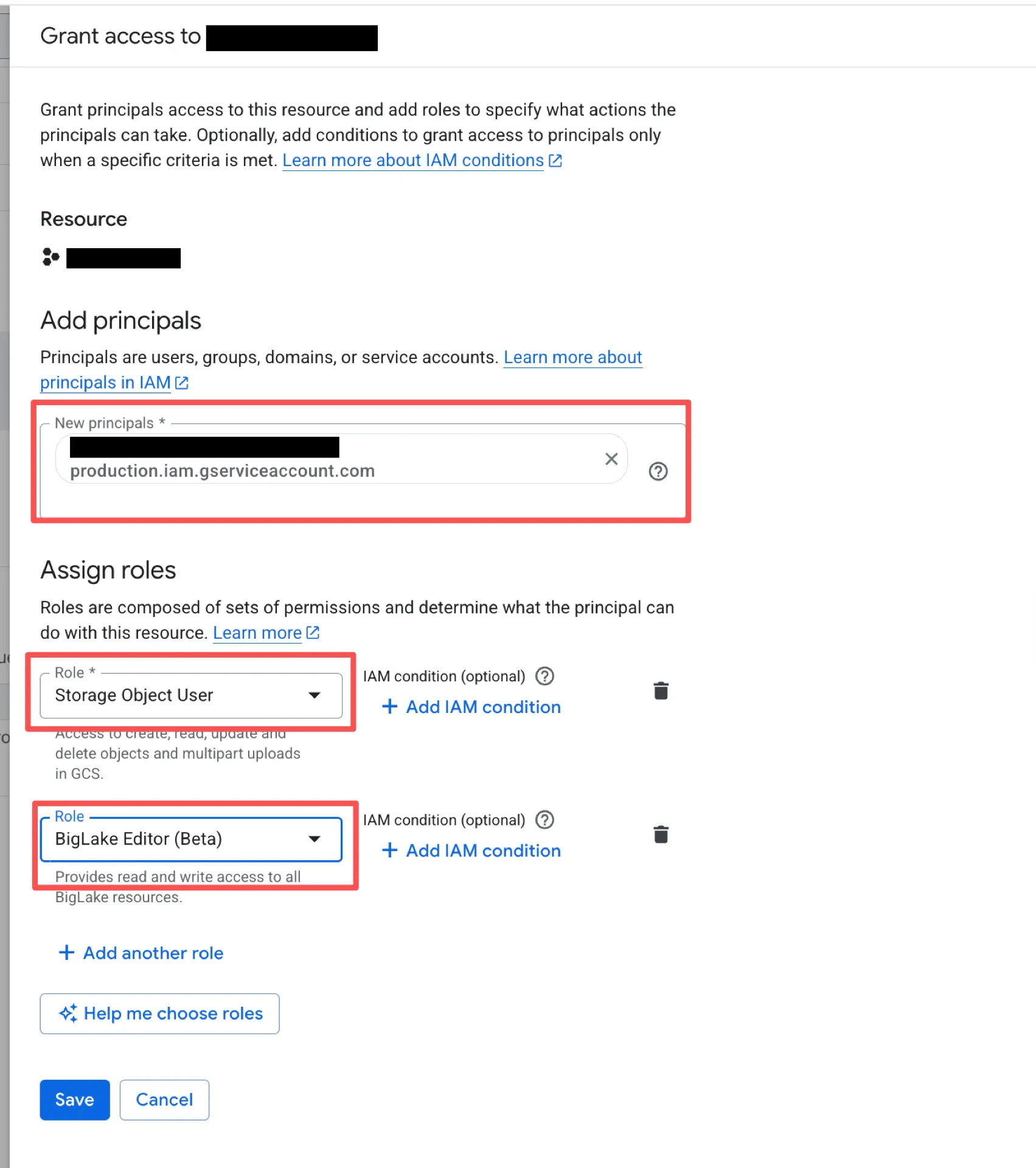
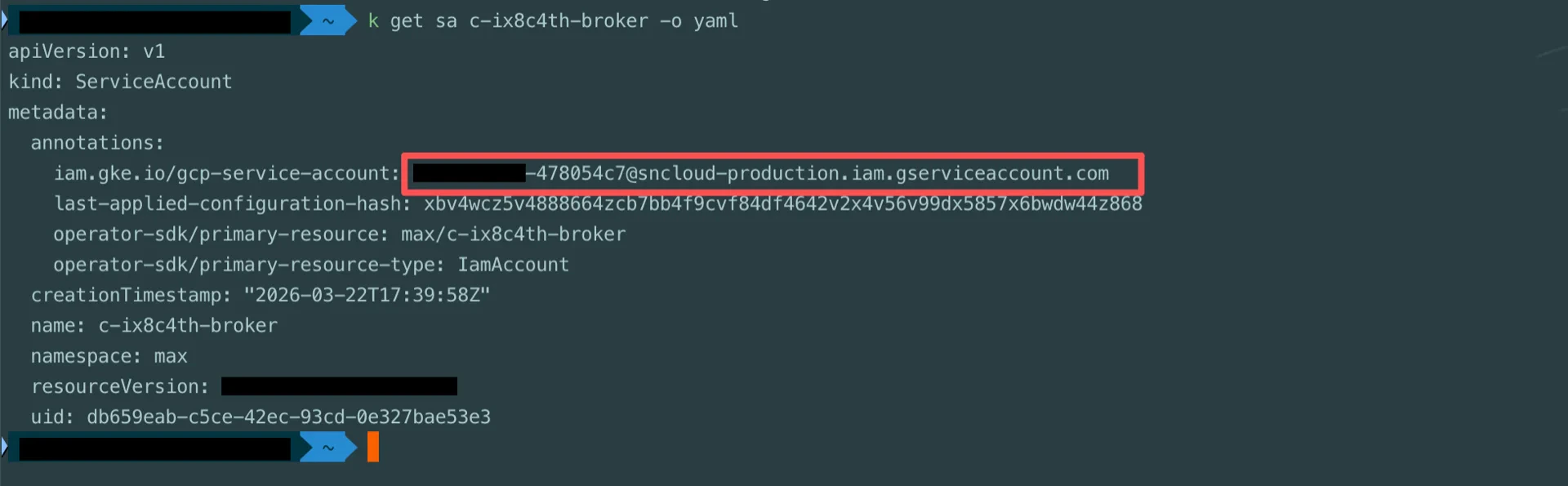 In the GCP IAM console, grant the broker service account the following roles:
* **BigLake Editor**
* **Storage Object User**
* **Service Usage Consumer**
In the GCP IAM console, grant the broker service account the following roles:
* **BigLake Editor**
* **Storage Object User**
* **Service Usage Consumer**
 ## Catalog Information Summary
When the steps above are complete, collect the following values for the StreamNative Ursa compaction service. Several values are fixed for any BigLake catalog -- copy them as-is.
| Value | Description |
| -------------------------------------------- | -------------------------------------------------------------------------------------------------------- |
| `iceberg.catalog-backend` | `BIGLAKE` |
| `iceberg.type` | `rest` |
| `iceberg.uri` | The **REST Catalog URI** from step 1 (typically `https://biglake.googleapis.com/iceberg/v1/restcatalog`) |
| `iceberg.warehouse` | The **GCS Warehouse** from step 1 (e.g., `gs://`) |
| `iceberg.header.x-goog-user-project` | The **Project** from step 1 |
| `iceberg.rest.auth.type` | `org.apache.iceberg.gcp.auth.GoogleAuthManager` (fixed) |
| `iceberg.io-impl` | `org.apache.iceberg.gcp.gcs.GCSFileIO` (fixed) |
| `iceberg.rest-metrics-reporting-enabled` | `false` (fixed -- BigLake does not yet support REST metrics reporting) |
| `iceberg.header.X-Iceberg-Access-Delegation` | `vended-credentials` (fixed) |
For the next steps, see [Configure Lakehouse Catalogs](../../configure-lakehouse-catalogs).
## Catalog Information Summary
When the steps above are complete, collect the following values for the StreamNative Ursa compaction service. Several values are fixed for any BigLake catalog -- copy them as-is.
| Value | Description |
| -------------------------------------------- | -------------------------------------------------------------------------------------------------------- |
| `iceberg.catalog-backend` | `BIGLAKE` |
| `iceberg.type` | `rest` |
| `iceberg.uri` | The **REST Catalog URI** from step 1 (typically `https://biglake.googleapis.com/iceberg/v1/restcatalog`) |
| `iceberg.warehouse` | The **GCS Warehouse** from step 1 (e.g., `gs://`) |
| `iceberg.header.x-goog-user-project` | The **Project** from step 1 |
| `iceberg.rest.auth.type` | `org.apache.iceberg.gcp.auth.GoogleAuthManager` (fixed) |
| `iceberg.io-impl` | `org.apache.iceberg.gcp.gcs.GCSFileIO` (fixed) |
| `iceberg.rest-metrics-reporting-enabled` | `false` (fixed -- BigLake does not yet support REST metrics reporting) |
| `iceberg.header.X-Iceberg-Access-Delegation` | `vended-credentials` (fixed) |
For the next steps, see [Configure Lakehouse Catalogs](../../configure-lakehouse-catalogs).