> ## Documentation Index
> Fetch the complete documentation index at: https://docs.streamnative.io/llms.txt
> Use this file to discover all available pages before exploring further.
# Work with service accounts
Service accounts are created for automation purposes, such as to authenticate bots that operate on your organization.
## Create a service account
Currently, you can't edit a service account. If you need a service account to have Super Admin access, make sure to enable it when creating the service account. By default, service accounts do not have Super Admin enabled.
To create a service account, follow these steps.
1. On the left navigation pane, click **Service Accounts**.
2. Click **Create Service Account**.
3. (Optional) Select **Super Admin** to grant the service account with Super admin access to a namespace or tenant.
4. Enter a name for the service account, and then click **Confirm**.
## Check service account details
After you have created a service account, you can check the details of the account.
* On the left navigation pane, click **Service Accounts**. The **Service Accounts** page displays all of the created service accounts.
The table below describes the details that you can view about the service account.
| Item | Description |
| ------------ | ----------------------------------------------------------- |
| Name | The name of the service account. |
| Token | The token for the service account. |
| Organization | The organization that the service account was created in. |
| Status | The status of the service account. |
| Admin | Whether the service account has Super Admin enabled or not. |
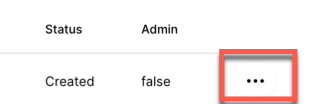
| ... | Click the ellipsis to display the delete icon. |
## Get a service account token
The token is used for authentication. Tokens are only valid for seven days. When a token expires, you need to generate a new token for authentication.
Before using an API key, verify that the service account is authorized to access the resources, such as tenants, namespaces, and topics.
You can follow the instructions to [create an API key](/cloud/security/authentication/service-accounts/use-api-keys/api-keys-overview#using-api-keys-to-connect-to-your-cluster) for the service account you choose to use.
## Delete a service account
To delete a service account, follow these steps.
1. On the left navigation pane, click **Service Accounts**.
2. Click the ellipsis at the end of the row of the service account you want to delete, and then select **Delete**.
 3. On the dialog box asking, *Are you sure you want to delete this service account?*, click **Confirm**.
## Configure the OIDC token for a service account
StreamNative Platform allows you to set the rotation period, verification period, and Time To Live (TTL) of the [OpenID Connect (OIDC)](https://openid.net/connect/) token for a service account.
```yaml theme={null}
vault:
component: 'vault'
replicaCount: 3
serviceAccount:
created: true
name: ''
oidcToken:
rotation_period: 24h # --- [1]
verification_ttl: 24h # --- [2]
ttl: 12h # --- [3]
```
* \[1] `rotation_period`: specify how often to generate a new key. By default, it is set to `24h` (24 hours).
* \[2] `verification_ttl`: specify how long the public portion of a key will be available for verification after being rotated. The `verification_ttl` should be greater than `ttl` but not greater than 10 times of `rotation_period`. By default, it is set to `24h` (24 hours).
* \[3] `ttl`: specify the TTL for the OIDC token for the service account. By default, it is set to `12h` (12 hours).
3. On the dialog box asking, *Are you sure you want to delete this service account?*, click **Confirm**.
## Configure the OIDC token for a service account
StreamNative Platform allows you to set the rotation period, verification period, and Time To Live (TTL) of the [OpenID Connect (OIDC)](https://openid.net/connect/) token for a service account.
```yaml theme={null}
vault:
component: 'vault'
replicaCount: 3
serviceAccount:
created: true
name: ''
oidcToken:
rotation_period: 24h # --- [1]
verification_ttl: 24h # --- [2]
ttl: 12h # --- [3]
```
* \[1] `rotation_period`: specify how often to generate a new key. By default, it is set to `24h` (24 hours).
* \[2] `verification_ttl`: specify how long the public portion of a key will be available for verification after being rotated. The `verification_ttl` should be greater than `ttl` but not greater than 10 times of `rotation_period`. By default, it is set to `24h` (24 hours).
* \[3] `ttl`: specify the TTL for the OIDC token for the service account. By default, it is set to `12h` (12 hours).