> ## Documentation Index
> Fetch the complete documentation index at: https://docs.streamnative.io/llms.txt
> Use this file to discover all available pages before exploring further.
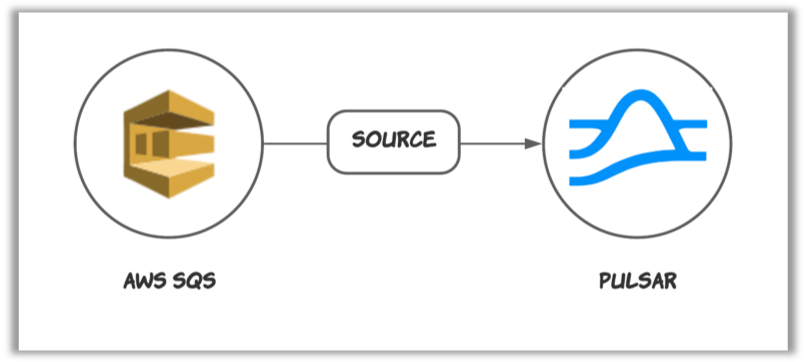
> The SQS source connector is used to consume messages from Amazon SQS and publish them to Pulsar.
# Sqs source
This connector is available as a built-in connector on StreamNative Cloud.
The [AWS Simple Queue Service (SQS)](https://aws.amazon.com/sqs/?nc1=h_ls) source connector feeds data from Amazon AWS SQS and writes data to Pulsar topics.
 ## Quick start
### Prerequisites
The prerequisites for connecting an AWS SQS source connector to external systems include:
1. Create SQS in AWS.
2. Create the [AWS User](https://docs.aws.amazon.com/IAM/latest/UserGuide/id_users_create.html) and create `AccessKey`(Please record `AccessKey` and `SecretAccessKey`).
3. Assign the following permissions to the AWS User:
* sqs:CreateQueue
* sqs:DeleteMessage
* sqs:ChangeMessageVisibility
* sqs:GetQueueUrl
* sqs:GetQueueAttributes
* sqs:ReceiveMessage
### 1. Create a connector
The following command shows how to use [pulsarctl](https://github.com/streamnative/pulsarctl) to create a `builtin` connector. If you want to create a `non-builtin` connector,
you need to replace `--source-type sqs` with `--archive /path/to/pulsar-io-sqs.nar`. You can find the button to download the `nar` package at the beginning of the document.
If you are a StreamNative Cloud user, you need [set up your environment](https://docs.streamnative.io/docs/connector-setup) first.
```bash theme={null}
pulsarctl sources create \
--source-type sqs \
--name sqs-source \
--tenant public \
--namespace default \
--destination-topic-name "Your topic name" \
--parallelism 1 \
--source-config \
'{
"awsRegion": "Your aws sqs region",
"queueName": "Your AWS SQS name",
"awsCredentialPluginParam": "{\"accessKey\":\"Your AWS access key\",\"secretKey\":\"Your AWS secret access key\"}"
}'
```
The `--source-config` is the minimum necessary configuration for starting this connector, and it is a JSON string. You need to substitute the relevant parameters with your own.
If you want to configure more parameters, see [Configuration Properties](#configuration-properties) for reference.
You can also choose to use a variety of other tools to create a connector:
* [pulsar-admin](https://pulsar.apache.org/docs/3.1.x/io-use/): The command arguments for `pulsar-admin` are similar to those of `pulsarctl`. You can find an example for [StreamNative Cloud Doc](https://docs.streamnative.io/docs/connector-create#create-a-built-in-connector).
* [RestAPI](https://pulsar.apache.org/source-rest-api/?version=3.1.1): You can find an example for [StreamNative Cloud Doc](https://docs.streamnative.io/docs/connector-create#create-a-built-in-connector).
* [Terraform](https://github.com/hashicorp/terraform): You can find an example for [StreamNative Cloud Doc](https://docs.streamnative.io/docs/connector-create#create-a-built-in-connector).
* [Function Mesh](https://functionmesh.io/docs/connectors/run-connector): The docker image can be found at the beginning of the document.
### 2. Send messages to AWS SQS
You can use the following simple code to send messages to AWS SQS.
```java theme={null}
public static void main(String[] args) {
AmazonSQS client = AmazonSQSClientBuilder.standard()
.withCredentials(new AWSStaticCredentialsProvider(
new BasicAWSCredentials("Your access key", "Your secret key")))
.withRegion("Your AWS SQS region").build();
String queueUrl = client.getQueueUrl(new GetQueueUrlRequest("Your SQS name")).getQueueUrl();
client.sendMessage(queueUrl, "Hello World!");
client.shutdown();
}
```
### 3. Show data using Pulsar client
If your connector is created on StreamNative Cloud, you need to authenticate your clients. See [Build applications using Pulsar clients](https://docs.streamnative.io/docs/qs-connect#jumpstart-for-beginners) for more information.
```shell theme={null}
bin/pulsar-client \
--url "Your Pulsar serviceUrl" \
consume "The topic that you specified when you created the connector" -s "test-sub" -n 10 -p Earliest
----- got message -----
key:[null], properties:[], content:Hello World!
```
## Configuration Properties
Before using the AWS SQS source connector, you need to configure it. This table outlines the properties and the
Descriptions of an AWS SQS source connector.
| Name | Type | Required | Sensitive | Default | Description |
| ------------------------------- | ------ | -------- | --------- | ------------------ | ------------------------------------------------------------------------------------------------------------------------------------------------------------------------------------------------------------------------------------------------------------------------------------------------------------------------------------- |
| `awsRegion` | String | true | false | " " (empty string) | Supported AWS region. For example, us-west-1, us-west-2. |
| `queueName` | String | true | false | " " (empty string) | The name of the SQS queue that messages should be read from or written to. |
| `awsCredentialPluginName` | String | false | false | " " (empty string) | The fully-qualified class name of implementation of [AwsCredentialProviderPlugin](https://github.com/apache/pulsar/blob/master/pulsar-io/aws/src/main/java/org/apache/pulsar/io/aws/AwsCredentialProviderPlugin.java). For more information, see \[Configure AwsCredentialProviderPlugin]\(###Configure AwsCredentialProviderPlugin). |
| `awsCredentialPluginParam` | String | false | true | " " (empty string) | The JSON parameter to initialize `awsCredentialsProviderPlugin`. For more information, see \[Configure AwsCredentialProviderPlugin]\(###Configure AwsCredentialProviderPlugin). |
| `awsEndpoint` | String | false | false | " " (empty string) | AWS SQS end-point URL. You can find it at [AWS SQS Service endpoints](https://docs.aws.amazon.com/general/latest/gr/sqs-service.html#sqs_region). |
| `batchSizeOfOnceReceive` | int | false | false | 1 | The maximum number of messages that are pulled from SQS at one time. By default, it is set to 1. The value ranges from 1 to 10. |
| `numberOfConsumers` | int | false | false | 1 | The expected numbers of consumers. You can scale consumers horizontally to achieve high throughput. By default, it is set to 1. The value ranges from 1 to 50. |
| `sourceQueueSize` | int | false | false | 10000 | The size of the queue that holds the messages received from SQS. By default, it is set to 10000. The value cannot smaller than 1. |
| `sourceQueueOfferTimeoutMs` | long | false | false | 1000 | The maximum time in milliseconds to wait while offering a received SQS message to the source queue before failing it back to SQS. Set it to 0 to fail immediately when the queue is full. |
| `ackFailRetryMaxAttempts` | int | false | false | 3 | The maximum number of attempts for asynchronous SQS ack/fail operations, including the initial request. |
| `ackFailRetryInitialDelayMs` | long | false | false | 500 | The initial backoff delay in milliseconds before retrying an asynchronous SQS ack/fail operation. Each subsequent retry doubles this delay. |
| `receiveRetryInitialDelayMs` | long | false | false | 100 | The initial backoff delay in milliseconds before retrying an SQS receive call after a failure. |
| `receiveRetryMaxDelayMs` | long | false | false | 5000 | The maximum backoff delay in milliseconds used when retrying SQS receive calls. |
| `receiveRetryBackoffMultiplier` | double | false | false | 2.0 | The multiplier applied to the receive retry delay after each failed SQS receive call. |
The `batchSizeOfOnceReceive` and `numberOfConsumers` options are available for SQS source 2.8.4.3+, 2.9.4.1+, and 2.10.1.13+. The `sourceQueueOfferTimeoutMs`, `ackFailRetryMaxAttempts`, `ackFailRetryInitialDelayMs`, and receive retry settings are connector-level source options and do not require additional Pulsar Functions runtime knobs. For details about how to test AWS SQS source performance, see [Performance Test on AWS SQS Source Connector](https://github.com/streamnative/pulsar-io-sqs/blob/master/docs/source_performance_test.md).
If the downstream Pulsar path experiences backpressure, especially with high topic cardinality, prefer lowering `numberOfConsumers` and `sourceQueueSize`, and set `sourceQueueOfferTimeoutMs` so the source fails messages back to SQS instead of blocking receive threads indefinitely.
### Configure AwsCredentialProviderPlugin
AWS SQS source connector allows you to use three ways to connect to AWS SQS by configuring `awsCredentialPluginName`.
* Leave `awsCredentialPluginName` empty to get the connector authenticated by passing `accessKey` and `secretKey` in `awsCredentialPluginParam`.
```json theme={null}
`{"accessKey":"Your access key","secretKey":"Your secret key"}`
```
* Set `awsCredentialPluginName` to `org.apache.pulsar.io.aws.AwsDefaultProviderChainPlugin` to use the default AWS provider chain. With this option, you don't need to configure `awsCredentialPluginParam`. For more information, see [AWS documentation](https://docs.aws.amazon.com/sdk-for-java/v1/developer-guide/credentials.html#credentials-default).
* Set `awsCredentialPluginName` to `org.apache.pulsar.io.aws.STSAssumeRoleProviderPlugin` to use the [default AWS provider chain](https://docs.aws.amazon.com/sdk-for-java/v1/developer-guide/credentials.html#credentials-default), and you need to configure `roleArn` and `roleSessionNmae` in `awsCredentialPluginParam`. For more information, see [AWS documentation](https://docs.aws.amazon.com/STS/latest/APIReference/API_AssumeRole.html).
```json theme={null}
`{"roleArn": "arn...", "roleSessionName": "name"}`
```
## Quick start
### Prerequisites
The prerequisites for connecting an AWS SQS source connector to external systems include:
1. Create SQS in AWS.
2. Create the [AWS User](https://docs.aws.amazon.com/IAM/latest/UserGuide/id_users_create.html) and create `AccessKey`(Please record `AccessKey` and `SecretAccessKey`).
3. Assign the following permissions to the AWS User:
* sqs:CreateQueue
* sqs:DeleteMessage
* sqs:ChangeMessageVisibility
* sqs:GetQueueUrl
* sqs:GetQueueAttributes
* sqs:ReceiveMessage
### 1. Create a connector
The following command shows how to use [pulsarctl](https://github.com/streamnative/pulsarctl) to create a `builtin` connector. If you want to create a `non-builtin` connector,
you need to replace `--source-type sqs` with `--archive /path/to/pulsar-io-sqs.nar`. You can find the button to download the `nar` package at the beginning of the document.
If you are a StreamNative Cloud user, you need [set up your environment](https://docs.streamnative.io/docs/connector-setup) first.
```bash theme={null}
pulsarctl sources create \
--source-type sqs \
--name sqs-source \
--tenant public \
--namespace default \
--destination-topic-name "Your topic name" \
--parallelism 1 \
--source-config \
'{
"awsRegion": "Your aws sqs region",
"queueName": "Your AWS SQS name",
"awsCredentialPluginParam": "{\"accessKey\":\"Your AWS access key\",\"secretKey\":\"Your AWS secret access key\"}"
}'
```
The `--source-config` is the minimum necessary configuration for starting this connector, and it is a JSON string. You need to substitute the relevant parameters with your own.
If you want to configure more parameters, see [Configuration Properties](#configuration-properties) for reference.
You can also choose to use a variety of other tools to create a connector:
* [pulsar-admin](https://pulsar.apache.org/docs/3.1.x/io-use/): The command arguments for `pulsar-admin` are similar to those of `pulsarctl`. You can find an example for [StreamNative Cloud Doc](https://docs.streamnative.io/docs/connector-create#create-a-built-in-connector).
* [RestAPI](https://pulsar.apache.org/source-rest-api/?version=3.1.1): You can find an example for [StreamNative Cloud Doc](https://docs.streamnative.io/docs/connector-create#create-a-built-in-connector).
* [Terraform](https://github.com/hashicorp/terraform): You can find an example for [StreamNative Cloud Doc](https://docs.streamnative.io/docs/connector-create#create-a-built-in-connector).
* [Function Mesh](https://functionmesh.io/docs/connectors/run-connector): The docker image can be found at the beginning of the document.
### 2. Send messages to AWS SQS
You can use the following simple code to send messages to AWS SQS.
```java theme={null}
public static void main(String[] args) {
AmazonSQS client = AmazonSQSClientBuilder.standard()
.withCredentials(new AWSStaticCredentialsProvider(
new BasicAWSCredentials("Your access key", "Your secret key")))
.withRegion("Your AWS SQS region").build();
String queueUrl = client.getQueueUrl(new GetQueueUrlRequest("Your SQS name")).getQueueUrl();
client.sendMessage(queueUrl, "Hello World!");
client.shutdown();
}
```
### 3. Show data using Pulsar client
If your connector is created on StreamNative Cloud, you need to authenticate your clients. See [Build applications using Pulsar clients](https://docs.streamnative.io/docs/qs-connect#jumpstart-for-beginners) for more information.
```shell theme={null}
bin/pulsar-client \
--url "Your Pulsar serviceUrl" \
consume "The topic that you specified when you created the connector" -s "test-sub" -n 10 -p Earliest
----- got message -----
key:[null], properties:[], content:Hello World!
```
## Configuration Properties
Before using the AWS SQS source connector, you need to configure it. This table outlines the properties and the
Descriptions of an AWS SQS source connector.
| Name | Type | Required | Sensitive | Default | Description |
| ------------------------------- | ------ | -------- | --------- | ------------------ | ------------------------------------------------------------------------------------------------------------------------------------------------------------------------------------------------------------------------------------------------------------------------------------------------------------------------------------- |
| `awsRegion` | String | true | false | " " (empty string) | Supported AWS region. For example, us-west-1, us-west-2. |
| `queueName` | String | true | false | " " (empty string) | The name of the SQS queue that messages should be read from or written to. |
| `awsCredentialPluginName` | String | false | false | " " (empty string) | The fully-qualified class name of implementation of [AwsCredentialProviderPlugin](https://github.com/apache/pulsar/blob/master/pulsar-io/aws/src/main/java/org/apache/pulsar/io/aws/AwsCredentialProviderPlugin.java). For more information, see \[Configure AwsCredentialProviderPlugin]\(###Configure AwsCredentialProviderPlugin). |
| `awsCredentialPluginParam` | String | false | true | " " (empty string) | The JSON parameter to initialize `awsCredentialsProviderPlugin`. For more information, see \[Configure AwsCredentialProviderPlugin]\(###Configure AwsCredentialProviderPlugin). |
| `awsEndpoint` | String | false | false | " " (empty string) | AWS SQS end-point URL. You can find it at [AWS SQS Service endpoints](https://docs.aws.amazon.com/general/latest/gr/sqs-service.html#sqs_region). |
| `batchSizeOfOnceReceive` | int | false | false | 1 | The maximum number of messages that are pulled from SQS at one time. By default, it is set to 1. The value ranges from 1 to 10. |
| `numberOfConsumers` | int | false | false | 1 | The expected numbers of consumers. You can scale consumers horizontally to achieve high throughput. By default, it is set to 1. The value ranges from 1 to 50. |
| `sourceQueueSize` | int | false | false | 10000 | The size of the queue that holds the messages received from SQS. By default, it is set to 10000. The value cannot smaller than 1. |
| `sourceQueueOfferTimeoutMs` | long | false | false | 1000 | The maximum time in milliseconds to wait while offering a received SQS message to the source queue before failing it back to SQS. Set it to 0 to fail immediately when the queue is full. |
| `ackFailRetryMaxAttempts` | int | false | false | 3 | The maximum number of attempts for asynchronous SQS ack/fail operations, including the initial request. |
| `ackFailRetryInitialDelayMs` | long | false | false | 500 | The initial backoff delay in milliseconds before retrying an asynchronous SQS ack/fail operation. Each subsequent retry doubles this delay. |
| `receiveRetryInitialDelayMs` | long | false | false | 100 | The initial backoff delay in milliseconds before retrying an SQS receive call after a failure. |
| `receiveRetryMaxDelayMs` | long | false | false | 5000 | The maximum backoff delay in milliseconds used when retrying SQS receive calls. |
| `receiveRetryBackoffMultiplier` | double | false | false | 2.0 | The multiplier applied to the receive retry delay after each failed SQS receive call. |
The `batchSizeOfOnceReceive` and `numberOfConsumers` options are available for SQS source 2.8.4.3+, 2.9.4.1+, and 2.10.1.13+. The `sourceQueueOfferTimeoutMs`, `ackFailRetryMaxAttempts`, `ackFailRetryInitialDelayMs`, and receive retry settings are connector-level source options and do not require additional Pulsar Functions runtime knobs. For details about how to test AWS SQS source performance, see [Performance Test on AWS SQS Source Connector](https://github.com/streamnative/pulsar-io-sqs/blob/master/docs/source_performance_test.md).
If the downstream Pulsar path experiences backpressure, especially with high topic cardinality, prefer lowering `numberOfConsumers` and `sourceQueueSize`, and set `sourceQueueOfferTimeoutMs` so the source fails messages back to SQS instead of blocking receive threads indefinitely.
### Configure AwsCredentialProviderPlugin
AWS SQS source connector allows you to use three ways to connect to AWS SQS by configuring `awsCredentialPluginName`.
* Leave `awsCredentialPluginName` empty to get the connector authenticated by passing `accessKey` and `secretKey` in `awsCredentialPluginParam`.
```json theme={null}
`{"accessKey":"Your access key","secretKey":"Your secret key"}`
```
* Set `awsCredentialPluginName` to `org.apache.pulsar.io.aws.AwsDefaultProviderChainPlugin` to use the default AWS provider chain. With this option, you don't need to configure `awsCredentialPluginParam`. For more information, see [AWS documentation](https://docs.aws.amazon.com/sdk-for-java/v1/developer-guide/credentials.html#credentials-default).
* Set `awsCredentialPluginName` to `org.apache.pulsar.io.aws.STSAssumeRoleProviderPlugin` to use the [default AWS provider chain](https://docs.aws.amazon.com/sdk-for-java/v1/developer-guide/credentials.html#credentials-default), and you need to configure `roleArn` and `roleSessionNmae` in `awsCredentialPluginParam`. For more information, see [AWS documentation](https://docs.aws.amazon.com/STS/latest/APIReference/API_AssumeRole.html).
```json theme={null}
`{"roleArn": "arn...", "roleSessionName": "name"}`
```