> ## Documentation Index
> Fetch the complete documentation index at: https://docs.streamnative.io/llms.txt
> Use this file to discover all available pages before exploring further.
> The Kinesis source connector pulls data from Amazon Kinesis and persists data into Pulsar
# Kinesis source
The Kinesis source connector pulls data from Amazon Kinesis and persists data into Pulsar. For more information about connectors, see [Connector Overview](https://docs.streamnative.io/docs/connector-overview).
This connector is available as a built-in connector on StreamNative Cloud.
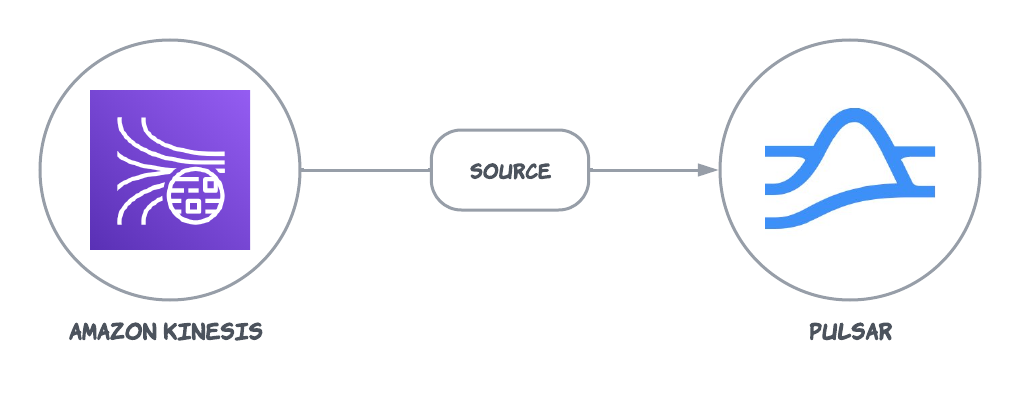 This connector uses the [Kinesis Consumer Library](https://github.com/awslabs/amazon-kinesis-client) (KCL) to consume messages. The KCL uses [DynamoDB](https://docs.aws.amazon.com/streams/latest/dev/shared-throughput-kcl-consumers.html) to track checkpoints for consumers,
and uses [CloudWatch](https://docs.aws.amazon.com/streams/latest/dev/monitoring-with-cloudwatch.html) to track metrics for consumers.
This document introduces how to get started with creating an AWS Kinesis source connector and get it up and running.
Currently, the Kinesis source connector only supports raw messages. If you use [AWS Key Management Service (KMS)](https://docs.aws.amazon.com/streams/latest/dev/server-side-encryption.html) encrypted messages, the encrypted messages are sent to Pulsar directly. You need to [manually decrypt](https://aws.amazon.com/blogs/big-data/encrypt-and-decrypt-amazon-kinesis-records-using-aws-kms/) the data on the consumer side of Pulsar.
## Quick start
### Prerequisites
The prerequisites for connecting an AWS Kinesis source connector to external systems include:
1. Create a Kinesis data stream in AWS.
2. Create an [AWS User](https://docs.aws.amazon.com/IAM/latest/UserGuide/id_users_create.html) and an `AccessKey`(Please record the value of `AccessKey` and its `SecretKey`).
3. Assign the following permissions to the AWS User:
* [AmazonKinesisFullAccess](https://docs.aws.amazon.com/aws-managed-policy/latest/reference/AmazonKinesisFullAccess.html)
* [CloudWatch:PutMetricData](https://docs.aws.amazon.com/AmazonCloudWatch/latest/APIReference/API_PutMetricData.html): it is required because AWS Kinesis client will periodically [send metrics to CloudWatch](https://docs.aws.amazon.com/streams/latest/dev/monitoring-with-cloudwatch.html).
* [AmazonDynamoDBFullAccess](https://docs.aws.amazon.com/aws-managed-policy/latest/reference/AmazonDynamoDBFullAccess.html): it is required because AWS Kinesis client will use [DynamoDB store checkpoint status](https://docs.aws.amazon.com/streams/latest/dev/shared-throughput-kcl-consumers.html#shared-throughput-kcl-consumers-what-is-leasetable).
### 1. Create a connector
The following command shows how to use [pulsarctl](https://github.com/streamnative/pulsarctl) to create a `builtin` connector. If you want to create a `non-builtin` connector,
you need to replace `--source-type kinesis` with `--archive /path/to/pulsar-io-kinesis.nar`. You can find the button to download the `nar` package at the beginning of the document.
If you are a StreamNative Cloud user, you need [set up your environment](https://docs.streamnative.io/docs/connector-setup) first.
```bash theme={null}
pulsarctl sources create \
--source-type kinesis \
--name kinesis-source \
--tenant public \
--namespace default \
--destination-topic-name "Your topic name" \
--parallelism 1 \
--source-config \
'{
"awsRegion": "Your aws kinesis region",
"awsKinesisStreamName": "Your kinesis stream name",
"awsCredentialPluginParam": "{\"accessKey\":\"Your AWS access key\",\"secretKey\":\"Your AWS secret access key\"}",
"applicationName": "Your application name, which will be used as the table name for DynamoDB. E.g.: pulsar-io-kinesis"
}'
```
The `--source-config` is the minimum necessary configuration for starting this connector, and it is a JSON string. You need to substitute the relevant parameters with your own.
If you want to configure more parameters, see [Configuration Properties](#configuration-properties) for reference.
You can also choose to use a variety of other tools to create a connector:
* [pulsar-admin](https://pulsar.apache.org/docs/3.1.x/io-use/): The command arguments for `pulsar-admin` are similar to those of `pulsarctl`. You can find an example for [StreamNative Cloud Doc](https://docs.streamnative.io/docs/connector-create#create-a-built-in-connector).
* [RestAPI](https://pulsar.apache.org/source-rest-api/?version=3.1.1): You can find an example for [StreamNative Cloud Doc](https://docs.streamnative.io/docs/connector-create#create-a-built-in-connector).
* [Terraform](https://github.com/hashicorp/terraform): You can find an example for [StreamNative Cloud Doc](https://docs.streamnative.io/docs/connector-create#create-a-built-in-connector).
* [Function Mesh](https://functionmesh.io/docs/connectors/run-connector): The docker image can be found at the beginning of the document.
### 2. Send messages to Kinesis
The following example uses KPL to send data to Kinesis. For more details, see [Writing to your Kinesis Data Stream Using the KPL](https://docs.aws.amazon.com/streams/latest/dev/kinesis-kpl-writing.html)
```java theme={null}
public static void main(String[] args) throws Exception {
AWSCredentialsProvider credentialsProvider =
new AWSStaticCredentialsProvider(new BasicAWSCredentials("Your access key", "Your secret key"));
KinesisProducerConfiguration kinesisConfig = new KinesisProducerConfiguration();
kinesisConfig.setRegion("Your aws kinesis region");
kinesisConfig.setCredentialsProvider(credentialsProvider);
KinesisProducer kinesis = new KinesisProducer(kinesisConfig);
// Put some records
for (int i = 0; i < 10; ++i) {
ByteBuffer data = ByteBuffer.wrap("test-kinesis-data".getBytes("UTF-8"));
// doesn't block
kinesis.addUserRecord("Your kinesis stream name", "myPartitionKey", data);
}
kinesis.flush();
Thread.sleep(60000);
}
```
### 3. Show data using Pulsar client
If your connector is created on StreamNative Cloud, you need to authenticate your clients. See [Build applications using Pulsar clients](https://docs.streamnative.io/docs/qs-connect#jumpstart-for-beginners) for more information.
```
bin/pulsar-client \
--url "Your Pulsar serviceUrl" \
consume "The topic that you specified when you created the connector" -s "test-sub" -n 10 -p Earliest
----- got message -----
key:[myPartitionKey], properties:[=49643665543143983613442895450427674751028642409795813410], content:test-kinesis-data
sidebarTitle: overview.md
----- got message -----
key:[myPartitionKey], properties:[=49643665543143983613442895450430092602667871668145225762], content:test-kinesis-data
----- got message -----
key:[myPartitionKey], properties:[=4964366554314398361344289545044.0.3528487486297319931938], content:test-kinesis-data
sidebarTitle: overview.md
----- got message -----
key:[myPartitionKey], properties:[=49643665543143983613442895450432510454.0.300926494638114], content:test-kinesis-data
----- got message -----
key:[myPartitionKey], properties:[=49643665543143983613442895450433719380126715555669344290], content:test-kinesis-data
sidebarTitle: overview.md
----- got message -----
key:[myPartitionKey], properties:[=4964366554314398361344289545043492830594633018484.0.3466], content:test-kinesis-data
----- got message -----
key:[myPartitionKey], properties:[=4964366554314398361344289545043614.0.3765944814018756642], content:test-kinesis-data
sidebarTitle: overview.md
----- got message -----
key:[myPartitionKey], properties:[=49643665543143983613442895450437346157585559443193462818], content:test-kinesis-data
----- got message -----
key:[myPartitionKey], properties:[=49643665543143983613442895450438555083405174072368168994], content:test-kinesis-data
sidebarTitle: overview.md
----- got message -----
key:[myPartitionKey], properties:[=49643665543143983613442895450439764009224788701542875170], content:test-kinesis-data
```
## Configuration Properties
This table outlines the properties of an AWS Kinesis source connector.
| Name | Type | Required | Sensitive | Default | Description | |
| -------------------------- | ----------------------- | -------- | --------- | ------------------------------------------------------------------------------------------------- | ------------------------------------------------------------------------------------------------------------------------------------------------------------------------------------------------------------------------------------------------------------------------------------------------------------------------------------------ | - |
| `awsKinesisStreamName` | String | true | false | " " (empty string) | The Kinesis stream name. | |
| `awsRegion` | String | false | false | " " (empty string) | The AWS region.
This connector uses the [Kinesis Consumer Library](https://github.com/awslabs/amazon-kinesis-client) (KCL) to consume messages. The KCL uses [DynamoDB](https://docs.aws.amazon.com/streams/latest/dev/shared-throughput-kcl-consumers.html) to track checkpoints for consumers,
and uses [CloudWatch](https://docs.aws.amazon.com/streams/latest/dev/monitoring-with-cloudwatch.html) to track metrics for consumers.
This document introduces how to get started with creating an AWS Kinesis source connector and get it up and running.
Currently, the Kinesis source connector only supports raw messages. If you use [AWS Key Management Service (KMS)](https://docs.aws.amazon.com/streams/latest/dev/server-side-encryption.html) encrypted messages, the encrypted messages are sent to Pulsar directly. You need to [manually decrypt](https://aws.amazon.com/blogs/big-data/encrypt-and-decrypt-amazon-kinesis-records-using-aws-kms/) the data on the consumer side of Pulsar.
## Quick start
### Prerequisites
The prerequisites for connecting an AWS Kinesis source connector to external systems include:
1. Create a Kinesis data stream in AWS.
2. Create an [AWS User](https://docs.aws.amazon.com/IAM/latest/UserGuide/id_users_create.html) and an `AccessKey`(Please record the value of `AccessKey` and its `SecretKey`).
3. Assign the following permissions to the AWS User:
* [AmazonKinesisFullAccess](https://docs.aws.amazon.com/aws-managed-policy/latest/reference/AmazonKinesisFullAccess.html)
* [CloudWatch:PutMetricData](https://docs.aws.amazon.com/AmazonCloudWatch/latest/APIReference/API_PutMetricData.html): it is required because AWS Kinesis client will periodically [send metrics to CloudWatch](https://docs.aws.amazon.com/streams/latest/dev/monitoring-with-cloudwatch.html).
* [AmazonDynamoDBFullAccess](https://docs.aws.amazon.com/aws-managed-policy/latest/reference/AmazonDynamoDBFullAccess.html): it is required because AWS Kinesis client will use [DynamoDB store checkpoint status](https://docs.aws.amazon.com/streams/latest/dev/shared-throughput-kcl-consumers.html#shared-throughput-kcl-consumers-what-is-leasetable).
### 1. Create a connector
The following command shows how to use [pulsarctl](https://github.com/streamnative/pulsarctl) to create a `builtin` connector. If you want to create a `non-builtin` connector,
you need to replace `--source-type kinesis` with `--archive /path/to/pulsar-io-kinesis.nar`. You can find the button to download the `nar` package at the beginning of the document.
If you are a StreamNative Cloud user, you need [set up your environment](https://docs.streamnative.io/docs/connector-setup) first.
```bash theme={null}
pulsarctl sources create \
--source-type kinesis \
--name kinesis-source \
--tenant public \
--namespace default \
--destination-topic-name "Your topic name" \
--parallelism 1 \
--source-config \
'{
"awsRegion": "Your aws kinesis region",
"awsKinesisStreamName": "Your kinesis stream name",
"awsCredentialPluginParam": "{\"accessKey\":\"Your AWS access key\",\"secretKey\":\"Your AWS secret access key\"}",
"applicationName": "Your application name, which will be used as the table name for DynamoDB. E.g.: pulsar-io-kinesis"
}'
```
The `--source-config` is the minimum necessary configuration for starting this connector, and it is a JSON string. You need to substitute the relevant parameters with your own.
If you want to configure more parameters, see [Configuration Properties](#configuration-properties) for reference.
You can also choose to use a variety of other tools to create a connector:
* [pulsar-admin](https://pulsar.apache.org/docs/3.1.x/io-use/): The command arguments for `pulsar-admin` are similar to those of `pulsarctl`. You can find an example for [StreamNative Cloud Doc](https://docs.streamnative.io/docs/connector-create#create-a-built-in-connector).
* [RestAPI](https://pulsar.apache.org/source-rest-api/?version=3.1.1): You can find an example for [StreamNative Cloud Doc](https://docs.streamnative.io/docs/connector-create#create-a-built-in-connector).
* [Terraform](https://github.com/hashicorp/terraform): You can find an example for [StreamNative Cloud Doc](https://docs.streamnative.io/docs/connector-create#create-a-built-in-connector).
* [Function Mesh](https://functionmesh.io/docs/connectors/run-connector): The docker image can be found at the beginning of the document.
### 2. Send messages to Kinesis
The following example uses KPL to send data to Kinesis. For more details, see [Writing to your Kinesis Data Stream Using the KPL](https://docs.aws.amazon.com/streams/latest/dev/kinesis-kpl-writing.html)
```java theme={null}
public static void main(String[] args) throws Exception {
AWSCredentialsProvider credentialsProvider =
new AWSStaticCredentialsProvider(new BasicAWSCredentials("Your access key", "Your secret key"));
KinesisProducerConfiguration kinesisConfig = new KinesisProducerConfiguration();
kinesisConfig.setRegion("Your aws kinesis region");
kinesisConfig.setCredentialsProvider(credentialsProvider);
KinesisProducer kinesis = new KinesisProducer(kinesisConfig);
// Put some records
for (int i = 0; i < 10; ++i) {
ByteBuffer data = ByteBuffer.wrap("test-kinesis-data".getBytes("UTF-8"));
// doesn't block
kinesis.addUserRecord("Your kinesis stream name", "myPartitionKey", data);
}
kinesis.flush();
Thread.sleep(60000);
}
```
### 3. Show data using Pulsar client
If your connector is created on StreamNative Cloud, you need to authenticate your clients. See [Build applications using Pulsar clients](https://docs.streamnative.io/docs/qs-connect#jumpstart-for-beginners) for more information.
```
bin/pulsar-client \
--url "Your Pulsar serviceUrl" \
consume "The topic that you specified when you created the connector" -s "test-sub" -n 10 -p Earliest
----- got message -----
key:[myPartitionKey], properties:[=49643665543143983613442895450427674751028642409795813410], content:test-kinesis-data
sidebarTitle: overview.md
----- got message -----
key:[myPartitionKey], properties:[=49643665543143983613442895450430092602667871668145225762], content:test-kinesis-data
----- got message -----
key:[myPartitionKey], properties:[=4964366554314398361344289545044.0.3528487486297319931938], content:test-kinesis-data
sidebarTitle: overview.md
----- got message -----
key:[myPartitionKey], properties:[=49643665543143983613442895450432510454.0.300926494638114], content:test-kinesis-data
----- got message -----
key:[myPartitionKey], properties:[=49643665543143983613442895450433719380126715555669344290], content:test-kinesis-data
sidebarTitle: overview.md
----- got message -----
key:[myPartitionKey], properties:[=4964366554314398361344289545043492830594633018484.0.3466], content:test-kinesis-data
----- got message -----
key:[myPartitionKey], properties:[=4964366554314398361344289545043614.0.3765944814018756642], content:test-kinesis-data
sidebarTitle: overview.md
----- got message -----
key:[myPartitionKey], properties:[=49643665543143983613442895450437346157585559443193462818], content:test-kinesis-data
----- got message -----
key:[myPartitionKey], properties:[=49643665543143983613442895450438555083405174072368168994], content:test-kinesis-data
sidebarTitle: overview.md
----- got message -----
key:[myPartitionKey], properties:[=49643665543143983613442895450439764009224788701542875170], content:test-kinesis-data
```
## Configuration Properties
This table outlines the properties of an AWS Kinesis source connector.
| Name | Type | Required | Sensitive | Default | Description | |
| -------------------------- | ----------------------- | -------- | --------- | ------------------------------------------------------------------------------------------------- | ------------------------------------------------------------------------------------------------------------------------------------------------------------------------------------------------------------------------------------------------------------------------------------------------------------------------------------------ | - |
| `awsKinesisStreamName` | String | true | false | " " (empty string) | The Kinesis stream name. | |
| `awsRegion` | String | false | false | " " (empty string) | The AWS region.
**Example**
us-west-1, us-west-2. | |
| `awsCredentialPluginName` | String | false | false | " " (empty string) | The fully-qualified class name of implementation of [AwsCredentialProviderPlugin](https://github.com/apache/pulsar/blob/master/pulsar-io/aws/src/main/java/org/apache/pulsar/io/aws/AwsCredentialProviderPlugin.java). For more information, see \[Configure AwsCredentialProviderPlugin]\(###Configure AwsCredentialProviderPlugin). | |
| `awsCredentialPluginParam` | String | false | true | " " (empty string) | The JSON parameter to initialize `awsCredentialsProviderPlugin`. For more information, see \[Configure AwsCredentialProviderPlugin]\(###Configure AwsCredentialProviderPlugin). | |
| `awsEndpoint` | String | false | false | " " (empty string) | The Kinesis end-point URL, which can be found at [here](https://docs.aws.amazon.com/general/latest/gr/rande.html). | |
| `dynamoEndpoint` | String | false | false | " " (empty string) | The Dynamo end-point URL, which can be found at [here](https://docs.aws.amazon.com/general/latest/gr/rande.html). | |
| `cloudwatchEndpoint` | String | false | false | " " (empty string) | The Cloudwatch end-point URL. For more information, see[Amazon documentation](https://docs.aws.amazon.com/general/latest/gr/rande.html). | |
| `applicationName` | String | false | false | Pulsar IO connector | The name of the Amazon Kinesis application, which will be used as the table name for DynamoDB. | |
| `initialPositionInStream` | InitialPositionInStream | false | false | LATEST | The position where the connector starts from.
Below are the available options:
`AT_TIMESTAMP`: start from the record at or after the specified timestamp.
`LATEST`: start after the most recent data record.
`TRIM_HORIZON`: start from the oldest available data record. | |
| `startAtTime` | Date | false | false | " " (empty string) | If set to `AT_TIMESTAMP`, it specifies the time point to start consumption. | |
| `checkpointInterval` | Long | false | false | 60000 | The frequency of the Kinesis stream checkpoint in milliseconds. | |
| `backoffTime` | Long | false | false | 3000 | The amount of time to delay between requests when the connector encounters a throttling exception from AWS Kinesis in milliseconds. | |
| `numRetries` | int | false | false | 3 | The number of re-attempts when the connector encounters an exception while trying to set a checkpoint. | |
| `receiveQueueSize` | int | false | false | 1000 | The maximum number of AWS records that can be buffered inside the connector.
Once the `receiveQueueSize` is reached, the connector does not consume any messages from Kinesis until some messages in the queue are successfully consumed. | |
| `useEnhancedFanOut` | boolean | false | false | true | If set to true, it uses Kinesis enhanced fan-out.
If set to false, it uses polling. | |
| `kinesisRecordProperties` | String | false | false | "kinesis.arrival.timestamp,kinesis.encryption.type,kinesis.partition.key,kinesis.sequence.number" | A comma-separated list of Kinesis metadata properties to include in the Pulsar message properties. The supported properties are: `kinesis.arrival.timestamp, kinesis.encryption.type, kinesis.partition.key, kinesis.sequence.number, kinesis.shard.id, kinesis.millis.behind.latest` | |
### Configure AwsCredentialProviderPlugin
AWS Kinesis source connector allows you to use three ways to connect to AWS Kinesis by configuring `awsCredentialPluginName`.
* Leave `awsCredentialPluginName` empty to get the connector authenticated by passing `accessKey` and `secretKey` in `awsCredentialPluginParam`.
```json theme={null}
{"accessKey":"Your access key","secretKey":"Your secret key"}
```
* Set `awsCredentialPluginName` to `org.apache.pulsar.io.aws.AwsDefaultProviderChainPlugin` to use the default AWS provider chain. With this option, you don’t need to configure `awsCredentialPluginParam`. For more information, see [AWS documentation](https://docs.aws.amazon.com/sdk-for-java/v1/developer-guide/credentials.html#credentials-default).
* Set `awsCredentialPluginName`to `org.apache.pulsar.io.aws.STSAssumeRoleProviderPlugin` to use the [default AWS provider chain](https://docs.aws.amazon.com/sdk-for-java/v1/developer-guide/credentials.html#credentials-default), and you need to configure `roleArn` and `roleSessionNmae` in `awsCredentialPluginParam`. For more information, see [AWS documentation](https://docs.aws.amazon.com/STS/latest/APIReference/API_AssumeRole.html)
```json theme={null}
{"roleArn": "arn...", "roleSessionName": "name"}
```