> ## Documentation Index
> Fetch the complete documentation index at: https://docs.streamnative.io/llms.txt
> Use this file to discover all available pages before exploring further.
> BigQuery Connector integrates Apache Pulsar with Google BigQuery.
# Google bigquery sink
This connector is available as a built-in connector on StreamNative Cloud.
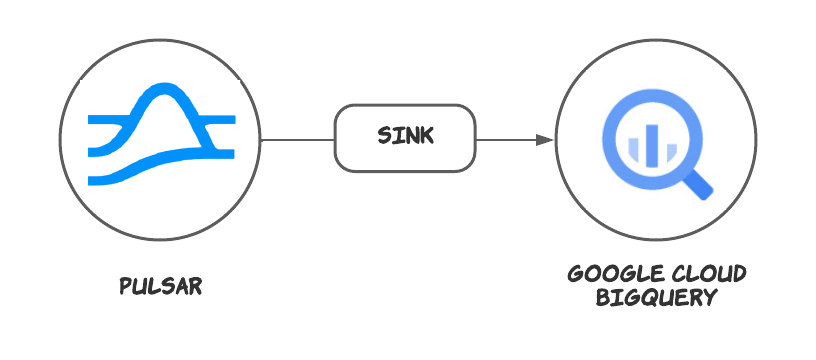
The [Google Cloud BigQuery](https://cloud.google.com/bigquery) sink connector pulls data from Pulsar topics and persists data to Google Cloud BigQuery tables.
 ## Quick start
> Data can only be synchronized to [Standard](https://cloud.google.com/bigquery/docs/tables-intro#standard_tables) BigQuery tables.
> [External](https://cloud.google.com/bigquery/docs/tables-intro#external_tables) tables and [View](https://cloud.google.com/bigquery/docs/tables-intro#views) are not supported.
### Prerequisites
The prerequisites for connecting an Google BigQuery sink connector to external systems include:
1. Create GoogleBigQuery, DataSet in Google Cloud.
2. Create the [Gcloud ServiceAccount](https://cloud.google.com/iam/docs/service-accounts-create) and create a public key certificate.
3. Create the [Gcloud Role](https://cloud.google.com/iam/docs/creating-custom-roles), ensure the Google Cloud role have the following permissions to the Google [BigQuery API](https://cloud.google.com/bigquery/docs/access-control):
```text theme={null}
- bigquery.tables.create
- bigquery.tables.get
- bigquery.tables.getData
- bigquery.tables.list
- bigquery.tables.update
- bigquery.tables.updateData
```
4. Grant the service account the above role permissions.
### 1. Create a connector
The following command shows how to use [pulsarctl](https://github.com/streamnative/pulsarctl) to create a `builtin` connector. If you want to create a `non-builtin` connector,
you need to replace `--sink-type bigquery` with `--archive /path/to/pulsar-io-bigquery.nar`. You can find the button to download the `nar` package at the beginning of the document.
If you are a StreamNative Cloud user, you need [set up your environment](https://docs.streamnative.io/docs/connector-setup) first.
```bash theme={null}
pulsarctl sinks create \
--sink-type bigquery \
--name bigquery-sink \
--tenant public \
--namespace default \
--inputs "Your topic name" \
--parallelism 1 \
--sink-config \
'{
"projectId": "Your BigQuery project Id",
"datasetName": "Your Bigquery DataSet name",
"tableName": "The name of the table you want to write data to is automatically created by default",
"credentialJsonString": "Public key certificate you created above"
}'
```
The `--sink-config` is the minimum necessary configuration for starting this connector, and it is a JSON string. You need to substitute the relevant parameters with your own.
If you want to configure more parameters, see [Configuration Properties](#configuration-properties) for reference.
You can also choose to use a variety of other tools to create a connector:
* [pulsar-admin](https://pulsar.apache.org/docs/3.1.x/io-use/): The command arguments for `pulsar-admin` are similar to those of `pulsarctl`. You can find an example for [StreamNative Cloud Doc](https://docs.streamnative.io/docs/connector-create#create-a-built-in-connector).
* [RestAPI](https://pulsar.apache.org/sink-rest-api/?version=3.1.1): You can find an example for [StreamNative Cloud Doc](https://docs.streamnative.io/docs/connector-create#create-a-built-in-connector).
* [Terraform](https://github.com/hashicorp/terraform): You can find an example for [StreamNative Cloud Doc](https://docs.streamnative.io/docs/connector-create#create-a-built-in-connector).
* [Function Mesh](https://functionmesh.io/docs/connectors/run-connector): The docker image can be found at the beginning of the document.
### 2. Send messages to the topic
If your connector is created on StreamNative Cloud, you need to authenticate your clients. See [Build applications using Pulsar clients](https://docs.streamnative.io/docs/qs-connect#jumpstart-for-beginners) for more information.
```java theme={null}
@Data
@ToString
public class TestMessage {
private String testString;
private int testInt;
public static void main(String[] args) {
PulsarClient client = PulsarClient.builder()
.serviceUrl("{{Your Pulsar URL}}")
.build();
Producer producer = client.newProducer(Schema.AVRO(TestMessage.class))
.topic("{{Your topic name}}")
.create();
TestMessage testMessage = new TestMessage();
testMessage.setTestString("test string");
testMessage.setTestInt(123);
MessageId msgID = producer.send(testMessage);
System.out.println("Publish " + testMessage + " and message ID " + msgID);
producer.flush();
producer.close();
client.close();
}
}
```
### 3. Show data on Google BigQuery
This connector will automatically create the table structure according to the schema. You can use sql to query the data in the console.
```sql theme={null}
SELECT * FROM `{{Your project id}}.`{{Your dataset name}}`.{{Your table name}}`
+-----------------+-----------------+--------------------------------+----------------------------+-------------+---------+
| __meessage_id__ | __sequence_id__ | __event_time__ | __producer_name__ | testString | testInt |
+-----------------+-----------------+--------------------------------+----------------------------+-------------+---------+
| 9:20:-1 | 0 | 2023-09-14 14:05:29.657000 UTC | test-bigquery-produce-name | test string | 123 |
+-----------------+-----------------+--------------------------------+----------------------------+-------------+---------+
```
## Configuration Properties
Before using the Google Cloud BigQuery sink connector, you need to configure it. This table outlines the properties and the descriptions.
| Name | Type | Required | Sensitive | Default | Description |
| ----------------------------- | ------- | -------- | --------- | ----------------- | ------------------------------------------------------------------------------------------------------------------------------------------------------------------------------------------------------------------------------------------------------------------------------------------------------------------------------------------------------------------------------------------------------------------- |
| `projectId` | String | Yes | false | "" (empty string) | The Google BigQuery project ID. |
| `datasetName` | String | Yes | false | "" (empty string) | The Google BigQuery dataset name. |
| `tableName` | String | Yes | false | "" (empty string) | The Google BigQuery table name. |
| `credentialJsonString` | String | Yes | true | "" (empty string) | The authentication JSON key. Set the environment variable `GOOGLE_APPLICATION_CREDENTIALS` to the path of the JSON file that contains your service account key when the `credentialJsonString` is set to an empty string. For details, see the [Google documentation](https://cloud.google.com/bigquery/docs/quickstarts/quickstart-client-libraries#before-you-begin). |
| `visibleModel` | String | No | false | "Committed" | The mode that controls when data written to the stream becomes visible in BigQuery for reading. For details, see the [Google documentation](https://cloud.google.com/bigquery/docs/write-api#application-created_streams). Available options are `Committed` and `Pending`. |
| `pendingMaxSize` | int | No | false | 10000 | The maximum number of messages waiting to be committed in `Pending` mode. |
| `batchMaxSize` | int | No | false | 20 | The maximum number of batch messages. The actual batch bytes size cannot exceed 10 MB. If it does, the batch will be flushed first. [https://cloud.google.com/bigquery/quotas](https://cloud.google.com/bigquery/quotas) |
| `batchMaxTime` | long | No | false | 5000 | The maximum batch waiting time (in units of milliseconds). |
| `batchFlushIntervalTime` | long | No | false | 2000 | The batch flush interval (in units of milliseconds). |
| `failedMaxRetryNum` | int | No | false | 20 | The maximum retries when appending fails. By default, it sets 2 seconds for each retry. |
| `autoCreateTable` | boolean | No | false | true | Automatically create a table if no table is available. |
| `autoUpdateTable` | boolean | No | false | true | Automatically update the table schema if the BigQuery table schema is incompatible with the Pulsar schema. |
| `partitionedTables` | boolean | No | false | true | Create a partitioned table when the table is automatically created. It will use the `__event_time__` as the partition key. |
| `partitionedTableIntervalDay` | int | No | false | 7 | The number of days between partitioning of the partitioned table. |
| `clusteredTables` | boolean | No | false | true | Create a clustered table when the table is automatically created. It will use the `__message_id__` as the cluster key. |
| `defaultSystemField` | String | No | false | "" (empty string) | Create the system fields when the table is automatically created. You can use commas to separate multiple fields. The supported system fields are: `__schema_version__` , `__partition__` , `__event_time__`, `__publish_time__` , `__message_id__` , `__sequence_id__` , `__producer_name__` and `__properties__`. The `__properties__` will be a repeat struct on bigquery. key and value will as a string type.. |
## Advanced features
### Delivery guarantees
The Pulsar IO connector framework provides three [delivery guarantees](https://pulsar.apache.org/docs/next/functions-concepts#processing-guarantees-and-subscription-types): `at-most-once`, `at-least-once`, and `effectively-once`.
Currently, the Google Cloud BigQuery sink connector only provides the `at-least-once` delivery guarantee.
### Tables schema
The Google Cloud BigQuery sink connector supports automatically creating and updating a table’s schema based on the Pulsar topic schema. You can configure the following options:
```
autoCreataTables = true
autoUpdateSchema = true
```
If the Pulsar topic schema and BigQuery schema are different, the Google Cloud BigQuery sink connector updates schemas by merging them together.
The Google Cloud BigQuery sink connector supports mapping schema structures to the BigQuery [RECORD TYPE](https://cloud.google.com/bigquery/docs/nested-repeated#example_schema).
In addition, the Google Cloud BigQuery sink connector supports writing some Pulsar-specific fields, as shown below:
```
#
# optional: __schema_version__ , __partition__ , __event_time__ , __publish_time__
# __message_id__ , __sequence_id__ , __producer_name__ , __key__ , __properties__
#
defaultSystemField = __event_time__,__message_id__
```
The Google Cloud BigQuery sink connector does not delete any fields. If you change a field name in a Pulsar topic, the Google Cloud BigQuery sink connector will preserve both fields.
This table lists the schema types that currently are supported to be converted.
| Schema | Supported |
| ---------------- | --------- |
| AVRO | Yes |
| PRIMITIVE | Yes |
| PROTOBUF\_NATIVE | Yes |
| PROTOBUF | No |
| JSON | No |
| KEY\_VALUE | No |
### Partitioned tables
This feature is only available when `autoCreateTable` is set to `true`. If you create a table manually, you need to manually specify the partition key.
BigQuery supports [partitioned tables](https://cloud.google.com/bigquery/docs/partitioned-tables). Partitioned tables can improve query and control costs by reducing the data read from the table.
The Google Cloud BigQuery sink connector provides an option to create a partitioned table. The partitioned tables use the **event\_time** as the partition key.
```
partitioned-tables = true
```
### Clustered tables
This feature is only available when `autoCreateTable` is set to `true`. If you create a table manually, you need to manually specify the cluster key.
[Clustered tables](https://cloud.google.com/bigquery/docs/clustered-tables) can improve the performance of certain queries, such as queries that use filter clauses and queries that aggregate data. The Google Cloud BigQuery sink connector provides an option to create a clustered table. The clustered tables use the **message\_id** as the cluster key.
```
clustered-tables = true
```
### Multiple tasks
You can leverage the Pulsar Functions scheduling mechanism to configure parallelism of the Google Cloud BigQuery sink connector. You can schedule
multiple sink instances to run on different Function worker nodes. These sink instances consume messages according to the configured subscription mode.
```
parallelism = 4
```
It is an effective way to increase parallelism when you encounter write bottlenecks. In addition, you need to pay attention to whether the write rate is greater than [BigQuery Rate Limits](https://cloud.google.com/bigquery/quotas#streaming_inserts)
### Batch progress
To increase write throughput, the Google Cloud BigQuery sink connector supports configuring the batch size. You can set the batch size and latency using the following options.
```
batchMaxSize = 100
batchMaxTime = 4000
batchFlushIntervalTime = 2000
```
## Quick start
> Data can only be synchronized to [Standard](https://cloud.google.com/bigquery/docs/tables-intro#standard_tables) BigQuery tables.
> [External](https://cloud.google.com/bigquery/docs/tables-intro#external_tables) tables and [View](https://cloud.google.com/bigquery/docs/tables-intro#views) are not supported.
### Prerequisites
The prerequisites for connecting an Google BigQuery sink connector to external systems include:
1. Create GoogleBigQuery, DataSet in Google Cloud.
2. Create the [Gcloud ServiceAccount](https://cloud.google.com/iam/docs/service-accounts-create) and create a public key certificate.
3. Create the [Gcloud Role](https://cloud.google.com/iam/docs/creating-custom-roles), ensure the Google Cloud role have the following permissions to the Google [BigQuery API](https://cloud.google.com/bigquery/docs/access-control):
```text theme={null}
- bigquery.tables.create
- bigquery.tables.get
- bigquery.tables.getData
- bigquery.tables.list
- bigquery.tables.update
- bigquery.tables.updateData
```
4. Grant the service account the above role permissions.
### 1. Create a connector
The following command shows how to use [pulsarctl](https://github.com/streamnative/pulsarctl) to create a `builtin` connector. If you want to create a `non-builtin` connector,
you need to replace `--sink-type bigquery` with `--archive /path/to/pulsar-io-bigquery.nar`. You can find the button to download the `nar` package at the beginning of the document.
If you are a StreamNative Cloud user, you need [set up your environment](https://docs.streamnative.io/docs/connector-setup) first.
```bash theme={null}
pulsarctl sinks create \
--sink-type bigquery \
--name bigquery-sink \
--tenant public \
--namespace default \
--inputs "Your topic name" \
--parallelism 1 \
--sink-config \
'{
"projectId": "Your BigQuery project Id",
"datasetName": "Your Bigquery DataSet name",
"tableName": "The name of the table you want to write data to is automatically created by default",
"credentialJsonString": "Public key certificate you created above"
}'
```
The `--sink-config` is the minimum necessary configuration for starting this connector, and it is a JSON string. You need to substitute the relevant parameters with your own.
If you want to configure more parameters, see [Configuration Properties](#configuration-properties) for reference.
You can also choose to use a variety of other tools to create a connector:
* [pulsar-admin](https://pulsar.apache.org/docs/3.1.x/io-use/): The command arguments for `pulsar-admin` are similar to those of `pulsarctl`. You can find an example for [StreamNative Cloud Doc](https://docs.streamnative.io/docs/connector-create#create-a-built-in-connector).
* [RestAPI](https://pulsar.apache.org/sink-rest-api/?version=3.1.1): You can find an example for [StreamNative Cloud Doc](https://docs.streamnative.io/docs/connector-create#create-a-built-in-connector).
* [Terraform](https://github.com/hashicorp/terraform): You can find an example for [StreamNative Cloud Doc](https://docs.streamnative.io/docs/connector-create#create-a-built-in-connector).
* [Function Mesh](https://functionmesh.io/docs/connectors/run-connector): The docker image can be found at the beginning of the document.
### 2. Send messages to the topic
If your connector is created on StreamNative Cloud, you need to authenticate your clients. See [Build applications using Pulsar clients](https://docs.streamnative.io/docs/qs-connect#jumpstart-for-beginners) for more information.
```java theme={null}
@Data
@ToString
public class TestMessage {
private String testString;
private int testInt;
public static void main(String[] args) {
PulsarClient client = PulsarClient.builder()
.serviceUrl("{{Your Pulsar URL}}")
.build();
Producer producer = client.newProducer(Schema.AVRO(TestMessage.class))
.topic("{{Your topic name}}")
.create();
TestMessage testMessage = new TestMessage();
testMessage.setTestString("test string");
testMessage.setTestInt(123);
MessageId msgID = producer.send(testMessage);
System.out.println("Publish " + testMessage + " and message ID " + msgID);
producer.flush();
producer.close();
client.close();
}
}
```
### 3. Show data on Google BigQuery
This connector will automatically create the table structure according to the schema. You can use sql to query the data in the console.
```sql theme={null}
SELECT * FROM `{{Your project id}}.`{{Your dataset name}}`.{{Your table name}}`
+-----------------+-----------------+--------------------------------+----------------------------+-------------+---------+
| __meessage_id__ | __sequence_id__ | __event_time__ | __producer_name__ | testString | testInt |
+-----------------+-----------------+--------------------------------+----------------------------+-------------+---------+
| 9:20:-1 | 0 | 2023-09-14 14:05:29.657000 UTC | test-bigquery-produce-name | test string | 123 |
+-----------------+-----------------+--------------------------------+----------------------------+-------------+---------+
```
## Configuration Properties
Before using the Google Cloud BigQuery sink connector, you need to configure it. This table outlines the properties and the descriptions.
| Name | Type | Required | Sensitive | Default | Description |
| ----------------------------- | ------- | -------- | --------- | ----------------- | ------------------------------------------------------------------------------------------------------------------------------------------------------------------------------------------------------------------------------------------------------------------------------------------------------------------------------------------------------------------------------------------------------------------- |
| `projectId` | String | Yes | false | "" (empty string) | The Google BigQuery project ID. |
| `datasetName` | String | Yes | false | "" (empty string) | The Google BigQuery dataset name. |
| `tableName` | String | Yes | false | "" (empty string) | The Google BigQuery table name. |
| `credentialJsonString` | String | Yes | true | "" (empty string) | The authentication JSON key. Set the environment variable `GOOGLE_APPLICATION_CREDENTIALS` to the path of the JSON file that contains your service account key when the `credentialJsonString` is set to an empty string. For details, see the [Google documentation](https://cloud.google.com/bigquery/docs/quickstarts/quickstart-client-libraries#before-you-begin). |
| `visibleModel` | String | No | false | "Committed" | The mode that controls when data written to the stream becomes visible in BigQuery for reading. For details, see the [Google documentation](https://cloud.google.com/bigquery/docs/write-api#application-created_streams). Available options are `Committed` and `Pending`. |
| `pendingMaxSize` | int | No | false | 10000 | The maximum number of messages waiting to be committed in `Pending` mode. |
| `batchMaxSize` | int | No | false | 20 | The maximum number of batch messages. The actual batch bytes size cannot exceed 10 MB. If it does, the batch will be flushed first. [https://cloud.google.com/bigquery/quotas](https://cloud.google.com/bigquery/quotas) |
| `batchMaxTime` | long | No | false | 5000 | The maximum batch waiting time (in units of milliseconds). |
| `batchFlushIntervalTime` | long | No | false | 2000 | The batch flush interval (in units of milliseconds). |
| `failedMaxRetryNum` | int | No | false | 20 | The maximum retries when appending fails. By default, it sets 2 seconds for each retry. |
| `autoCreateTable` | boolean | No | false | true | Automatically create a table if no table is available. |
| `autoUpdateTable` | boolean | No | false | true | Automatically update the table schema if the BigQuery table schema is incompatible with the Pulsar schema. |
| `partitionedTables` | boolean | No | false | true | Create a partitioned table when the table is automatically created. It will use the `__event_time__` as the partition key. |
| `partitionedTableIntervalDay` | int | No | false | 7 | The number of days between partitioning of the partitioned table. |
| `clusteredTables` | boolean | No | false | true | Create a clustered table when the table is automatically created. It will use the `__message_id__` as the cluster key. |
| `defaultSystemField` | String | No | false | "" (empty string) | Create the system fields when the table is automatically created. You can use commas to separate multiple fields. The supported system fields are: `__schema_version__` , `__partition__` , `__event_time__`, `__publish_time__` , `__message_id__` , `__sequence_id__` , `__producer_name__` and `__properties__`. The `__properties__` will be a repeat struct on bigquery. key and value will as a string type.. |
## Advanced features
### Delivery guarantees
The Pulsar IO connector framework provides three [delivery guarantees](https://pulsar.apache.org/docs/next/functions-concepts#processing-guarantees-and-subscription-types): `at-most-once`, `at-least-once`, and `effectively-once`.
Currently, the Google Cloud BigQuery sink connector only provides the `at-least-once` delivery guarantee.
### Tables schema
The Google Cloud BigQuery sink connector supports automatically creating and updating a table’s schema based on the Pulsar topic schema. You can configure the following options:
```
autoCreataTables = true
autoUpdateSchema = true
```
If the Pulsar topic schema and BigQuery schema are different, the Google Cloud BigQuery sink connector updates schemas by merging them together.
The Google Cloud BigQuery sink connector supports mapping schema structures to the BigQuery [RECORD TYPE](https://cloud.google.com/bigquery/docs/nested-repeated#example_schema).
In addition, the Google Cloud BigQuery sink connector supports writing some Pulsar-specific fields, as shown below:
```
#
# optional: __schema_version__ , __partition__ , __event_time__ , __publish_time__
# __message_id__ , __sequence_id__ , __producer_name__ , __key__ , __properties__
#
defaultSystemField = __event_time__,__message_id__
```
The Google Cloud BigQuery sink connector does not delete any fields. If you change a field name in a Pulsar topic, the Google Cloud BigQuery sink connector will preserve both fields.
This table lists the schema types that currently are supported to be converted.
| Schema | Supported |
| ---------------- | --------- |
| AVRO | Yes |
| PRIMITIVE | Yes |
| PROTOBUF\_NATIVE | Yes |
| PROTOBUF | No |
| JSON | No |
| KEY\_VALUE | No |
### Partitioned tables
This feature is only available when `autoCreateTable` is set to `true`. If you create a table manually, you need to manually specify the partition key.
BigQuery supports [partitioned tables](https://cloud.google.com/bigquery/docs/partitioned-tables). Partitioned tables can improve query and control costs by reducing the data read from the table.
The Google Cloud BigQuery sink connector provides an option to create a partitioned table. The partitioned tables use the **event\_time** as the partition key.
```
partitioned-tables = true
```
### Clustered tables
This feature is only available when `autoCreateTable` is set to `true`. If you create a table manually, you need to manually specify the cluster key.
[Clustered tables](https://cloud.google.com/bigquery/docs/clustered-tables) can improve the performance of certain queries, such as queries that use filter clauses and queries that aggregate data. The Google Cloud BigQuery sink connector provides an option to create a clustered table. The clustered tables use the **message\_id** as the cluster key.
```
clustered-tables = true
```
### Multiple tasks
You can leverage the Pulsar Functions scheduling mechanism to configure parallelism of the Google Cloud BigQuery sink connector. You can schedule
multiple sink instances to run on different Function worker nodes. These sink instances consume messages according to the configured subscription mode.
```
parallelism = 4
```
It is an effective way to increase parallelism when you encounter write bottlenecks. In addition, you need to pay attention to whether the write rate is greater than [BigQuery Rate Limits](https://cloud.google.com/bigquery/quotas#streaming_inserts)
### Batch progress
To increase write throughput, the Google Cloud BigQuery sink connector supports configuring the batch size. You can set the batch size and latency using the following options.
```
batchMaxSize = 100
batchMaxTime = 4000
batchFlushIntervalTime = 2000
```