> ## Documentation Index
> Fetch the complete documentation index at: https://docs.streamnative.io/llms.txt
> Use this file to discover all available pages before exploring further.
> The Debezium MongoDB source connector pulls messages from MongoDB and persists the messages to Pulsar topics
# Debezium mongodb source
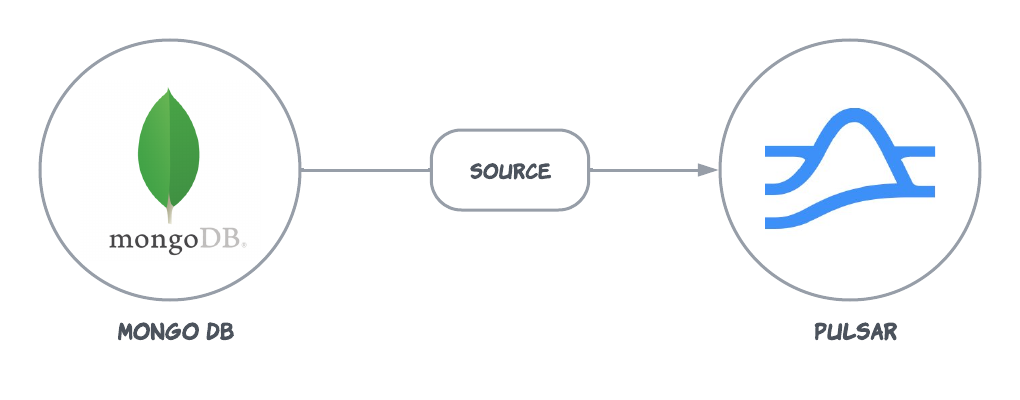
The Debezium MongoDB source connector pulls messages from MongoDB and persists the messages to Pulsar topics.
This connector is available as a built-in connector on StreamNative Cloud.
 ## Quick start
### Prerequisites
The prerequisites for connecting a Debezium MongoDB source connector to external systems include:
1. Create a MongoDB service: This connector uses the debezium v3.2, Please refer to this [document](https://debezium.io/releases/3.2/) to see the compatible MongoDB versions.
2. Prepare MongoDB Database: Please refer to this [document](https://debezium.io/documentation/reference/3.2/connectors/mongodb.html#setting-up-mongodb) to complete the prepare steps on MongoDB.
3. Configure topic retention policies: Before running the connector, you must ensure that you have set an infinite retention policy for both the `offset.storage.topic` and `schema.history.internal.pulsar.topic`. Refer to the [Used Topic On Pulsar](#used-topic-on-pulsar) section for more details.
### 1. Prepare MongoDB service
Initialize MongoDB replica set and insert some test data. You can use the following command to start a MongoDB service for the testing purpose.
```sh theme={null}
docker run -d -p 27017:27017 --name mongodb mongo:latest --replSet rs0
```
Shell into the container:
```sh theme={null}
docker exec -it mongodb mongosh
```
Initialize replica sets:
```sh theme={null}
rs.initiate({_id: "rs0", members: [{ _id: 0, host: "localhost:27017" }]})
```
### 2. Create a connector
The following command shows how to use [pulsarctl](https://github.com/streamnative/pulsarctl) to create a `builtin` connector. If you want to create a `non-builtin` connector,
you need to replace `--source-type debezium-mongodb` with `--archive /path/to/pulsar-io-debezium-mongodb.nar`. You can find the button to download the `nar` package at the beginning of the document.
If you are a StreamNative Cloud user, you need [set up your environment](https://docs.streamnative.io/docs/connector-setup) first.
```bash theme={null}
pulsarctl sources create \
--source-type debezium-mongodb \
--name debezium-mongodb \
--tenant public \
--namespace default \
--parallelism 1 \
--source-config \
'{
"mongodb.connection.string": "rs0/localhost:27017",
"mongodb.task.id": "1",
"topic.prefix": "mongodb",
"connector.class": "io.debezium.connector.mongodb.MongoDbConnector",
"database.include.list": "inventory"
}'
```
1. The `--parallelism` must be set to **1**. Debezium connectors do not support parallel consumption within a single instance. If you need to process tables in parallel, you can deploy multiple connector instances, each configured for different database schemas or tables.
2. You can set multiple tables for "table.include.list", and the connector will send data from each table to a different topic of pulsar. The topic naming rule is: `{{database.server.name}}.{{table.name}}`. For examples: `public/default/mydbserver.public.io-test`.
The `--source-config` is the minimum necessary configuration for starting this connector, and it is a JSON string. You need to substitute the relevant parameters with your own.
If you want to configure more parameters, see [Configuration Properties](#configuration-properties) for reference.
You can also choose to use a variety of other tools to create a connector:
* [pulsar-admin](https://pulsar.apache.org/docs/3.1.x/io-use/): The command arguments for `pulsar-admin` are similar to those of `pulsarctl`. You can find an example for [StreamNative Cloud Doc](https://docs.streamnative.io/docs/connector-create#create-a-built-in-connector).
* [RestAPI](https://pulsar.apache.org/sink-rest-api/?version=3.1.1): You can find an example for [StreamNative Cloud Doc](https://docs.streamnative.io/docs/connector-create#create-a-built-in-connector).
* [Terraform](https://github.com/hashicorp/terraform): You can find an example for [StreamNative Cloud Doc](https://docs.streamnative.io/docs/connector-create#create-a-built-in-connector).
* [Function Mesh](https://functionmesh.io/docs/connectors/run-connector): The docker image can be found at the beginning of the document.
### 3. Insert and update a data to the collection
Start the mongosh and run:
```
use inventory;
db.customers.insert([ { _id: NumberLong("1"), first_name: 'Bob', last_name: 'Hopper', email: 'thebob@example.com', unique_id: UUID() }] );
```
### 4. Show data using Pulsar client
If your connector is created on StreamNative Cloud, you need to authenticate your clients. See [Build applications using Pulsar clients](https://docs.streamnative.io/docs/qs-connect#jumpstart-for-beginners) for more information.
```sh theme={null}
bin/pulsar-client \
--url "Your Pulsar serviceUrl" \
consume "persistent://public/default/debezium.inventory.customers" -s "test-sub" -n 0 -p Earliest
----- got message -----
key:[eyJpZCI6IjQifQ==], properties:[], content:{"after":"{\"_id\": {\"$numberLong\": \"1\"},\"first_name\": \"Bob\",\"last_name\": \"Hopper\",\"email\": \"thebob@example.com\",\"unique_id\": {\"$binary\": \"xQezJ8i5QTGDG9NXlVFUEw==\",\"$type\": \"04\"}}","patch":null,"filter":null,"updateDescription":null,"source":{"version":"3.2.5.Final","connector":"mongodb","name":"debezium","ts_ms":1701329265000,"snapshot":"false","db":"inventory","sequence":null,"rs":"rs0","collection":"customers","ord":1,"h":null,"tord":null,"stxnid":null,"lsid":null,"txnNumber":null},"op":"c","ts_ms":1701329265295,"transaction":null}
```
## Configuration Properties
The configuration of Debezium Mongodb source connector has the following properties.
| Name | Required | Sensitive | Default | Description |
| -------------------------------------------- | -------- | --------- | ------- | ----------------------------------------------------------------------------------------------------------------------------------------------------------------------------------------------------------------------------------------------------------------------------------------------------------------------------------------------------------------------------------------------------------------------------------------------------------------------------------------------------------------------------------- |
| `mongodb.connection.string` | true | false | null | The comma-separated list of hostname and port pairs (in the form 'host' or 'host:port') of the MongoDB servers in the replica set. The list contains a single hostname and a port pair. If mongodb.members.auto.discover is set to false, the host and port pair are prefixed with the replica set name (e.g., rs0/localhost:27017). |
| `mongodb.user` | false | true | null | Name of the database user to be used when connecting to MongoDB. This is required only when MongoDB is configured to use authentication. |
| `mongodb.password` | false | true | null | Password to be used when connecting to MongoDB. This is required only when MongoDB is configured to use authentication. |
| `mongodb.task.id` | true | false | null | The taskId of the MongoDB connector that attempts to use a separate task for each replica set. |
| `topic.prefix` | true | false | null | The prefix that is used to name persisted topics. |
| `connector.class` | true | false | null | The Java class for the Debezium MongoDB connector, can only be: `io.debezium.connector.mongodb.MongoDbConnector`. |
| `database.include.list` | false | false | null | A list of all databases hosted by this server which is monitored by the connector.
## Quick start
### Prerequisites
The prerequisites for connecting a Debezium MongoDB source connector to external systems include:
1. Create a MongoDB service: This connector uses the debezium v3.2, Please refer to this [document](https://debezium.io/releases/3.2/) to see the compatible MongoDB versions.
2. Prepare MongoDB Database: Please refer to this [document](https://debezium.io/documentation/reference/3.2/connectors/mongodb.html#setting-up-mongodb) to complete the prepare steps on MongoDB.
3. Configure topic retention policies: Before running the connector, you must ensure that you have set an infinite retention policy for both the `offset.storage.topic` and `schema.history.internal.pulsar.topic`. Refer to the [Used Topic On Pulsar](#used-topic-on-pulsar) section for more details.
### 1. Prepare MongoDB service
Initialize MongoDB replica set and insert some test data. You can use the following command to start a MongoDB service for the testing purpose.
```sh theme={null}
docker run -d -p 27017:27017 --name mongodb mongo:latest --replSet rs0
```
Shell into the container:
```sh theme={null}
docker exec -it mongodb mongosh
```
Initialize replica sets:
```sh theme={null}
rs.initiate({_id: "rs0", members: [{ _id: 0, host: "localhost:27017" }]})
```
### 2. Create a connector
The following command shows how to use [pulsarctl](https://github.com/streamnative/pulsarctl) to create a `builtin` connector. If you want to create a `non-builtin` connector,
you need to replace `--source-type debezium-mongodb` with `--archive /path/to/pulsar-io-debezium-mongodb.nar`. You can find the button to download the `nar` package at the beginning of the document.
If you are a StreamNative Cloud user, you need [set up your environment](https://docs.streamnative.io/docs/connector-setup) first.
```bash theme={null}
pulsarctl sources create \
--source-type debezium-mongodb \
--name debezium-mongodb \
--tenant public \
--namespace default \
--parallelism 1 \
--source-config \
'{
"mongodb.connection.string": "rs0/localhost:27017",
"mongodb.task.id": "1",
"topic.prefix": "mongodb",
"connector.class": "io.debezium.connector.mongodb.MongoDbConnector",
"database.include.list": "inventory"
}'
```
1. The `--parallelism` must be set to **1**. Debezium connectors do not support parallel consumption within a single instance. If you need to process tables in parallel, you can deploy multiple connector instances, each configured for different database schemas or tables.
2. You can set multiple tables for "table.include.list", and the connector will send data from each table to a different topic of pulsar. The topic naming rule is: `{{database.server.name}}.{{table.name}}`. For examples: `public/default/mydbserver.public.io-test`.
The `--source-config` is the minimum necessary configuration for starting this connector, and it is a JSON string. You need to substitute the relevant parameters with your own.
If you want to configure more parameters, see [Configuration Properties](#configuration-properties) for reference.
You can also choose to use a variety of other tools to create a connector:
* [pulsar-admin](https://pulsar.apache.org/docs/3.1.x/io-use/): The command arguments for `pulsar-admin` are similar to those of `pulsarctl`. You can find an example for [StreamNative Cloud Doc](https://docs.streamnative.io/docs/connector-create#create-a-built-in-connector).
* [RestAPI](https://pulsar.apache.org/sink-rest-api/?version=3.1.1): You can find an example for [StreamNative Cloud Doc](https://docs.streamnative.io/docs/connector-create#create-a-built-in-connector).
* [Terraform](https://github.com/hashicorp/terraform): You can find an example for [StreamNative Cloud Doc](https://docs.streamnative.io/docs/connector-create#create-a-built-in-connector).
* [Function Mesh](https://functionmesh.io/docs/connectors/run-connector): The docker image can be found at the beginning of the document.
### 3. Insert and update a data to the collection
Start the mongosh and run:
```
use inventory;
db.customers.insert([ { _id: NumberLong("1"), first_name: 'Bob', last_name: 'Hopper', email: 'thebob@example.com', unique_id: UUID() }] );
```
### 4. Show data using Pulsar client
If your connector is created on StreamNative Cloud, you need to authenticate your clients. See [Build applications using Pulsar clients](https://docs.streamnative.io/docs/qs-connect#jumpstart-for-beginners) for more information.
```sh theme={null}
bin/pulsar-client \
--url "Your Pulsar serviceUrl" \
consume "persistent://public/default/debezium.inventory.customers" -s "test-sub" -n 0 -p Earliest
----- got message -----
key:[eyJpZCI6IjQifQ==], properties:[], content:{"after":"{\"_id\": {\"$numberLong\": \"1\"},\"first_name\": \"Bob\",\"last_name\": \"Hopper\",\"email\": \"thebob@example.com\",\"unique_id\": {\"$binary\": \"xQezJ8i5QTGDG9NXlVFUEw==\",\"$type\": \"04\"}}","patch":null,"filter":null,"updateDescription":null,"source":{"version":"3.2.5.Final","connector":"mongodb","name":"debezium","ts_ms":1701329265000,"snapshot":"false","db":"inventory","sequence":null,"rs":"rs0","collection":"customers","ord":1,"h":null,"tord":null,"stxnid":null,"lsid":null,"txnNumber":null},"op":"c","ts_ms":1701329265295,"transaction":null}
```
## Configuration Properties
The configuration of Debezium Mongodb source connector has the following properties.
| Name | Required | Sensitive | Default | Description |
| -------------------------------------------- | -------- | --------- | ------- | ----------------------------------------------------------------------------------------------------------------------------------------------------------------------------------------------------------------------------------------------------------------------------------------------------------------------------------------------------------------------------------------------------------------------------------------------------------------------------------------------------------------------------------- |
| `mongodb.connection.string` | true | false | null | The comma-separated list of hostname and port pairs (in the form 'host' or 'host:port') of the MongoDB servers in the replica set. The list contains a single hostname and a port pair. If mongodb.members.auto.discover is set to false, the host and port pair are prefixed with the replica set name (e.g., rs0/localhost:27017). |
| `mongodb.user` | false | true | null | Name of the database user to be used when connecting to MongoDB. This is required only when MongoDB is configured to use authentication. |
| `mongodb.password` | false | true | null | Password to be used when connecting to MongoDB. This is required only when MongoDB is configured to use authentication. |
| `mongodb.task.id` | true | false | null | The taskId of the MongoDB connector that attempts to use a separate task for each replica set. |
| `topic.prefix` | true | false | null | The prefix that is used to name persisted topics. |
| `connector.class` | true | false | null | The Java class for the Debezium MongoDB connector, can only be: `io.debezium.connector.mongodb.MongoDbConnector`. |
| `database.include.list` | false | false | null | A list of all databases hosted by this server which is monitored by the connector.
This is optional, and there are other properties for listing databases and tables to include or exclude from monitoring. |
| `database.exclude.list` | false | false | null | A list of all databases hosted by this server which is excluded from being monitored by the connector.
This is optional, and there are other properties for listing databases and tables to include or exclude from monitoring. |
| `table.include.list` | false | false | null | A list of all tables hosted by this server which is monitored by the connector.
This is optional, and there are other properties for listing tables and tables to include or exclude from monitoring. |
| `table.exclude.list` | false | false | null | A list of all tables hosted by this server which is excluded from being monitored by the connector.
This is optional, and there are other properties for listing tables and tables to include or exclude from monitoring. |
| `key.converter` | false | false | null | The converter provided by Kafka Connect to convert record key. |
| `value.converter` | false | false | null | The converter provided by Kafka Connect to convert record value. |
| `schema.history.internal.pulsar.topic` | false | false | null | The name of the database history topic where the connector writes and recovers DDL statements.
**Note: this topic is for internal use only and should not be used by consumers.** |
| `schema.history.internal.pulsar.service.url` | false | false | null | Pulsar cluster service URL for history topic. |
| `offset.storage.topic` | false | false | null | Record the last committed offsets that the connector successfully completes. By default, it's `topicNamespace + "/" + sourceName + "-debezium-offset-topic"`. eg. `persistent://public/default/debezium-mongodb-source-debezium-offset-topic` |
| `json-with-envelope` | false | false | false | The`json-with-envelope` config is valid only for the JsonConverter. By default, the value is set to false. When the `json-with-envelope` value is set to false, the consumer uses the schema `Schema.KeyValue(Schema.AUTO_CONSUME(), Schema.AUTO_CONSUME(), KeyValueEncodingType.SEPARATED)`, and the message only consists of the payload. When the `json-with-envelope` value is set to true, the consumer uses the schema `Schema.KeyValue(Schema.BYTES, Schema.BYTES)`, and the message consists of the schema and the payload. |
For more configuration properties, please see [Debezium MongoDB connector configuration properties](https://debezium.io/documentation/reference/3.2/connectors/mongodb.html#mongodb-connector-properties)
## Advanced features
### Converter options
* org.apache.kafka.connect.json.JsonConverter
The`json-with-envelope` config is valid only for the JsonConverter. By default, the value is set to false. When the `json-with-envelope` value is set to false, the consumer uses the schema `Schema.KeyValue(Schema.AUTO_CONSUME(), Schema.AUTO_CONSUME(), KeyValueEncodingType.SEPARATED)`, and the message only consists of the payload.
When the `json-with-envelope` value is set to true, the consumer uses the schema `Schema.KeyValue(Schema.BYTES, Schema.BYTES)`, and the message consists of the schema and the payload.
* org.apache.pulsar.kafka.shade.io.confluent.connect.avro.AvroConverter
If you select the AvroConverter, the consumer uses the schema `Schema.KeyValue(Schema.AUTO_CONSUME(), Schema.AUTO_CONSUME(), KeyValueEncodingType.SEPARATED)`, and the message consists of the payload.
### Used topic on Pulsar
Currently, the destination topic (specified by the `destination-topic-name` option ) is a required configuration but it is not used for the Debezium connector to save data. The Debezium connector saves data on the following 4 types of topics:
* One topic for storing the database metadata messages. It is named with the database server name ( `database.server.name`), like `public/default/database.server.name`.
* One topic (`offset.storage.topic`) for storing the offset metadata messages. The connector saves the last successfully-committed offsets on this topic.
* One topic (`schema.history.internal.pulsar.topic`) for storing the database history information. The connector writes and recovers DDL statements on this topic.
* One per-table topic. You can set multiple tables for "table.include.list", and the connector will send data from each table to a different topic of pulsar. The topic naming rule is: `{{database.server.name}}.{{table.name}}`. For examples: `public/default/mydbserver.public.io-test`.
If automatic topic creation is disabled on the Pulsar broker, you need to manually create these 4 types of topics and the destination topic.
For `offset.storage.topic` and `schema.history.internal.pulsar.topic`, If they are not specified in your connector's configuration, they will be created automatically using the following default naming convention:
* `schema.history.internal.pulsar.topic`: `"{tenant}/{namespace}/{connector-name}-debezium-history-topic"`
* `offset.storage.topic`: `"{tenant}/{namespace}/{connector-name}-offset-storage-topic"`
Here, {tenant} and {namespace} refer to the tenant and namespace where the connector is running.
Both the history and offset topics require their data to be retained indefinitely to ensure fault-tolerance and prevent data loss. Before running the connector, you must configure an infinite retention policy for both topics. Use the pulsar-admin CLI to set the retention policy:
```shell theme={null}
pulsar-admin topicPolicies set-retention -s -1 -t -1 ${topic_name}
```