> ## Documentation Index
> Fetch the complete documentation index at: https://docs.streamnative.io/llms.txt
> Use this file to discover all available pages before exploring further.
> support sink/source for AMQP version 1.0.0
# Amqp 1 0 source
This connector is available as a built-in connector on StreamNative Cloud.
# AMQP 1.0 source connector
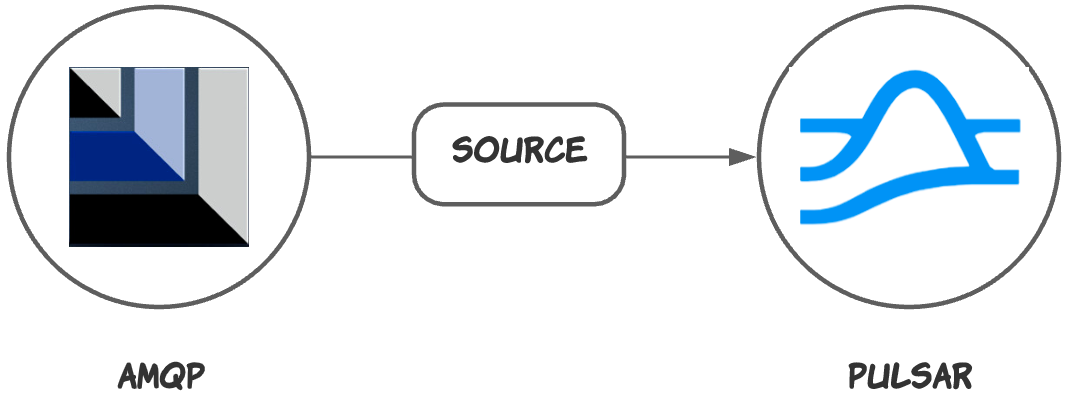
The AMQP 1.0 source connector receives messages from [AMQP 1.0](https://www.amqp.org/) and writes messages to Pulsar topics.
 ## Quick start
### 1. Start AMQP 1.0 service
Start a service that supports the AMQP 1.0 protocol, such as [Solace](https://docs.solace.com/index.html).
```bash theme={null}
docker run -d -p 8080:8080 -p:8008:8008 -p:1883:1883 -p:8000:8000 -p:5672:5672 -p:9000:9000 -p:2222:2222 --shm-size=2g --env username_admin_globalaccesslevel=admin --env username_admin_password=admin --name=solace solace/solace-pubsub-standard
```
### 2. Create a connector
The following command shows how to use [pulsarctl](https://github.com/streamnative/pulsarctl) to create a `builtin` connector. If you want to create a `non-builtin` connector,
you need to replace `--source-type amqp1_0` with `--archive /path/to/pulsar-io-amqp1_0.nar`. You can find the button to download the `nar` package at the beginning of the document.
If you are a StreamNative Cloud user, you need [set up your environment](https://docs.streamnative.io/docs/connector-setup) first.
```bash theme={null}
pulsarctl sources create \
--source-type amqp1_0 \
--name amqp1_0-source \
--tenant public \
--namespace default \
--destination-topic-name "Your topic name" \
--parallelism 1 \
--source-config \
'{
"connection": {
"failover": {
"useFailover": true
},
"uris": [
{
"protocol": "amqp",
"host": "localhost",
"port": 5672,
"urlOptions": [
"transport.tcpKeepAlive=true"
]
}
]
},
"username": "guest",
"password": "guest",
"queue": "user-op-queue-pulsar"
}'
```
The `--source-config` is the minimum necessary configuration for starting this connector, and it is a JSON string. You need to substitute the relevant parameters with your own.
If you want to configure more parameters, see [Configuration Properties](#configuration-properties) for reference.
You can also choose to use a variety of other tools to create a connector:
* [pulsar-admin](https://pulsar.apache.org/docs/3.1.x/io-use/): The command arguments for `pulsar-admin` are similar to those of `pulsarctl`. You can find an example for [StreamNative Cloud Doc](https://docs.streamnative.io/docs/connector-create#create-a-built-in-connector).
* [RestAPI](https://pulsar.apache.org/source-rest-api/?version=3.1.1): You can find an example for [StreamNative Cloud Doc](https://docs.streamnative.io/docs/connector-create#create-a-built-in-connector).
* [Terraform](https://github.com/hashicorp/terraform): You can find an example for [StreamNative Cloud Doc](https://docs.streamnative.io/docs/connector-create#create-a-built-in-connector).
* [Function Mesh](https://functionmesh.io/docs/connectors/run-connector): The docker image can be found at the beginning of the document.
### 2. Send messages to the AMQP 1.0 service
* The following sample code uses the **Apache qpid** library.
```java theme={null}
public static void main(String[] args) {
ConnectionFactory connectionFactory = new JmsConnectionFactory("amqp://localhost:5672");
Connection connection = connectionFactory.createConnection();
connection.start();
JMSProducer producer = connectionFactory.createContext().createProducer();
producer.setDeliveryMode(DeliveryMode.NON_PERSISTENT);
Destination destination = new JmsQueue("user-op-queue");
for (int i = 0; i < 10; i++) {
producer.send(destination, "Hello AMQP 1.0 - " + i);
}
connection.close();
}
```
### 3. Consume data from Pulsar
* If your connector is created on StreamNative Cloud, you need to authenticate your clients. See [Build applications using Pulsar clients](https://docs.streamnative.io/docs/qs-connect#jumpstart-for-beginners) for more information.
```java theme={null}
bin/pulsar-client \
--url "Your Pulsar serviceUrl" \
consume "The topic that you specified when you created the connector" -s "test-sub" -n 10 -p Earliest
```
## Configuration Properties
Before using the AMQP 1.0 sink connector, you need to configure it.
You can create a configuration file (JSON or YAML) to set the following properties.
| Name | Type | Required | Sensitive | Default | Description |
| ------------------- | ---------- | -------------------------------------------- | --------- | ------------------- | --------------------------------------------------------------------------------------------------------------------------------------------- |
| `protocol` | String | required if connection is not used | false | "amqp" | \[deprecated: use connection instead] The AMQP protocol. |
| `host` | String | required if connection is not used | false | " " (empty string) | \[deprecated: use connection instead] The AMQP service host. |
| `port` | int | required if connection is not used | false | 5672 | \[deprecated: use connection instead] The AMQP service port. |
| `connection` | Connection | required if protocol, host, port is not used | false | " " (empty string) | The connection details. |
| `username` | String | false | true | " " (empty string) | The username used to authenticate to ActiveMQ. |
| `password` | String | false | true | " " (empty string) | The password used to authenticate to ActiveMQ. |
| `queue` | String | false | false | " " (empty string) | The queue name that messages should be read from or written to. |
| `topic` | String | false | false | " " (empty string) | The topic name that messages should be read from or written to. |
| `activeMessageType` | String | false | false | 0 | The ActiveMQ message simple class name. |
| `onlyTextMessage` | boolean | false | false | false | If it is set to `true`, the AMQP message type must be set to `TextMessage`. Pulsar consumers can consume the messages with schema ByteBuffer. |
A `Connection` object can be specified as follows:
| Name | Type | Required | Default | Description |
| ---------- | --------------------- | -------- | ------------------ | ----------------------------------------------------------------------------------------------------------------------------------------------------------------- |
| `failover` | Failover | false | " " (empty string) | The configuration for a failover connection. |
| `uris` | list of ConnectionUri | true | " " (empty string) | A list of ConnectionUri objects. When useFailover is set to true 1 or more should be provided. Currently only 1 uri is supported when useFailover is set to false |
A `Failover` object can be specified as follows:
| Name | Type | Required | Default | Description |
| ------------------------------ | -------------- | ------------------------------------------------ | ------------------ | ------------------------------------------------------------------------------------------------------------------------------------------------------------------------------------------------------------------------------------------------------------------------------------------------------------------------------------------------------------------- |
| `useFailover` | boolean | true | false | If it is set to true, the connection will be created from the uris provided under uris, using qpid's failover connection factory. |
| `jmsClientId` | String | required if failoverConfigurationOptions is used | " " (empty string) | Identifying name for the jms Client |
| `failoverConfigurationOptions` | List of String | required if jmsClientId is used | " " (empty string) | A list of options (e.g. ``). The options wil be joined using an '&', prefixed with a the jmsClientId and added to the end of the failoverUri. see also: [https://qpid.apache.org/releases/qpid-jms-2.2.0/docs/index.html#failover-configuration-options](https://qpid.apache.org/releases/qpid-jms-2.2.0/docs/index.html#failover-configuration-options) |
A `ConnectionUri` object can be specified as follows:
| Name | Type | Required | Default | Description |
| ------------ | -------------- | -------- | ------------------ | ------------------------------------------------------------------------------------------------------------------------------------------- |
| `protocol` | String | true | " " (empty string) | The AMQP protocol. |
| `host` | String | true | " " (empty string) | The AMQP service host. |
| `port` | int | true | 0 | The AMQP service port. |
| `urlOptions` | List of String | false | " " (empty string) | A list of url-options (e.g. ``). The url options wil be joined using an '&', prefixed with a '?' and added to the end of the uri |
## Quick start
### 1. Start AMQP 1.0 service
Start a service that supports the AMQP 1.0 protocol, such as [Solace](https://docs.solace.com/index.html).
```bash theme={null}
docker run -d -p 8080:8080 -p:8008:8008 -p:1883:1883 -p:8000:8000 -p:5672:5672 -p:9000:9000 -p:2222:2222 --shm-size=2g --env username_admin_globalaccesslevel=admin --env username_admin_password=admin --name=solace solace/solace-pubsub-standard
```
### 2. Create a connector
The following command shows how to use [pulsarctl](https://github.com/streamnative/pulsarctl) to create a `builtin` connector. If you want to create a `non-builtin` connector,
you need to replace `--source-type amqp1_0` with `--archive /path/to/pulsar-io-amqp1_0.nar`. You can find the button to download the `nar` package at the beginning of the document.
If you are a StreamNative Cloud user, you need [set up your environment](https://docs.streamnative.io/docs/connector-setup) first.
```bash theme={null}
pulsarctl sources create \
--source-type amqp1_0 \
--name amqp1_0-source \
--tenant public \
--namespace default \
--destination-topic-name "Your topic name" \
--parallelism 1 \
--source-config \
'{
"connection": {
"failover": {
"useFailover": true
},
"uris": [
{
"protocol": "amqp",
"host": "localhost",
"port": 5672,
"urlOptions": [
"transport.tcpKeepAlive=true"
]
}
]
},
"username": "guest",
"password": "guest",
"queue": "user-op-queue-pulsar"
}'
```
The `--source-config` is the minimum necessary configuration for starting this connector, and it is a JSON string. You need to substitute the relevant parameters with your own.
If you want to configure more parameters, see [Configuration Properties](#configuration-properties) for reference.
You can also choose to use a variety of other tools to create a connector:
* [pulsar-admin](https://pulsar.apache.org/docs/3.1.x/io-use/): The command arguments for `pulsar-admin` are similar to those of `pulsarctl`. You can find an example for [StreamNative Cloud Doc](https://docs.streamnative.io/docs/connector-create#create-a-built-in-connector).
* [RestAPI](https://pulsar.apache.org/source-rest-api/?version=3.1.1): You can find an example for [StreamNative Cloud Doc](https://docs.streamnative.io/docs/connector-create#create-a-built-in-connector).
* [Terraform](https://github.com/hashicorp/terraform): You can find an example for [StreamNative Cloud Doc](https://docs.streamnative.io/docs/connector-create#create-a-built-in-connector).
* [Function Mesh](https://functionmesh.io/docs/connectors/run-connector): The docker image can be found at the beginning of the document.
### 2. Send messages to the AMQP 1.0 service
* The following sample code uses the **Apache qpid** library.
```java theme={null}
public static void main(String[] args) {
ConnectionFactory connectionFactory = new JmsConnectionFactory("amqp://localhost:5672");
Connection connection = connectionFactory.createConnection();
connection.start();
JMSProducer producer = connectionFactory.createContext().createProducer();
producer.setDeliveryMode(DeliveryMode.NON_PERSISTENT);
Destination destination = new JmsQueue("user-op-queue");
for (int i = 0; i < 10; i++) {
producer.send(destination, "Hello AMQP 1.0 - " + i);
}
connection.close();
}
```
### 3. Consume data from Pulsar
* If your connector is created on StreamNative Cloud, you need to authenticate your clients. See [Build applications using Pulsar clients](https://docs.streamnative.io/docs/qs-connect#jumpstart-for-beginners) for more information.
```java theme={null}
bin/pulsar-client \
--url "Your Pulsar serviceUrl" \
consume "The topic that you specified when you created the connector" -s "test-sub" -n 10 -p Earliest
```
## Configuration Properties
Before using the AMQP 1.0 sink connector, you need to configure it.
You can create a configuration file (JSON or YAML) to set the following properties.
| Name | Type | Required | Sensitive | Default | Description |
| ------------------- | ---------- | -------------------------------------------- | --------- | ------------------- | --------------------------------------------------------------------------------------------------------------------------------------------- |
| `protocol` | String | required if connection is not used | false | "amqp" | \[deprecated: use connection instead] The AMQP protocol. |
| `host` | String | required if connection is not used | false | " " (empty string) | \[deprecated: use connection instead] The AMQP service host. |
| `port` | int | required if connection is not used | false | 5672 | \[deprecated: use connection instead] The AMQP service port. |
| `connection` | Connection | required if protocol, host, port is not used | false | " " (empty string) | The connection details. |
| `username` | String | false | true | " " (empty string) | The username used to authenticate to ActiveMQ. |
| `password` | String | false | true | " " (empty string) | The password used to authenticate to ActiveMQ. |
| `queue` | String | false | false | " " (empty string) | The queue name that messages should be read from or written to. |
| `topic` | String | false | false | " " (empty string) | The topic name that messages should be read from or written to. |
| `activeMessageType` | String | false | false | 0 | The ActiveMQ message simple class name. |
| `onlyTextMessage` | boolean | false | false | false | If it is set to `true`, the AMQP message type must be set to `TextMessage`. Pulsar consumers can consume the messages with schema ByteBuffer. |
A `Connection` object can be specified as follows:
| Name | Type | Required | Default | Description |
| ---------- | --------------------- | -------- | ------------------ | ----------------------------------------------------------------------------------------------------------------------------------------------------------------- |
| `failover` | Failover | false | " " (empty string) | The configuration for a failover connection. |
| `uris` | list of ConnectionUri | true | " " (empty string) | A list of ConnectionUri objects. When useFailover is set to true 1 or more should be provided. Currently only 1 uri is supported when useFailover is set to false |
A `Failover` object can be specified as follows:
| Name | Type | Required | Default | Description |
| ------------------------------ | -------------- | ------------------------------------------------ | ------------------ | ------------------------------------------------------------------------------------------------------------------------------------------------------------------------------------------------------------------------------------------------------------------------------------------------------------------------------------------------------------------- |
| `useFailover` | boolean | true | false | If it is set to true, the connection will be created from the uris provided under uris, using qpid's failover connection factory. |
| `jmsClientId` | String | required if failoverConfigurationOptions is used | " " (empty string) | Identifying name for the jms Client |
| `failoverConfigurationOptions` | List of String | required if jmsClientId is used | " " (empty string) | A list of options (e.g. ``). The options wil be joined using an '&', prefixed with a the jmsClientId and added to the end of the failoverUri. see also: [https://qpid.apache.org/releases/qpid-jms-2.2.0/docs/index.html#failover-configuration-options](https://qpid.apache.org/releases/qpid-jms-2.2.0/docs/index.html#failover-configuration-options) |
A `ConnectionUri` object can be specified as follows:
| Name | Type | Required | Default | Description |
| ------------ | -------------- | -------- | ------------------ | ------------------------------------------------------------------------------------------------------------------------------------------- |
| `protocol` | String | true | " " (empty string) | The AMQP protocol. |
| `host` | String | true | " " (empty string) | The AMQP service host. |
| `port` | int | true | 0 | The AMQP service port. |
| `urlOptions` | List of String | false | " " (empty string) | A list of url-options (e.g. ``). The url options wil be joined using an '&', prefixed with a '?' and added to the end of the uri |