> ## Documentation Index
> Fetch the complete documentation index at: https://docs.streamnative.io/llms.txt
> Use this file to discover all available pages before exploring further.
# Manage Universal Links in StreamNative Cloud
You can monitor and manage your Universal Linking jobs in the StreamNative Cloud Console.
## View All Universal Linking Jobs
1. Navigate to the [**Organization Dashboard**](/cloud/get-started/cloud-console#organization-dashboard).
2. Click **Unilink** in the left navigation pane to access the **UniLink** page.
3. View all Universal Linking jobs by selecting either the **Data Migration** or **Schema Migration** tab.
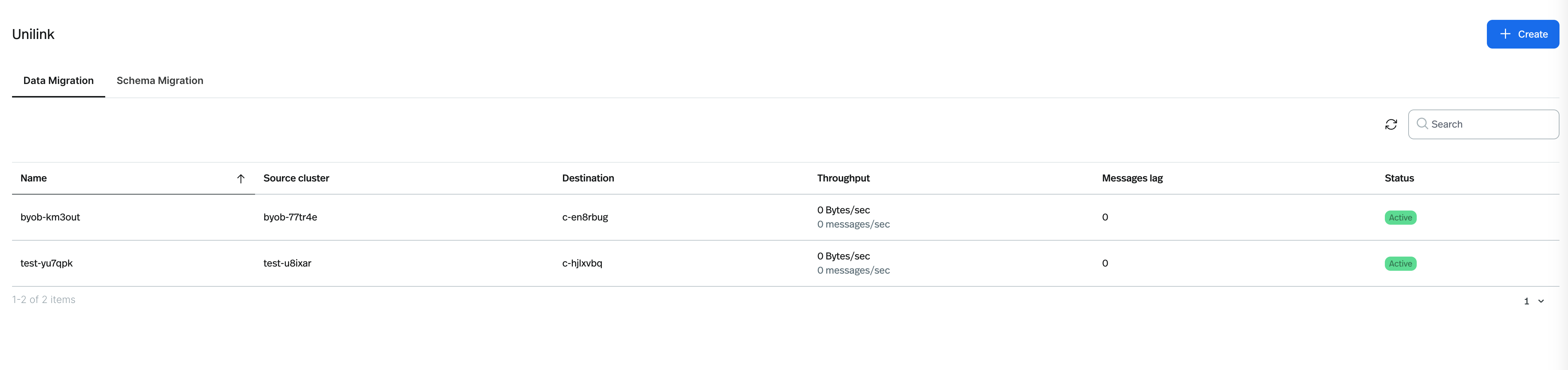 For data replication jobs, you can see the following information:
* **Job Name**: The name of the Universal Linking job, with a unique random suffix.
* **Source Cluster**: The source cluster, also with a unique random suffix.
* **Destination Cluster**: The destination cluster.
* **Throughput**: The total bytes per second and total messages per second of the replication.
* **Message Lag**: The total message lag of the replication, periodically checked by UniLink.
* **Status**: The current status of the Universal Linking job.
For data replication jobs, you can see the following information:
* **Job Name**: The name of the Universal Linking job, with a unique random suffix.
* **Source Cluster**: The source cluster, also with a unique random suffix.
* **Destination Cluster**: The destination cluster.
* **Throughput**: The total bytes per second and total messages per second of the replication.
* **Message Lag**: The total message lag of the replication, periodically checked by UniLink.
* **Status**: The current status of the Universal Linking job.
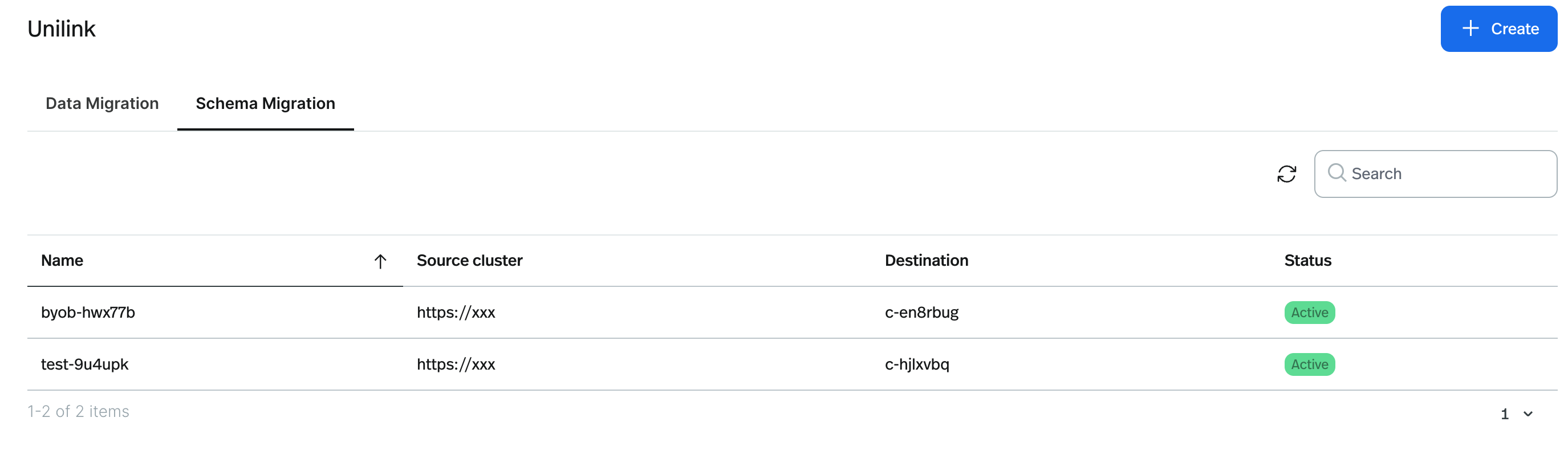 For schema migration jobs, the following details are available:
* **Job Name**: The name of the Schema Replication job, with a unique random suffix.
* **Source Cluster**: A link to the source cluster schema registry.
* **Destination**: A link to the destination cluster schema registry.
* **Status**: The current status of the Schema Replication job.
s
## View Details of a Universal Linking Job
1. Click the **Job Name** of the Universal Linking job you wish to view.
2. Review the job details, including all configurations. For Data Replication jobs, monitor the progress of all topics,
including throughput and message lag.
## Edit a Universal Linking Job
1. Click the three dots on the right side of the job you wish to edit.
2. Select **Edit** to modify the job configurations. This process mirrors the steps for creating a new job.
* For Data Replication jobs, you can edit the source cluster, source cluster secrets, topic replication, and
consumer group replication. The job name and destination cluster cannot be changed.
* For Schema Replication jobs, you can edit the source cluster, destination cluster, and schema replication
settings. The job name and destination cluster cannot be changed.
## Delete a Universal Linking Job
1. Click the three dots on the right side of the job you wish to delete.
2. Select **Delete** to remove the Universal Linking job.
For schema migration jobs, the following details are available:
* **Job Name**: The name of the Schema Replication job, with a unique random suffix.
* **Source Cluster**: A link to the source cluster schema registry.
* **Destination**: A link to the destination cluster schema registry.
* **Status**: The current status of the Schema Replication job.
s
## View Details of a Universal Linking Job
1. Click the **Job Name** of the Universal Linking job you wish to view.
2. Review the job details, including all configurations. For Data Replication jobs, monitor the progress of all topics,
including throughput and message lag.
## Edit a Universal Linking Job
1. Click the three dots on the right side of the job you wish to edit.
2. Select **Edit** to modify the job configurations. This process mirrors the steps for creating a new job.
* For Data Replication jobs, you can edit the source cluster, source cluster secrets, topic replication, and
consumer group replication. The job name and destination cluster cannot be changed.
* For Schema Replication jobs, you can edit the source cluster, destination cluster, and schema replication
settings. The job name and destination cluster cannot be changed.
## Delete a Universal Linking Job
1. Click the three dots on the right side of the job you wish to delete.
2. Select **Delete** to remove the Universal Linking job.